
1. Product Overview
The arsvita 5.1 Bluetooth Cassette Adapter (Model BCA02) is designed to integrate modern Bluetooth audio streaming into vehicles or home audio systems equipped with a cassette player. This device allows for wireless music playback, hands-free calling, and Micro SD card support, utilizing Bluetooth 5.1 technology for stable and efficient performance.
Key Features:
- Bluetooth 5.1 Connectivity: Ensures stable and faster audio transmission.
- Hands-Free Calling: Built-in microphone for answering calls.
- Stereo Sound Quality: Delivers clear audio reproduction.
- Convenient Music Control: Buttons for volume, play/pause, and track skipping.
- Micro SD Card Support: Play music directly from a Micro SD card.
- Long Battery Life: Up to 10 hours of play/talk time.
- Simultaneous Charging and Usage: Device can be used while charging.

2. Package Contents
Please verify that all items are present in the package:
- arsvita 5.1 Bluetooth Cassette Adapter
- USB Charging Cable
- Instruction Manual (this document)

3. Controls and Indicators
Familiarize yourself with the control buttons and ports on the adapter's remote control:
- Micro Charging Port: For connecting the USB charging cable.
- Volume -: Decrease audio volume.
- Next Song: Skip to the next track.
- On/Off Button: Power the device on or off.
- Answer/Hang Up Phone Call: Manage phone calls.
- Bluetooth Connection Indicator: LED light indicating Bluetooth status.
- Micro SD Card Slot: Insert a Micro SD card for direct music playback.
- Volume +: Increase audio volume.
- Previous Song: Go back to the previous track.

4. Charging the Adapter
The adapter has a built-in rechargeable battery. Before first use, fully charge the device.
- Locate the Micro Charging Port on the remote control.
- Connect the provided USB charging cable to the adapter and a standard USB power source (e.g., car charger, wall adapter, computer USB port).
- The LED indicator will show charging status (e.g., red while charging, off or blue when fully charged).
- A full charge typically takes approximately 1.5 hours.
The adapter supports simultaneous charging and usage, allowing you to power the device while it is in operation.

5. Setup and Bluetooth Pairing
Inserting the Adapter:
- Ensure your car's cassette player is functional.
- Insert the arsvita Bluetooth Cassette Adapter into your car's cassette deck as you would a regular audio cassette.
- Press the 'Play' button on your cassette player. The player should recognize the adapter as a tape.
Bluetooth Pairing:
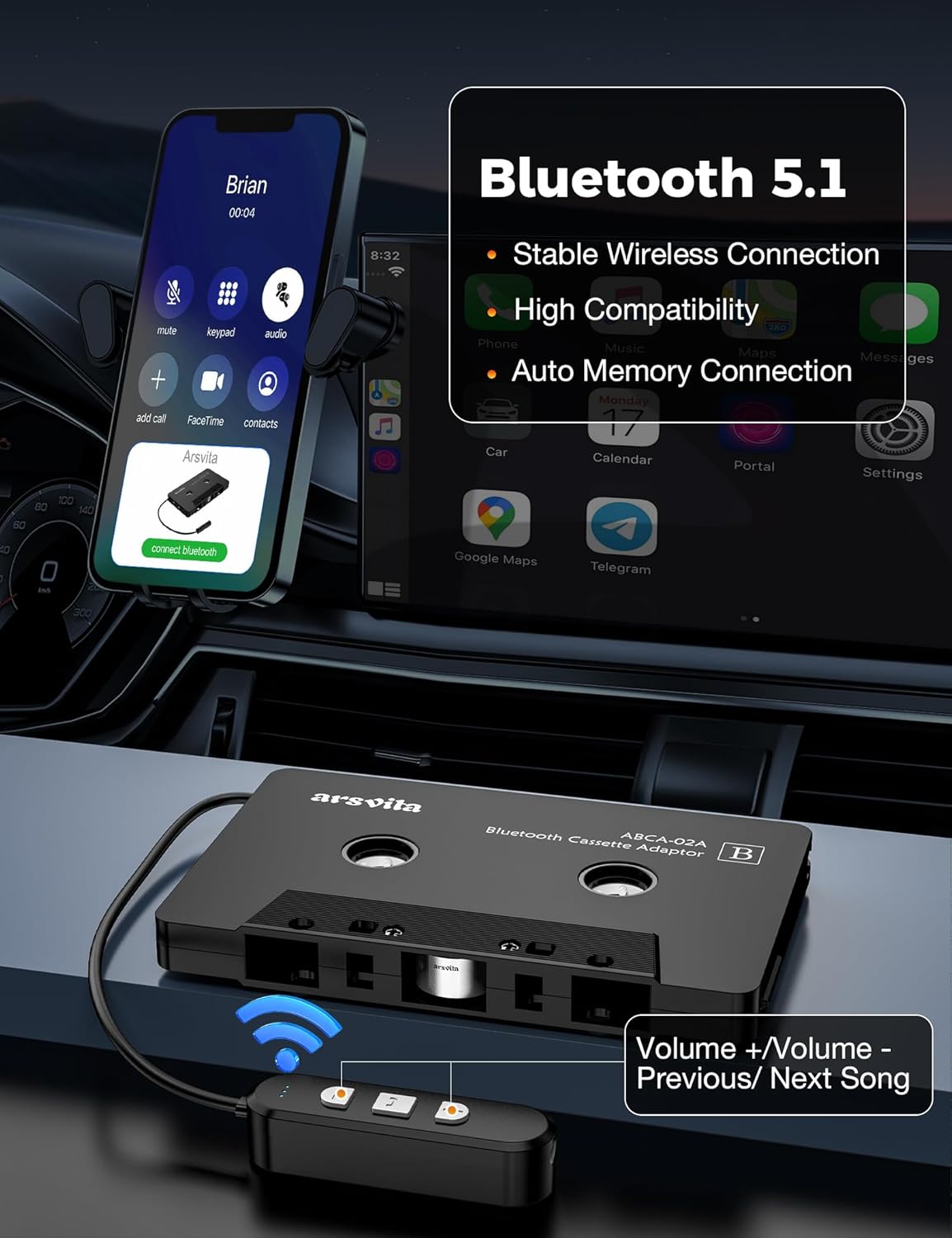
- Turn on the arsvita Bluetooth Cassette Adapter by pressing and holding the On/Off button on the remote control until the Bluetooth indicator light flashes (usually blue).
- On your smartphone or other Bluetooth-enabled device, go to the Bluetooth settings.
- Search for available devices. The adapter should appear as "Arsvita" or a similar identifier (e.g., "YS-53SLH").
- Select the adapter to pair. Once connected, the Bluetooth indicator light will typically become solid blue.
- Your device is now ready to stream audio through your car's cassette player.
6. Operating the Adapter
Music Playback:
- Once paired, open your preferred music application on your connected device.
- Use the Play/Pause button on the adapter's remote control to start or stop music.
- Press the Next Song or Previous Song buttons to navigate tracks.
- Adjust the volume using the Volume + and Volume - buttons on the remote control, or directly from your connected device and car stereo.
Hands-Free Calling:
- When a call comes in, the music will pause.
- Press the Answer/Hang Up Phone Call button on the remote control to answer an incoming call.
- To end a call, press the Answer/Hang Up Phone Call button again.
- The built-in microphone allows for clear communication.
Micro SD Card Playback:
- Insert a Micro SD card with audio files into the Micro SD Card Slot.
- The adapter will automatically switch to Micro SD card playback mode.
- Use the Play/Pause, Next Song, and Previous Song buttons to control playback.

7. Maintenance
- Cleaning: Use a soft, dry cloth to clean the adapter. Do not use liquid cleaners or aerosols.
- Storage: Store the adapter in a cool, dry place when not in use. Avoid extreme temperatures.
- Handling: Handle the adapter with care. Avoid dropping it or subjecting it to strong impacts.
8. Troubleshooting
| Problem | Possible Cause | Solution |
|---|---|---|
| No sound or poor sound quality. | Adapter not fully inserted; Cassette player not in 'Tape' mode; Low battery; Bluetooth not connected; Volume too low. | Ensure adapter is fully inserted and cassette player is set to 'Tape'. Charge the adapter. Re-pair Bluetooth. Increase volume on adapter, device, and car stereo. |
| Cannot pair with Bluetooth device. | Adapter not in pairing mode; Device Bluetooth off; Too far from adapter. | Ensure adapter is on and indicator is flashing. Turn on Bluetooth on your device. Move device closer to adapter. Try restarting both devices. |
| Hands-free calls not working. | Microphone blocked; Bluetooth connection issue. | Ensure microphone is not obstructed. Check Bluetooth connection. |
| Micro SD card not playing. | Card not inserted correctly; Incompatible file format; Corrupted card. | Reinsert Micro SD card. Ensure audio files are in a compatible format. Try a different Micro SD card. |
9. Specifications
- Model Number: Us1AKca032 (BCA02)
- Bluetooth Version: 5.1
- Compatible Devices: Smartphones, Tablets, MP3 Players, Car Audio Systems
- Connector Type: Auxiliary (via cassette mechanism)
- Battery Life: Up to 10 hours play/talk time
- Charging Time: Approximately 1.5 hours
- Power Input: Micro USB
- Color: Black

10. Warranty and Support
Warranty Information:
This arsvita product comes with a 12-month replacement guarantee from the date of purchase. This warranty covers manufacturing defects and ensures your satisfaction with the product. Please retain your proof of purchase for warranty claims.
Customer Support:
If you encounter any issues, have questions, or require assistance with your arsvita 5.1 Bluetooth Cassette Adapter, please contact arsvita customer support. Refer to the contact information provided on the product packaging or the official arsvita website for the most up-to-date support channels.