
MONODEAL S820
Contents
MONODEAL IP68 Waterproof Bone Conduction Swimming Headphones
Model: S820
Introduction
Thank you for choosing the MONODEAL S820 Bone Conduction Swimming Headphones. These headphones are designed to provide a comfortable and immersive audio experience for various activities, including swimming, running, and cycling. Featuring IP68 waterproofing, Bluetooth 5.4 connectivity, and an integrated 32GB MP3 player, they offer versatility and high performance.

Figure 1: MONODEAL S820 Headphones, showcasing their waterproof design.
What's in the Box
- MONODEAL S820 Bone Conduction Swimming Headphones
- Magnetic Charging Cable
- Earplugs (two types: silicone and foam)
- User Manual
Product Overview
The MONODEAL S820 headphones feature a lightweight, flexible design for maximum comfort and durability. Key components include the bone conduction transducers, control buttons, and magnetic charging port.

Figure 2: The headphones are ultra-light (24g) and made from soft, flexible silicone material.
Controls and Indicators
- Multi-function Button: Power on/off, play/pause, answer/end calls, switch modes.
- Volume Up (+): Increase volume, next track (long press).
- Volume Down (-): Decrease volume, previous track (long press).
- LED Indicator: Shows power status, charging status, and connection status.
- Magnetic Charging Port: For charging and data transfer.
Setup
Charging the Headphones
- Connect the magnetic charging cable to the charging port on the headphones.
- Connect the USB end of the cable to a standard USB power adapter (5V/1A recommended) or a computer's USB port.
- The LED indicator will show red during charging and turn blue when fully charged.
- A full charge takes approximately 2 hours and provides up to 8 hours of playback.

Figure 3: Magnetic charging for convenient power replenishment.
Bluetooth Pairing
- Ensure the headphones are powered off.
- Press and hold the Multi-function Button for 3-5 seconds until the LED indicator flashes red and blue alternately, indicating pairing mode.
- On your device (smartphone, tablet, etc.), enable Bluetooth and search for available devices.
- Select "S820" from the list of devices.
- Once connected, the LED indicator will flash blue slowly.
Transferring MP3 Files
The headphones have a built-in 32GB storage for MP3 playback, especially useful for activities like swimming where Bluetooth signals are limited.
- Connect the headphones to your computer using the magnetic charging cable.
- The headphones will appear as a removable disk drive on your computer.
- Drag and drop your desired MP3 audio files into the headphone's storage folder.
- Safely eject the device from your computer before disconnecting the cable.

Figure 4: The headphones support both Bluetooth and MP3 modes with 32GB internal storage.
Operating Instructions
Power On/Off
- Power On: Press and hold the Multi-function Button for 3 seconds.
- Power Off: Press and hold the Multi-function Button for 5 seconds.
Switching Between Bluetooth and MP3 Modes
The headphones support dual modes for versatile use.
- While powered on, double-press the Multi-function Button to switch between Bluetooth mode and MP3 mode.
- Important: When swimming or underwater, always switch to MP3 mode as Bluetooth signals do not transmit effectively through water.

Figure 5: For optimal performance underwater, use the MP3 mode.
Music Playback
- Play/Pause: Press the Multi-function Button once.
- Next Track: Long press the Volume Up (+) button.
- Previous Track: Long press the Volume Down (-) button.
- Volume Adjustment: Short press Volume Up (+) or Volume Down (-) buttons.
Call Management (Bluetooth Mode Only)
- Answer/End Call: Press the Multi-function Button once.
- Reject Call: Press and hold the Multi-function Button for 2 seconds.
Wearing the Headphones
Place the headphones around the back of your head with the transducers resting on your cheekbones, just in front of your ears. The flexible band should rest comfortably on your neck. The open-ear design allows you to remain aware of your surroundings while enjoying audio.
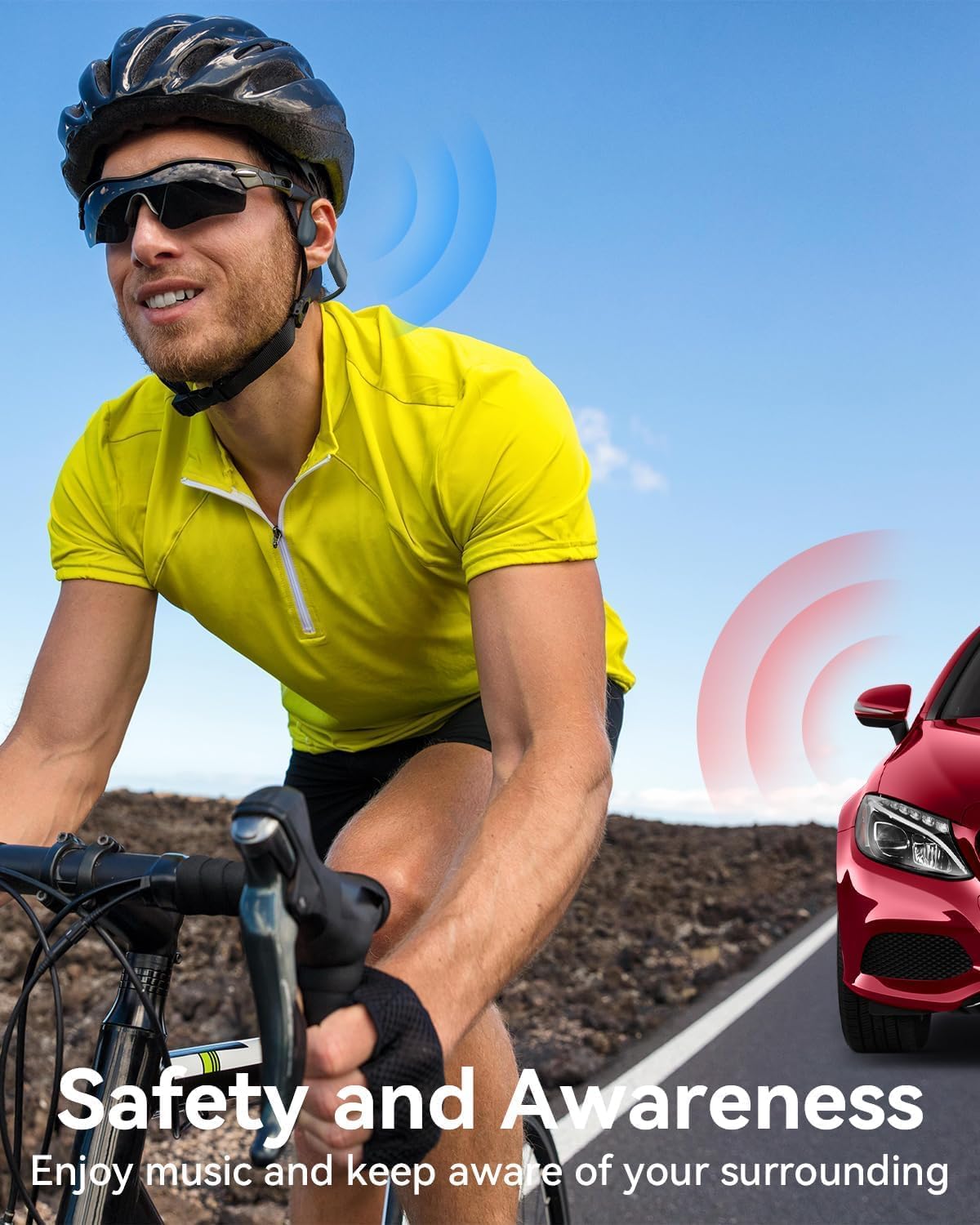
Figure 6: The open-ear design ensures safety and awareness during outdoor activities.
Water Usage Guidelines
The MONODEAL S820 headphones are IP68 waterproof, meaning they can be submerged in up to 2 meters of water for 2 hours. For optimal performance and longevity:
- Always switch to MP3 mode before entering water.
- Ensure the charging port is dry before connecting the charging cable.
- Consider using the provided earplugs to enhance sound quality underwater and prevent water from entering your ears.

Figure 7: The IP68 waterproof rating makes these headphones ideal for swimming.
Maintenance
- Cleaning: After use, especially after swimming, rinse the headphones with fresh water to remove chlorine or salt. Wipe them dry with a soft cloth. Do not use abrasive cleaners or solvents.
- Storage: Store the headphones in a cool, dry place away from direct sunlight and extreme temperatures.
- Charging Port: Ensure the magnetic charging contacts are clean and free of debris.
Troubleshooting
| Problem | Possible Cause | Solution |
|---|---|---|
| Headphones do not power on. | Low battery. | Charge the headphones fully. |
| Cannot pair via Bluetooth. | Headphones not in pairing mode; device Bluetooth off; too far from device. | Ensure headphones are in pairing mode (flashing red/blue). Turn on device Bluetooth. Move closer to the device (within 10 meters). |
| No sound in MP3 mode. | No MP3 files loaded; volume too low; headphones in Bluetooth mode. | Transfer MP3 files to the headphones. Increase volume. Double-press Multi-function Button to switch to MP3 mode. |
| Sound quality is poor underwater. | Headphones in Bluetooth mode; earplugs not used. | Switch to MP3 mode. Use the provided earplugs to improve sound clarity underwater. |
| Cannot transfer files to headphones. | Improper connection; driver issue. | Ensure the magnetic cable is securely connected. Try a different USB port or computer. |
Specifications
| Feature | Detail |
|---|---|
| Model | S820 |
| Water Resistance | IP68 (Submersible up to 2 meters for 2 hours) |
| Bluetooth Version | 5.4 |
| Internal Storage | 32GB (for MP3 files) |
| Battery Life | Up to 8 hours (continuous music playback) |
| Charging Time | Approximately 2 hours |
| Weight | 24 grams |
| Frequency Response | 20 Hz - 20,000 Hz |
| Charging Voltage | 5V/1A |
| Compatible Devices | Mobile phones, tablets, music production equipment |
Warranty and Support
MONODEAL products are manufactured to high quality standards. For warranty information and customer support, please refer to the warranty card included in your product packaging or visit the official MONODEAL website. If you encounter any issues or have questions, please contact our customer service team for assistance.
Ask a question about this manual
Ask about setup, troubleshooting, compatibility, parts, safety, or missing instructions. Manuals+ will review the question and use this page’s manual context to help answer it.