
Introduction
This manual provides comprehensive instructions for the Loutoc Universal Remote Control, model sam1312, designed as a replacement for a wide range of Samsung Smart TVs. This remote offers seamless control without the need for complex programming, ensuring a straightforward user experience.

Image: The Loutoc Universal Remote Control, showcasing its sleek design and key buttons, including dedicated shortcut buttons for streaming services.
Setup
The Loutoc Universal Remote Control is designed for immediate use with most compatible Samsung TVs. No programming or pairing is required.
Battery Installation
- Gently slide down the remote control cover located on the back of the remote.
- Observe the positive (+) and negative (-) terminals inside the battery compartment.
- Insert two (2) AA 1.5V batteries, ensuring correct polarity alignment with the markings.
- Gently push the remote control cover upwards to close it securely.

Image: A visual guide demonstrating the four steps for battery installation: sliding the cover, identifying terminals, inserting batteries, and closing the cover.
Once batteries are installed, the remote is ready for operation.
Operating Instructions
This remote control provides intuitive access to your Samsung Smart TV's functions. Below are the primary button functions:

Image: A detailed diagram illustrating each button on the remote control and its corresponding function, along with the remote's dimensions.
- Power Button: Turns the TV on or off.
- 123 / Color / Number Button: Displays colored buttons and the virtual numeric pad. Use to enter numbers, PINs, or access specific features.
- Menu Button: Refers to the TV's on-screen guide or menu.
- Ambient Mode Button: Activates Ambient Mode, which mimics the wall behind the TV or displays artwork, weather, etc.
- Directional Pad (Up/Down/Left/Right): Moves focus, selects items, or displays detailed program information during broadcast.
- Return Button: Returns to the previous menu or cancels the current function.
- Play/Pause Button: Controls media playback.
- Smart Hub Button: Returns to the Home Screen. For The Frame models, switches to TV mode from Art mode.
- VOL (Volume) Buttons: Adjusts volume. Press and hold to display Accessibility Shortcuts menu.
- CH (Channel) Buttons: Changes channels. Press and hold for quick channel changes.
- Shortcut Buttons (NFLX, Video, Rakuten TV): Launches the indicated streaming application directly.

Image: A visual representation emphasizing the dedicated shortcut buttons for Netflix, Prime Video, and Rakuten TV, designed for quick access to streaming content.
Compatibility
This universal remote control is compatible with a wide range of Samsung Smart TVs, including:
- TV Types: QLED, UHD, SUHD, HDR, LCD, LED, HDTV, Frame, Curved, 4K, 8K, 3D Smart TVs.
- Samsung TV Series: LS01T, LS01TA, LS01TB, LS03T, LS05T, LST7, LST7T, LST7TG, M5, M50A, M7, M70A, Q60T, Q64T, Q65T, Q67T, Q68T, Q700T, Q70T, Q75T, Q77T, Q800T, Q80T, Q80TC, Q82T, Q84T, Q85T, Q87T, Q8F, Q90T, Q90TC, Q950T, Q950TS, Q95T, Q95TC, Q95TD, RU7379, The Terrace, TU8079, TU8300, TU8305, TU8379, TU8505, TU8506, TU8507, TU8509, TU8519, TU9000, TU9009.
- Compatible Remote Models: BN68-11275D, BN68-11315A, BN68-11315C, BN68-11315D, BN68-12398D, BN68-12572E, TM1890A, TM2050A, TM2050C, TM2090A, TM2090C, TM2095A.
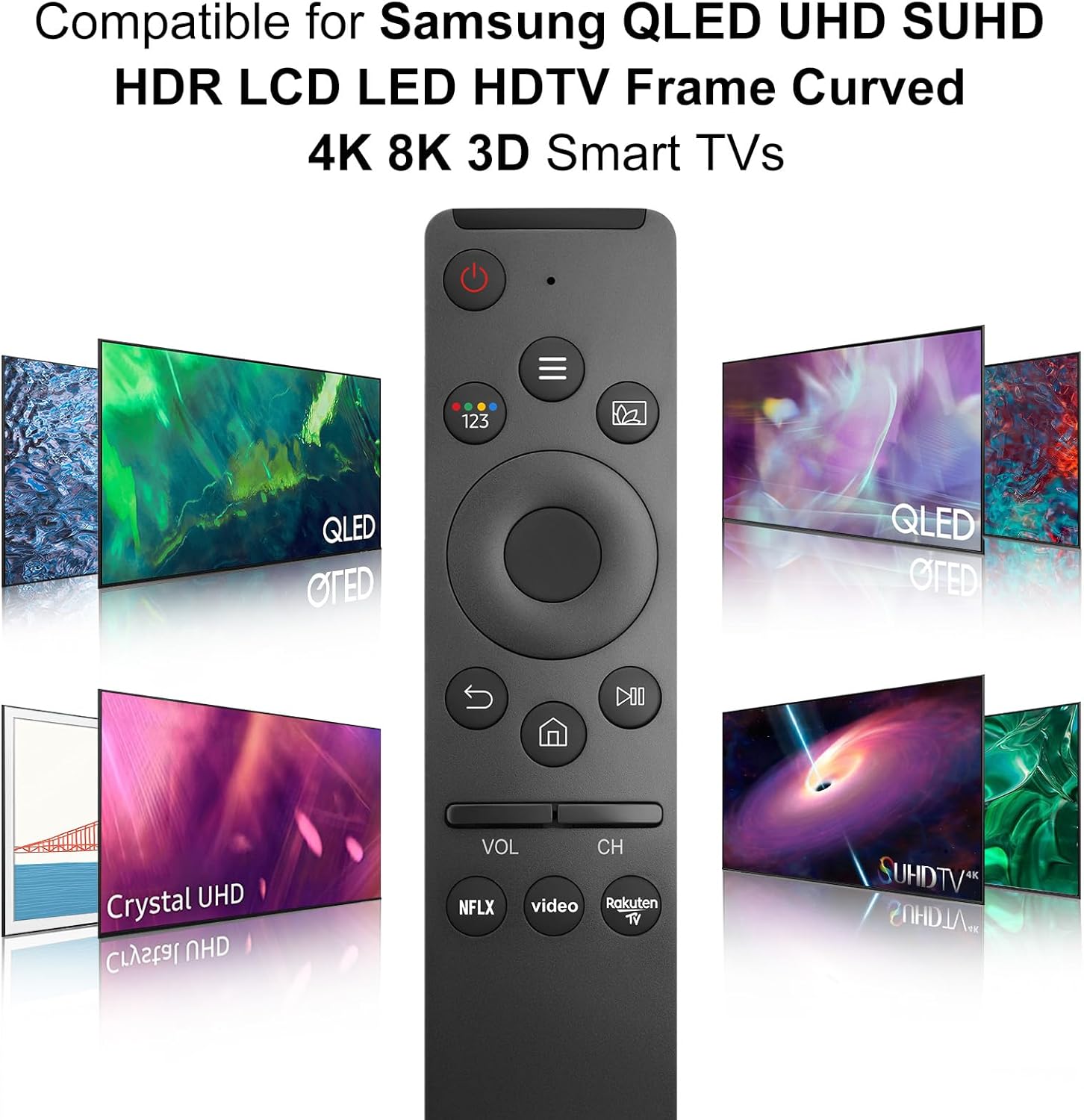
Image: The remote control positioned alongside various Samsung TV models, illustrating its broad compatibility with different display technologies and series.
This remote is designed to replace multiple original Samsung TV remotes, simplifying your control experience.

Image: An illustration showing the Loutoc remote control in hand, with a collage of numerous other Samsung remote models it is designed to replace.
Specifications
| Feature | Detail |
|---|---|
| Brand | Loutoc |
| Model Number | sam1312 |
| Color | Black |
| Connectivity Technology | Infrared |
| Special Features | No programming required, Ergonomic, Lightweight, Universal |
| Compatible Devices | Television (Samsung Smart TVs) |
| Maximum Supported Devices | 1 |
| Number of Buttons | 6 (Shortcut buttons mentioned, total buttons not specified but implied by image) |
| Controller Type | Button Control |
| Maximum Range | 8 Meters (approx. 26 feet) |
| Power Source | 2 x AA 1.5V Batteries (not included) |

Image: An infographic highlighting the remote's key features: durable design (over 8000 clicks tested), premium ABS material, 0.2s fast response time, up to 8m/45ft transmission range, and dedicated streaming shortcut buttons.
Troubleshooting
If you encounter issues with your Loutoc Universal Remote Control, please refer to the following common solutions:
- Remote Not Responding:
- Ensure batteries are inserted correctly with the correct polarity (+/-).
- Replace old or depleted batteries with fresh AA 1.5V batteries.
- Check for any obstructions between the remote and the TV's infrared receiver.
- Ensure you are within the effective operating range (up to 8 meters).
- Specific Buttons Not Working:
- Clean the remote's surface and buttons with a soft, dry cloth to remove any dirt or debris that might be interfering with button presses.
- If only certain buttons are unresponsive, it might indicate a hardware issue.
- Remote Not Controlling TV:
- Verify that your TV model is listed in the compatibility section. While universal, some older or very specific models might not be fully supported.
- Ensure the TV is powered on and not in a standby mode that prevents remote input.
If these steps do not resolve the issue, please contact customer support.
Maintenance
To ensure the longevity and optimal performance of your remote control, follow these maintenance guidelines:
- Cleaning: Use a soft, dry, lint-free cloth to wipe the remote control. Avoid using liquid cleaners, sprays, or abrasive materials.
- Battery Care: Remove batteries if the remote will not be used for an extended period to prevent leakage and damage.
- Storage: Store the remote in a cool, dry place, away from direct sunlight, extreme temperatures, and high humidity.
- Handling: Avoid dropping the remote or subjecting it to strong impacts, as this can damage internal components.
Warranty and Support
Loutoc provides a warranty for this product and offers customer support for any inquiries or issues you may have.
- Manufacturer's Warranty: This product comes with a 30-day warranty from the manufacturer.
- Customer Support: If you have any questions regarding your order or the product, please contact us directly. We aim to respond within 12 business hours.
For further assistance, please refer to the contact information provided with your purchase or visit the official Loutoc store on Amazon.


