
DDcafor 893MAXENL
DDcafor Garage Door Opener Remote Control User Manual
Model: 893MAXENL | Brand: DDcafor
1. Introduction
This manual provides instructions for the DDcafor Garage Door Opener Remote Control, Model 893MAXENL. This remote is designed for wide compatibility with various garage door openers. Please read these instructions carefully before use.
1.1 Key Features
- Wide Compatibility: Compatible with Liftmaster, Chamberlain, and Sears Craftsman garage door openers manufactured after 1993. Supports yellow learn button (Security + 2.0), purple learn button (315 MHz Security+), red/orange learn button (390 MHz Security+), and green learn button (390 MHz Billion Code) door openers.
- Replacement Remote: Functions as a replacement for models such as 139.53753, 53753, 139.18191, HBW2028, 371LM, 373LM, 375LM, 950CD, 953D, 956D, 53680, 139.53680, 53681, 139.53681, HBW1255, 971LM, 973LM, 139.53879, 893MAX, 891LM, 893LM.
- Convenient Design: Compact and lightweight, suitable for carrying in a purse, pocket, or attached to a keychain.
- Enhanced Security: Features rolling code technology to minimize radio wave interference. Three buttons support three channels to control up to three garage door openers.
2. Compatibility Check
Before programming, ensure your garage door opener meets the following criteria:
- Your opener is a LiftMaster, Chamberlain, or Sears Craftsman brand, manufactured from 1993 to the current year.
- Your opener has a working motor unit with a learn button whose shape and color match the examples below. The color refers to the learn button itself, not the LED color.
Note: This remote does NOT work for vehicle HomeLink training systems.
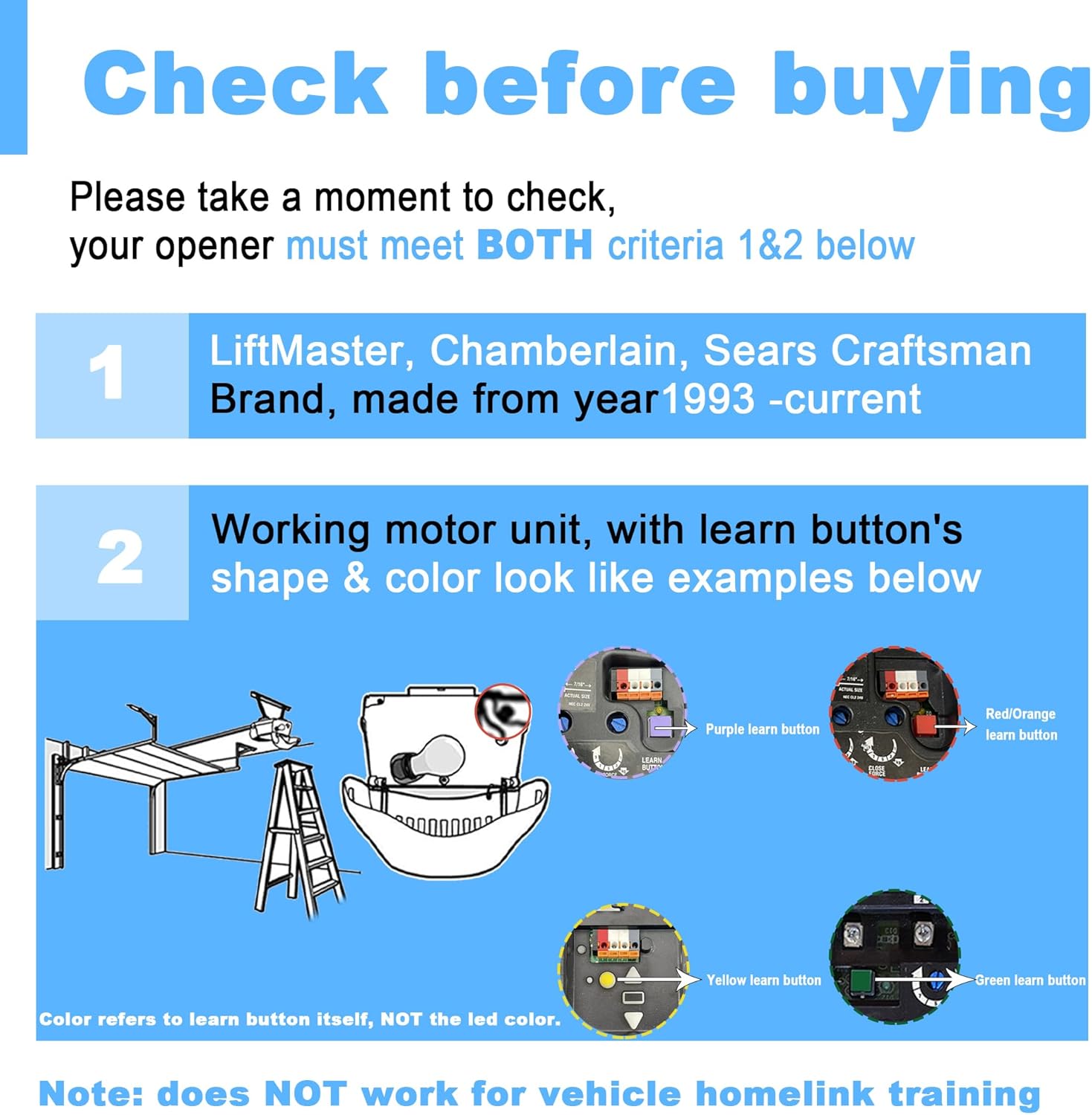
Figure 1: Compatibility overview with different learn button types.

Figure 2: Visual guide for checking your opener's learn button.
2.1 Universal Compatibility Guide
Refer to the detailed table below to confirm compatibility with specific models and learn button colors.

Figure 3: Universal Compatibility Guide for various garage door opener models.

Figure 4: Detailed compatibility table by brand and learn button color.
3. Setup and Programming
Follow these steps to program your DDcafor remote control to your garage door opener.
3.1 Check Remote's Working Mode
Each button on your remote has two working modes, corresponding to different opener types. The LED color indicates the current mode.
- Press and hold any button on the remote. Observe the LED status.
- Compare the LED color with the table below to identify the compatible opener type.
| LED Color | Mode # | Compatible Opener Type |
|---|---|---|
| GREEN | Mode 1 | Purple Learn Button, Red/Orange Learn Button |
| RED | Mode 2 | Yellow Learn Button, Green Learn Button |
If the LED status matches your opener's learn button color, proceed to step 3.3. If not, you need to change the remote's working mode first (see section 3.2).

Figure 5: Remote LED status and compatible opener types.
3.2 How to Change the Remote's Operating Mode
If the remote's current mode does not match your opener's learn button color, follow these steps to change it:
- On the remote, press and hold buttons A and B simultaneously for 3 seconds until the Yellow LED blinks. Then release all buttons.
- Press and hold the button you would like to change the operating mode for. The LED will change to either GREEN (Mode 1) or RED (Mode 2). Release the button once the desired mode is indicated.
3.3 Programming the Remote to Your Opener
Once the remote's working mode is correctly set, proceed with programming:
- Locate the learn button on your garage door opener motor unit. You may need a ladder.
- Press and release the learn button on the motor unit. The learn LED indicator will glow steadily for 30 seconds.
- Within 30 seconds, press and hold the remote control button you wish to use.
- Release the remote control button when the motor unit light blinks OR two clicks are heard. This indicates successful programming.
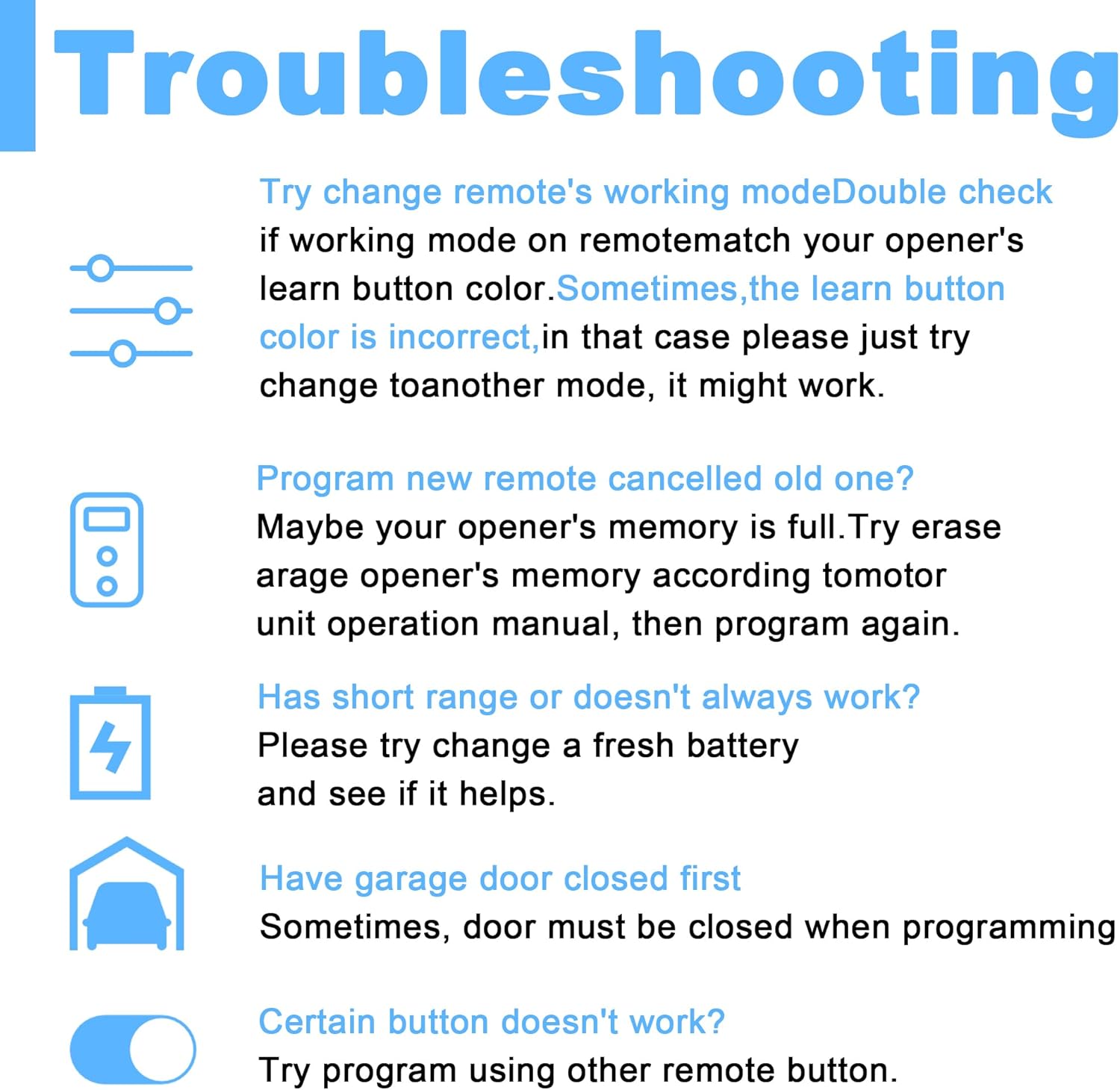
Figure 6: Programming steps for the remote control.

Figure 7: Quick programming guide.
3.4 Programming Video Guide
For a visual demonstration of the programming process, please watch the video below.
Video 1: How to program a remote control to your opener. This video demonstrates the steps to successfully pair your DDcafor remote with your garage door opener, specifically for purple and red/orange learn buttons.
4. Operating the Remote Control
After successful programming, simply press the programmed button on your DDcafor remote control to open or close your garage door.
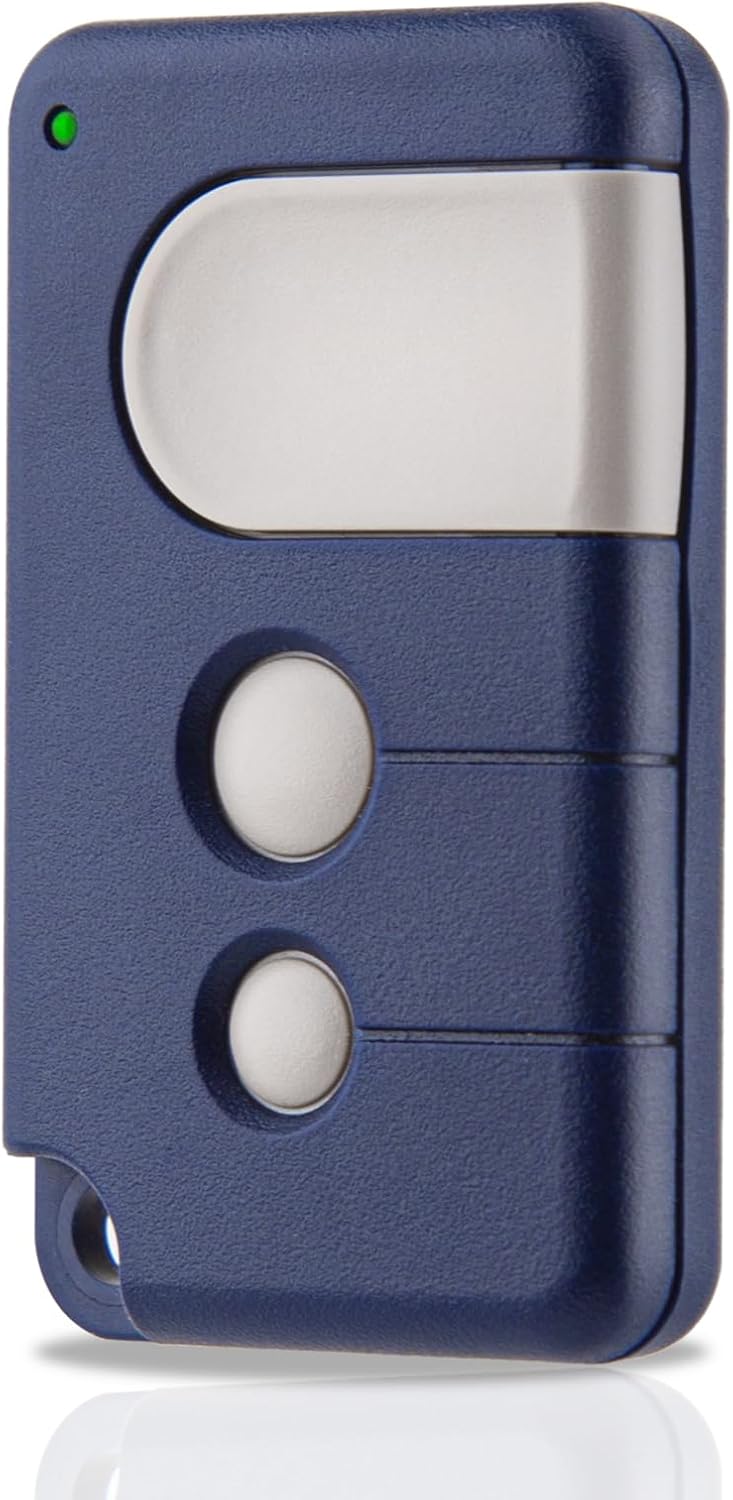
Figure 8: DDcafor Garage Door Opener Remote Control.
5. Maintenance
5.1 Battery Replacement
The remote control uses one CR2032 battery. If the remote's range decreases or it stops responding, the battery may need to be replaced.
- Locate the battery compartment on the remote.
- Open the compartment and remove the old CR2032 battery.
- Insert a new CR2032 battery, ensuring correct polarity.
- Close the battery compartment.
6. Troubleshooting
If you encounter issues with your remote control, refer to the following troubleshooting tips:
- Remote's working mode doesn't match opener: Double-check if the working mode on the remote matches your opener's learn button color. If the learn button color is incorrect, try changing to another mode.
- New remote cancelled old one? Your opener's memory might be full. Erase the garage opener's memory according to its operation manual, then program again.
- Short range or doesn't always work? Try changing to a fresh battery.
- Garage door must be closed first: Sometimes, the door must be closed when programming.
- Certain button doesn't work? Try programming using another remote button.

Figure 9: Troubleshooting common remote control issues.
6.1 Erase / Delete / Reset Remote Control
To erase all programmed remotes from your garage door opener's memory:
- Press and hold the LEARN button on your opener for about 6 seconds.
- Continue holding until the program indicator light goes off.
- All remotes previously programmed to the opener have now been erased/deleted.
7. Specifications
| Feature | Detail |
|---|---|
| Brand | DDcafor |
| Model Number | 893MAXENL |
| Item Weight | 1.13 ounces |
| Product Dimensions | 2.56 x 1.57 x 0.59 inches |
| Batteries | 1 CR2032 battery required (included) |
| Battery Cell Type | Lithium Manganese Dioxide |
| Item Package Quantity | 1 |
| Included Components | Remote control, Garage door opener manual |
| Material | Plastic |
| Color | Blue |
| Installation Type | Screw-In (refers to opener, not remote) |
| Recommended Uses | Residential garage doors |

Figure 10: Product Dimensions.
8. Warranty and Support
Customer satisfaction is DDcafor's top priority. If you have any questions about your DDcafor Garage Door Opener Remote Control, please feel free to contact us. We are committed to assisting you promptly with any inquiries or support needs.
Related documents893MAXENL

Ask a question about this manual
Ask about setup, troubleshooting, compatibility, parts, safety, or missing instructions. Manuals+ will review the question and use this page’s manual context to help answer it.