
1. Product Overview
This manual provides instructions for the assembly, operation, and maintenance of your Bestier L Shaped Desk. This desk features a spacious L-shaped design, integrated storage solutions, and a removable monitor stand, designed for home office environments.

Image 1.1: The Bestier L Shaped Desk, showcasing its design and functionality in an office environment.
2. Safety Information
WARNING: Always assemble this desk with two people to ensure stability. Once assembled, secure the desk to the wall using appropriate hardware to prevent tipping.
- Ensure all components are present and undamaged before assembly.
- Do not overtighten screws during assembly to avoid damaging the material.
- Keep small parts away from children during assembly.
- Place the desk on a level surface to prevent wobbling.
- Do not exceed the maximum weight capacities for the tabletop (280 lbs), storage drawer (20 lbs), and file drawer (40 lbs).
3. Package Contents
Verify that all parts and hardware listed in the assembly guide are included in your package. If any items are missing or damaged, please contact Bestier customer support.
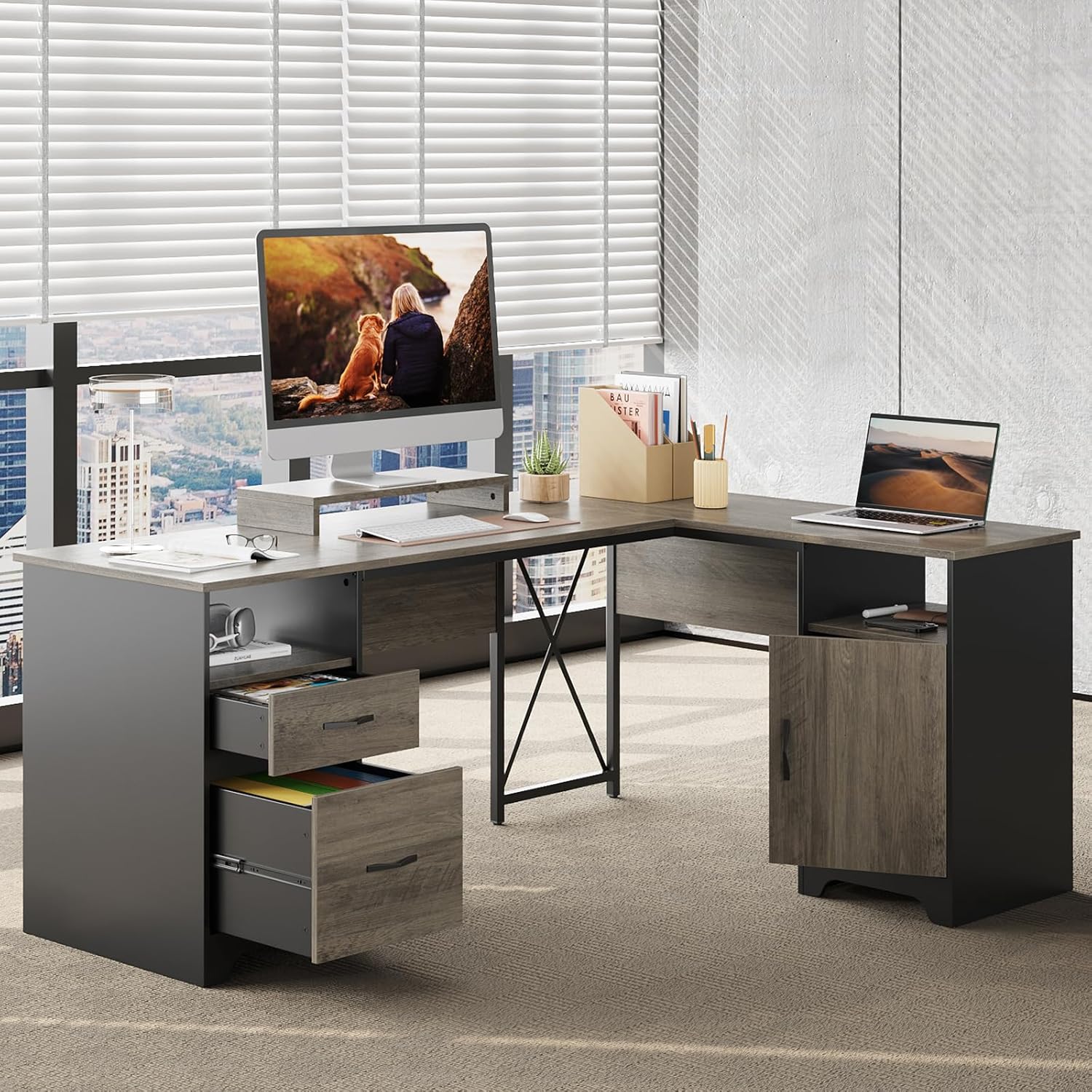
Image 3.1: Detailed product dimensions and individual component weight capacities.
4. Assembly Instructions
Two people are recommended for smoother assembly. Use a power tool like a drill for faster screw tightening, but exercise caution to avoid overtightening.
4.1. Assembly Video Guide
Video 4.1: Official assembly guide for the Bestier 63 Inch L Shaped Desk with File Drawers. Follow these steps for proper setup.
4.2. Step-by-Step Assembly
Refer to the included printed instruction manual for detailed diagrams and part identification. The general steps involve:
- Prepare Components: Unpack all parts and lay them out on a clean, soft surface to prevent scratches. Identify each part using the provided labels.
- Assemble Base Units: Construct the two pedestal base units that will support the desk. This typically involves attaching side panels to bottom and top panels using cam locks and dowels.
- Attach Crossbar and Support: Secure the X-crossbar and any central support beams to connect the main desk sections.
- Install Desktop Panels: Carefully place and secure the main L-shaped desktop panels onto the assembled base units.
- Assemble Drawers and Cabinet: Construct the storage drawer, file drawer, and cabinet door according to the instructions. Install the drawer slides.
- Integrate Storage: Insert the assembled drawers into their respective compartments and attach the cabinet door.
- Add Monitor Stand: Place the removable monitor stand in your desired position on the desktop.
- Final Checks: Ensure all connections are secure and the desk is stable.
5. Product Features
Your Bestier L Shaped Desk is designed with several features to enhance your workspace:
- Spacious L-Shaped Design: A 63" x 47" desktop provides ample room for multiple monitors, documents, and office essentials.
- Versatile Storage: Includes 2 open storage compartments, a storage drawer, a file drawer for letter/A4/legal-size hanging files, and a dust-free storage cabinet.
- Robust Construction: Supported by two pedestals and an X crossbar for enhanced stability, capable of supporting up to 280 lbs on the tabletop.
- Ergonomic Removable Monitor Stand: Allows for comfortable viewing angles, reducing eye and neck strain.

Image 5.1: Key features of the desk, highlighting the monitor stand, drawer mechanisms, and sturdy construction.
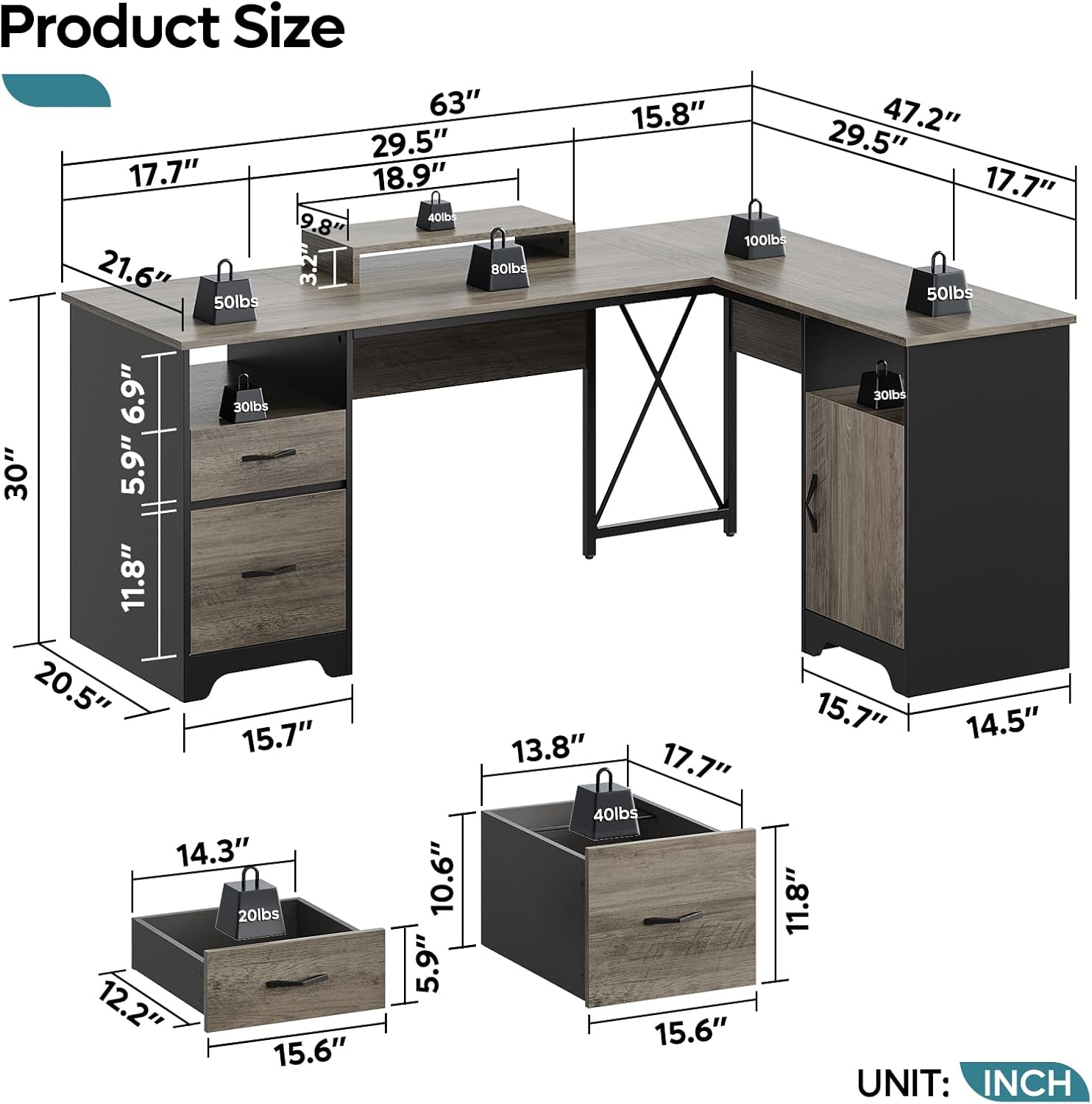
Image 5.2: Overview of the versatile storage options, including file drawer compatibility.
5.1. Product Series Overview
Video 5.3: An overview of the Bestier Industrial Computer Desk Series, showcasing various configurations and features.
6. Operating Instructions
- Using Drawers: Pull drawers gently to open and push firmly to close. Avoid slamming to ensure longevity of the smooth drawer glides.
- Adjusting Monitor Stand: The monitor stand is removable. Lift it off the desktop and reposition as needed for optimal viewing.
- Cable Management: Utilize any integrated cable management holes or channels to keep your cords organized and prevent tangles.
7. Care and Maintenance
- Cleaning: Wipe the desk surfaces with a damp cloth for general cleaning. For stubborn marks, use a mild, non-abrasive cleaner. Follow with a dry cloth to prevent water spots.
- Avoid Harsh Chemicals: Do not use harsh chemicals or abrasive cleaning pads, as these can damage the laminated finish.
- Protect Surface: Use coasters for drinks and pads under hot items to protect the desktop from heat and moisture damage.
- Regular Inspection: Periodically check all screws and connections to ensure they remain tight and secure. Retighten if necessary.

Image 7.1: Benefits of the engineered wood construction, emphasizing durability and ease of maintenance.
8. Specifications
| Brand | Bestier |
| Model Number | H104815R-GRW-M |
| Product Dimensions | 47"D x 63"W x 30"H |
| Item Weight | 93 Pounds |
| Material Type | Engineered Wood, Metal |
| Finish Type | Laminated |
| Number of Drawers | 2 |
| Number of Shelves | 2 (Open) + 1 (Enclosed) |
| Maximum Weight Recommendation | 280 Pounds (Tabletop) |
| Included Components | Removable Monitor Stand |
| Recommended People for Assembly | 2 |
9. Troubleshooting
If you encounter any issues with your Bestier L Shaped Desk, please refer to the following common solutions:
- Wobbling Desk: Ensure the desk is placed on a flat, even surface. Check all screws and connections for tightness and re-tighten if loose.
- Drawers Not Sliding Smoothly: Verify that the drawer slides are correctly installed and free from obstructions. Ensure all screws on the slides are secure.
- Missing Parts: Double-check the package contents against the parts list in the assembly manual. Contact customer support for assistance with missing parts.
- Assembly Difficulties: Review the assembly video and step-by-step instructions carefully. Ensure you are using the correct hardware for each step.
10. Warranty and Support
This Bestier L Shaped Desk comes with a Limited Warranty. For specific details regarding coverage and duration, please refer to the warranty information provided with your purchase or contact Bestier customer support.
Return Policy: The product is eligible for 30-day easy returns.
For any product issues, questions, or support, please contact Bestier USA customer service. Bestier is committed to providing satisfying solutions.
You can visit the Bestier Store on Amazon for more information and to explore other products.


