
1. Introduction
Thank you for choosing the Xiaomi A24i 24-inch Monitor. This monitor is designed to provide a high-quality visual experience with its 100Hz refresh rate, IPS hard screen, and Full HD 1080p resolution. Its ultra-slim body and factory color calibration ensure clear, natural, and vibrant images for both work and entertainment. This manual provides essential information for setting up, operating, and maintaining your monitor.
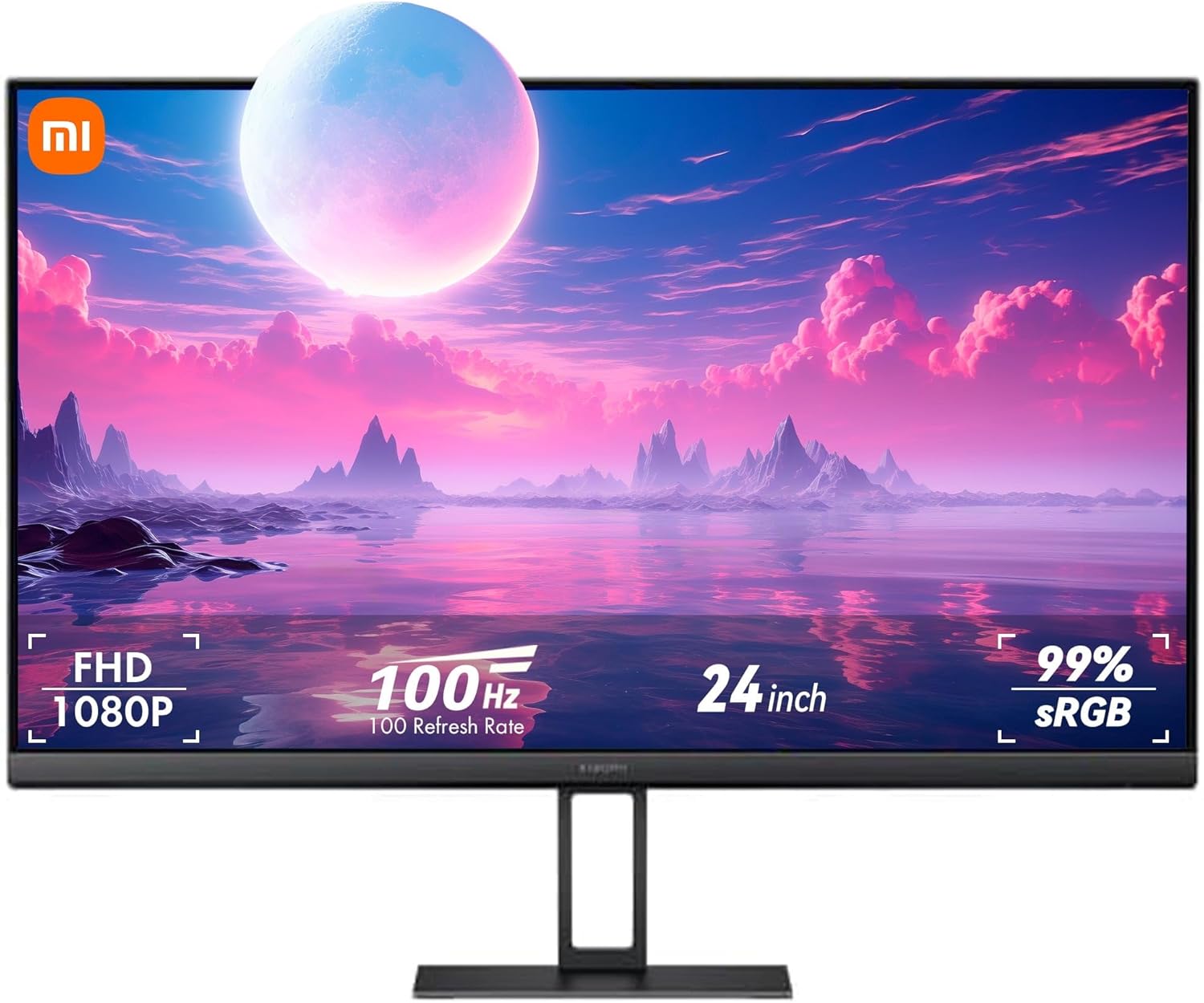
Image: Xiaomi A24i 24-inch Monitor showcasing its display capabilities.
2. Package Contents
Please check the package for the following items:
- Display x 1
- Stand x 1
- Base x 1
- Power Adapter x 1
- HDMI Cable 1.5m x 1
- User manual x 1
- Screw Toolkit x 1
3. Setup Instructions
3.1. Assembly
Follow these steps to assemble the monitor stand and base:
- Attach the stand to the monitor panel. Ensure it clicks securely into place.
- Connect the base to the stand. Use the provided screws from the toolkit to secure the base firmly.

Image: Rear view of the monitor showing ports and stand attachment.
3.2. Wall Mounting
For wall mounting, please refer to the installation guide of the wall mount you purchased. The wall mount must be purchased separately. This product is compatible with wall mounts that have a hole spacing of 75 x 75 mm. The bolts used to secure the wall mount must meet the following requirements: Quantity: 4, Thread: M4, Length: 10 mm. Lay the monitor flat, with its back facing upwards. Use your finger to press the spring clip that joins the base to the monitor and remove the base. When removing the base, be careful not to pinch your finger in the spring clip. Follow the wall mount user manual and install the wall mount onto the bolts that are built into the housing back.
3.3. Connections
Connect the power adapter to the DC input port on the monitor. Then, connect the appropriate video cable (HDMI or DisplayPort) from your computer to the corresponding port on the monitor.

Image: Multi-monitor setup showcasing narrow bezels.
4. Operating Instructions
4.1. Power On/Off
To power on the monitor, short press the power button located on the back. To shut down, press and hold the power button for 3 seconds.
4.2. Function Button Description
The monitor features a multi-directional button for navigation and control. Refer to the table below for its functions:
| Button Operation | When menu is not displayed on the monitor | When main menu is displayed on the monitor |
|---|---|---|
| Short press to right | Enter the main menu | Enter/select |
| Short press to up/down | Open brightness settings | Switch Menu adjusting values |
| Short press to left | Open signal source switching list | Return |
| Short press the middle | Turn the monitor on / Open the shortcut menu | Enter/select |
| Press and hold for 3 seconds | Shutdown | |
4.3. Display Features
The Xiaomi A24i monitor offers several features for an enhanced viewing experience:
- FHD Resolution: Enjoy clear and natural images with 1920 x 1080 resolution and a 178° viewing angle.
- 100Hz High Refresh Rate: Experience smooth and stable images, reducing input delays and freezing, ideal for browsing and entertainment.
- 16.7 Million Colors & Factory Calibration: With 16.7 million colors, 8-bit color depth, and 99% sRGB color gamut, each screen is factory calibrated for accurate and bright color reproduction.
- Ultra-Slim Body: The 7.5mm ultra-slim body offers a minimalist design.
- Low Blue Light: TÜV low blue light certification helps reduce eye strain during prolonged use.

Image: Monitor showcasing FHD resolution with clear picture quality.

Image: Monitor highlighting 100Hz refresh rate for smooth images.

Image: Monitor highlighting ΔE<2 calibration and 16.7 million colors.

Image: Side view of the monitor emphasizing its ultra-slim design.
5. Maintenance
To ensure the longevity and optimal performance of your Xiaomi A24i monitor, follow these maintenance guidelines:
- Cleaning the Screen: Gently wipe the screen with a soft, lint-free cloth. For stubborn smudges, slightly dampen the cloth with water or a screen-cleaning solution specifically designed for monitors. Avoid using harsh chemicals, abrasive cleaners, or alcohol-based solutions.
- Cleaning the Casing: Use a soft, dry cloth to wipe the monitor's casing. Do not use liquid cleaners directly on the casing to prevent damage to internal components.
- Ventilation: Ensure the monitor's ventilation openings are clear and not obstructed to prevent overheating.
- Power Off When Not in Use: Turn off the monitor when not in use for extended periods to save energy and prolong its lifespan.
- Avoid Direct Sunlight: Do not expose the monitor to direct sunlight or extreme temperatures.
6. Troubleshooting
If you encounter any issues with your monitor, refer to the following troubleshooting guide:
| Issue | Possible Cause | Solutions |
|---|---|---|
| Unable to turn on | No power | Make sure the power adapter is plugged in properly. |
| Image is dark | Brightness/Contrast not adjusted properly | Adjust the brightness and contrast. |
| Image is jittery or has ripples | Interference | Keep the monitor away from electronic devices that may cause electrical interference. |
| No image on the screen | No signal, entering sleep mode | Turn on the computer. Make sure the computer's graphics card is working properly. Make sure the cable is plugged in properly. |
| The monitor displays that the current resolution is not supported | Resolution is incorrect | Use the specified recommended resolution settings. |
7. Specifications
Detailed technical specifications for the Xiaomi A24i 24-inch Monitor:
| Feature | Specification |
|---|---|
| Model Name | P24FBA-RAGL |
| Screen Size | 23.8 Inches (24 inch) |
| Resolution | 1920 x 1080 Pixels (FHD 1080p) |
| Refresh Rate | 100Hz (HDMI Maximum Refresh Rate: 48-100Hz, DP Maximum Refresh Rate: 48-100Hz) |
| Panel Type | IPS Hard Screen |
| Aspect Ratio | 16:9 |
| Color Gamut | sRGB 99% |
| Color Depth | 16.7 Million (up to 8 bits) |
| Brightness | 250 Candela (cd/m²) |
| Viewing Angle | 178° |
| Low Blue Light Certification | TÜV Rheinland Certified |
| Connectivity | HDMI 1.4, DisplayPort (DP) |
| Power Input | 12V ⎓ 2.0A |
| Rated Power | 24W Max |
| Product Dimensions | 6.69 x 21.26 x 16.2 inches (170 x 540 x 411.4 mm) |
| Item Weight | 8.83 pounds |
| Manufacturer | Xiaomi |
| Screen Surface Description | Glossy |

Image: Monitor dimensions diagram.
8. Warranty and Support
For warranty information and technical support, please refer to the official Xiaomi website or contact their customer service. Keep your purchase receipt as proof of purchase.


