
1. Introduction
This manual provides instructions for the safe and effective use of your Fonus Wireless Tripod Selfie Stick. Please read this manual thoroughly before operating the device and retain it for future reference.
The Fonus Wireless Tripod Selfie Stick is a versatile accessory designed to enhance your photography and videography experience. It functions as both an extendable selfie stick and a stable tripod, featuring a wireless remote shutter for convenient capture.

The Fonus Wireless Tripod Selfie Stick in its tripod configuration, holding a smartphone, with the wireless remote shutter visible.
2. Safety Information
- Do not expose the device to extreme temperatures, moisture, or direct sunlight for prolonged periods.
- Keep the device away from children.
- Ensure the tripod legs are fully extended and stable on a flat surface before mounting a device.
- Do not overload the phone holder beyond its specified weight capacity.
- Avoid forceful extension or retraction of the pole to prevent damage.
- Dispose of the remote shutter battery responsibly according to local regulations.
3. Package Contents
Verify that all items are present in the package:
- Fonus Wireless Tripod Selfie Stick
- Wireless Remote Shutter
- Phone Holder
4. Product Overview
The device consists of an extendable aluminum pole, a foldable tripod base, a phone holder, and a detachable wireless remote shutter. The phone holder is designed to accommodate various smartphone sizes.
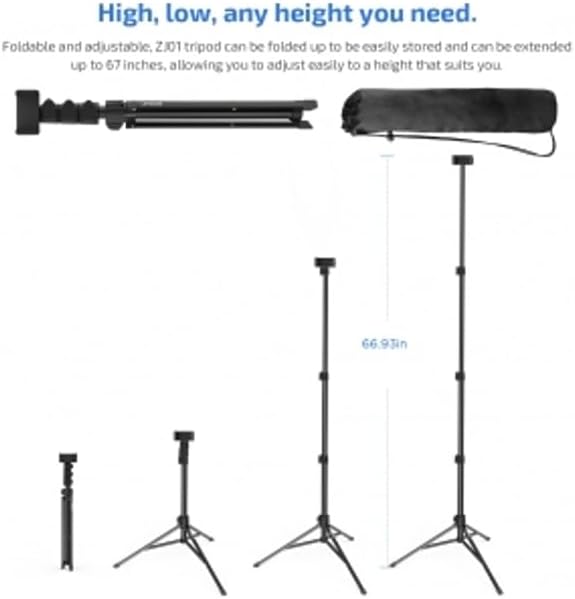
A series of images showing the Fonus tripod selfie stick in different states: folded for portability, partially extended, and fully extended as a tripod, demonstrating its adjustable height.
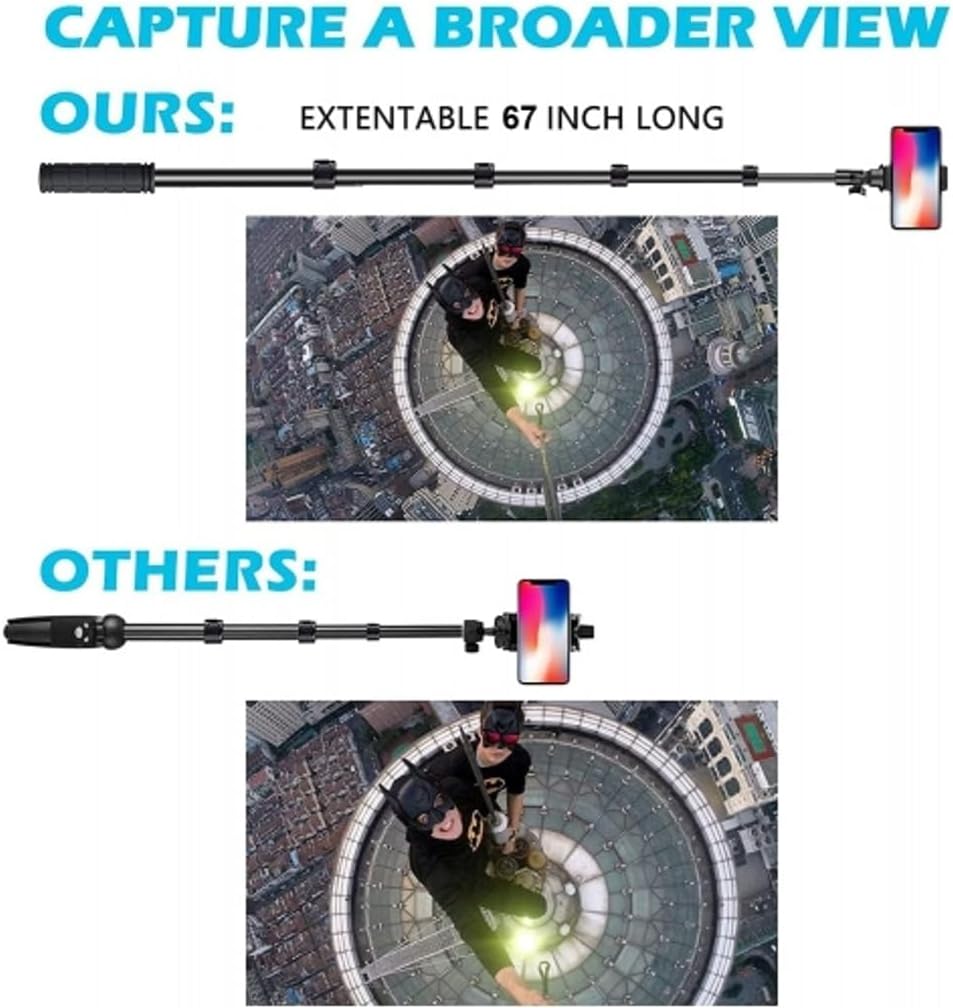
A visual comparison illustrating the extended length of the Fonus selfie stick, reaching up to 67 inches, compared to a shorter, less extendable alternative.
5. Setup
5.1 Unfolding the Tripod
- Hold the main body of the selfie stick.
- Gently pull the bottom part downwards to release and spread the three tripod legs.
- Ensure the legs are fully extended and locked into position, forming a stable 120-degree base.

An illustration highlighting the 120-degree wide opening of the tripod base, designed to provide enhanced stability and prevent tipping.
5.2 Extending the Pole
- Pull the top section of the stick upwards to extend the telescopic pole to your desired height.
- The pole can extend from a minimum height of 23.6 inches (60 cm) to a maximum height of 66.9 inches (170 cm).
5.3 Attaching and Inserting Phone
- Open the phone holder clamps.
- Carefully place your smartphone into the holder, ensuring it is securely gripped.
- Note: If your phone has a thick protective case, verify that the phone holder can accommodate its dimensions to ensure a secure fit.
6. Operating Instructions
6.1 Pairing the Wireless Remote Shutter
- Ensure the remote shutter has a working battery.
- Turn on the remote shutter by pressing and holding the power button until an indicator light flashes.
- On your smartphone, go to Bluetooth settings and search for available devices.
- Select the device named 'AB Shutter3' or similar from the list to pair.
- Once paired, the indicator light on the remote will stop flashing or show a steady light.

A hand demonstrates holding the wireless remote shutter, positioned next to the tripod selfie stick with a smartphone mounted, illustrating its use for remote photo capture.

A close-up view of the wireless remote shutter, showing its buttons for controlling camera functions.
6.2 Using the Remote Shutter
Once paired, open your smartphone's camera application. Press the corresponding button on the remote shutter (usually marked for iOS or Android) to capture photos or start/stop video recording.
6.3 Adjusting Angles
The tripod head allows for flexible positioning:
- 360-degree Rotation: Rotate the phone holder horizontally to achieve panoramic shots or change orientation.
- 180-degree Tilt: Adjust the phone holder vertically to find the optimal viewing or shooting angle.

An illustration demonstrating the flexible adjustment capabilities of the phone holder, including 360-degree rotation and 180-degree tilt for various shooting angles.

A group of people on a beach using the Fonus tripod selfie stick to capture a group photograph, showcasing its application in social settings.
7. Maintenance
- Cleaning: Wipe the device with a soft, dry cloth. Do not use abrasive cleaners or solvents.
- Storage: When not in use, retract the pole, fold the tripod legs, and store the device in a cool, dry place away from direct sunlight.
- Battery: Replace the remote shutter battery when its performance diminishes.
8. Troubleshooting
8.1 Remote Shutter Not Pairing
- Ensure the remote shutter is powered on and its battery is not depleted.
- Make sure Bluetooth is enabled on your smartphone.
- Try unpairing and re-pairing the remote shutter from your phone's Bluetooth settings.
- Restart both your smartphone and the remote shutter.
8.2 Phone Not Fitting Securely
- Verify the dimensions of your smartphone, especially if it has a bulky protective case, against the phone holder's maximum capacity.
- Ensure the phone is centered and the clamps are fully engaged.
8.3 Tripod Instability
- Ensure the tripod legs are fully extended and locked into their widest position on a flat, stable surface.
- Avoid placing the tripod on uneven or slippery ground.
- Do not extend the pole to its maximum height if stability is a concern in windy conditions or on slightly uneven surfaces.
9. Specifications
| Model Number | 18DA1-FD |
| Brand | Fonus |
| Material | Aluminum |
| Item Weight | 15 ounces (0.43 kg) |
| Folded Size | 20 inches (51 cm) |
| Minimum Height | 23.6 inches (60 cm) |
| Maximum Height | 66.9 inches (170 cm) |
| Tripod Head Type | Ball Heads |
| Compatible Devices | Camera, Smartphone |
| Special Features | Adjustable, Lightweight, Portable |
10. Warranty Information
Specific warranty details for this product may vary. Please refer to the product packaging or contact Fonus customer support for information regarding warranty coverage and terms.
11. Customer Support
For technical assistance, troubleshooting, or further inquiries, please contact Fonus customer support through the retailer where the product was purchased or visit the official Fonus website for contact information.