
Introduction
The Mycket Star Projector (Model 012-2402B) is a versatile device designed to create a relaxing and engaging atmosphere. It combines an aurora projector, star light, LED night light, and a Bluetooth speaker into one unit. This manual provides detailed instructions for its proper setup, operation, and maintenance.

Image: The Mycket Star Projector, featuring its unique snail design and vibrant light projections.
Safety Information
- Do not disassemble or modify the device.
- Keep the device away from water and high humidity.
- Use only the provided USB cable for power.
- Avoid direct eye exposure to the laser light.
- This device is intended for indoor use only.
Package Contents
Please check the package for the following items:
- 1 x Snail Galaxy Star Projector
- 1 x USB Cable
- 1 x Remote Control
- 1 x User Manual

Image: The Mycket Star Projector, its packaging, remote control, USB cable, and user manual.
Product Overview
The Mycket Star Projector features intuitive controls on both the device and the included remote control.

Image: Front and side view of the projector with labeled buttons and ports.
Device Controls:
- Power Button: Turns the projector on or off.
- Star Lights Mode/Northern Lights Mode Button: Cycles through different light projection modes.
- Volume Down Button: Decreases the audio volume.
- Volume Up Button: Increases the audio volume.
- Type-C Charging Port: Connects the device to a power source using the provided USB cable.
Remote Control Functions:
Image: The remote control with all its buttons clearly labeled for various functions.
- Star Power Button: Turns the star projection on/off.
- R (Red Aurora): Activates red aurora light.
- G (Green Aurora): Activates green aurora light.
- B (Blue Aurora): Activates blue aurora light.
- W (White Aurora): Activates white aurora light.
- Volume Up/Down: Adjusts speaker volume.
- Previous/Next Song: Navigates music tracks.
- Northern Lights Mode 1/2: Selects different aurora light patterns.
- Brightness Adjustment: Cycles through 5 brightness levels (20%, 40%, 60%, 80%, 100%).
- Speeds Up/Down: Adjusts the rotation speed of the lights (Stop, Slow, Medium, Fast).
- Cancel Timer: Deactivates any set timer.
- 1 Hour Timing: Sets an automatic shut-off timer for 1 hour.
- 2 Hour Timing: Sets an automatic shut-off timer for 2 hours.
- Bluetooth Link: Initiates Bluetooth pairing mode.
Setup
- Power Connection: Connect the provided USB cable to the Type-C charging port on the projector and plug the other end into a compatible USB power adapter (not included) or a USB port.
- Remote Control Batteries: Ensure the remote control has 1 AAA battery installed (included).
- Placement: Place the projector on a stable, flat surface in the desired room. For optimal projection, ensure there are no obstructions between the projector and the ceiling/walls.
Operating Instructions
1. Power On/Off
Press the Power Button on the device or the remote control to turn the projector on or off.
2. Light Modes and Colors
The projector offers various light effects, including star mode, aurora effects, and combinations.

Image: Visual representation of the three main light types and their variations.
- Star Mode: Press the 'Star Power Button' on the remote to activate or deactivate the star projection.
- Aurora Effects: Use the 'Northern Lights Mode 1' or 'Northern Lights Mode 2' buttons on the remote to cycle through different aurora patterns.
- Color Selection: Press the R, G, B, or W buttons on the remote to select individual aurora colors (Red, Green, Blue, White). Combinations of these colors will create mixed aurora effects.
3. Brightness Adjustment
Adjust the light intensity using the 'Brightness Adjustment' button on the remote control. There are 5 levels: 20%, 40%, 60%, 80%, and 100%.
4. Rotation Speed Adjustment
Control the movement speed of the projected lights with the 'Speeds Up' and 'Speeds Down' buttons on the remote. Options include Stop, Slow, Medium, and Fast.
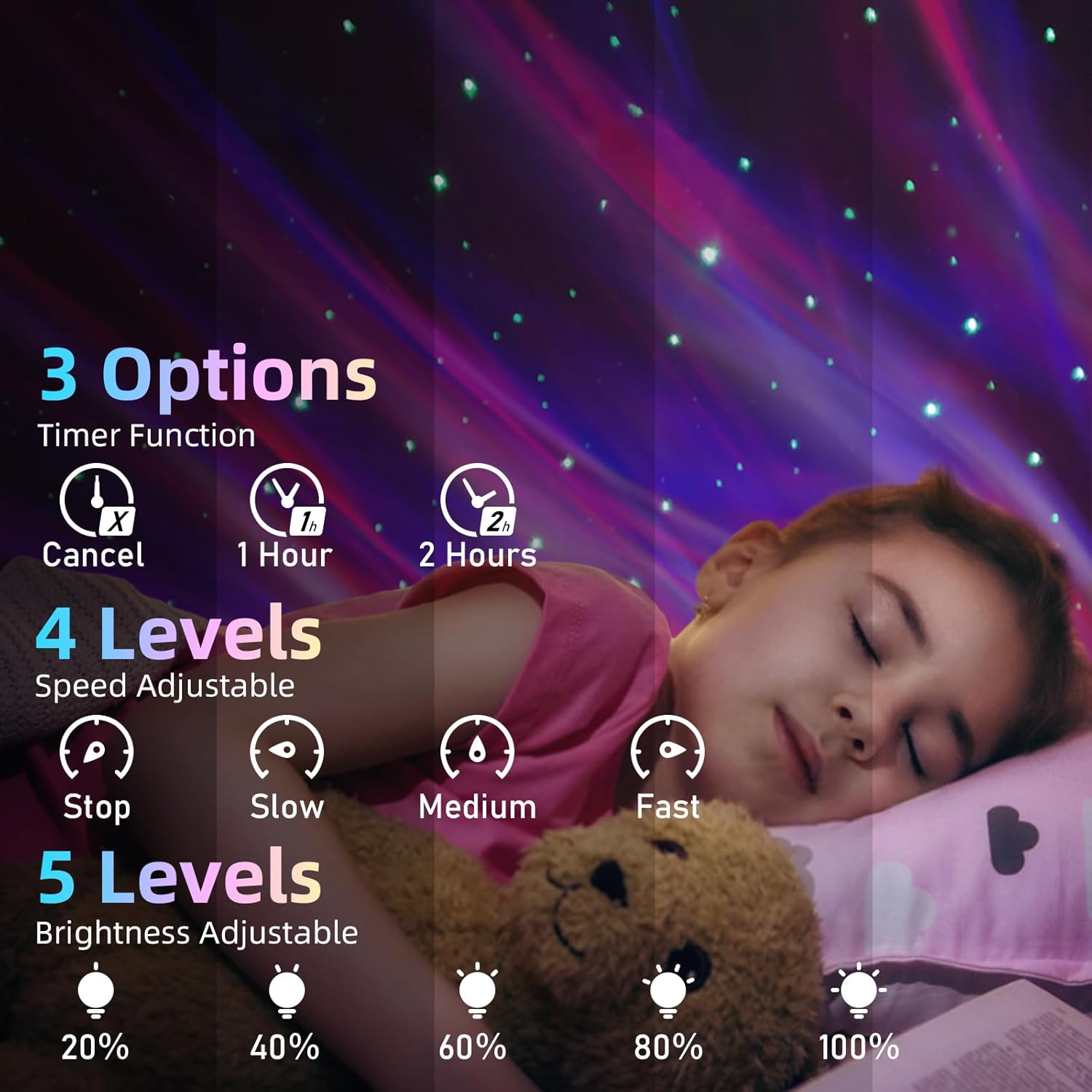
Image: Visual guide for timer, speed, and brightness settings.
5. Bluetooth Speaker Pairing
The projector includes a built-in Bluetooth speaker for audio playback.

Image: The projector connected to a smartphone via Bluetooth, ready for music playback.
- Ensure the projector is powered on.
- Activate Bluetooth on your mobile device (smartphone, tablet, etc.).
- Search for Bluetooth devices and select 'XB2308' from the list.
- Once connected, you can play audio through the projector's speaker.
6. Music Rhythm Mode
When music is playing through the Bluetooth speaker, the lights can synchronize with the beat. This mode is automatically active when music is detected.
7. Timer Function
Set an automatic shut-off timer for convenience.
- Press '1 Hour Timing' on the remote to set the projector to turn off after 1 hour.
- Press '2 Hour Timing' on the remote to set the projector to turn off after 2 hours.
- To cancel the timer, press the 'Cancel Timer' button.
- If no timer is set, the projector will automatically turn off after 4 hours of continuous operation.
Maintenance
- Cleaning: Use a soft, dry cloth to wipe the surface of the projector. Do not use abrasive cleaners or solvents.
- Storage: When not in use for extended periods, store the projector in a cool, dry place, away from direct sunlight.
Troubleshooting
| Problem | Possible Cause | Solution |
|---|---|---|
| Projector does not turn on. | No power connection or faulty cable. | Ensure the USB cable is securely connected and the power source is active. Try a different USB port or adapter. |
| Remote control is not working. | Dead batteries or obstruction. | Replace the AAA battery in the remote. Ensure there is no obstruction between the remote and the projector's sensor. |
| Bluetooth cannot connect. | Projector not in pairing mode or device too far. | Ensure the projector is on. Activate Bluetooth on your device and search for 'XB2308'. Move your device closer to the projector. |
| No sound from speaker. | Volume too low or not connected. | Increase volume on both the projector/remote and your connected device. Verify Bluetooth connection. |
| Lights are dim. | Brightness setting is low. | Use the 'Brightness Adjustment' button on the remote to increase brightness. |
Specifications
- Model Name: Star Projector
- Item Model Number: 012-2402B
- Dimensions: 5.83"D x 3.94"W x 4.8"H (14.8 cm x 10 cm x 12.2 cm)
- Item Weight: 0.37 Kilograms (13 ounces)
- Material: Plastic
- Power Source: Corded Electric (USB)
- Wattage: 4 watts
- Light Source Type: Star Light, LED
- Control Method: Remote, Touch
- Special Features: Color Changing, Dimmable, Remote Control, Timer, Bluetooth Speaker
- Remote Battery: 1 x AAA (included)
- Indoor/Outdoor Usage: Indoor
Warranty and Support
For warranty information or technical support, please refer to the contact details provided with your purchase documentation or visit the official Mycket website. Keep your purchase receipt as proof of purchase for any warranty claims.