
Retevis RA26
Retevis RA26 Handheld Marine Radio User Manual
Model: RA26
1. Introduction
Thank you for choosing the Retevis RA26 Handheld Marine Radio. This manual provides essential information for the safe and efficient operation of your device. The RA26 is designed for marine environments, featuring IP67 waterproofing, a floating design, and NOAA weather alerts. It is easy to use with a comfortable keyboard and an LCD screen that automatically adjusts brightness.
Key features include:
- Easy-to-use interface with corresponding function keyboard.
- IP67 waterproof and floating design, capable of submersion up to 1 meter for 30 minutes.
- Automatic LCD screen brightness adjustment.
- 1500 mAh Li-ion battery providing approximately 11 hours of standby time.
- NOAA weather alert function for immediate weather updates.
2. Package Contents
Please check the package carefully to ensure all items are present:
- Retevis RA26 Handheld Marine Radio (1 Pack)
- 1-pin 3.5mm Speaker Mic (1 Pack)

Image: The Retevis RA26 Handheld Marine Radio shown alongside its included 1-pin 3.5mm speaker microphone.
3. Product Overview
3.1 Radio Components
The RA26 radio features a robust design with an LCD display, a full keypad for easy operation, and a durable antenna. The side of the radio includes a PTT (Push-to-Talk) button and a port for accessories like the speaker microphone.

Image: Front and side views of the Retevis RA26 radio, illustrating its compact dimensions (5.5 inches height, 2.5 inches width, 1.38 inches depth) and the layout of its function keyboard.
3.2 Speaker Microphone
The included 1-pin 3.5mm speaker microphone provides clear audio transmission and reception. It is designed for comfortable, long-term use and features a high-quality 1.5W built-in speaker.

Image: Diagram illustrating the internal components of the speaker microphone, highlighting its high-quality 1.5W speaker for clear communication.
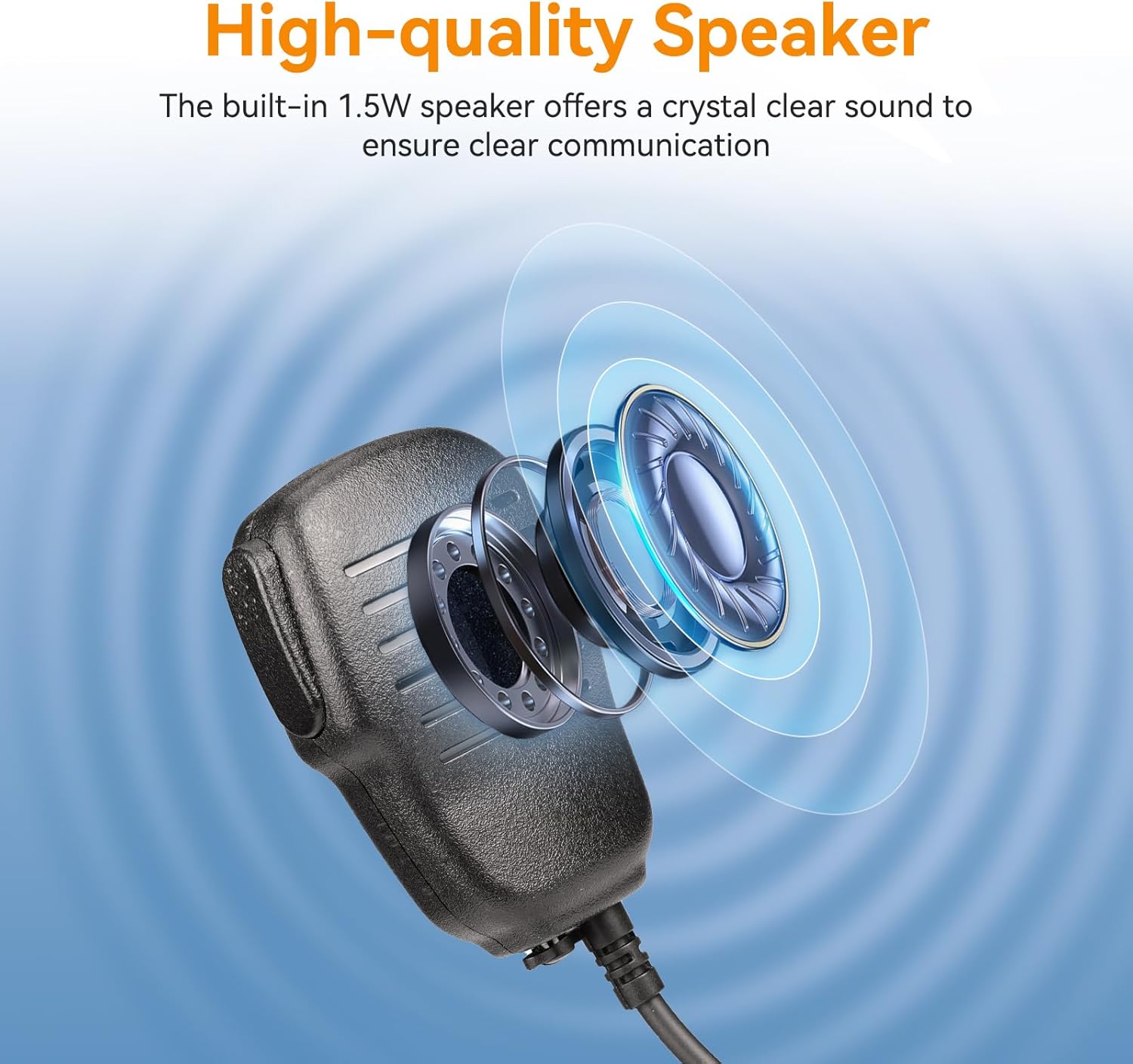
Image: A close-up of the speaker microphone's cable, emphasizing its durable PU material construction, designed for long-term use in temperatures ranging from -10°C to 90°C.
4. Setup
4.1 Battery Installation and Charging
The RA26 is equipped with a 1500mAh Li-ion battery. Ensure the battery is fully charged before first use.
- Locate the battery compartment cover on the back of the radio.
- Open the cover and insert the battery, ensuring proper alignment of the contacts.
- Close the battery compartment cover securely.
- Connect the USB charging cable to the radio's charging port and a suitable USB power source. The charging indicator will show the charging status.

Image: An illustration highlighting the 1500mAh battery capacity of the Retevis RA26 radio, indicating a standby time of 24 hours and a working time of 8-10 hours.
4.2 Antenna Attachment
The RA26 features a flexible antenna for durability and ease of handling.
- Screw the antenna clockwise into the antenna connector on the top of the radio until it is finger-tight. Do not overtighten.

Image: The Retevis RA26 radio shown with its flexible antenna, emphasizing its replaceable and easy-to-hold design.
4.3 Speaker Microphone Connection
Connect the speaker microphone for hands-free communication.
- Insert the 1-pin 3.5mm plug of the speaker microphone into the accessory jack on the side of the radio.
- Ensure the plug is fully inserted for a secure connection.

Image: An illustration showing the 1-pin 3.5mm speaker microphone connected to the Retevis RA26 radio, indicating its compatibility with Retevis RM01, RT55, and RA26 marine radios for convenient communication.
5. Operating Instructions
5.1 Power On/Off and Volume Adjustment
- To power on the radio, rotate the VOL knob clockwise until you hear a click.
- To adjust the volume, continue rotating the VOL knob. Clockwise increases volume, counter-clockwise decreases volume.
- To power off the radio, rotate the VOL knob counter-clockwise until you hear a click.
5.2 Channel Selection
The RA26 supports 15 channels. Use the UP/DOWN arrow keys on the keypad to select your desired channel.
5.3 Transmitting and Receiving
- To transmit, press and hold the PTT (Push-to-Talk) button on the side of the radio or the speaker microphone. Speak clearly into the microphone.
- Release the PTT button to receive.
5.4 NOAA Weather Alert
The RA26 features a NOAA weather alert function to provide immediate weather information.
- Press the dedicated WX button (if available) or navigate through the menu to activate the weather channel.
- The radio will automatically alert you to severe weather conditions.
5.5 IP67 Waterproof and Floating Feature
The RA26 is designed to float and withstand submersion. If the radio falls into water, it will float, and its IP67 rating ensures it remains operational after being dried.

Image: The Retevis RA26 radio shown floating on the surface of water, demonstrating its IP67 waterproof and floating capabilities.
5.6 LCD Display and Backlight
The LCD screen automatically adjusts its brightness for optimal visibility in various lighting conditions.
5.7 Keypad Functions
The RA26 keypad provides quick access to various functions:
- SCAN: Initiates channel scanning.
- DUAL: Activates dual-watch mode.
- FAV/TAG: Accesses favorite channels or tags.
- CH/WX: Switches between channel mode and weather channel.
- U/V/C: Toggles between different frequency bands or modes.
- MONI: Opens the squelch to listen for weak signals.
- LOCK: Locks the keypad to prevent accidental changes.
6. Maintenance
6.1 Cleaning
To clean the radio, use a soft, damp cloth. Do not use harsh chemicals or abrasive cleaners. Ensure all ports are dry before charging or connecting accessories.
6.2 Battery Care
To prolong battery life:
- Avoid fully discharging the battery frequently.
- Charge the battery in a cool, dry environment.
- If storing the radio for an extended period, charge the battery to about 50% and remove it from the radio.
6.3 Storage
Store the radio in a cool, dry place away from direct sunlight and extreme temperatures. Ensure the radio is clean and dry before storage, especially after exposure to saltwater.
7. Troubleshooting
| Problem | Possible Cause | Solution |
|---|---|---|
| Radio does not power on. | Battery is low or not installed correctly. | Charge the battery. Ensure the battery is properly seated. |
| Cannot transmit or receive. | Incorrect channel selected; antenna loose; PTT button not pressed. | Verify channel. Check antenna connection. Press PTT firmly. |
| Poor audio quality. | Volume too low; speaker mic not fully connected; interference. | Adjust volume. Re-insert speaker mic. Move away from sources of interference. |
| Radio does not float. | Battery compartment not sealed properly; excessive attachments. | Ensure battery cover is securely closed. Remove unnecessary heavy attachments. |
8. Specifications
| Feature | Specification |
|---|---|
| Model Number | RA26 |
| Brand | Retevis |
| Number of Channels | 15 |
| Frequency Range | 400-470 MHz |
| Water Resistance Level | IP67 (Waterproof) |
| International Protection Rating | IP67 |
| Battery Life | 11 Hours (Standby) |
| Battery Capacity | 1500 mAh Li-ion |
| Special Feature | Weather Alert (NOAA) |
| Included Components | Radio, 1-pin 3.5mm Speaker Mic |
| FCC ID | 2A3OORT55 |
9. Warranty and Support
For warranty information and technical support, please refer to the official Retevis website or contact their customer service directly. Keep your purchase receipt as proof of purchase.
You can visit the Retevis Store on Amazon for more product information and support resources.
Related documentsRA26


Ask a question about this manual
Ask about setup, troubleshooting, compatibility, parts, safety, or missing instructions. Manuals+ will review the question and use this page’s manual context to help answer it.