
Arcmira Professional Jewelry Cleaning Ultrasonic Machine
Contents
Arcmira Professional Ultrasonic Jewelry Cleaner User Manual
Brand: Arcmira
Model: Professional Jewelry Cleaning Ultrasonic Machine
1. Introduction
Thank you for choosing the Arcmira Professional Ultrasonic Jewelry Cleaning Machine. This device is designed to provide high-precision, 360° all-round deep cleaning for a variety of items, including jewelry, eyeglasses, cosmetic brushes, and watch bands. Its compact and portable design makes it ideal for both home use and travel, ensuring your cherished items maintain their brilliance wherever you go. Please read this manual thoroughly before operation to ensure safe and optimal performance.
2. Safety Instructions
To prevent injury or damage to the device, please observe the following safety precautions:
- Do not immerse the main unit in water or any other liquid.
- Ensure the power cord and plug are dry before connecting to a power source.
- Unplug the device from the power outlet when not in use, before cleaning, or before adding/removing water.
- Keep the device out of reach of children and pets.
- Use only clean tap water or recommended cleaning solutions. Do not use corrosive or flammable liquids.
- Do not operate the device if it has been damaged in any way. Contact customer support for assistance.
- Avoid touching the water or items during operation, as the ultrasonic vibrations can cause minor discomfort.
- Do not overfill the water tank beyond the maximum fill line.
3. Product Overview
The Arcmira Professional Ultrasonic Jewelry Cleaner features a sleek design and intuitive controls. Key components include the main unit, a transparent water tank, a lid, and a control panel with touch buttons.
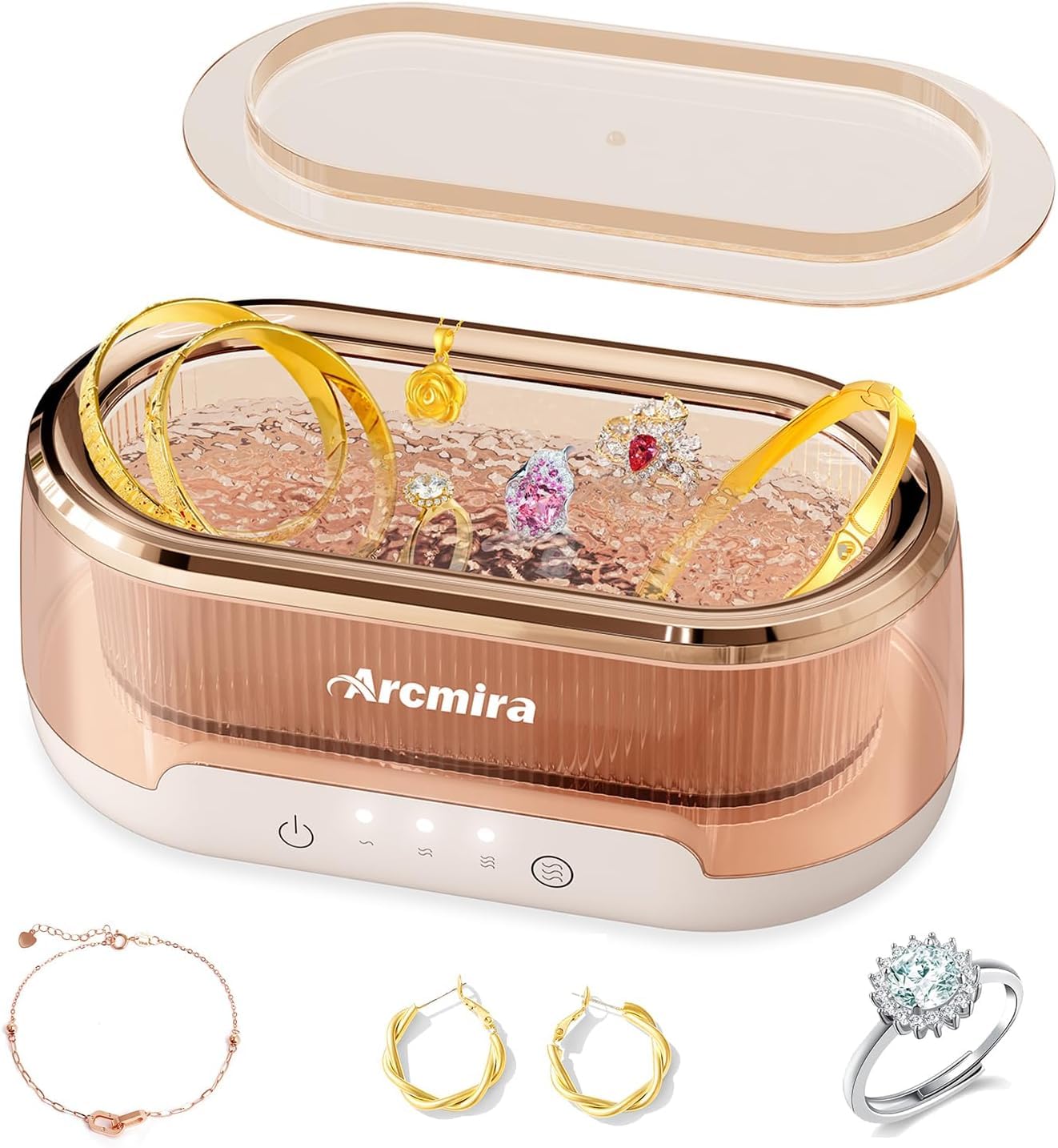
Figure 3.1: Arcmira Professional Ultrasonic Jewelry Cleaner. This image displays the main unit with a transparent tank, containing various jewelry pieces such as rings, earrings, and bracelets, highlighting its primary function.
Key Features:
- High-Precision Cleaning: Operates at a frequency of 48000 HZ, providing 360° all-round deep cleaning to reach every nook and cranny.
- Multiple Cleaning Options: Offers three meticulously calibrated cleaning time settings: 2-minute, 3-minute, and 5-minute cycles.
- Visual Water Tank Design: Features a transparent 400ML tank, allowing you to observe the cleaning process.
- Whisper-Quiet Operation: Engineered for low noise, ensuring a peaceful cleaning experience.
- Compact and Portable: With dimensions of approximately 8.9 x 5.4 x 4.4 inches, it's easy to store and carry for travel.
- Versatile Application: Suitable for cleaning jewelry, eyeglasses, cosmetic brushes, watch bands, and other small valuables.

Figure 3.2: The transparent 400 ML water tank of the Arcmira cleaner, designed for visual monitoring of the cleaning process. The image highlights the capacity and aesthetic design.

Figure 3.3: This image demonstrates the 48KHz high-frequency ultrasonic core technology, with icons indicating its ability to remove odors, oil, fingerprints, and stains from items.
4. Setup
- Unpack the Device: Carefully remove the ultrasonic cleaner and all accessories from the packaging.
- Choose a Location: Place the cleaner on a stable, flat, and dry surface, away from direct sunlight or heat sources. Ensure there is adequate ventilation.
- Fill the Water Tank: Open the lid and fill the water tank with clean tap water. For enhanced cleaning, a small amount of non-corrosive cleaning solution specifically designed for ultrasonic cleaners can be added. Do not exceed the maximum fill line.
- Connect Power: Plug the power adapter into the cleaner's power port, then plug the other end into a standard electrical outlet.
5. Operation
Follow these steps to clean your items:
- Prepare Items: Ensure items are free of large debris. For delicate items or those with loose stones, consult a professional before cleaning.
- Place Items: Gently place the items to be cleaned into the water tank. Ensure they are fully submerged but not overcrowded. Close the lid securely.
- Select Cleaning Mode: The device offers three cleaning time settings. Press the mode selection button to cycle through the options:
- 2-minute cycle (60S): For light cleaning or delicate items.
- 3-minute cycle (180S): Standard cleaning for most items.
- 5-minute cycle (300S): For thorough cleaning of heavily soiled items.
- Start Cleaning: Press the power button to start the selected cleaning cycle. The device will operate quietly.
- Completion: The device will automatically stop when the cycle is complete.
- Remove Items: Open the lid and carefully remove the cleaned items. Rinse them under clean running water and dry with a soft, lint-free cloth.

Figure 5.1: Illustration of the three available cleaning modes: 60 seconds, 180 seconds, and 300 seconds, allowing users to choose the appropriate duration for their items.

Figure 5.2: A visual comparison showing a ring before and after cleaning with the Arcmira ultrasonic cleaner, highlighting the effectiveness of its 360° deep cleaning capability.

Figure 5.3: This image illustrates the versatility of the cleaner, showcasing various items it can clean, such as necklaces, makeup brushes, bracelets, and rings.

Figure 5.4: The compact design of the Arcmira cleaner is shown, emphasizing its portability and ease of carrying, suitable for travel or small spaces.
6. Maintenance
Proper maintenance ensures the longevity and optimal performance of your ultrasonic cleaner:
- After Each Use: Unplug the device. Carefully pour out the water from the tank.
- Clean the Tank: Wipe the inside of the water tank with a soft cloth to remove any residue. Do not use abrasive cleaners or harsh chemicals.
- Clean the Exterior: Wipe the exterior of the unit with a soft, damp cloth. Ensure no water enters the control panel or power port.
- Storage: Store the cleaner in a cool, dry place, away from direct sunlight and moisture. Ensure the tank is completely dry before storing.
7. Troubleshooting
If you encounter any issues with your Arcmira Professional Ultrasonic Jewelry Cleaner, please refer to the following common problems and solutions:
| Problem | Possible Cause | Solution |
|---|---|---|
| Device does not turn on. | No power supply; loose connection. | Ensure the power adapter is securely plugged into both the device and a working electrical outlet. Check if the outlet has power. |
| Cleaning effect is not satisfactory. | Insufficient cleaning time; items too dirty; incorrect water level; no cleaning solution used. | Select a longer cleaning cycle (e.g., 5 minutes). For heavily soiled items, pre-clean or use a suitable ultrasonic cleaning solution. Ensure items are fully submerged and water level is correct. |
| Unusual noise during operation. | Items touching the tank walls; device not on a flat surface. | Ensure items are placed centrally and not touching the tank walls. Place the device on a stable, flat surface. |
If the problem persists after trying these solutions, please contact customer support.
8. Specifications
| Feature | Detail |
|---|---|
| Model Name | Professional Jewelry Cleaning Ultrasonic Machine |
| Brand | Arcmira |
| Ultrasonic Frequency | 48000 HZ |
| Tank Capacity | 400 ML |
| Cleaning Time Modes | 2 minutes (60S), 3 minutes (180S), 5 minutes (300S) |
| Product Dimensions (approx.) | 8.9 x 5.4 x 4.4 inches |
| Package Dimensions | 9.02 x 5.51 x 4.61 inches |
| Weight | 1.41 Pounds |
| Manufacturer | Arcmira |
| ASIN | B0D1VD6FT6 |
9. Warranty and Support
Specific warranty details for the Arcmira Professional Ultrasonic Jewelry Cleaning Machine are not provided in this manual. For information regarding warranty coverage, returns, or technical support, please contact Arcmira customer service directly through their official website or the retailer where the product was purchased.
Please retain your proof of purchase for any warranty claims.
Ask a question about this manual
Ask about setup, troubleshooting, compatibility, parts, safety, or missing instructions. Manuals+ will review the question and use this page’s manual context to help answer it.