1. Introduction and Overview
The Timex IRONMAN T300 is a robust digital watch designed for active individuals, particularly those engaged in recreational running and cross-training. It combines classic Timex durability with advanced features to support your fitness goals. This manual provides essential information for setting up, operating, and maintaining your watch.

Figure 1.1: Front view of the Timex IRONMAN T300 Digital Watch, displaying the time, date, and various icons.
2. Product Features
The Timex IRONMAN T300 watch is equipped with a range of features to enhance your training and daily activities:
- Digital Display: Clear digital display showing time, date, and various function indicators.
- Chronograph: Precise stopwatch functionality with a 500-lap memory for detailed performance tracking.
- Interval Training Timer: Supports HIIT sessions with six customizable segments for structured workouts.
- Performance Meter: Integrated meter to help track and improve your performance.
- Hydration and Nutrition Alerts: Customizable reminders to ensure optimal intake during long training sessions.
- INDIGLO Backlight: Timex's signature INDIGLO night-light for easy readability in low-light conditions.
- Step Counter: Tracks your steps with a customizable goal.
- Alarms: Three customizable alarms for reminders and wake-up calls.
- Water Resistance: Rated for 50 meters (164 feet), suitable for short recreational swimming.
- Durable Construction: Features a round 40.7mm black resin case, mineral crystal lens, and a black silicone strap with a buckle closure.
3. Setup
Before using your Timex IRONMAN T300 watch, ensure it is properly set up.
3.1 Initial Power On and Battery
Your watch comes with a pre-installed CR2025 Lithium-metal coin-cell battery. No initial charging is required. If the display is blank or dim, the battery may need to be activated or replaced. Refer to the Maintenance section for battery replacement information.
3.2 Setting Time and Date
To set the time and date:
- Press and hold the SET button (usually located on the top right or left side) until the time display flashes.
- Use the +/- buttons (often labeled as UP/DOWN or located on the right side) to adjust the flashing digit (e.g., hour).
- Press the MODE button (usually bottom left) to move to the next setting (e.g., minutes, seconds, year, month, day).
- Repeat steps 2 and 3 until all desired settings are adjusted.
- Press the SET button again to exit the setting mode and save changes.
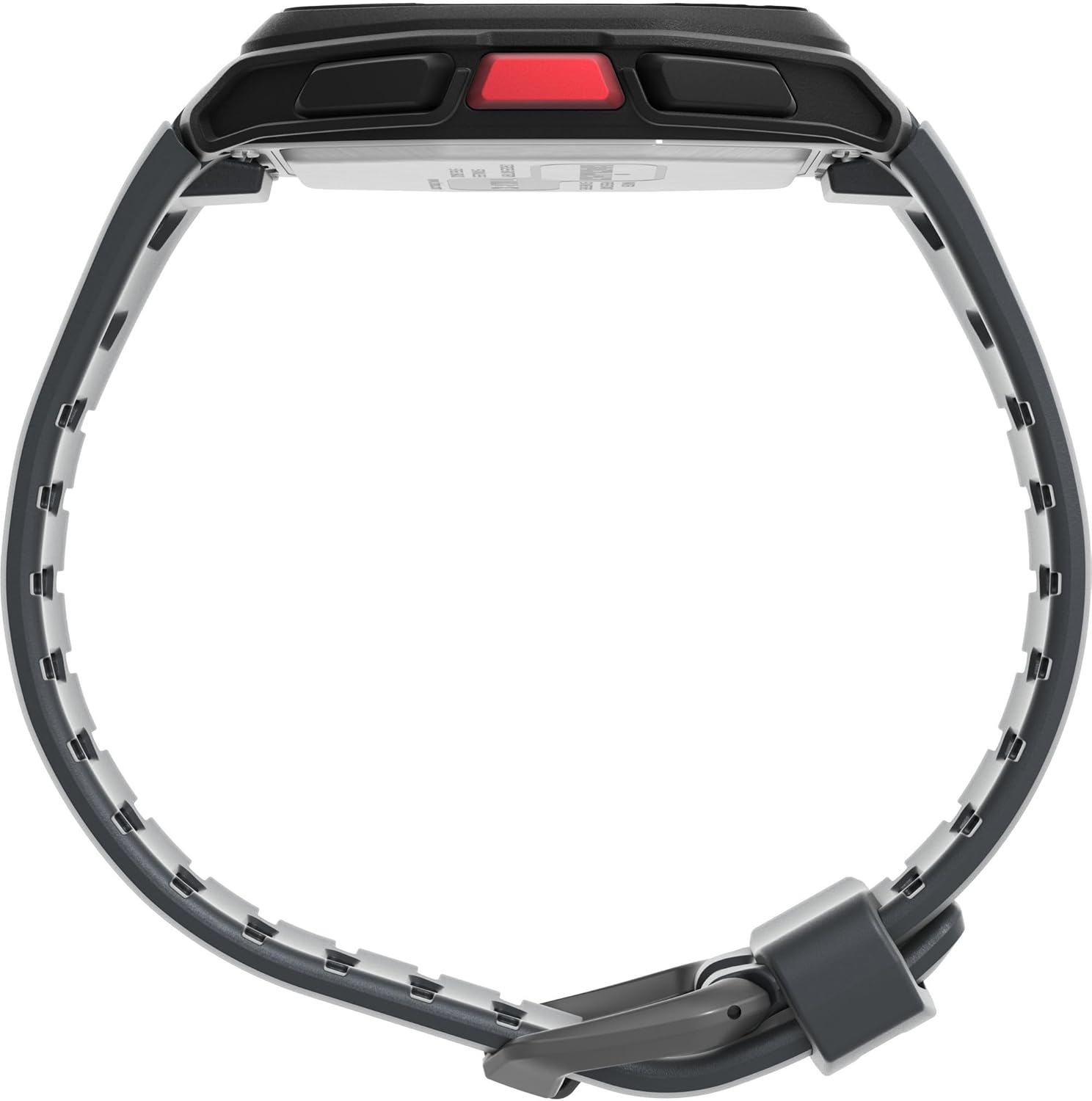
Figure 3.1: Close-up view of the watch face, highlighting the digital display and control buttons.
4. Operating Instructions
Familiarize yourself with the watch's buttons and their functions.
4.1 Button Functions
- INDIGLO Button (Top Left): Activates the INDIGLO night-light.
- MODE Button (Bottom Left): Cycles through different watch modes (Time, Chronograph, Timer, Alarm, etc.).
- START/STOP Button (Top Right): Starts and stops the chronograph or timer; confirms selections in setting mode.
- LAP/RESET Button (Bottom Right): Records laps in chronograph mode; resets values; navigates menus.
- SET Button (Side, often recessed): Enters and exits setting modes.
4.2 Using the Chronograph
To use the stopwatch function:
- Press MODE until you reach the Chronograph screen.
- Press START/STOP to begin timing.
- Press LAP/RESET to record a lap time. The watch can store up to 500 laps.
- Press START/STOP again to pause the timer.
- Press LAP/RESET (while paused) to reset the chronograph to zero.
4.3 Interval Training Timer
The watch supports customizable interval training:
- Navigate to the Interval Timer mode using the MODE button.
- Use the SET button to enter the setup for intervals.
- Adjust the duration and number of segments (up to six) for each interval using the +/- buttons.
- Save settings and start the interval timer using START/STOP.
4.4 Water Resistance
The Timex IRONMAN T300 is water resistant to 50 meters (164 feet). This rating means it is suitable for short periods of recreational swimming. It is not suitable for diving, snorkeling, or high-impact water sports. Avoid pressing buttons underwater to prevent water ingress.

Figure 4.1: Rear view of the watch, displaying the 'IRONMAN' logo, 'WATER RESISTANT 50 METERS', and 'CR2025 BATTERY' engravings.
5. Maintenance
Proper care will extend the life of your Timex IRONMAN T300 watch.
5.1 Cleaning
Clean your watch regularly with a soft, damp cloth. For silicone straps, mild soap and water can be used. Avoid harsh chemicals or abrasive materials that could damage the case or lens.
5.2 Battery Replacement
The watch uses a CR2025 Lithium-metal coin-cell battery. When the display dims or functions become erratic, it may be time for a battery replacement. It is recommended to have the battery replaced by a qualified watch technician to ensure the water resistance seal is properly maintained.
5.3 Storage
When not in use for extended periods, store the watch in a cool, dry place away from direct sunlight and extreme temperatures.
6. Troubleshooting
If you encounter issues with your watch, try the following common troubleshooting steps:
- Blank or Dim Display: Check if the battery needs replacement (refer to Section 5.2).
- Incorrect Time/Date: Re-enter the time and date settings (refer to Section 3.2).
- Buttons Not Responding: Ensure the watch is not in a locked mode. If issues persist, a soft reset may be required (consult Timex support for specific reset procedures).
- Water Inside Watch: If moisture appears inside the watch, stop using it immediately and seek professional service to prevent further damage.
For more complex issues or if troubleshooting steps do not resolve the problem, please contact Timex customer support.
7. Specifications
| Feature | Detail |
|---|---|
| Model Number | TW5M626006B |
| Case Diameter | 40.7 mm |
| Case Material | Resin |
| Strap Material | Silicone |
| Lens Material | Mineral Crystal |
| Water Resistance | 50 meters (164 feet) |
| Battery Type | CR2025 Lithium-metal (included) |
| Wrist Circumference | 150 to 205 mm |
| Product Dimensions | 10.7 x 7.9 x 7.1 cm (Package) |
| Product Weight | 134 g (Package) |
8. Warranty and Support
Timex products are manufactured to high-quality standards. For information regarding your product's warranty, please refer to the warranty card included with your purchase or visit the official Timex website. For technical support, frequently asked questions, or service inquiries, please visit www.timex.com and navigate to their support section.