
Roinvou 14-16 CarPlay (4+64G)
Contents
Roinvou 8 Core 5G WiFi Car Stereo User Manual
Model: 14-16 CarPlay (4+64G)
Brand: Roinvou
1. Introduction
This manual provides comprehensive instructions for the installation, operation, maintenance, and troubleshooting of your Roinvou 8 Core 5G WiFi Car Stereo. Please read this manual thoroughly before using the product to ensure proper functionality and safety.
2. Product Overview & Components
The Roinvou 8 Core 5G WiFi Car Stereo is an advanced in-dash head unit designed for Hyundai Elantra models from 2014 to 2016. It features a 9-inch HD touchscreen, wireless CarPlay/Android Auto, Bluetooth 5.0, 32-band EQ, GPS navigation, and more.
What's Included in the Box:
- Hyundai Elantra Car Stereo Head Unit
- Power Cable
- RCA Harness
- GPS Antenna
- AHD Backup Camera
- External Microphone
- Rear Camera Input Cable
- Dual USB Cable
- Installation Tool & Accessories

Figure 2.1: Main product unit with all included accessories such as the external microphone, CarPlay/Android Auto connectivity, and backup camera.

Figure 2.2: Detailed view of the product dimensions and a visual list of all components included in the package.
3. Setup & Installation
This car stereo is specifically designed for Hyundai Elantra models from 2014 to 2016. Ensure your vehicle falls within this range. The stereo includes an in-dash head unit, wiring harness cables, and a frame panel for a seamless fit.
Important Installation Notes:
- The provided power cable does NOT support original cars equipped with a power amplifier. If your vehicle has an original power amplifier, a separate compatible cable may be required.
- Before purchasing and installing, verify that the power cable port on the product matches your original car's wiring.
- Professional installation is recommended to ensure correct wiring and avoid damage to the vehicle or product.

Figure 3.1: Visual comparison showing the original car dashboard setup versus the Roinvou car stereo installed in a Hyundai Elantra 2014-2016 model.
4. Operating Instructions
Your Roinvou car stereo runs on a powerful Android system with an 8-core CPU, providing a smooth and responsive user experience. The HD capacitive touch screen offers excellent visual clarity.
User Interface and Customization:
- The system comes pre-loaded with 19 wallpaper options and 59 UI desktop themes, allowing for extensive personalization.
- Navigate through applications and settings using the intuitive touchscreen interface.
Video 4.1: Demonstration of the user interface functions, CarPlay, Android Auto, and GPS navigation features of the Roinvou car stereo.
Wireless/Wired CarPlay & Android Auto:
Connect your smartphone wirelessly via Bluetooth or using the original USB data cable to access CarPlay or Android Auto. This integration allows you to:
- Make and answer phone calls.
- Listen to music and podcasts.
- Utilize GPS navigation.
- Control functions with smart voice assistants like Siri and Google Assistant.
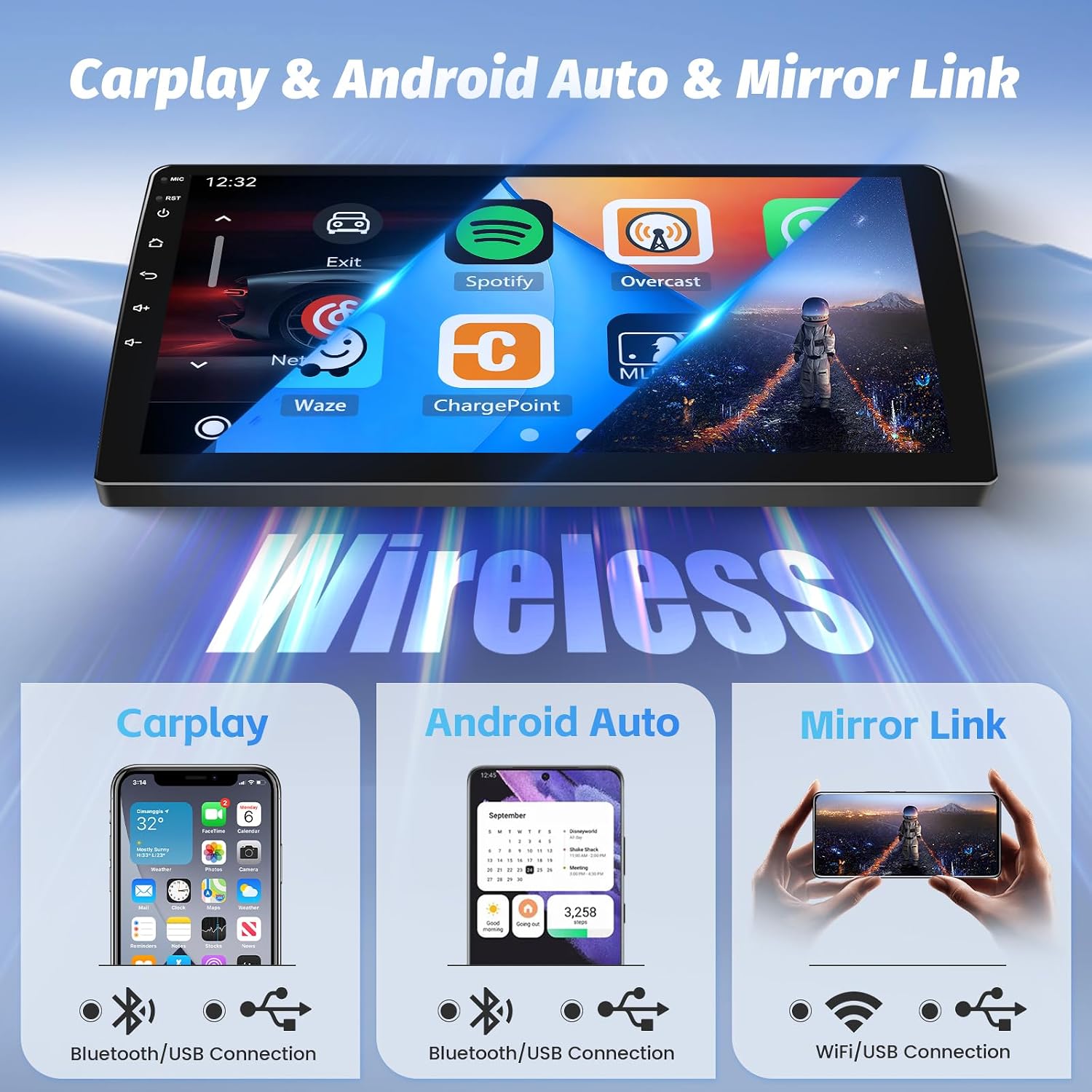
Figure 4.2: Visual representation of the wireless CarPlay, Android Auto, and Mirror Link functionalities, showing connectivity options.
Audio Features (32 EQ & FM/RDS Radio):
The stereo is equipped with pre-installed car tuning software featuring EQ tuning technology. You can adjust frequency, utilize the 32-band EQ, and select sound types to optimize audio quality. The built-in FM/RDS radio provides access to news, real-time traffic, and weather forecasts.
Bluetooth 5.0 & Mirror Link:
Bluetooth 5.0 ensures a stable connection for hands-free calls, phone book synchronization, and music streaming. Mirror Link functionality allows you to display your Android or iOS smartphone screen directly on the car stereo's larger display for video playback and other content.
Backup Camera & Steering Wheel Control:
The system supports steering wheel controls, enabling convenient operation without taking your hands off the wheel. It also automatically switches to the reverse image when the vehicle is put into reverse, aiding in safe parking maneuvers.

Figure 4.3: Display of the reverse camera view with parking guidelines and the interface for programming steering wheel controls.
5. Maintenance
To ensure the longevity and optimal performance of your Roinvou car stereo, follow these maintenance guidelines:
- Screen Cleaning: Use a soft, lint-free cloth to gently wipe the touchscreen. For stubborn smudges, slightly dampen the cloth with water or a screen-safe cleaner. Avoid abrasive materials or harsh chemicals.
- Temperature Control: Avoid exposing the unit to extreme temperatures (very hot or very cold) for extended periods, as this can affect electronic components and the screen.
- Software Updates: Periodically check for software updates from the manufacturer to ensure you have the latest features and bug fixes. Follow the on-screen instructions for any updates.
- Cable Connections: Ensure all cables are securely connected and free from damage. Loose connections can lead to intermittent issues.
6. Troubleshooting
If you encounter issues with your Roinvou car stereo, refer to the following common troubleshooting steps:
- No Power/Unit Not Turning On:
- Check all power cable connections to ensure they are secure.
- Verify the vehicle's fuse related to the stereo.
- Ensure the power cable is compatible with your car's original wiring, especially if your car has a factory power amplifier (a different cable may be needed).
- Touchscreen Unresponsive/Inaccurate:
- Perform a soft reset by turning off the car ignition and restarting.
- If the screen remains uncalibrated or unresponsive, a factory reset might be necessary. Consult the 'Settings' menu for a factory reset option. Note that this will erase personalized settings.
- CarPlay/Android Auto Connectivity Issues:
- Ensure Bluetooth is enabled on both the stereo and your phone for wireless connection.
- If using a wired connection, try a different USB cable.
- Restart both the stereo and your smartphone.
- No Sound/Distorted Audio:
- Check speaker wire connections.
- Verify volume levels on both the stereo and connected devices.
- Adjust EQ settings to see if distortion improves.
- GPS Navigation Inaccurate/No Signal:
- Ensure the GPS antenna is properly installed and has a clear view of the sky.
- Check your internet connection for online maps.
- Update map data if available.
If these steps do not resolve the issue, please contact Roinvou customer support for further assistance.
7. Specifications
Below are the key specifications for the Roinvou 8 Core 5G WiFi Car Stereo:

Figure 7.1: A summary table of the product's key technical specifications and features.
| Feature | Specification |
|---|---|
| System | Latest Android System |
| Memory | 4+64GB |
| Processor | 8 Core |
| Internet Access | WiFi (5G supported) |
| Bluetooth Version | 5.0 |
| High Quality Sound | DSP 32EQ |
| Radio | FM RDS |
| Screen Resolution | 1280*720 |
| Screen Size | 9 Inches / 23 cm |
| CarPlay & Android Auto | Support Wireless and Wired |
| Mirror Link | Support Wireless and Wired |
| External Mic | Support |
| Steering Wheel Control | Support |
| Power Output | 4*45W |
| Audio Format | APE/FLAC/WAV/MP3/WMA etc |
| Video Format | MKV/RMVB/AVI/MP4/MDV etc |
| Item Weight | 5.5 pounds |
| Package Dimensions | 15.35 x 11.81 x 4.33 inches |
8. Warranty & Support
Your Roinvou car stereo comes with a return policy allowing for refund or replacement within 30 days of purchase. For any product-related inquiries, technical support, or warranty claims, please contact Roinvou customer service.
You can visit the official Roinvou store on Amazon for more information and support options: Roinvou Amazon Store
Documents and downloads
Ask a question about this manual
Ask about setup, troubleshooting, compatibility, parts, safety, or missing instructions. Manuals+ will review the question and use this page’s manual context to help answer it.