Introduction
This manual provides detailed instructions for the installation, operation, and maintenance of your HIDALIFE Keyless Entry Door Lock, Model HL668. Please read this manual thoroughly before installation and use to ensure proper function and longevity of your lock. Keep this manual for future reference.

Image: HIDALIFE HL668 Keyless Entry Door Lock (2-Pack)
Package Contents
Verify that all components are present before beginning installation:
- Exterior Keypad Assembly with Handle
- Interior Assembly with Handle
- Latch Bolt
- Strike Plate
- Mounting Screws
- Hexagon Screwdriver
- Mechanical Keys (2 per lock)
- User Manual
Setup and Installation
1. Door Compatibility Check
Ensure your door meets the following specifications for proper installation:
- Door Holes: 2-1/8 inches (54mm) diameter. This lock is not compatible with 38mm door holes.
- Backset: Adjustable for 2-3/8 inches (60mm) or 2-3/4 inches (70mm).
- Door Thickness: 1.38 inches (35mm) to 1.97 inches (50mm).
- Latch Hole: Requires a rectangular latch hole. Not compatible with rounded latch holes.

Image: Door dimensions and latch compatibility for HIDALIFE HL668 lock.
This lock is designed for standard US doors and is generally not compatible with Rim Cylinder, Mortise, or Integrated lock systems.

Image: Door lock compatibility types.
2. Installation Steps
Follow the comprehensive user guide included in the package for detailed, step-by-step installation instructions. A hexagon screwdriver is provided for assembly. No specialized skills are required for installation.

Image: Internal lock components and installation overview.
3. Battery Installation
The lock requires batteries (not included). Open the battery cover on the interior assembly and insert the specified battery type, ensuring correct polarity. Refer to the user guide for battery type and specific installation steps.
Operating Instructions
1. Setting Up User Codes
The HIDALIFE HL668 allows for the creation of multiple user codes. Refer to the detailed programming instructions in your user guide to add, modify, or delete codes. Each family member, guest, or service provider can have their own unique code.

Image: Anti-peep password entry on the touchscreen keypad.
Anti-Peep Password Function: To enhance security, you can enter any number of random digits before or after your actual password. The lock will recognize the correct sequence embedded within the longer entry, preventing others from discerning your code by observing your hand movements.
2. Unlocking and Locking
- Keypad Entry: Touch the screen to activate the keypad. Enter your user code followed by the '#' key. The lock will unlock. The gentle blue backlight assists in low-light conditions.
- Mechanical Key Access: In case of battery depletion or forgotten codes, the lock can be opened with a mechanical key. Insert the key into the exposed keyhole, turn clockwise, and press the handle to open.
- Auto-Locking: The lock features an auto-locking function, typically engaging after 5 seconds. This provides added security by automatically securing the door after it closes.
- Passage Mode: If Passage Mode is enabled, the lock will remain unlocked, allowing free entry and exit without requiring a code. To unlock in Passage Mode, simply turn the handle. Consult your user guide for instructions on enabling/disabling Passage Mode.

Image: Key features of the HIDALIFE Keyless Entry Door Lock.

Image: Auto-lock function demonstration.
3. Interchangeable Door Handle
The door handle is reversible and can be adjusted to fit both left-handed and right-handed doors. Refer to the installation section of your user guide for instructions on how to change the handle orientation if needed.
Maintenance
1. Battery Replacement
When the batteries are running low, the lock will emit 10 beeps after unlocking to alert you. Replace the batteries promptly to ensure continuous operation. Use high-quality batteries for optimal performance and longevity.
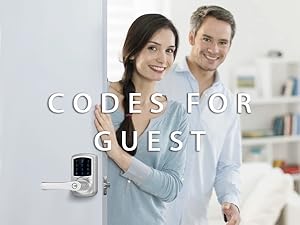
Image: Low-power alarming indicator.
2. Cleaning
Clean the lock's exterior with a soft, damp cloth. Avoid using abrasive cleaners, solvents, or chemical sprays, as these can damage the finish and electronic components.
Troubleshooting
If you encounter issues with your HIDALIFE HL668 lock, consider the following common solutions:
- Lock Not Responding: Check battery levels. Replace batteries if low.
- Keypad Not Lighting Up: Ensure batteries are correctly installed and charged.
- Code Not Working: Verify the correct code is being entered. Ensure the '#' key is pressed after the code. Try the anti-peep function with random digits.
- Lock Not Engaging/Disengaging: Check for any obstructions in the door frame or latch bolt path. Ensure the lock is properly aligned and installed according to the manual.
- Mechanical Key Not Working: Ensure the key is fully inserted and turned correctly.
For more detailed troubleshooting steps and specific error codes, please refer to the complete user guide provided with your product.
Specifications
| Feature | Detail |
|---|---|
| Brand | HIDALIFE |
| Model Name | HL668 |
| Lock Type | Keypad |
| Special Features | Keyless Entry, Anti-peep password, Touchscreen |
| Material | Zinc Alloy |
| Product Dimensions (L x W x H) | 8.03 x 7.52 x 3.82 inches |
| Item Weight | 8.42 pounds |
| Door Hole Compatibility | 2-1/8 inches (54mm) |
| Backset Compatibility | 2-3/8 inches (60mm) or 2-3/4 inches (70mm) |
| Door Thickness Compatibility | 35mm to 50mm (1.38 to 1.97 inches) |
| Batteries Required | Yes (Not Included) |
| Usage Test | 250,000 cycles |
| Salt Spray Test | 240 hours |
| ANSI Grade | Grade 2 Latch |
Warranty and Support
HIDALIFE products are manufactured to high-quality standards. For information regarding warranty coverage, technical support, or service inquiries, please refer to the warranty card included with your product or visit the official HIDALIFE website. Please retain your proof of purchase for warranty claims.