
Introduction
Thank you for choosing the Devoko Height-Adjustable Electric Desk. This manual provides essential information for the safe assembly, operation, and maintenance of your new desk. This electric desk is designed to offer a comfortable and ergonomic workspace, allowing seamless transitions between sitting and standing postures. Please read this manual thoroughly before installation and use, and retain it for future reference.
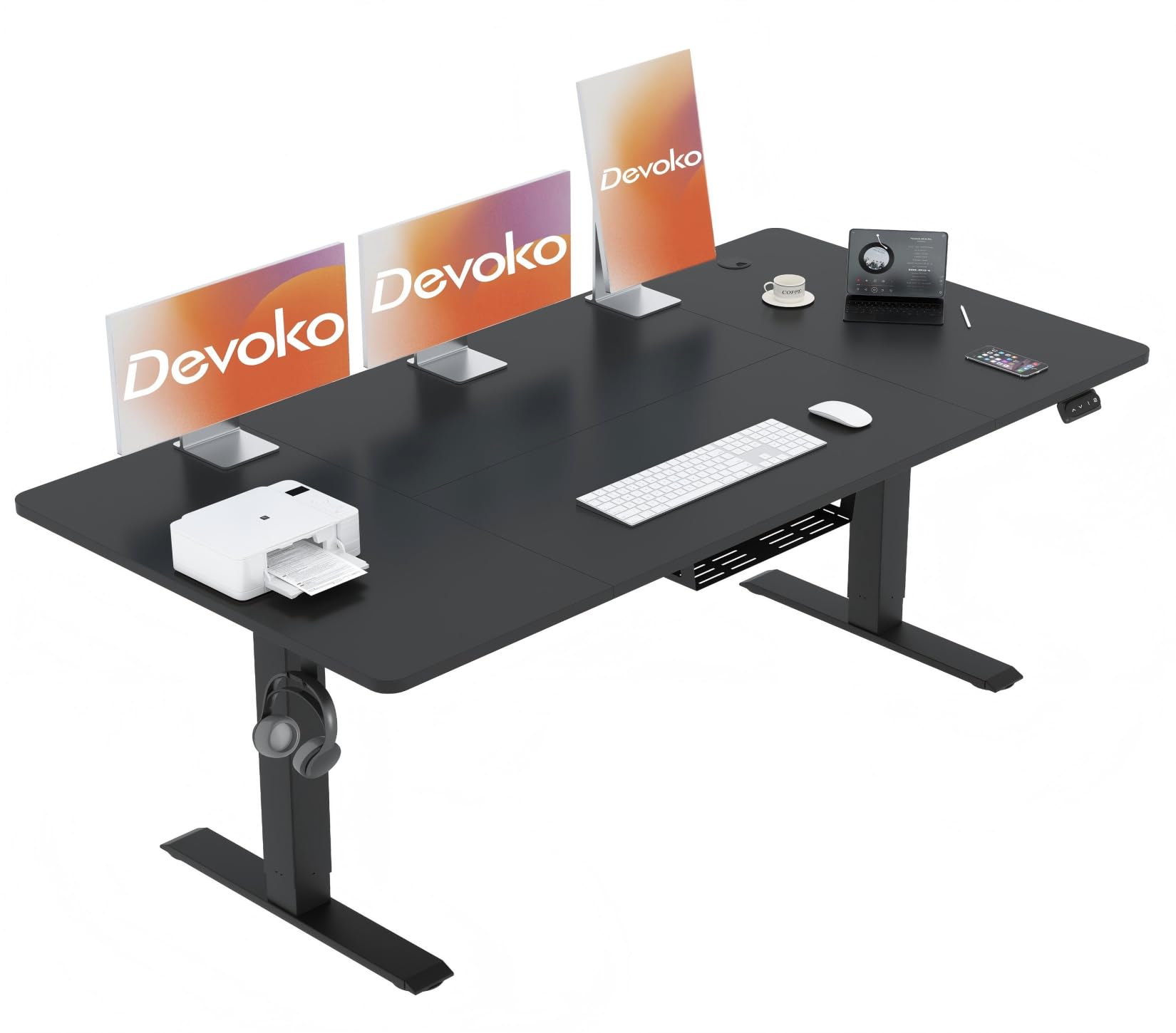
Image: The Devoko Height-Adjustable Electric Desk in black, showcasing its modern design and spacious desktop.
Safety Information
- Ensure the total weight on the desk does not exceed 80 kg (176 lbs). Overloading can damage the motor and frame, and may pose a safety risk.
- Always use the anti-collision function when lifting or lowering the desk to avoid possible injury or damage to objects.
- Keep children and pets away from the desk during operation.
- Do not sit or stand on the desk.
- Ensure all cables are properly managed to prevent entanglement during height adjustments.
- Do not disassemble or modify the desk's electrical components. Contact qualified personnel for repairs.
Package Contents
Before assembly, please verify that all components listed below are present in your package:
- 1 x Height-Adjustable Electric Desk (Black Desk + Black Frame)
- 1 x Power Supply
- 4 x Foot Pads
- 1 x Installation Tool Kit
- 1 x Installation Instruction Manual
- 1 x Cable Management Tray
- 1 x Cable Management Compartment
- 1 x Headphone Hook
Note: The desktop consists of two panels that require assembly.
Assembly Instructions
Assembly typically takes approximately 30 minutes. Follow the detailed assembly instructions and use the numbered hardware provided in the package.
- Unpack Components: Carefully remove all parts from the packaging and lay them out on a clean, soft surface to prevent scratches. Verify all parts against the package contents list.
- Assemble Desktop: Join the two desktop panels using the provided connectors and screws. Ensure they are securely fastened and aligned.
- Attach Lifting Columns: Secure the lifting columns to the desktop frame according to the instruction manual. Pay attention to the orientation of the motor and control box.
- Install T-Type Table Legs: Attach the T-type table legs to the bottom of the lifting columns. Ensure they are stable and level.
- Connect Control Box and Handset: Connect the motor cables, power supply, and control handset to the control box. Refer to the wiring diagram in the separate installation manual for correct connections.
- Install Accessories: Attach the cable management tray, cable management compartment, and headphone hook as desired.
- Power On and Test: Plug the power supply into a wall outlet. Perform an initial test run to ensure the desk moves up and down smoothly.
For detailed visual steps, please refer to the dedicated installation instruction manual included in your package.
Operating Instructions
Control Panel Overview
The desk is operated via an all-in-one controller with a digital display and 4 buttons.
- Up/Down Arrows: Adjust desk height manually.
- Memory Presets (M1, M2): Store and recall preferred height settings.
Height Adjustment
- Manual Adjustment: Press and hold the Up arrow button to raise the desk, or the Down arrow button to lower it. Release the button at your desired height. The digital display will show the current height.
- The adjustable height range is approximately 71 cm to 119 cm (27.95 inches to 46.85 inches).
Setting Memory Presets
The controller allows you to save two preferred height settings for quick recall.
- Adjust the desk to your desired height using the Up/Down arrows.
- Press and hold one of the memory preset buttons (M1 or M2) until the display flashes or beeps, indicating the height has been saved.
- Repeat for the second desired height setting.
Recalling Memory Presets
To move the desk to a saved height:
- Press the corresponding memory preset button (M1 or M2). The desk will automatically move to the saved height.
Anti-Collision System
The Devoko electric desk is equipped with a reliable anti-collision system. If the desk encounters an obstacle during its upward or downward movement, it will automatically stop and reverse approximately 2 cm to prevent damage or injury. This feature enhances safety during operation.
Maintenance
- Cleaning: Wipe the desktop and frame with a soft, damp cloth. Avoid abrasive cleaners or harsh chemicals that could damage the finish.
- Cable Management: Periodically check and reorganize cables to ensure they do not interfere with the desk's movement or pose a tripping hazard.
- Fasteners: Occasionally check all screws and bolts to ensure they are tight. Retighten if necessary.
- Motor Care: The motor is designed for maintenance-free operation. Do not attempt to lubricate or open the motor housing.
Troubleshooting
| Problem | Possible Cause | Solution |
|---|---|---|
| Desk does not move. | Power cable disconnected; motor cable loose; overload. | Check power connection. Ensure all cables are securely plugged in. Reduce weight on the desk. |
| Desk moves unevenly or makes unusual noise. | Loose fasteners; uneven weight distribution. | Check and tighten all screws. Redistribute weight evenly on the desktop. |
| Anti-collision system frequently triggers. | Obstacles under/above desk; sensitive setting. | Clear any obstacles. If the issue persists without clear obstacles, contact support. |
| Memory presets not working. | Presets not saved correctly. | Re-save the memory presets following the operating instructions. |
If you encounter problems not listed here or if the suggested solutions do not resolve the issue, please contact Devoko customer support for assistance.
Specifications
- Brand: Devoko
- Model Number: 0427
- Desktop Dimensions (L x W): 140 cm x 60 cm (55.12"D x 23.62"W)
- Height Adjustment Range: 71 cm - 119 cm (27.95" - 46.85")
- Maximum Load Capacity: 80 kg (176 lbs)
- Lifting Mechanism: Electric
- Noise Level: ≤ 45 dB
- Speed: 25 mm/s
- Desktop Material: Wood (Laminated)
- Frame Material: Metal
- Color: Black
- Special Features: Adjustable, Ergonomic, Anti-collision system, Memory presets (2), Cable management, Headphone hook
- Assembly Required: Yes (Recommended 1 person)
- Item Weight: 21.4 Kilograms
Warranty and Support
The Devoko Height-Adjustable Electric Desk comes with a Limited Warranty. Please refer to the warranty card included in your package for specific terms and conditions, including coverage duration and what is covered.
For technical support, warranty claims, or any questions regarding your Devoko product, please contact Devoko customer service. Contact information can typically be found on the Devoko official website or on the product packaging.
Please have your model number (0427) and purchase information ready when contacting support.


