1. Introduction
This user manual provides comprehensive instructions for the setup, operation, maintenance, and troubleshooting of your BOSGAME P2 Mini PC. Please read this manual carefully before using the product to ensure optimal performance and longevity. The BOSGAME P2 is a high-performance mini PC designed for various applications, from office work and content creation to gaming, featuring an Intel Core i7-12700H processor and Windows 11 Pro.
2. Product Overview
The BOSGAME P2 Mini PC is engineered for powerful performance in a compact form factor. Key features include:
- High-Performance Processor: Equipped with a 12th Generation Intel Core i7-12700H processor (14 cores, 20 threads, up to 4.7 GHz) with 24 MB Smart Cache, built on advanced 7nm technology for stable and high performance.
- Ample Memory & Storage: Features 32GB of dual-channel DDR4 3200 MHz RAM (expandable up to 64GB) and a 512GB M.2 2280 PCIe 3.0 SSD. An additional SSD slot is available for storage expansion.
- Dual LAN Ports: Includes two 1000 Mbps RJ45 LAN ports, supporting various network functions such as software routing, firewalls, NAT, and network isolation, ideal for high-speed network configurations.
- Triple 4K Display Support: Offers ultra-clear 4K@60Hz image quality via HDMI 2.0, Type-C, and DisplayPort 1.4 outputs, allowing for a versatile multi-monitor setup.
- Advanced Connectivity: Integrated Wi-Fi 6E and Bluetooth 5.2 ensure seamless wireless connections with your devices and networks.

Figure 2.1: Front view of the BOSGAME P2 Mini PC, showcasing its compact design and accessible front ports including USB and audio jack.

Figure 2.2: Diagram illustrating the compactness of the BOSGAME P2 Mini PC and highlighting its core specifications: Intel Core i7-12700H, DDR4 3200MHz RAM, M.2 2280 NVMe SSD, Wi-Fi 6E, Bluetooth 5.2, Dual RJ45 LAN, USB-C, and Triple Display support.
3. Setup Guide
Follow these steps to set up your BOSGAME P2 Mini PC:
- Unpack the Device: Carefully remove the Mini PC and all accessories from the packaging.
- Connect to Display: Connect your monitor(s) to the Mini PC using the HDMI, DisplayPort, or USB-C ports. The device supports up to three 4K@60Hz displays simultaneously.
- Connect Peripherals: Plug in your keyboard, mouse, and other USB devices into the available USB 3.2 ports.
- Network Connection: For a wired connection, connect an Ethernet cable to one of the two RJ45 LAN ports. For wireless, ensure your Wi-Fi network is available.
- Power Connection: Connect the power adapter to the DC-in port on the Mini PC, then plug the adapter into a power outlet.
- Power On: Press the power button located on the front of the Mini PC. The system will boot into Windows 11 Pro.

Figure 3.1: Detailed diagram of the BOSGAME P2 Mini PC's rich interfaces, including DC power input, dual RJ45 LAN ports, HDMI 2.0, DisplayPort, USB 3.2 ports, USB-C, and audio jack.
4. Operating Instructions
Your BOSGAME P2 Mini PC comes pre-installed with Windows 11 Pro, offering a familiar and powerful operating environment.
4.1 First Boot and Windows Setup
Upon first power-on, you will be guided through the Windows 11 Pro initial setup process. Follow the on-screen prompts to configure your region, language, network, and user account. It is recommended to connect to the internet during this process to download necessary updates.
4.2 Display Configuration
The Mini PC supports triple display output. To configure multiple monitors:
- Connect your monitors to the available HDMI, DisplayPort, and USB-C video outputs.
- Right-click on the desktop and select "Display settings".
- From here, you can detect, arrange, and extend or duplicate your displays as needed.
4.3 Network and Wireless Connectivity
For wired network access, simply connect an Ethernet cable to one of the RJ45 ports. For Wi-Fi:
- Click the network icon in the system tray (bottom right of the screen).
- Select your Wi-Fi network from the list and enter the password if prompted.
- Bluetooth devices can be paired via "Settings" > "Bluetooth & devices".
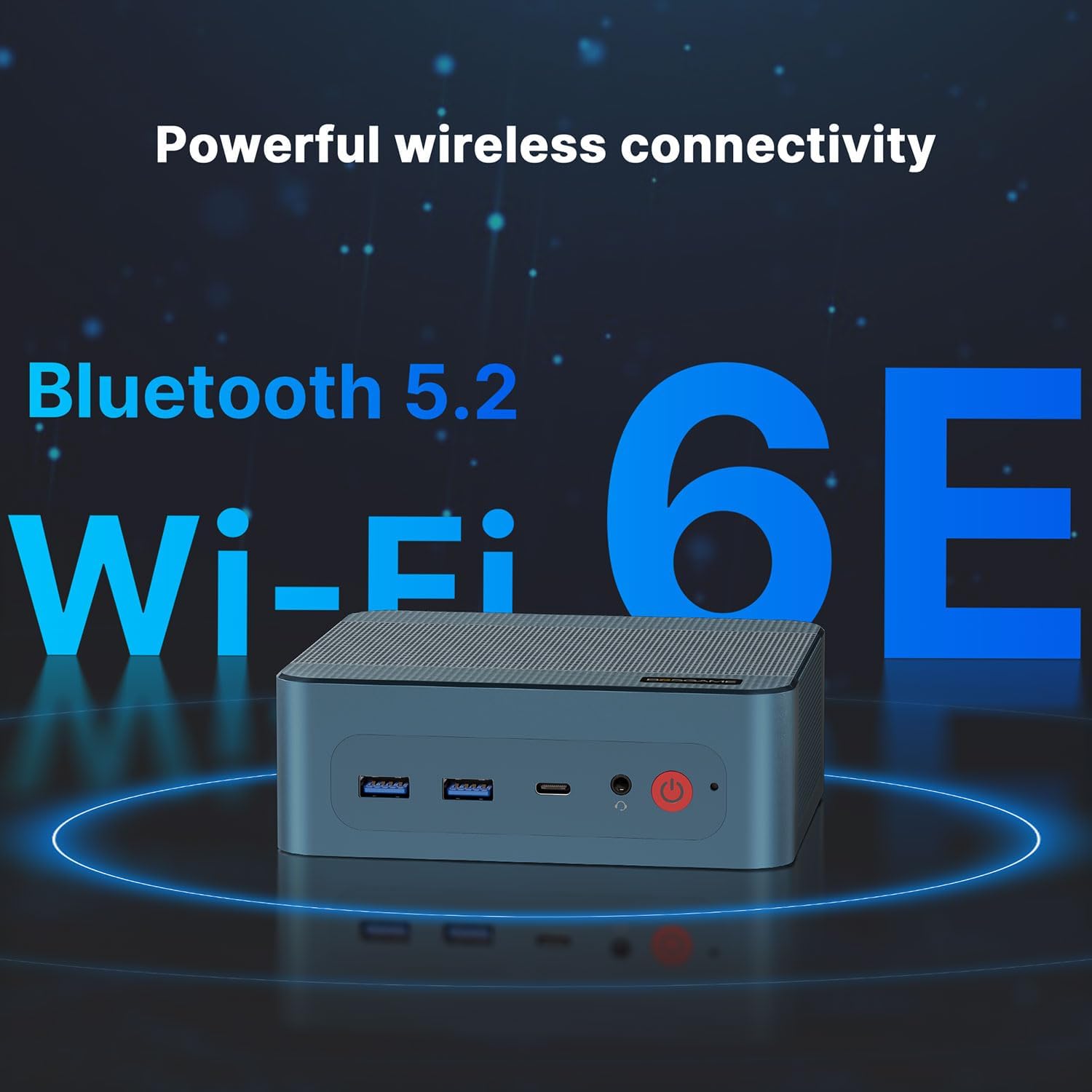
Figure 4.1: Illustration highlighting the BOSGAME P2 Mini PC's support for powerful wireless connectivity, including Bluetooth 5.2 and Wi-Fi 6E.
5. Maintenance
Proper maintenance ensures the longevity and optimal performance of your Mini PC.
5.1 Cleaning
- Always power off and unplug the device before cleaning.
- Use a soft, dry cloth to wipe the exterior.
- For dust accumulation in vents, use compressed air. Do not insert objects into the vents.
5.2 Storage and RAM Expansion
The BOSGAME P2 Mini PC allows for easy upgrades of its RAM and SSD storage.
- The device supports up to 64GB (2x32GB) of DDR4 3200MHz SO-DIMM RAM.
- It has two M.2 2280 PCIe 3.0 SSD slots, allowing for additional or upgraded storage.
- Refer to the product's official support resources or a qualified technician for detailed upgrade instructions to avoid damaging the device.

Figure 5.1: Illustration demonstrating the internal components of the BOSGAME P2 Mini PC, specifically highlighting the dual-channel DDR4 SO-DIMM RAM slots and the M.2 2280 NVMe SSD slot, indicating expandability.
6. Troubleshooting
If you encounter issues with your BOSGAME P2 Mini PC, refer to the following common problems and solutions:
| Problem | Possible Cause | Solution |
|---|---|---|
| No power / PC does not turn on | Power cable not connected; Faulty power adapter; Power button issue. | Ensure power cable is securely connected. Test with another outlet. Contact support if adapter is suspected faulty. |
| No display on monitor | Loose video cable; Incorrect input source on monitor; Driver issue. | Check all video cable connections. Select correct input source on monitor. Try a different display port or cable. |
| No internet connection (wired) | Ethernet cable loose/faulty; Router/modem issue; Network driver issue. | Ensure Ethernet cable is securely connected. Restart router/modem. Check network adapter status in Device Manager. |
| No Wi-Fi connection | Wi-Fi disabled; Incorrect password; Router issue; Driver issue. | Ensure Wi-Fi is enabled in Windows settings. Re-enter Wi-Fi password. Restart router. Update Wi-Fi drivers. |
| System slow or unresponsive | Too many applications running; Low disk space; Malware; Overheating. | Close unnecessary applications. Free up disk space. Run antivirus scan. Ensure proper ventilation. |
If the problem persists, please contact BOSGAME customer support for further assistance.
7. Specifications
Detailed technical specifications for the BOSGAME P2 Mini PC:
| Feature | Detail |
|---|---|
| Brand | BOSGAME |
| Model Number | P2 |
| Operating System | Windows 11 Pro |
| Processor | Intel Core i7-12700H (14 Cores, 20 Threads, up to 4.7 GHz, 24 MB Cache) |
| RAM | 32 GB DDR4 3200 MHz SO-DIMM (2 x 16GB, expandable up to 64 GB) |
| Storage | 512 GB M.2 2280 PCIe 3.0 SSD (with additional M.2 2280 PCIe 3.0 slot for expansion) |
| Graphics | Intel Iris Xe Max Graphics (Integrated) |
| Display Resolution | Supports up to 3840 x 2160 (4K) @ 60Hz |
| Video Outputs | 1 x HDMI 2.0, 1 x DisplayPort 1.4, 1 x USB-C (DisplayPort Alt Mode) |
| USB Ports | 3 x USB 3.2 Type-A, 1 x USB 3.2 Type-C |
| Network | 2 x 1000 Mbps RJ45 Ethernet ports |
| Wireless Connectivity | Wi-Fi 6E (802.11ax), Bluetooth 5.2 |
| Audio | 1 x 3.5mm Audio Jack |
| Dimensions (L x W x H) | 13 x 13 x 4.6 cm (5.12 x 5.12 x 1.81 inches) |
| Weight | 1.67 kg (approx.) |

Figure 7.1: Close-up view of the Intel Core i7-12700H processor, highlighting its 14 cores, 20 threads, 4.70 GHz max boost clock, and 24MB L3 Cache.

Figure 7.2: Visual representation of the BOSGAME P2 Mini PC's dual 1000Mbps RJ45 LAN ports, emphasizing high-speed wired network capabilities.
8. Warranty and Support
BOSGAME offers a limited one-year warranty on each Mini PC, effective from the date of purchase. This warranty covers manufacturing defects and ensures product reliability.
For technical support, warranty claims, or any inquiries regarding your BOSGAME P2 Mini PC, please contact BOSGAME's dedicated after-sales team. Refer to the contact information provided with your product packaging or visit the official BOSGAME website for the most up-to-date support details.
Please retain your proof of purchase for warranty validation.


