Introduction
This manual provides essential information and instructions for the safe and efficient use of your Realme 12 Pro Plus 5G RMX3840 smartphone. Please read this guide thoroughly before operating your device to ensure optimal performance and longevity. Keep this manual for future reference.
Setup
1. Package Contents
- Realme 12 Pro Plus 5G RMX3840 Smartphone
- USB Cable
- SIM Ejector Tool
- Quick Start Guide
- Safety Information
2. Inserting SIM Cards
Locate the SIM card tray on the side of your device. Use the provided SIM ejector tool to open the tray. Insert your Nano-SIM cards into the designated slots with the gold contacts facing down. Ensure the tray is fully reinserted into the device.

Image: Side view of the Realme 12 Pro Plus 5G, illustrating the location of the SIM card tray and USB-C port.
3. Initial Power On and Setup
Press and hold the Power button on the side of the device until the Realme logo appears. Follow the on-screen instructions to select your language, connect to a Wi-Fi network, and set up your Google account. This process will guide you through essential settings to personalize your device.
Operating Your Device
1. Power On/Off and Restart
- Power On: Press and hold the Power button until the device vibrates and the logo appears.
- Power Off/Restart: Press and hold the Power button until the power menu appears. Select 'Power off' or 'Restart'.
2. Screen Navigation
The Realme 12 Pro Plus 5G features an AMOLED touchscreen display. Use touch gestures such as tap, swipe, pinch-to-zoom, and long-press to navigate the interface, open applications, and interact with content.

Image: Front view of the Realme 12 Pro Plus 5G, showcasing its vibrant AMOLED display.
3. Making Calls and Sending Messages
Tap the 'Phone' icon to access the dialer and make calls. Tap the 'Messages' icon to compose and send text messages. Ensure your SIM card is active and has network coverage.
4. Camera Usage
Open the 'Camera' application to capture photos and videos. The device features a multi-camera system, including a 50MP OIS wide camera and a 64MP Periscope camera. Tap the shutter button to take a photo or the record button to start/stop video recording. Swipe left or right to switch between different camera modes.
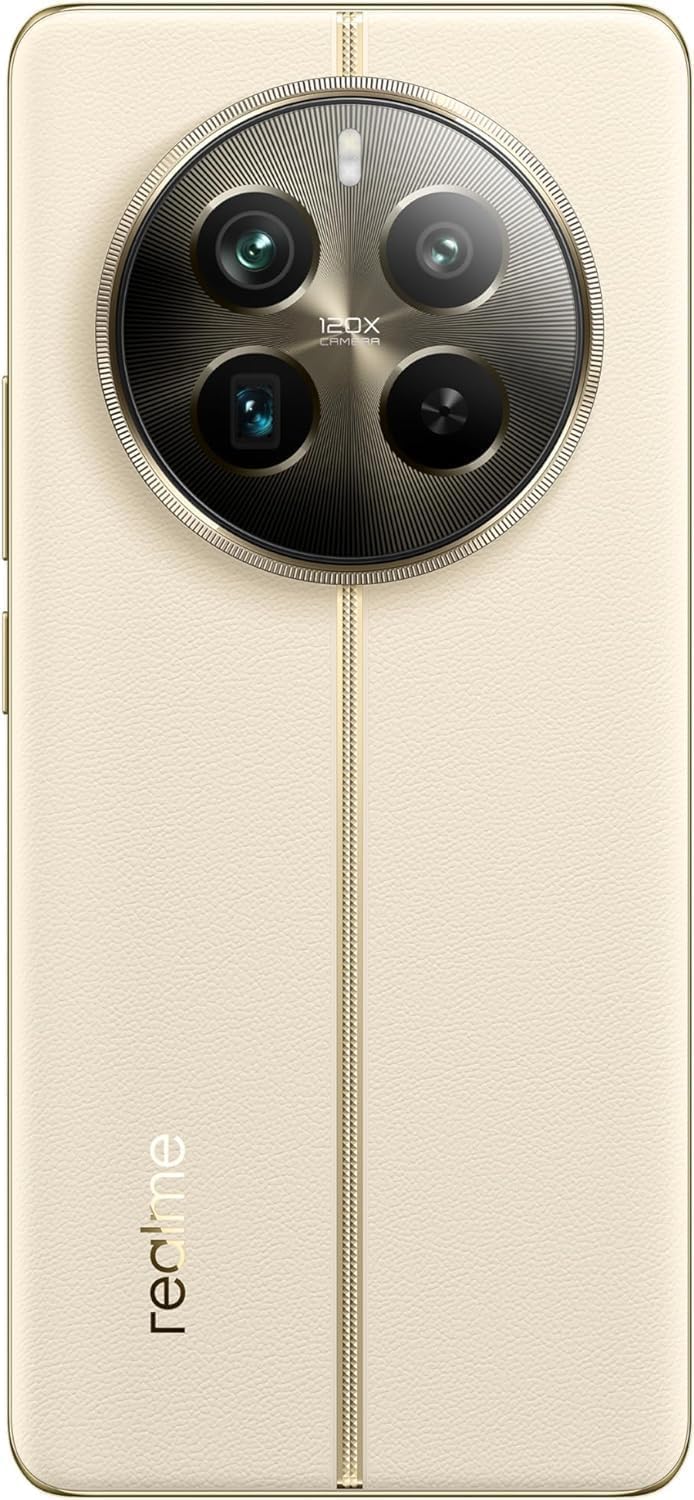
Image: Rear view of the Realme 12 Pro Plus 5G, highlighting its advanced camera module.
5. Connectivity
- Wi-Fi: Go to Settings > Wi-Fi to connect to available wireless networks.
- Bluetooth: Go to Settings > Bluetooth to pair with Bluetooth devices like headphones or speakers.
- 5G: The device supports 5G cellular technology. Ensure your plan and location support 5G for optimal network speeds.
Maintenance
1. Cleaning Your Device
Use a soft, lint-free cloth to gently wipe the screen and body of your phone. Avoid using harsh chemicals or abrasive materials, which can damage the device's finish. Do not expose the device to excessive moisture.
2. Software Updates
Regularly check for and install software updates to ensure your device has the latest features, security patches, and performance improvements. Go to Settings > About device > Up to date to check for updates.
3. Battery Care
To prolong battery life, avoid extreme temperatures. Use the original charger and cable provided with your device. Avoid fully discharging the battery frequently. The device features a 5000 mAh Lithium-Polymer battery.
4. Storage Management
Periodically review and delete unnecessary files, apps, and media to free up storage space. Your device comes with 512 GB of internal storage. You can also utilize cloud storage services.
Troubleshooting
1. Device Not Turning On
- Ensure the battery is charged. Connect the device to its charger for at least 15 minutes.
- Press and hold the Power button for 10-15 seconds to force a restart.
2. Network Connectivity Issues
- Check if Airplane Mode is off.
- Restart the device.
- Verify that your SIM card is properly inserted and active.
- Reset network settings: Go to Settings > System > Reset options > Reset Wi-Fi, mobile & Bluetooth.
3. Applications Crashing or Freezing
- Close and reopen the application.
- Clear the app's cache and data: Go to Settings > Apps > [App Name] > Storage > Clear cache/Clear data.
- Update the application from the Google Play Store.
4. Factory Reset (Last Resort)
If issues persist, a factory reset may resolve them. Warning: This will erase all data on your device. Back up important data before proceeding. Go to Settings > System > Reset options > Erase all data (factory reset).
Specifications
| Brand | realme |
| Model | RMX3840 |
| Model Name | 12 Pro Plus |
| Operating System | Android 14, Realme UI 5.0 |
| Processor | Qualcomm Snapdragon |
| RAM | 12 GB |
| Internal Storage | 512 GB |
| Display Size | 6.7 Inches |
| Display Type | AMOLED |
| Resolution | 1080 x 2412 |
| Refresh Rate | 120 Hz |
| Battery Capacity | 5000 Milliamp Hours (Lithium-Polymer) |
| Cellular Technology | 5G |
| Connectivity | Bluetooth, USB, Wi-Fi |
| Video Capture Resolution | 3840 x 2160 |
Warranty and Support
Your Realme 12 Pro Plus 5G RMX3840 smartphone is covered by a limited manufacturer's warranty. Please refer to the warranty card included in your product packaging for specific terms and conditions, including warranty period and coverage details. For technical support, service, or further assistance, please visit the official Realme support website or contact their customer service. Keep your proof of purchase for warranty claims.


