
1. Introduction
This manual provides detailed instructions for the setup, operation, and maintenance of your Retekess V115 Digital Radio and Retekess TA006 Wireless TV Headphones. Please read this manual thoroughly before using the devices to ensure proper function and to maximize your user experience. Keep this manual for future reference.
2. Safety Information
Observe the following safety precautions to prevent damage to the devices or injury to yourself:
- Do not expose the devices to water, moisture, or extreme temperatures.
- Avoid dropping or subjecting the devices to strong impacts.
- Do not attempt to disassemble or modify the devices. This will void the warranty.
- Use only the specified power adapters and cables.
- Keep out of reach of children.
- Dispose of batteries according to local regulations.
3. Package Contents
Verify that all items are present in your package:
- Retekess V115 Digital Radio
- Retekess TA006 Wireless TV Headphones
- TA006 Charging Dock/Transmitter
- USB Charging Cable (for V115 and TA006 direct charging)
- Audio Cables (e.g., 3.5mm AUX, RCA, Optical, Coaxial - specific types may vary)
- User Manual (this document)
- Note: TF Card is not included and must be purchased separately for recording functions.
4. Product Overview
4.1 Retekess V115 Digital Radio
The Retekess V115 is a portable digital radio supporting AM, FM, and Shortwave (SW) bands. It features digital tuning, station presets, and a recording function. The radio is designed for clear audio reception and ease of use.

Image: Retekess V115 Digital Radio highlighting its 3-band (AM/FM/SW) capability and station search features.

Image: The Retekess V115 radio featuring its bass diaphragm speaker for clear and loud sound.
4.2 Retekess TA006 Wireless TV Headphones
The Retekess TA006 headphones provide a wireless audio solution for TV viewing, especially beneficial for seniors. They connect to your TV via a transmitter and offer multiple audio input options. The headphones are designed for comfort and clear sound.

Image: Retekess TA006 Wireless TV Headphones showcasing their ergonomic design, adjustable headband, and comfortable PU leather earmuffs.
5. Setup
5.1 Retekess V115 Digital Radio Setup
- Battery Installation: Open the battery compartment cover on the back of the V115 radio. Insert the rechargeable battery, ensuring correct polarity. Close the cover.
- Initial Charge: Connect the V115 radio to a USB power source using the provided USB cable. The radio will begin charging.
- Power On: Press and hold the POWER button to turn on the radio.
- Language Selection: Upon first use, you may be prompted to select a language (Chinese, English, Spanish). Use the navigation buttons to select "English" and confirm.
5.2 Retekess TA006 Wireless TV Headphones Setup
- Connect Transmitter to Power: Plug the power adapter into the TA006 charging dock/transmitter and then into a wall outlet. The transmitter's display will illuminate.
- Connect Transmitter to TV Audio Output:
- Optical (Recommended): Connect an optical cable from your TV's "Optical Out" port to the "Optical In" port on the TA006 transmitter.
- Coaxial: Connect a coaxial cable from your TV's "Coaxial Out" port to the "Coaxial In" port on the TA006 transmitter.
- AUX (3.5mm): Connect a 3.5mm audio cable from your TV's "Headphone Out" or "Audio Out" port to the "AUX In" port on the TA006 transmitter.
- RCA: Connect an RCA audio cable (red and white plugs) from your TV's "Audio Out" ports to the "RCA In" ports on the TA006 transmitter.
Note: Ensure your TV's audio output settings are configured correctly for the chosen connection type. Some TVs require enabling the digital audio output or selecting the correct output format (e.g., PCM for optical/coaxial).
- Charge Headphones: Place the TA006 headphones onto the charging dock. Ensure the charging contacts align. The transmitter's display will show the charging status and battery level. Alternatively, connect a USB cable directly to the headphones for charging.
- Automatic Connection: Once the headphones are charged and powered on (they automatically connect within 5 seconds of being turned off if the transmitter is on), they will automatically connect to the transmitter. No manual pairing is required.

Image: The Retekess TA006 headphones illustrating two charging methods: via the charging base and directly via a USB cable.

Image: The TA006 charging dock display showing battery percentage and charging status, providing power monitoring functionality.
6. Operating Instructions
6.1 Retekess V115 Digital Radio Operation
- Power On/Off: Press and hold the POWER button.
- Band Selection: Press the FM/AM/SW button to cycle through FM, AM, and Shortwave bands.
- Tuning Stations:
- Automatic Search: Press and hold the SCAN button (or similar, refer to device buttons) to automatically search and store available stations.
- Manual Tuning: Use the TUNING +/- buttons (or scroll wheel) to manually adjust the frequency.
- Direct Frequency Input: Use the number keys to directly enter a frequency and press ENTER (or similar).
- Saving Presets: After tuning to a desired station, press the MEMO button (or similar) and then use the number keys to select a preset slot. Press MEMO again to confirm.
- Recalling Presets: Use the number keys to directly access a stored station, or use the PRESET +/- buttons to cycle through saved stations.
- Volume Control: Use the VOLUME +/- buttons or rotary knob.
- Recording Function:

Image: The Retekess V115 radio illustrating its recording capabilities, including MIC recording, AUX cable input recording, and radio recording. A TF card is required.
To use the recording function, a TF card (not included) must be inserted into the designated slot. The V115 supports MIC recording, line-in recording (via AUX cable), and radio recording. You can select recording quality: 64kbps (simple), 96kbps (quality), or 128kbps (super).
- Insert a TF card.
- Press the REC button to start recording. Press again to stop.
- Access recorded files via the REC FILE menu.
- Sleep Timer:
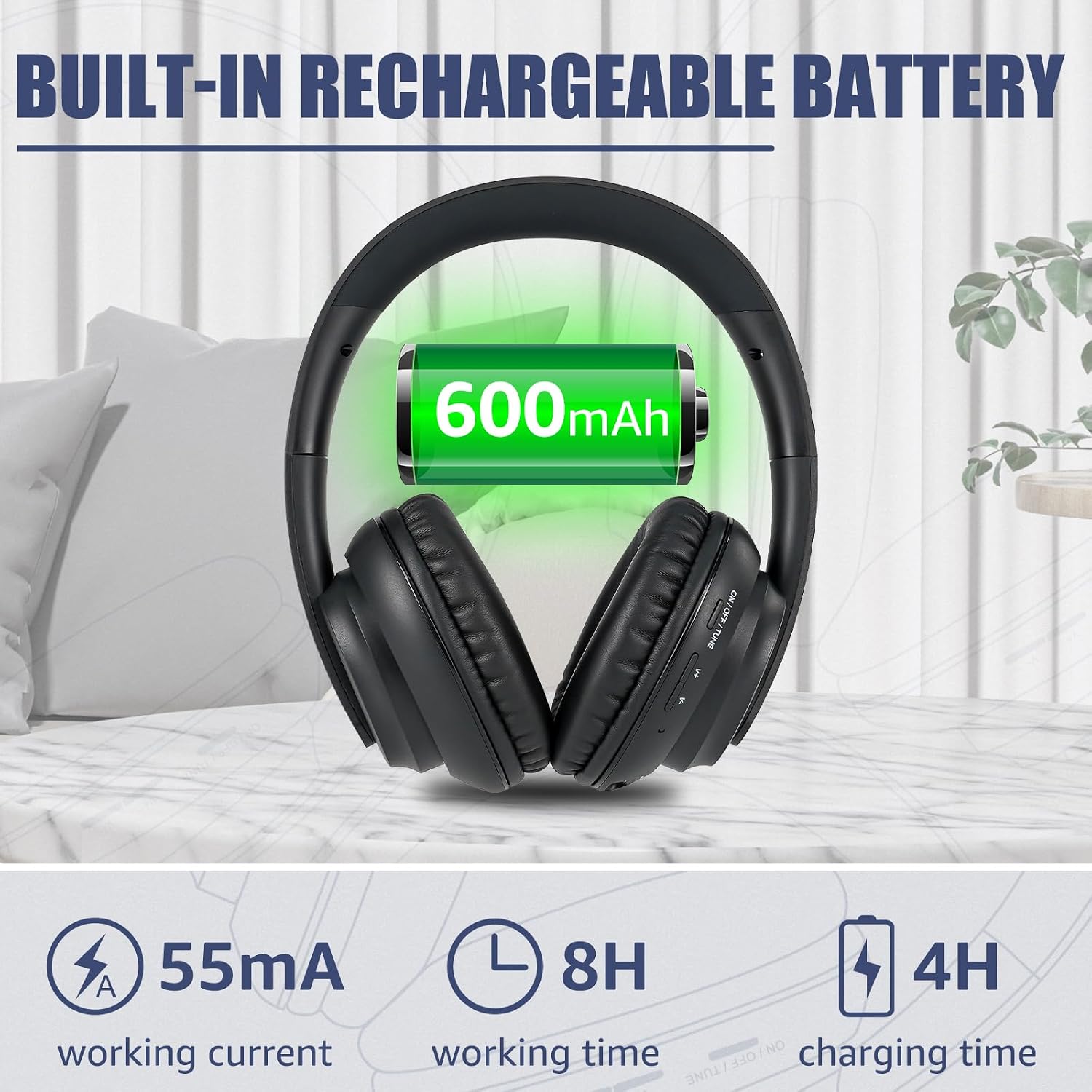
Image: The Retekess V115 radio displaying its sleep timer function, adjustable from 0 to 90 minutes.
The sleep timer can be set from 0 to 90 minutes, allowing the radio to automatically turn off after a set period. Access this function through the menu or a dedicated SLEEP button.
6.2 Retekess TA006 Wireless TV Headphones Operation
- Power On/Off: The headphones typically power on automatically when removed from the charging dock and the transmitter is active. They will power off automatically after 5 seconds if the transmitter is off. There may also be a manual power button on the headphones.
- Volume Control: Use the volume control buttons/wheel located on the headphones to adjust the listening volume.
- Battery Status: The LCD screen on the charging dock/transmitter displays the current battery level of the headphones and charging status.
- Comfort Adjustment: Adjust the headband width for a comfortable fit. The earmuffs are made of soft PU leather for extended wear.
7. Maintenance
- Cleaning: Use a soft, dry cloth to clean the exterior of both the radio and headphones. Do not use liquid cleaners or abrasive materials.
- Storage: When not in use for extended periods, store the devices in a cool, dry place. For the headphones, keep them on the charging dock to maintain battery health.
- Battery Care: For the V115 radio, recharge the battery regularly to prolong its lifespan. For the TA006 headphones, ensure they are placed on the charging dock when not in use to keep them charged. Avoid fully discharging batteries frequently.
8. Troubleshooting
| Problem | Possible Cause | Solution |
|---|---|---|
| V115 Radio not turning on | Low battery; Battery incorrectly installed. | Charge the radio; Check battery polarity. |
| Poor radio reception on V115 | Weak signal; Antenna not extended; Interference. | Extend the telescopic antenna fully; Move to a location with better signal; Avoid sources of electronic interference. |
| TA006 Headphones no sound | Transmitter not powered; Audio cable loose/incorrect; TV audio output settings incorrect; Headphones not charged/powered on. | Ensure transmitter is powered; Check all audio cable connections; Verify TV audio output settings (e.g., PCM for digital); Charge and power on headphones. |
| TA006 Headphones not charging | Headphones not properly seated on dock; Dock not powered; USB cable faulty. | Reseat headphones on dock; Ensure dock is powered; Try a different USB cable or power source. |
| V115 Recording not working | No TF card inserted; TF card full or faulty. | Insert a compatible TF card; Delete old files or use a new TF card. |
9. Specifications
9.1 Retekess V115 Digital Radio
- Radio Bands: AM, FM, Shortwave (SW)
- Presets: Up to 100 radio presets
- Recording Quality: 64 kbps (simple), 96 kbps (quality), 128 kbps (super)
- Recording Types: MIC recording, Line-in recording, Radio recording
- Display: Adjustable LCD backlight
- Languages: Chinese, English, Spanish (default English)
- Sleep Timer: 0-90 minutes adjustable
- Power Source: Battery Powered (Rechargeable)
- Compatible Devices: Earphone, Headphone, MP3 Player (for line-in recording)
9.2 Retekess TA006 Wireless TV Headphones
- Connectivity Technology: Wireless (Transmitter-based)
- Audio Inputs (Transmitter): Optical, Coaxial, 3.5mm AUX, RCA
- Driver Size: 40mm premium driver
- Battery Display: LCD screen on transmitter shows battery level and charging status
- Charging Methods: Charging dock, USB cable direct
- Ear Cushions: PU advanced leather
- Working Current: 55mA
- Working Time: 8 hours
- Charging Time: 4 hours
- Compatible Devices: TV, Laptop, Tablet
10. Warranty and Support
Retekess products are designed for reliability and performance. For warranty information, technical support, or service inquiries, please refer to the warranty card included with your purchase or visit the official Retekess website. Please have your model numbers (V115, TA006) and purchase date available when contacting support.
Official Retekess Store: https://www.amazon.com/stores/Retekess/page/4F91346F-D306-4A1A-A52C-9DC589C045F6