
Introduction
This user manual provides detailed instructions for the SONRU Bluetooth 5.3 Adapter, designed to enhance your audio experience by adding Bluetooth connectivity to car/home stereos, wired headphones, and speakers. Featuring advanced Bluetooth 5.3 technology, this adapter ensures a stable and high-quality audio transmission with minimal delay. It supports dual AUX outputs and includes RCA and 3.5mm AUX connectivity for versatile use.
Package Contents
Please verify that all items listed below are included in your package:
- 1 x Bluetooth Jack Adapter
- 1 x 3.5 mm Aux Plug to Plug
- 1 x 3.5 mm Audio Cable
- 1 x RCA audio cable
- 1 x Type-C charging cable
- 1 x User Manual

Image: All components included in the SONRU Bluetooth 5.3 Adapter package.
Product Overview
The SONRU Bluetooth 5.3 Adapter is a compact device designed for seamless audio streaming. It features a robust design with intuitive controls and multiple connectivity options.
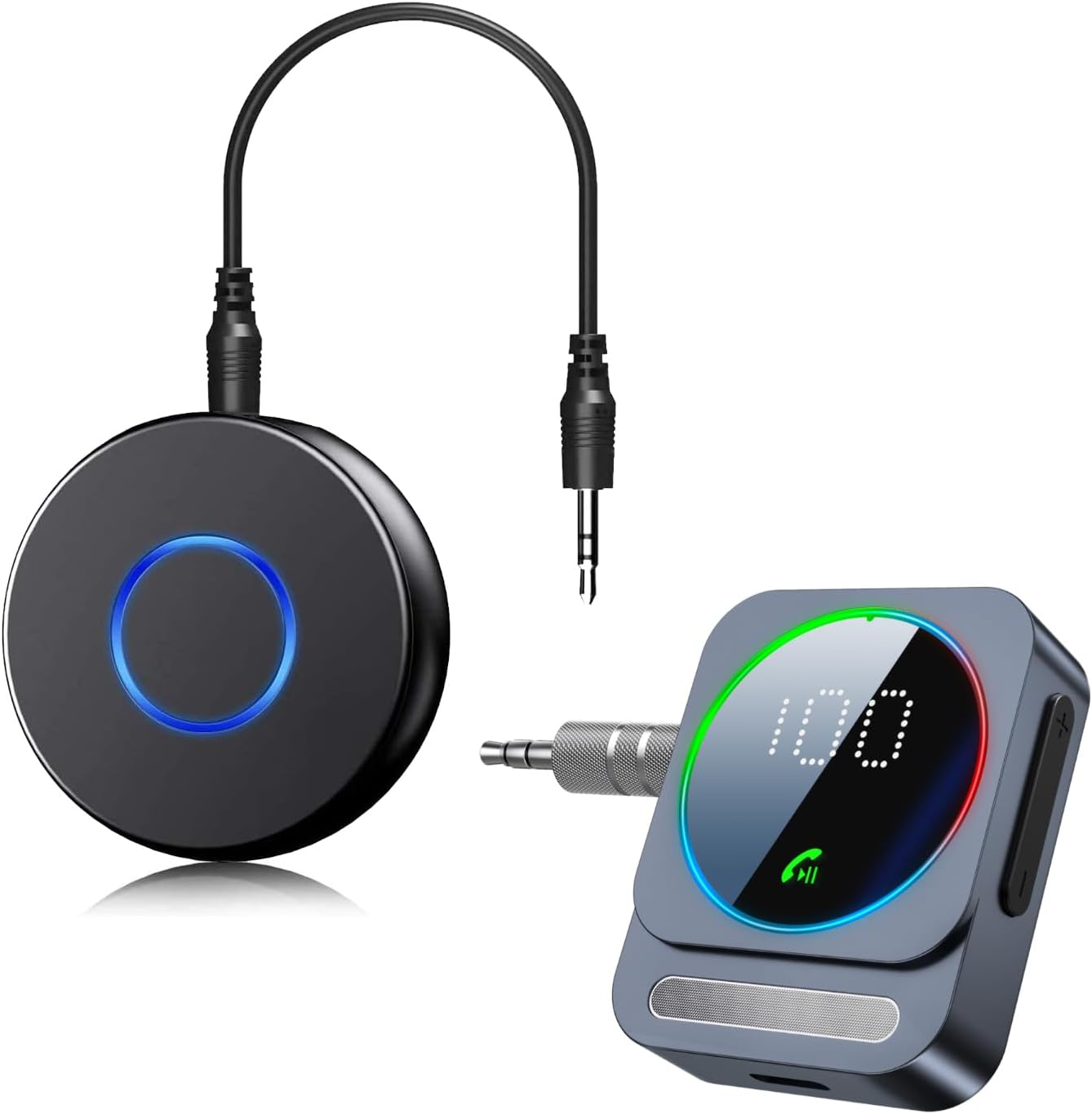
Image: Overview of the SONRU Bluetooth 5.3 Adapter and its variants.
The adapter is compatible with a wide range of devices, including car audio systems, home stereos, speakers, wired headsets, laptops, iPads, phones, and MP3 players, providing broad utility for various audio setups.

Image: Compatibility diagram for the SONRU Bluetooth 5.3 Adapter.
Setup Instructions
Follow these steps to set up your SONRU Bluetooth 5.3 Adapter:
- Charge the Device: Before first use, fully charge the adapter using the provided Type-C charging cable. Connect the cable to the adapter's charging port and a USB power source.
- Turn On the Receiver: Press and hold the power button (or indicated button) on the adapter until the indicator light illuminates, signifying it is powered on and ready for pairing.
- Plug into Audio System: Connect the Bluetooth receiver to your desired audio system (car stereo, home stereo, wired headphones, or speaker) using the appropriate 3.5mm Aux Plug, 3.5mm Audio Cable, or RCA audio cable. Ensure a secure connection.
- Pair with Bluetooth Device:
- Enable Bluetooth on your smartphone, tablet, or other audio source.
- Search for available Bluetooth devices. The adapter will typically appear as "SONRU B0D1MHK8JT" or similar.
- Select the adapter from the list to initiate pairing. The indicator light on the adapter will change (e.g., solid blue) once successfully paired.
- Enjoy Wireless Audio: Once paired, you can stream music wirelessly and make hands-free calls through your connected audio system.

Image: Visual guide for connecting the SONRU Bluetooth 5.3 Adapter.
Operating Instructions
Hands-Free Calling
The SONRU Bluetooth adapter is equipped with high-quality microphones and CVC8.0 technology for clear hands-free calls, filtering out background noise and echoes. It also supports intelligent voice assistants like Siri.
- Answer Call: Press the multi-function button once.
- End Call: Press the multi-function button once during a call.
- Reject Call: Press and hold the multi-function button for 2 seconds.
- Call Back: Double-press the multi-function button to redial the last number.

Image: Hands-free calling features and voice assistant support.
Connecting to Two Devices Simultaneously
The adapter supports connecting to two Bluetooth devices at the same time, allowing for convenient switching between devices for calls or music without re-pairing.
- Pair the first device following the "Setup Instructions" above.
- Once the first device is connected, disable Bluetooth on the first device. The adapter will enter pairing mode again.
- Pair the second device.
- Re-enable Bluetooth on the first device. Both devices should now be connected to the adapter.
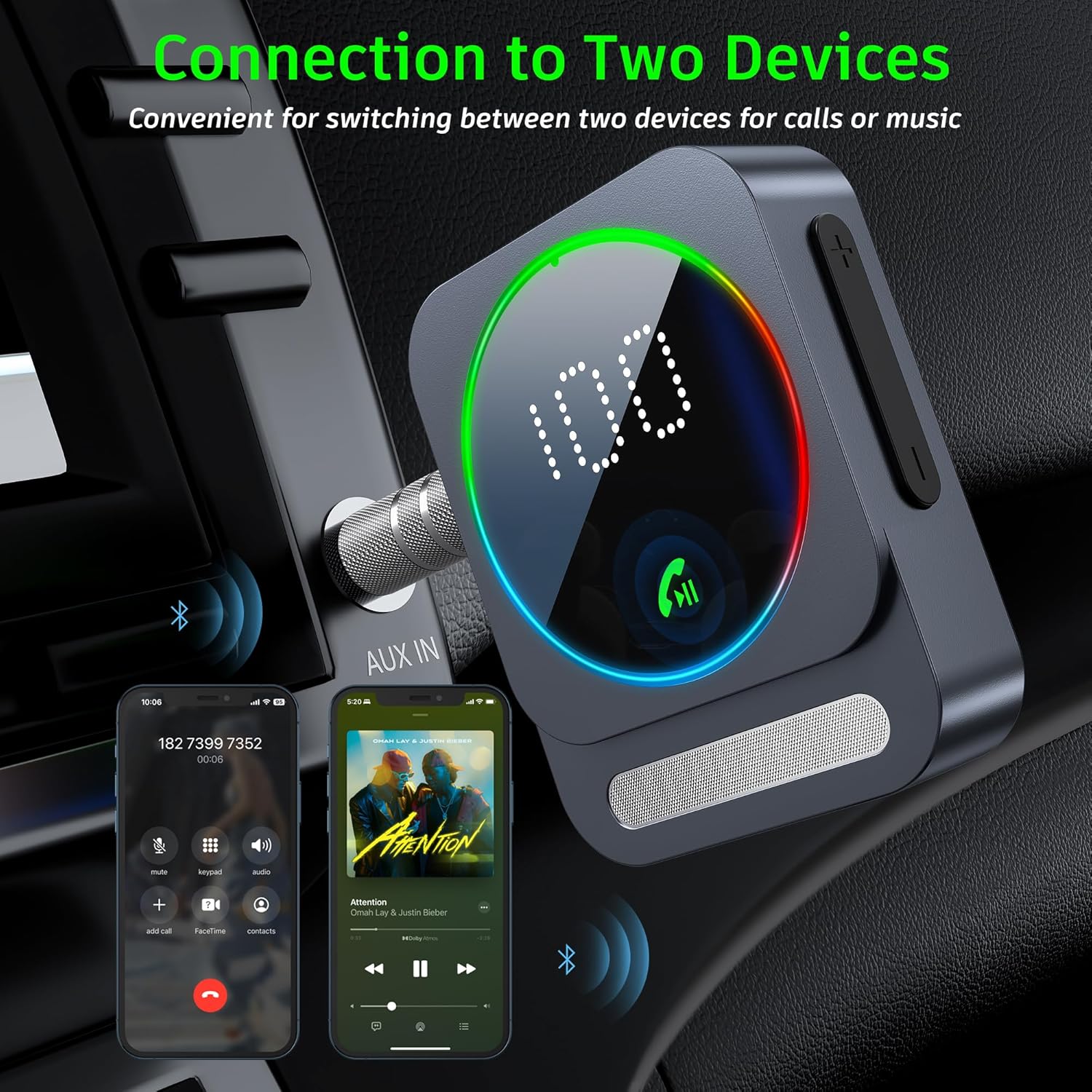
Image: Dual device connection capability.
Charging and Battery Life
The SONRU Bluetooth adapter is designed for extended use with impressive battery performance:
- Battery Life: Up to 16 hours of continuous use on a full charge.
- Charging Time: Approximately 1.5 hours for a full charge.
- Standby Time: Up to 24 hours.
- Charging While Using: The adapter supports charging while in operation, making it ideal for long journeys.

Image: Battery performance details of the SONRU Bluetooth adapter.

Image: Features contributing to extended standby time.
Maintenance
To ensure the longevity and optimal performance of your SONRU Bluetooth 5.3 Adapter, please follow these maintenance guidelines:
- Cleaning: Use a soft, dry cloth to clean the adapter. Do not use liquid cleaners or aerosols.
- Storage: Store the device in a cool, dry place away from direct sunlight and extreme temperatures.
- Handling: Handle the adapter with care. Avoid dropping it or subjecting it to strong impacts.
- Charging: Use only the provided charging cable or a certified Type-C cable. Avoid overcharging the battery.
Troubleshooting
If you encounter issues with your SONRU Bluetooth 5.3 Adapter, refer to the following common problems and solutions:
| Problem | Possible Cause | Solution |
|---|---|---|
| Device won't turn on. | Low battery. | Charge the adapter for at least 30 minutes. |
| Cannot pair with Bluetooth device. | Adapter not in pairing mode; Bluetooth on source device is off; too far from adapter. | Ensure adapter is in pairing mode (blinking indicator). Turn on Bluetooth on your device. Move closer to the adapter (within 33ft/10m). Clear previous pairings on your device. |
| No sound or poor sound quality. | Incorrect cable connection; volume too low; interference. | Check all audio cable connections. Increase volume on both the adapter and the connected audio system/device. Move away from sources of interference (e.g., Wi-Fi routers, other Bluetooth devices). |
| Calls are unclear. | Microphone obstruction; environmental noise. | Ensure the microphone is not covered. Try to reduce background noise in your environment. |
If the problem persists, please contact SONRU customer support for assistance.
Specifications
| Feature | Detail |
|---|---|
| Model | B0D1MHK8JT |
| Bluetooth Version | 5.3 |
| Connectivity Technology | Auxiliary, Bluetooth |
| Power Source | Battery Powered |
| Special Feature | Bluetooth FM Transmitter, Hands Free Calls |
| Working Range | Up to 33ft (10m) without obstacles |
| Battery Capacity | 250mAh (for models with this capacity, based on image) |
| Charging Port | Type-C |
Safety Information
Please read and adhere to the following safety guidelines:
- Handle battery with care.
- Avoid exposure to extreme temperatures.
- This device may interfere with other wireless devices.
- Do not disassemble, modify, or attempt to repair the device yourself. This may void the warranty and pose safety risks.
- Keep out of reach of children.
Warranty and Support
SONRU products come with a warranty policy. If you encounter any problems or are not satisfied with your product, please contact SONRU customer service. Refer to the "What You Get & Warranty Policy" section in the product description for initial details.
For further assistance, please visit the official SONRU store on Amazon or contact their customer support directly. You can find contact information on the product packaging or the SONRU brand store page.
SONRU Store Link: https://www.amazon.com/stores/SONRU/page/A0834B1B-8B4A-4C7F-994C-C1BC29C7E7F3