Safety Information
Please read and understand all instructions before assembly and use. Keep this manual for future reference.
- Weight Capacity: Do not exceed the maximum weight recommendation of 1000 pounds (453 kg).
- Sharp Edges: Be cautious of sharp edges, especially around the protective wing design, during unpacking and assembly.
- Assembly: Always follow the assembly instructions carefully to prevent instability or collapse. Ensure all bolts and screws are securely tightened.
- Children: Keep small parts and packaging materials away from children to prevent choking hazards.
- Electrical Components: Ensure all electrical connections for the LED lights and charging ports are properly secured and not damaged. Do not expose electrical components to water or excessive moisture.
- Placement: Place the bed frame on a level surface.
Package Contents
Verify that all components and hardware are present before beginning assembly. If any parts are missing or damaged, please contact customer service.
Hardware
- Various bolts and screws (M8x18mm, M8x28mm, M8x65mm, M8x50mm, M8x40mm)
- Allen wrench (M8)
- Plastic caps and washers
Components
- Headboard with integrated LED lights and charging hub
- Side rails (left and right)
- Footboard
- Wood slats
- Center support beam and legs
- LED remote control
- Power adapter for LED and charging hub
Assembly Instructions
Before You Begin
- Inspect Packaging: Check the shipping box for any signs of damage. If damage is noted, inspect contents immediately.
- Sort Hardware: Organize all screws and bolts by size and type. If hardware is pre-sorted in bags, keep them organized.
- Protect Surfaces: Lay down blankets or use the packaging's Styrofoam/cardboard sheets to protect your floor and furniture parts during assembly.
- Tools: A battery-powered drill can expedite assembly. If using one, set it to the lowest torque setting (typically level 1 or 2) to prevent stripping screws or damaging parts.
- Team Assembly: Assembly is recommended for two people and typically takes approximately 40 minutes.
Step-by-Step Assembly
- Unpack Components: Carefully remove all parts from the packaging and lay them out on a protected surface.
- Attach Side Rails to Headboard: Connect the side rails to the headboard using the specified bolts. Tip: Partially tighten all bolts first to ensure proper alignment before fully securing them.
- Install Center Support: Assemble and attach the center support beam and its legs to the bed frame.
- Attach Footboard: Connect the footboard to the side rails. Again, partially tighten bolts before final tightening.
- Install Wood Slats: Place the wood slats across the bed frame. Ensure they are evenly spaced and secured according to the manual.
- Connect LED and Charging Hub Power: Locate the power cables for the LED strip and USB/USB-C charging ports. Connect them to the provided power adapter and plug into a wall outlet.

Image: Fully assembled AMERLIFE King Bed Frame.
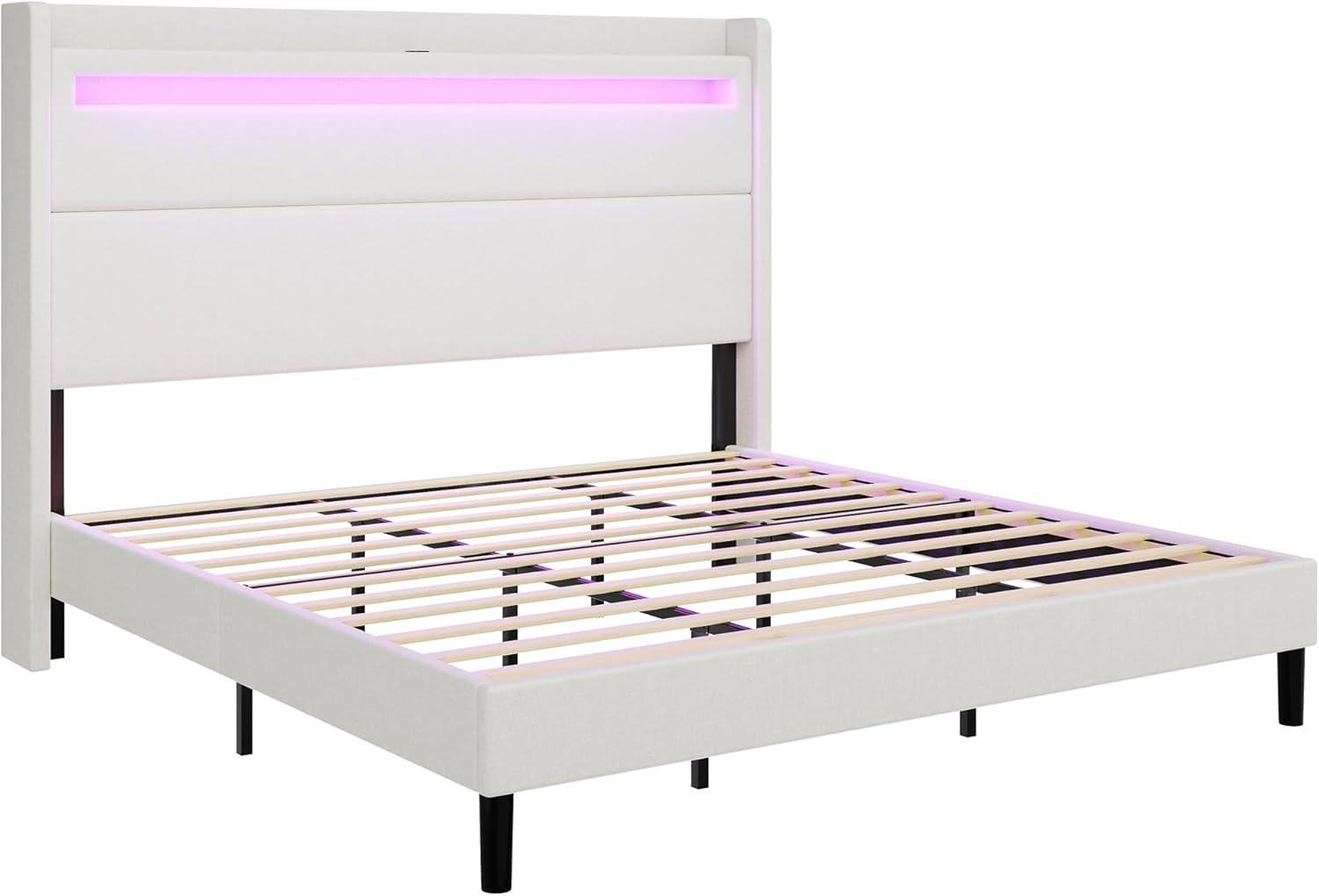
Image: Detailed view of the bed frame's noise-free construction, wood slats, and sturdy support legs.
Video: Official product video demonstrating the AMERLIFE LED Upholstered Bed Frame (BHB024).
Operating Instructions
LED Headboard Operation
The integrated LED strip in the headboard offers customizable lighting options.
- Control: The LED lights can be controlled via a dedicated remote control or a compatible smartphone application.
- Color Selection: Choose from millions of colors to match your preference.
- Dynamic Effects: Select from various dynamic lighting effects, including timing functions, brightness adjustment, and speed modes.
- Music Mode: Some modes allow the lights to react to music or sound.

Image: Headboard with LED lights displaying a blue hue, showcasing the charging hub and storage shelf.
Charging Hub Usage
The headboard includes a convenient charging station.
- Ports: Features both USB and USB-C charging ports.
- Output: Provides a reliable voltage of 5V/2A for efficient charging of compatible devices.
- Certification: The charging ports are UL and ETL Certified for safety.

Image: Close-up of the headboard's integrated USB and USB-C charging ports.
Maintenance
- Cleaning: Wipe the upholstered surfaces with a soft, damp cloth. Avoid harsh chemicals or abrasive cleaners. For the LED strip and charging ports, use a dry cloth.
- Hardware Check: Periodically check all bolts and screws to ensure they remain tight. Re-tighten as necessary to maintain stability.
- Electrical Connections: Ensure all power cables and connections are secure and free from damage.
- Slats: Inspect wood slats for any signs of wear or damage. Replace if necessary to ensure proper mattress support.
Troubleshooting
| Issue | Possible Cause | Solution |
|---|---|---|
| LED lights not working | Power adapter unplugged; loose connection; remote battery dead; LED strip damaged. | Check power connection; ensure all cables are secure; replace remote battery; contact customer service if LED strip is damaged. |
| Charging ports not working | Power adapter unplugged; loose connection; device incompatibility. | Verify power connection; check cable connections; ensure device is compatible with 5V/2A output. |
| Bed frame is wobbly or noisy | Loose bolts or screws; uneven floor; damaged slats. | Re-tighten all assembly hardware; ensure bed is on a level surface; inspect and replace damaged slats. |
Specifications

Image: Dimensional diagram of the King size bed frame.
| Feature | Detail |
|---|---|
| Model Number | BHB024 |
| Size | King |
| Product Dimensions | 83.46"L x 77.56"W x 50"H |
| Material | Linen, Metal, Wood |
| Headboard Material | Linen |
| Color | White |
| Item Weight | 101.4 pounds (46 kg) |
| Weight Capacity | 1000 pounds (453 kg) |
| Charging Ports | USB & USB-C (5V/2A), UL and ETL Certified |
| Special Features | Smart LED Headboard, Charging Hub, Top Storage Shelf, Noise-Free Design |
| Assembly Required | Yes |
Warranty and Support
For warranty information, please refer to the documentation provided with your purchase or contact the retailer/manufacturer directly. Keep your proof of purchase for any warranty claims.
If you encounter any issues or have questions not covered in this manual, please reach out to AMERLIFE customer support for assistance.


