Introduction
Thank you for choosing the Dreamegg Portable Sound Machine HX-R30. This compact device is designed to provide a peaceful environment for sleep and relaxation, suitable for both adults and babies. With 16 soothing sounds, adjustable volume, and convenient timer options, it's your ideal companion for home, travel, or office use.
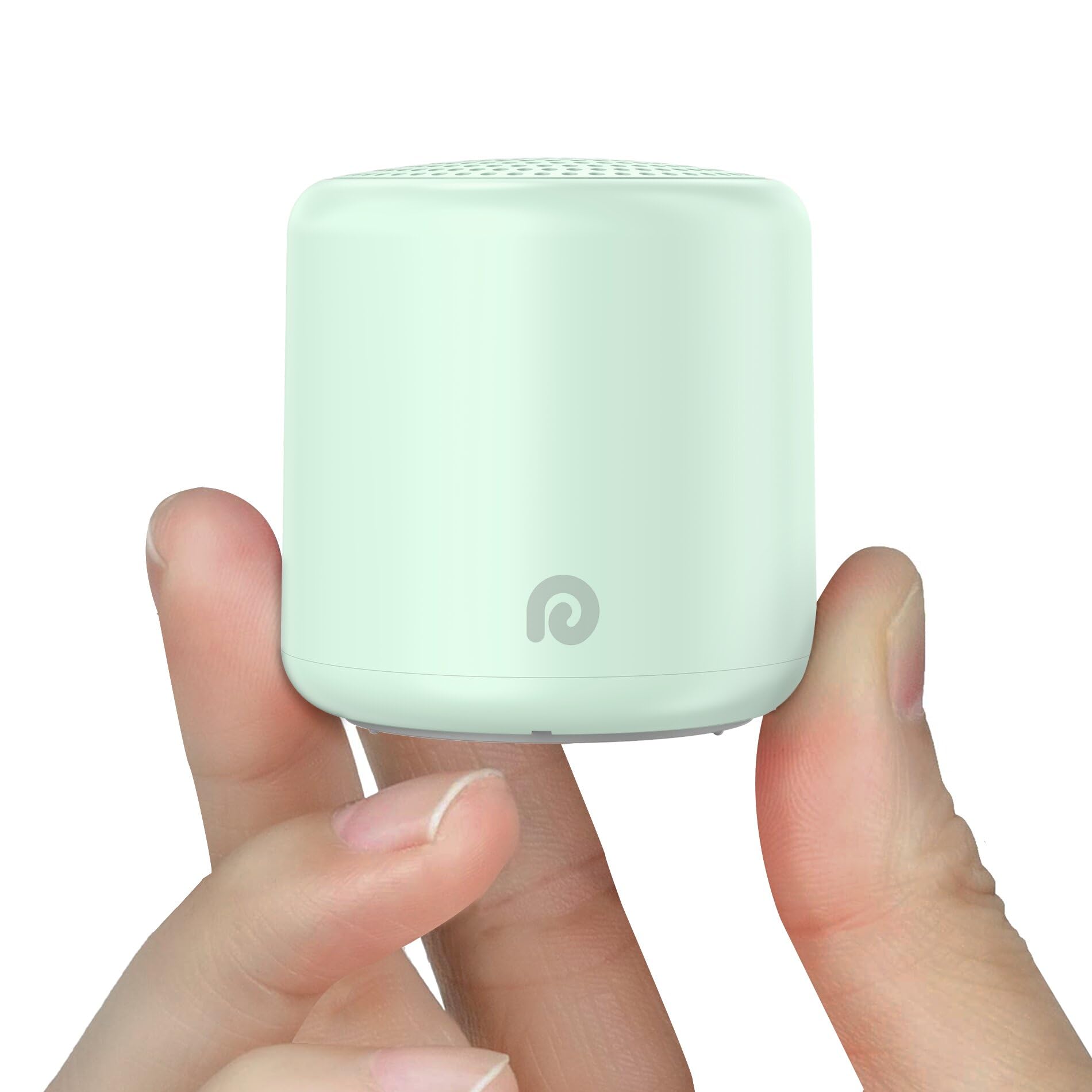
Image: The Dreamegg Portable Sound Machine HX-R30 in mint green, showcasing its compact design.
Product Features
- Ultra-Portable Design: Egg-sized and lightweight (1.6 ounces, 1.8 x 1.8 x 1.9 inches), easily fits into pockets, carry-ons, or briefcases, making it perfect for travel, business trips, or camping.
- Extended Battery Life: Upgraded 1000mAh battery capacity provides tranquility for multiple days on a single charge. Features a USB-C charging port, allowing use while charging.
- 16 Soothing Sounds: Offers a variety of nature sounds (ocean waves, rain, birds, fan sounds, white noise) to mask background noise and promote faster, longer sleep.
- Powerful Sound Output: Despite its small size, it delivers impressive sound quality with precise volume control (0 to 32 levels) to customize your listening experience.
- User-Friendly in the Dark: Features a nubbed power button for easy operation in low-light conditions.
- Convenient Timer & Memory Function: Includes timer options (30, 60, 90 minutes) and a memory function that recalls your last sound and volume settings.

Image: The Dreamegg Sound Machine displaying its 16 soothing sound categories, including nature, ambient, and color noise, on a nightstand.
Setup
- Unpack: Carefully remove the sound machine and all accessories from the packaging.
- Charge: Before first use, fully charge the device using the provided USB-C cable. Connect the cable to the USB-C port on the device and a compatible power source (e.g., USB wall adapter, computer USB port). The charging indicator will show progress.
- Placement: Place the sound machine on a flat, stable surface near your sleeping area or where you desire sound masking.

Image: A close-up view of the Dreamegg Sound Machine connected via its USB-C port to a laptop for charging.
Operating Instructions
Power On/Off:
- To power on, press and hold the central nubbed power button on the bottom of the device.
- To power off, press and hold the central nubbed power button again.
Adjusting Volume:
- Press the '+' button to increase the volume.
- Press the '-' button to decrease the volume.
- The device offers 32 levels of volume adjustment.
Changing Sounds:
- Short press the central nubbed power button to cycle through the 16 available sounds.
Setting the Timer:
- Press the timer button (labeled with a clock icon) to select a duration of 30, 60, or 90 minutes.
- The corresponding indicator light will illuminate.
- To disable the timer for continuous play, cycle through the timer options until no indicator light is on.
Memory Function:
- The device remembers your last selected sound and volume settings when powered off and will resume them upon restart.

Image: A diagram illustrating the control buttons on the bottom of the Dreamegg Sound Machine, including power, volume up/down, and timer settings.
Sounds Available
The Dreamegg Sound Machine offers 16 unique sounds across various categories:
- Nature Sounds: Birds, Ocean Waves, Summer Cricket, Brook, Rain, Spring Drizzle, Campfire.
- Ambient Sounds: Brahms's Lullaby, Lullaby, Shushing, Industrial Fan, Microwave Fan, Airplane Fan.
- Color Noise: Brown Noise, Pink Noise, White Noise.
Charging
The Dreamegg Sound Machine is equipped with a 1000mAh Lithium Polymer battery. Use the provided USB-C cable to charge the device. A full charge provides extended usage, lasting multiple days depending on volume and continuous play settings. The device can be used while charging.
Maintenance
- Keep the device dry and away from moisture.
- Clean the exterior with a soft, dry cloth. Do not use abrasive cleaners or solvents.
- Avoid dropping the device or exposing it to extreme temperatures.
Troubleshooting
- No Sound: Ensure the device is powered on and the volume is not set to zero. Check if the battery needs charging.
- Device Not Turning On: Connect the device to a power source using the USB-C cable to ensure it has sufficient charge.
- Sound Quality Issues: Ensure the speaker is not obstructed. Try cycling through different sounds.
- Battery Not Charging: Verify the USB-C cable and power adapter are working correctly. Try a different cable or adapter.
Specifications
| Product Dimensions: | 1.8 x 1.8 x 1.9 inches |
| Item Weight: | 1.6 ounces |
| Model Number: | HX-R30 |
| Battery: | 1 Lithium Polymer battery (included) |
| Power Source: | Battery Powered (USB-C charging) |
| Material: | Acrylonitrile Butadiene Styrene (ABS) |
| Manufacturer: | Dreamegg |
Warranty and Support
Dreamegg offers an 18-month warranty for this product. For any inquiries or support, please contact Dreamegg customer service, available 24 hours a day.
Safety Information
- This product is battery powered. Handle batteries with care and keep them out of reach of children to prevent choking hazards.
- The device is not a toy and should be used responsibly for its intended purpose. Please keep it out of reach of children during use to prevent injury.
- Statements regarding dietary supplements have not been evaluated by the FDA and are not intended to diagnose, treat, cure, or prevent any disease or health condition.
Official Product Videos
No official product videos from the seller are available for embedding at this time, as per the specified criteria. Please refer to the text instructions and images for guidance.


