
aoonav Dodge Charger/Challenger 2015-2019 Android Car Radio
Aoonav 8.4 Inch Android Car Radio User Manual
Model: Dodge Charger/Challenger 2015-2019 Android Car Radio
Brand: aoonav
1. Product Overview
The Aoonav 8.4 Inch Android Car Radio is designed as a stereo replacement and multimedia player upgrade for Dodge Charger and Challenger models from 2015 to 2019. It integrates advanced features such as GPS navigation, wireless CarPlay, WiFi, Bluetooth, AM/FM radio, and a touch screen head unit, enhancing the in-car entertainment and connectivity experience. This unit supports original car functions like seat heating, ventilation, steering wheel heating, and AC control.
1.1. Compatibility
This Android car radio is compatible with the following vehicle models:
- Dodge Charger (2015-2019)
- Dodge Challenger (2015-2019)
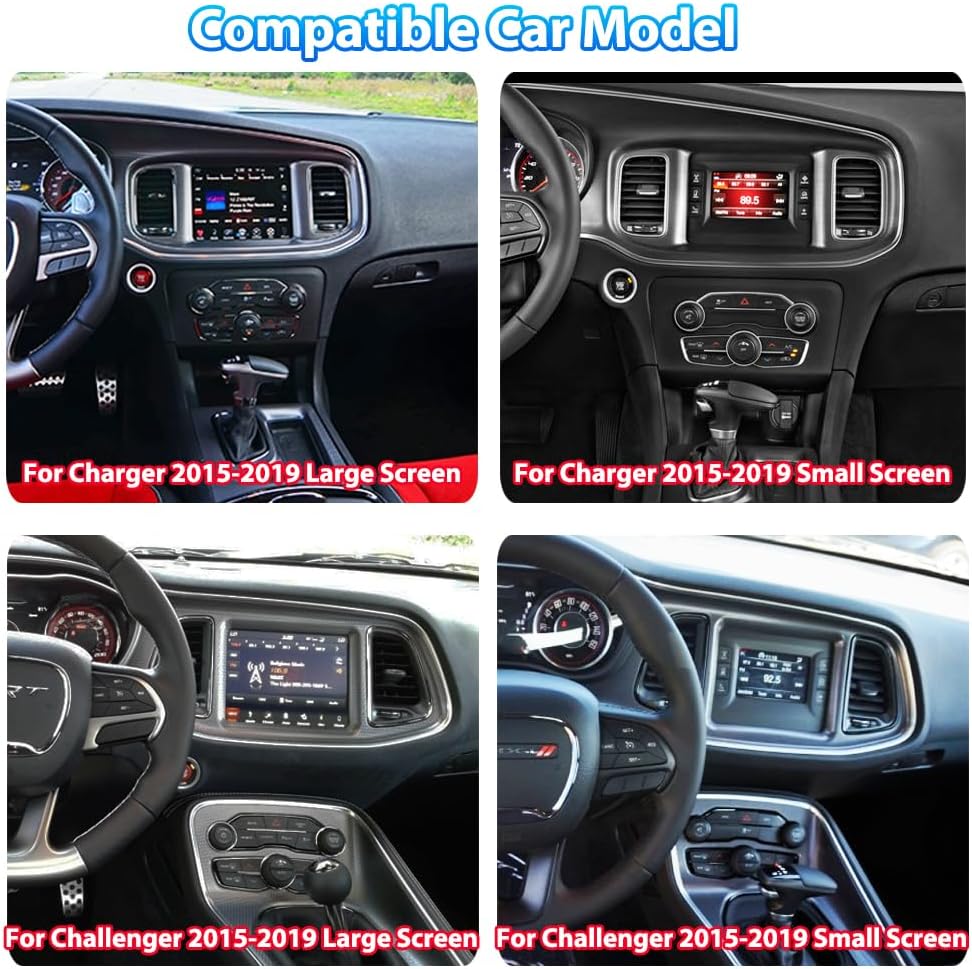
Figure 1.1: Compatible Car Models
2. Package Contents
Please verify that all items listed below are included in your package:
- 8.4 Inch Android Car Radio Screen
- Power Adapter
- USB1 Cable
- USB2 Cable
- External Microphone
- Screwdriver
- GPS Antenna
- Radio Antenna
- 4G Antenna
- RCA Cable with 4G SIM Card Slot
- Original USB Adapter
- Camera Video-in Adapter
- Plastic Warping Panel
- User Manual (this document)

Figure 2.1: Included Components
3. Setup and Installation
Professional installation is recommended. Ensure the vehicle's ignition is off and the battery is disconnected before beginning installation.
3.1. Installation Steps
- Carefully remove the original car radio panel using the provided plastic warping tool.
- Disconnect all cables from the original radio unit.
- Connect the new Aoonav Android Car Radio to the vehicle's wiring harness, ensuring all connections are secure. Distinguish between high and low configuration audio plugs based on your original car's setup or if it comes with an amplifier.
- Connect the GPS antenna, radio antenna, and other accessory cables as required.
- Carefully slide the new Android car radio into the dashboard opening.
- Reconnect the vehicle's battery and test the unit's functionality before fully reassembling the dashboard.
- Reinstall the dashboard panel, ensuring all clips are securely fastened.
3.2. Installation Video Guide
Video 3.1: Official installation guide for the Aoonav Android Car Radio in Dodge Charger and Challenger models.

Figure 3.2: Before and After Installation Comparison
4. Operating Instructions
This section details the operation of the key features of your Aoonav Android Car Radio.
4.1. Wireless CarPlay & Android Auto
Connect your smartphone wirelessly via Bluetooth or Wi-Fi to access Apple CarPlay or Android Auto. This allows for voice control (SIRI), navigation, screen mirroring, music playback, and access to various compatible applications directly from the car radio's display.

Figure 4.1: Wireless CarPlay & Android Auto Interface
4.2. Bluetooth Connectivity
The unit features stable Bluetooth 5.0 for seamless connection with your mobile phone. This enables hands-free calling, phone book download, and wireless music streaming.
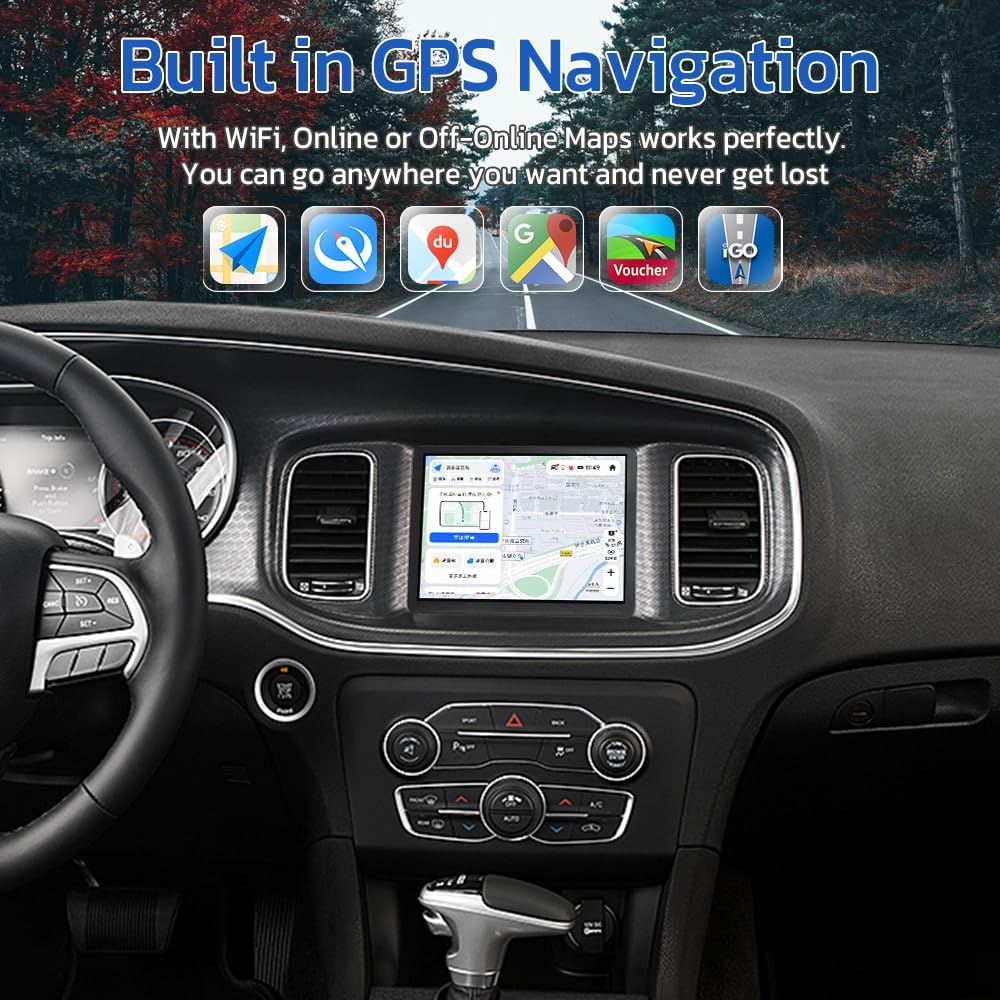
Figure 4.2: Bluetooth Music Playback
4.3. GPS Navigation
The built-in GPS system supports high-precision navigation with GPS + GLONASS. It is compatible with various online and offline map applications such as Apple Maps, Google Maps, and Waze, allowing you to navigate effectively.
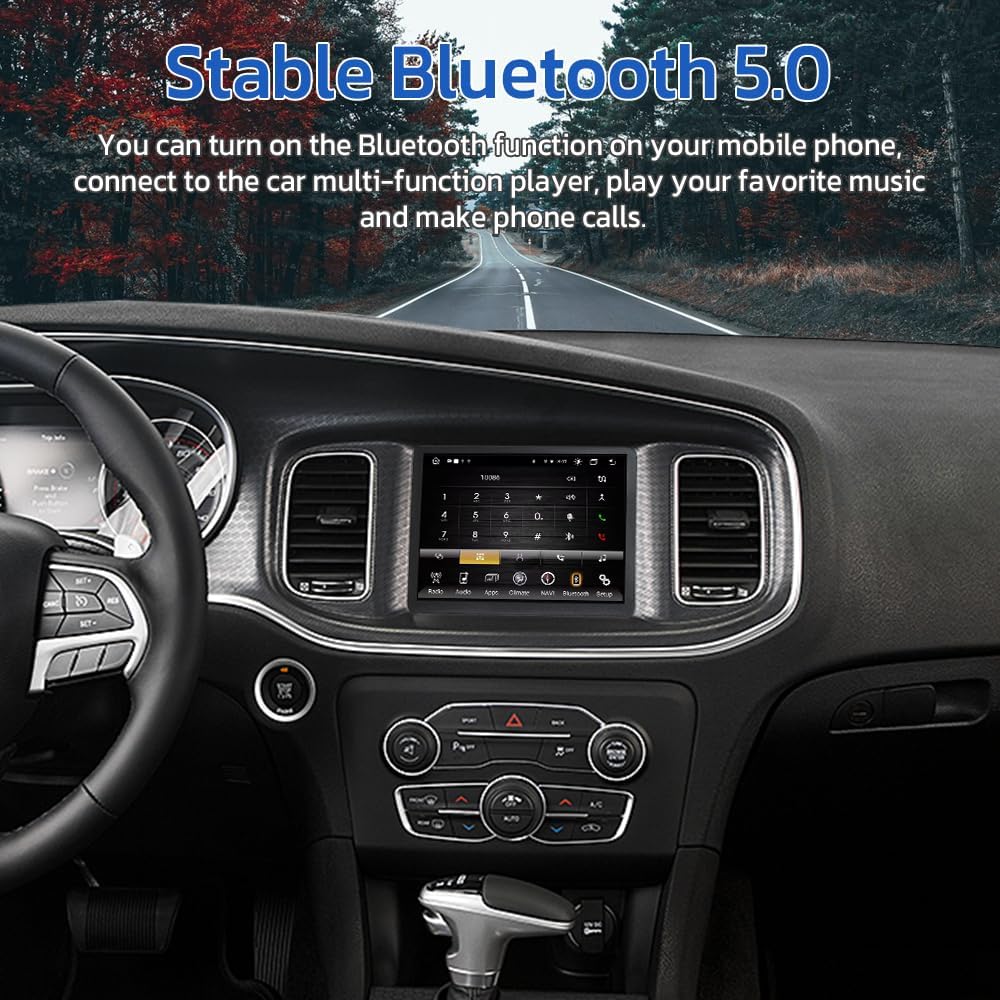
Figure 4.3: GPS Navigation Interface
4.4. Rear View Camera Support
The system automatically displays the rear view camera feed when shifting into reverse gear, providing clear visibility and assisting with parking maneuvers by eliminating blind spots.
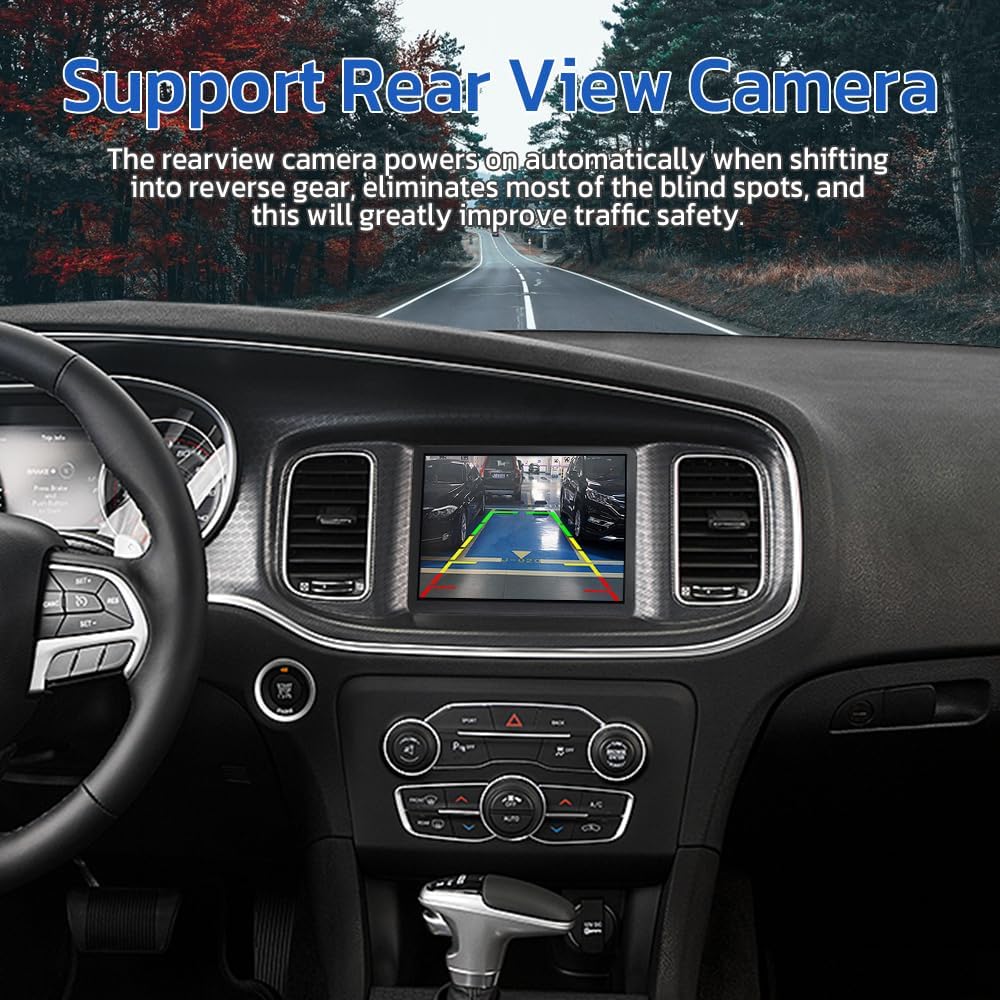
Figure 4.4: Rear View Camera Display
4.5. Radio Functionality
The unit includes a built-in AM/FM radio tuner. You can scan for stations, save presets, and enjoy clear audio quality.
4.6. User Interface Demonstration
Video 4.5: Demonstration of the Aoonav Android Car Radio's user interface and key functions after replacement.
5. Maintenance
To ensure optimal performance and longevity of your Aoonav Android Car Radio, follow these maintenance guidelines:
- Cleaning: Use a soft, dry cloth to clean the screen and exterior. Avoid abrasive cleaners or solvents that may damage the surface.
- Software Updates: Periodically check for software updates to ensure you have the latest features and performance improvements. Updates can typically be found via the unit's settings menu when connected to Wi-Fi.
- Environmental Conditions: Avoid exposing the unit to extreme temperatures, direct sunlight for prolonged periods, or excessive moisture.
6. Troubleshooting
This section provides solutions to common issues you might encounter.
| Problem | Possible Cause | Solution |
|---|---|---|
| Unit does not power on. | Loose power connection, blown fuse, vehicle battery issue. | Check power cables and connections. Inspect vehicle fuses. Ensure car battery is charged. |
| No sound from speakers. | Incorrect audio wiring, volume too low, mute activated. | Verify speaker wiring connections. Increase volume. Check if mute function is active. |
| GPS signal is weak or inaccurate. | GPS antenna not properly installed or obstructed. | Ensure GPS antenna is mounted in a clear location with an unobstructed view of the sky. Check antenna connection. |
| CarPlay/Android Auto not connecting. | Bluetooth/Wi-Fi issues, phone compatibility, cable connection. | Ensure Bluetooth and Wi-Fi are enabled on both devices. Restart phone and unit. Try a different USB cable if using wired connection. |
| Rear view camera not displaying. | Incorrect camera wiring, camera malfunction. | Check the camera video-in adapter connection and ensure the camera is receiving power. |
7. Technical Specifications
| Feature | Specification |
|---|---|
| Operating System | Android 12 |
| Display Size | 8.4 Inches |
| Item Weight | 4.09 pounds |
| Product Dimensions | 8.4 x 8.4 x 8.4 inches |
| Connectivity Technology | Wireless Carplay, Bluetooth, Auxiliary, Wi-Fi, USB |
| Special Features | Touchscreen, Android Auto, Apple Carplay, WIFI |
| Map Type Support | South America, Worldwide, North America |
| Audio Output Mode | AUX |
| Mounting Type | Dashboard Mount |
| Manufacturer | aoonav |
| Country of Origin | China |
8. Warranty and Customer Support
Aoonav is committed to providing professional technical support and high-quality customer service. We value the voice of every customer and continuously improve our products and services.
8.1. Warranty Information
This product comes with a one-year warranty from the date of purchase. We also offer 30-day money-back and 12-month replacement policies.
8.2. Technical Support
We provide lifetime technical support for this product. If you have any questions regarding installation, operation, or any other issues, please do not hesitate to contact us. Our team aims to reply within 24 hours to assist you.

Figure 8.1: Aoonav Customer Service Commitments
8.3. Contact Information
You can reach our customer service team via Amazon or directly by email:
Email: autostereo@163.com

Figure 8.2: Contact Aoonav After-Sales Service