
Introduction
This manual provides comprehensive instructions for the Crosseagle SK601 128GB Digital Voice Recorder. Designed for high-quality audio capture, this device features 3072 Kbps HD voice-activated recording, intelligent noise-canceling, and an MP3 player function. It is ideal for recording lectures, meetings, interviews, and personal notes, ensuring clarity and security for your important audio content.

Figure 1: Crosseagle 128GB Digital Voice Recorder and accessories.
What's in the Box
Upon opening your product package, please verify that all the following items are included:
- Voice Recorder
- USB Cable
- 128GB TF Memory Card (pre-installed in the recorder)
- Headphones
- User Manuals

Figure 2: All items included in the product package.
Key Features
- HD Recording and PCM Intelligent Noise Reduction: The voice recorder supports WAV format recording with a high-quality option up to 3072kbps. Its PCM intelligent noise reduction technology effectively minimizes background noise, making it suitable for various recording environments.

Figure 3: High-definition recording with intelligent noise reduction.
- 128GB Memory & High Capacity Battery: Equipped with a 128GB TF card, this recorder offers up to 9104 hours of audio storage. The 500mAh high-capacity battery provides up to 140 hours of continuous recording (at 32kbps), making it ideal for extended use in lectures, meetings, and interviews.

Figure 4: Extended storage and battery life for prolonged recording.
- Voice-activated Recording and Auto Save: The device features voice-activated recording, automatically starting when a set decibel level is reached. It also includes an auto-save function that activates when the battery is low, preventing loss of recordings.

Figure 5: Voice-activated recording with adjustable sensitivity levels.
- Password Protection: Your confidential recordings are secured with password protection, preventing unauthorized access to sensitive content.

Figure 6: Security features including password protection.
- Easy to Use & Miniature Design: With an intuitive design, recording, saving, and playback are simple button presses. Its compact size (3.5*1.3*0.5 inches, 0.18 pounds) allows it to fit easily in a purse or pocket for convenient daily use.

Figure 7: User-friendly interface and portable design.
Setup
- Charging the Device: Connect the voice recorder to a USB power source (e.g., computer, wall adapter) using the provided USB cable. The device will indicate charging status on its screen. Ensure it is fully charged before first use for optimal battery performance.
- TF Memory Card: The 128GB TF memory card comes pre-installed. Ensure it is securely seated in its slot. Do not remove the card during recording or playback to prevent data corruption.
- Power On/Off: To power on the device, slide the "ON/OFF" switch to the "ON" position. To power off, slide it to the "OFF" position.
- Initial Setup: Upon first power-on, you may need to set the date and time. Follow the on-screen prompts and use the navigation buttons to adjust settings.

Figure 8: Connecting the device via USB-C for charging and file transfer.
Operating Instructions
Recording Audio
- Standard Recording: With the device powered on, press the REC button to start recording. The screen will display recording time and status.
- Voice-Activated Recording (VOR): Access the menu to enable Voice-Activated Recording. Adjust the sensitivity level (1-7) based on your environment. The recorder will automatically start recording when sound is detected and pause during silence.

Figure 9: Voice-activated recording sensitivity levels.

Figure 10: Automatic recording based on sound detection.
- Saving a Recording: Press the STOP button to end and save the current recording. Recordings are automatically saved with a timestamp (YYYY-MM-DD-HH-MM-SS).
Playback
- Playing Recordings: In standby mode, press the PLAY/PAUSE button to access the recording list. Use the UP/DOWN buttons to navigate and press PLAY/PAUSE again to play a selected file.
- A-B Repeat: During playback, press the M (Menu) button to set the start point (A) and end point (B) for repeating a specific segment of the audio. This feature is useful for studying or transcribing.
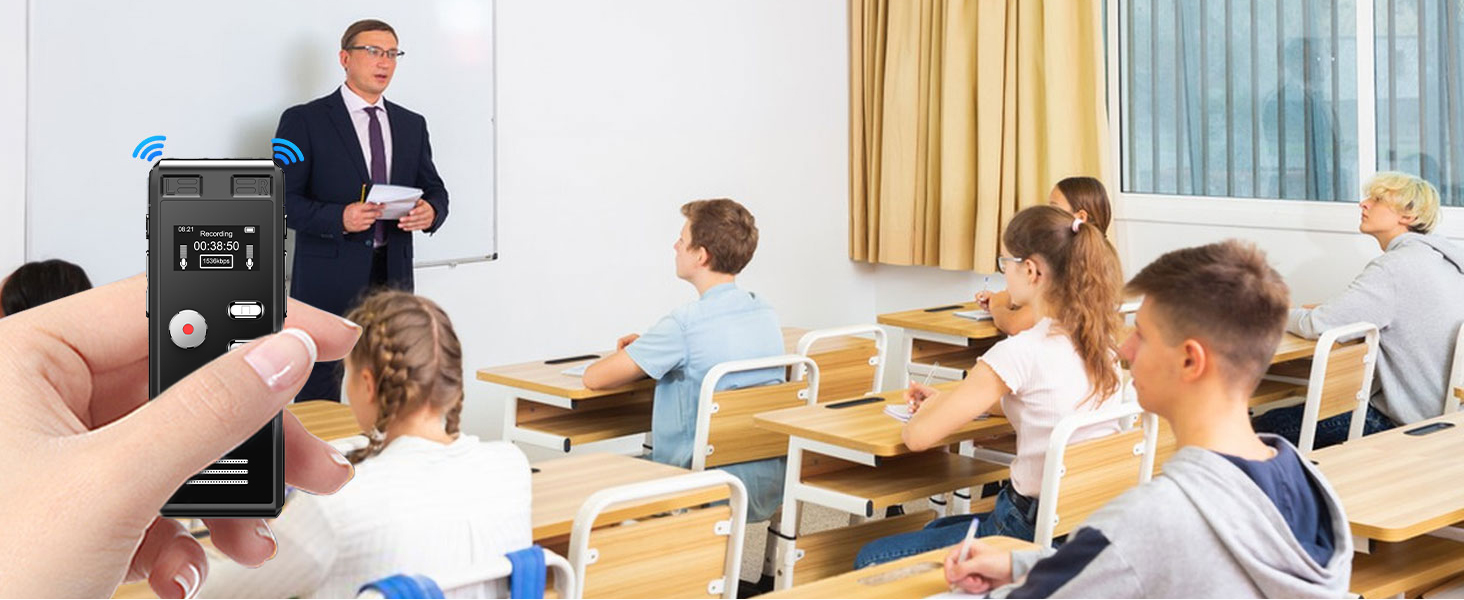
Figure 11: A-B Repeat function for focused playback.
- MP3 Player Function: The device can also function as an MP3 player. Transfer MP3 files to the device via USB, and then select them from the playback menu.
Maintenance
- Cleaning: Use a soft, dry cloth to clean the exterior of the device. Avoid using liquid cleaners or abrasive materials.
- Storage: Store the recorder in a cool, dry place away from direct sunlight, extreme temperatures, and high humidity.
- Battery Care: To prolong battery life, avoid fully discharging the device frequently. Charge it regularly, even if not in use for extended periods.
- Data Backup: Regularly back up important recordings to a computer or external storage device to prevent data loss.
Troubleshooting
| Problem | Possible Cause | Solution |
|---|---|---|
| Device does not power on. | Low battery; Power switch in OFF position. | Charge the device fully; Ensure power switch is ON. |
| Poor recording quality. | High background noise; Incorrect microphone placement; Low recording bitrate. | Enable noise reduction; Place recorder closer to sound source; Adjust recording quality settings. |
| Cannot save recordings. | Memory full; TF card error. | Delete old files to free space; Reinsert or replace TF card. |
| Device unresponsive. | System crash. | Perform a soft reset (refer to manual for specific reset instructions if available, otherwise power cycle). |
If issues persist, please contact customer support.
Specifications
- Product Dimensions: 1.2 x 1.1 x 1.3 inches
- Item Weight: 3.52 ounces (0.1 Kilograms)
- Item Model Number: SK601
- Memory Storage Capacity: 128 GB
- Battery: 1 Lithium Polymer battery (included)
- Manufacturer: Crosseagle
- Compatible Devices: MP3
- Hardware Interface: USB 2.0
- Microphone Form Factor: Built-In
- Format: WAV
- Headphones Jack: 3.5 millimeters
- Date First Available: April 12, 2024
Warranty and Support
This product may be eligible for extended protection plans. Please refer to the retailer's website for details on available protection plans, such as 3-Year or 4-Year Protection Plans, which may cover various issues beyond the standard manufacturer's warranty.
For technical support, troubleshooting assistance, or warranty claims, please contact Crosseagle customer service through their official website or the retailer's support channels. Keep your purchase receipt and product model number (SK601) handy when contacting support.