
Acasis EC-6608Air
Contents
ACASIS New-Clear M.2 NVME SSD Enclosure User Manual
Model: EC-6608Air | Brand: Acasis
1. Introduction
The ACASIS New-Clear M.2 NVME SSD Enclosure is a high-performance external storage solution designed for M.2 NVMe SSDs. It features a unique transparent design with an integrated cooling fan, ensuring optimal thermal management during intensive data transfers. This enclosure supports USB 3.2 Gen 2 (10Gbps) for ultra-fast data access and is compatible with various M.2 NVMe SSD sizes and operating systems.
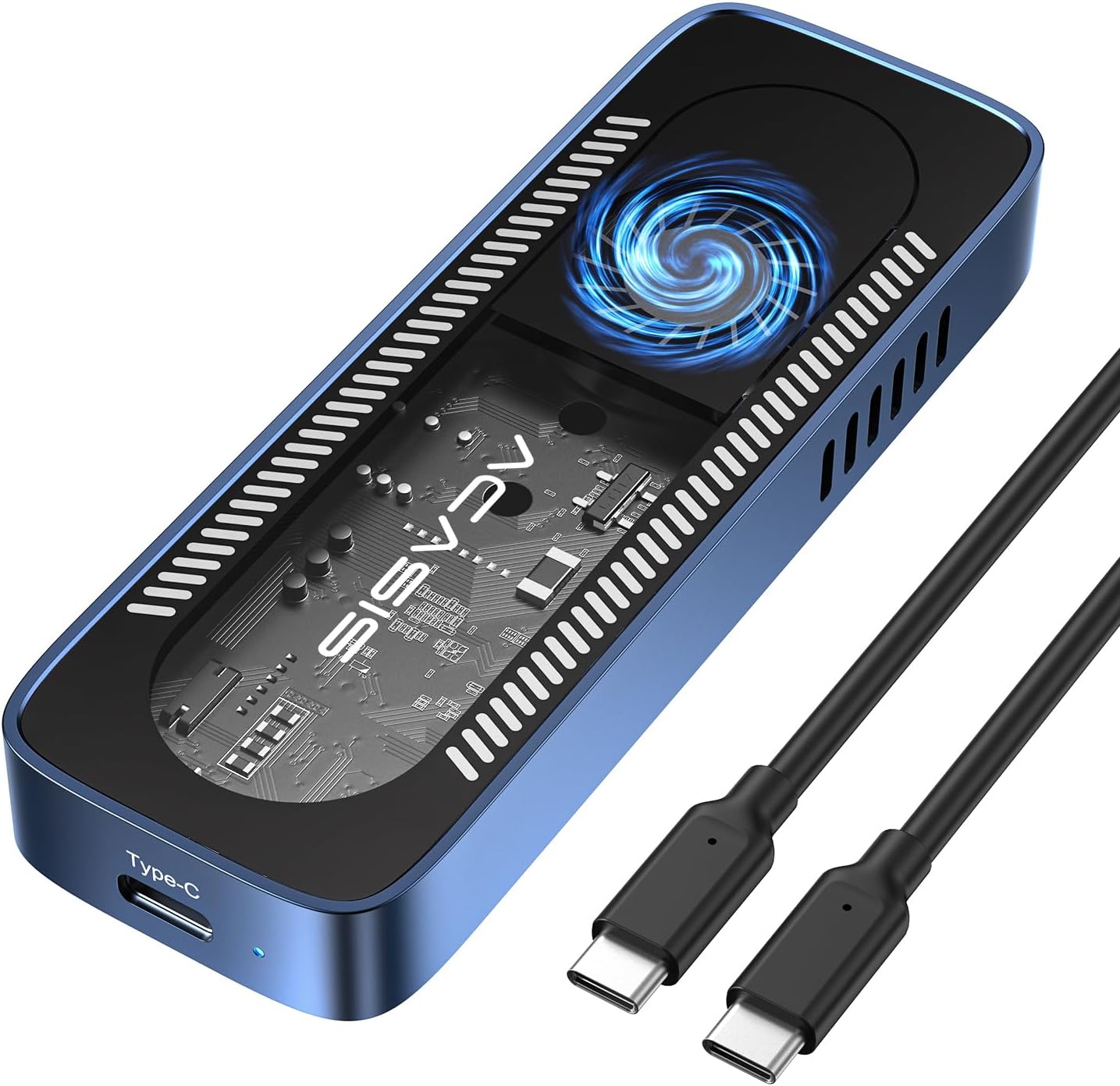
Figure 1.1: The ACASIS New-Clear M.2 NVME SSD Enclosure, showcasing its transparent design and Type-C port, alongside the included USB-C to USB-C cable.
Key Features:
- Efficient Cooling: Integrated cooling fan, heat sinks, and thermal pads for superior heat dissipation, maintaining optimal SSD performance.
- Ultra-Fast Data Transfer: USB 3.2 Gen 2 interface provides speeds up to 10 Gbps, enabling rapid transfer of large files.
- Broad Compatibility: Supports M.2 NVMe SSDs with M and B&M keys in sizes 2230, 2242, 2260, and 2280, up to 8TB. Compatible with Windows, Mac OS, Linux, Android, and iOS systems.
- Unique Transparent Design: A visually appealing and functional transparent case that allows visibility of the internal components and cooling fan.
- Plug and Play: Easy to set up and use, requiring no additional drivers for most operating systems.
2. Package Contents
Please check the package contents upon unboxing to ensure all items are present and in good condition:
- ACASIS M.2 NVMe SSD Enclosure (EC-6608Air)
- Rubber Stopper
- Thermal Pad
- Screwdrivers
- 10-inch USB-C to USB-C Cable
- User Manual

Figure 2.1: Visual representation of the items included in the ACASIS M.2 NVMe SSD Enclosure package, including the enclosure, cable, tools, and documentation.
3. Setup Guide
Follow these steps to install your M.2 NVMe SSD into the ACASIS enclosure:

Figure 3.1: Step-by-step visual guide for installing an M.2 NVMe SSD into the enclosure.
- Unscrew the Enclosure: Using the provided screwdriver, carefully unscrew the screws to open the hard drive enclosure.
- Prepare the Rubber Plug: For 2280 SSDs, snap the rubber plug into the half-round hole. For 2230/2242/2260 SSDs, connect the SSD and SSD holder. If the SSD's length exceeds 2280, trim it along the groove before installing it in the case.
- Insert the SSD: Insert your M.2 NVMe SSD into the card slot at a 45-degree angle. Gently press the SSD down and secure it with the rubber plug.
- Apply Thermal Pad: Stick the thermal silicone pad onto the SSD and cover it properly to ensure efficient heat transfer.
- Close the Enclosure: Carefully close the enclosure and secure it by screwing back the screws.
SSD Compatibility:
This enclosure is designed for M.2 NVMe SSDs with M and B&M keys. It supports the following sizes:
- 2230 (22mm x 30mm)
- 2242 (22mm x 42mm)
- 2260 (22mm x 60mm)
- 2280 (22mm x 80mm)
Note: This enclosure does NOT support SATA NGFF SSDs or mSATA SSDs.

Figure 3.2: Diagram illustrating supported M.2 NVMe SSD sizes and key types (M Key, B&M Key for NVMe/PCIe) and explicitly showing non-supported types (NGFF/SATA).
4. Operating Instructions
Connecting to Your Device:
Once the SSD is securely installed in the enclosure, connect the enclosure to your computer or compatible device using the provided USB-C to USB-C cable. The enclosure is plug-and-play, meaning it should be automatically recognized by most operating systems without the need for additional drivers.
Data Transfer and Performance:
The ACASIS enclosure utilizes a USB 3.2 Gen 2 interface, offering data transfer speeds of up to 10 Gbps. This allows for extremely fast copying, moving, and accessing of large files, including high-resolution videos and extensive project data.

Figure 4.1: Illustration of the enclosure connected to a laptop, demonstrating a file transfer with a speed indicator, and a table showing typical read/write speeds for different USB versions on Windows and Mac systems.
Efficient Cooling System:
The integrated cooling fan, along with heat sinks and thermal pads, actively dissipates heat generated by the NVMe SSD during operation. This advanced cooling system ensures the SSD maintains optimal operating temperatures, preventing thermal throttling and extending the lifespan of your drive.

Figure 4.2: Exploded view of the enclosure highlighting the cooling components (fan, thermal pad, heat sinks) and a graph comparing the temperature performance of the ACASIS enclosure against other fan-equipped enclosures during data transfers.
System and Device Compatibility:
The ACASIS M.2 NVMe SSD Enclosure offers wide compatibility with various devices and operating systems:
- Devices: Laptops, iMacs, Desktops, Tablet PCs, iPhone 15, Cameras, XPS, Surface Go 2, and more.
- Operating Systems: Windows, Mac OS, Linux, Android, iOS.

Figure 4.3: Visual representation of the enclosure's compatibility with various devices (laptops, desktops, tablets, phones, cameras) and operating systems (Windows, Mac OS, Android, Linux).
5. Maintenance
To ensure the longevity and optimal performance of your ACASIS M.2 NVMe SSD Enclosure, follow these maintenance guidelines:
- Cleaning: Use a soft, dry cloth to wipe the exterior of the enclosure. Avoid using liquid cleaners or abrasive materials, as they may damage the transparent casing or internal components.
- Dust Prevention: Keep the enclosure in a clean, dust-free environment. Dust accumulation can impede the cooling fan's efficiency.
- Handling: Handle the enclosure with care. Avoid dropping it or subjecting it to strong impacts, which could damage the SSD or the enclosure itself.
- Temperature: While the enclosure has an efficient cooling system, avoid exposing it to extreme temperatures or direct sunlight for prolonged periods.
- Cable Care: Ensure the USB-C cable is not bent sharply or tangled, as this can damage the cable and affect connectivity.
6. Troubleshooting
If you encounter issues with your ACASIS M.2 NVMe SSD Enclosure, please refer to the following common problems and solutions:
- Enclosure not recognized by computer:
- Ensure the USB-C cable is securely connected to both the enclosure and your computer's USB port.
- Try connecting to a different USB port on your computer.
- Test with a different USB-C cable if available.
- Verify that the M.2 NVMe SSD is correctly installed and seated firmly within the enclosure.
- Check Disk Management (Windows) or Disk Utility (Mac OS) to see if the drive is detected but uninitialized or unformatted. You may need to initialize and format the SSD before use.
- Slow data transfer speeds:
- Ensure you are connected to a USB 3.2 Gen 2 (10Gbps) compatible port on your computer. Older USB 2.0 or 3.0 ports will result in lower speeds.
- Verify that your M.2 NVMe SSD itself is capable of high speeds.
- Close other applications that might be heavily utilizing system resources or disk I/O.
- Check the health of your SSD using appropriate software.
- Enclosure feels hot:
- Some warmth is normal during heavy use due to data transfer and the SSD generating heat. The cooling fan is designed to manage this.
- Ensure the thermal pad is correctly applied to the SSD.
- Make sure the cooling fan is not obstructed and is spinning.
- If the temperature is excessively high and causing performance issues, ensure the enclosure is in a well-ventilated area.
- SSD not fitting correctly:
- Double-check that your SSD is an M.2 NVMe type and not a SATA NGFF or mSATA SSD.
- Ensure the SSD size (2230, 2242, 2260, 2280) matches the supported sizes and that the rubber stopper is placed correctly for your SSD's length.
If the problem persists after trying these solutions, please contact ACASIS customer support.
7. Specifications
| Feature | Detail |
|---|---|
| Model | EC-6608Air |
| Brand | Acasis |
| Hardware Interface | USB 3.2 Gen 2 (USB-C) |
| Data Transfer Rate | Up to 10 Gbps |
| Compatible SSDs | M.2 NVMe SSDs (M Key, B&M Key) |
| Supported SSD Sizes | 2230, 2242, 2260, 2280 |
| Max Storage Capacity | Up to 8TB |
| Cooling System | Integrated Cooling Fan, Heat Sinks, Thermal Pad |
| Material | Aluminum |
| Color | Transparent |
| Compatible OS | Windows, Mac OS, Linux, Android, iOS |
| Parcel Dimensions | 14.4 x 11.61 x 1.9 cm |
| Item Weight | 168 g |
| UPC | 781108279436 |
8. Warranty and Support
ACASIS is committed to providing high-quality products and excellent customer service. Your ACASIS M.2 NVMe SSD Enclosure comes with a comprehensive warranty and dedicated support.
Warranty Information:
This product is covered by a one-year warranty from the date of purchase. This warranty covers manufacturing defects and issues arising from normal use. It does not cover damage caused by misuse, accidents, unauthorized modifications, or natural disasters.
Customer Support:
For any questions, technical assistance, or warranty claims, please do not hesitate to contact our professional support team. We are available 24/7 to assist you.
Contact Information:
- Email: [Please refer to your product packaging or ACASIS official website for the most current contact email.]
- Website: Visit the Acasis Store on Amazon
When contacting support, please have your product model (EC-6608Air) and purchase details ready to facilitate faster service.
Documents and downloads
Ask a question about this manual
Ask about setup, troubleshooting, compatibility, parts, safety, or missing instructions. Manuals+ will review the question and use this page’s manual context to help answer it.