1. Introduction
This manual provides essential instructions for the proper use and care of Medline EvenCare G2 with Bluetooth Blood Glucose Test Strips. These test strips are designed for self-testing by individuals with diabetes to monitor their blood glucose levels regularly. For accurate results, these test strips must be used exclusively with the EvenCare G2 with Bluetooth Blood Glucose Monitor.
The EvenCare G2 system, including these test strips, connects to the Medline Health app, facilitating automatic logging of readings and eliminating the need for manual data entry.

Image: Front view of the Medline EvenCare G2 with Bluetooth Test Strips box, showing the product name and compatibility information.
2. Important Safety Information
- Compatibility: EvenCare G2 with Bluetooth test strips are only compatible with the EvenCare G2 with Bluetooth Blood Glucose Monitor. Using other test strips may lead to inaccurate results.
- For In Vitro Diagnostic Use: These test strips are intended for external use only for testing blood glucose levels.
- Single Patient Use: Each test strip is for single use only. Do not reuse test strips.
- Natural Rubber Latex: This product is not made with natural rubber latex.
- Consult Documents: Always consult the accompanying documents provided with your EvenCare G2 Blood Glucose Monitoring System for complete instructions and warnings.

Image: Back view of the Medline EvenCare G2 with Bluetooth Test Strips box, displaying important warnings, storage conditions, and customer support information.
3. Setup
Before performing a blood glucose test, ensure you have the following items:
- EvenCare G2 with Bluetooth Blood Glucose Monitor
- EvenCare G2 with Bluetooth Test Strips
- Lancing device and lancets
- Alcohol wipes (optional)
Preparing the Test Strip:
- Wash and dry your hands thoroughly before handling the test strip.
- Remove one test strip from the vial. Immediately close the vial cap tightly to protect the remaining strips from moisture.
- Insert the test strip into the test strip port of your EvenCare G2 Blood Glucose Monitor. The monitor will turn on automatically.
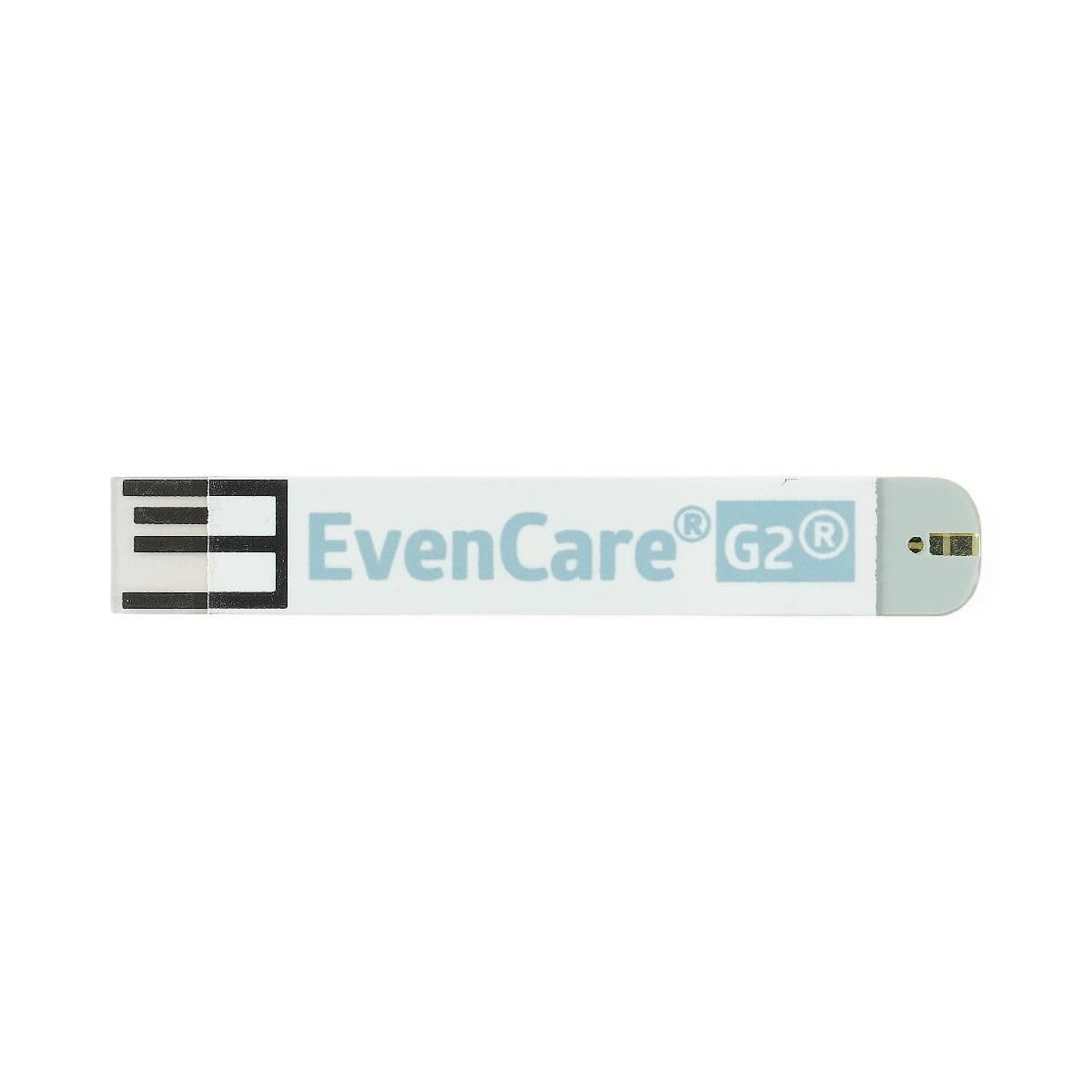
Image: A close-up view of a single Medline EvenCare G2 test strip, showing its design and contact points.
4. Operating Instructions
Follow these steps to perform a blood glucose test:
- Prepare the Monitor: Ensure the test strip is correctly inserted into the monitor. The monitor will display a blood drop symbol, indicating it is ready for a blood sample.
- Obtain Blood Sample: Use a lancing device to obtain a small blood sample, typically from your fingertip. A small blood sample size of only 1.0 μL is required.
- Apply Blood Sample: Touch the tip of the test strip to the blood sample. The strip will draw the blood into the reaction area automatically. Do not apply blood to the top of the strip.
- Read Results: The monitor will begin counting down. Results are typically displayed quickly, within 6 seconds.
- Record Results: If your monitor is connected via Bluetooth to the Medline Health app, your readings will be automatically logged.
- Dispose of Strip: Safely dispose of the used test strip and lancet in an appropriate sharps container.
5. Maintenance and Storage
Proper storage and handling of your test strips are crucial for accurate results and product longevity.
- Storage Temperature: Store test strips in their original vial at a temperature between 39°F and 86°F (4°C and 30°C).
- Avoid Freezing: Do not freeze the test strips.
- Protect from Sunlight: Keep the test strip vial away from direct sunlight and heat.
- Keep Dry: Store in a dry place. High humidity can damage the strips.
- Close Vial Tightly: Always close the vial cap tightly immediately after removing a test strip to prevent exposure to air and moisture.
- Expiration Date: Do not use test strips past their expiration date printed on the vial and box.
- Opened Vial: Use test strips within 6 months after first opening the vial, or before the expiration date, whichever comes first. Write the date opened on the vial.

Image: The Medline EvenCare G2 with Bluetooth Test Strips box alongside an open vial of test strips, illustrating the packaging.
6. Troubleshooting
If you encounter issues while using your EvenCare G2 with Bluetooth Test Strips, consider the following:
- Inaccurate Readings: Ensure the test strips are not expired and the vial has been tightly closed after each use. Verify that the monitor is clean and functioning correctly.
- Monitor Error Message: Refer to your EvenCare G2 Blood Glucose Monitor's instruction manual for specific error codes and troubleshooting steps.
- Insufficient Blood Sample: If the monitor indicates an insufficient blood sample, discard the used strip and repeat the test with a new strip and a fresh blood sample. Ensure the blood drop is large enough (1.0 μL).
- Compatibility Issues: Confirm that you are using only EvenCare G2 with Bluetooth Test Strips with your EvenCare G2 with Bluetooth Blood Glucose Monitor.
If problems persist, contact Medline Customer Support.
7. Specifications
| Feature | Specification |
|---|---|
| Model Number | MPH1550BTZ |
| Number of Pieces | 50 test strips per box |
| Blood Sample Size | 1.0 μL |
| Test Time | 6 seconds |
| Special Feature | Disposable |
| Test Type | Blood Glucose |
| Specific Uses | Blood Glucose Test |
| Storage Temperature | 39°F - 86°F (4°C - 30°C) |
Reagent Composition (per cm² of reaction zone approximately):
- Glucose Oxidase (A. niger): 7.6%
- Electron Shuttle: 53.3%
- Non-Reactive Ingredients: 39.1%
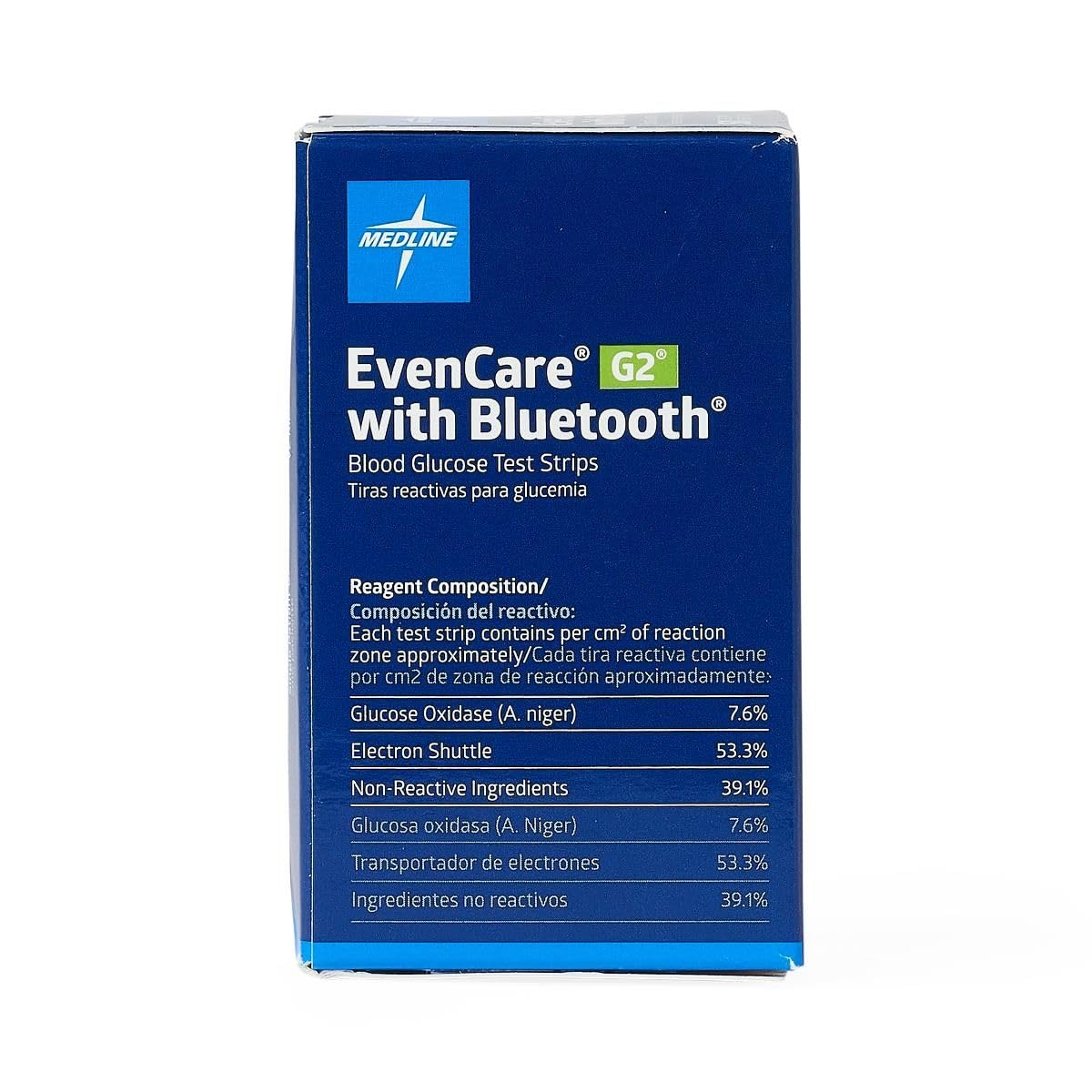
Image: Back view of the Medline EvenCare G2 with Bluetooth Test Strips box, detailing the reagent composition of the test strips.
8. Customer Support and Manufacturer Information
For customer support or to reorder Medline EvenCare G2 with Bluetooth Test Strips, please contact:
Customer Support: 1-800-MEDLINE (1-800-633-5463)
Website: www.medline.com
Manufacturer: Medline Industries, LP, Three Lakes Drive, Northfield, IL 60093 USA
Medline, EvenCare, and G2 are registered trademarks of Medline Industries, LP.
Manufactured in Taiwan.


