1. Introduction
The Hey Box is a Smart security storage unit featuring an anti-vandal metal structure. It is remotely controlled and powered by batteries, offering flexible access management. You can manage it locally via Bluetooth or, when connected to the included Wi-Fi Gateway, control it from any location. Setup is straightforward: after securing keys or other items, simply configure a dedicated access code for guests, streamlining check-in and check-out processes. The HeySmart app provides comprehensive control over authorized users and their access codes, including setting date and time expirations.
Key Features:
- Anti-vandal metal construction for enhanced security.
- Remote control via Wi-Fi Gateway (included).
- Local management via Bluetooth.
- HeySmart app for user and access code management with time expiration.
- Emergency power via USB Type-C.
2. Included Components
- Hey Box Smart Security Storage Unit
- Wi-Fi Gateway
- Screws and expansion plugs for mounting
- Battery cover
- Door knob hook
- User Manual
3. Setup Instructions
3.1. Unboxing and Initial Inspection
Carefully unbox your iSnatch Hey Box and ensure all components listed in Section 2 are present. Inspect the unit for any visible damage.
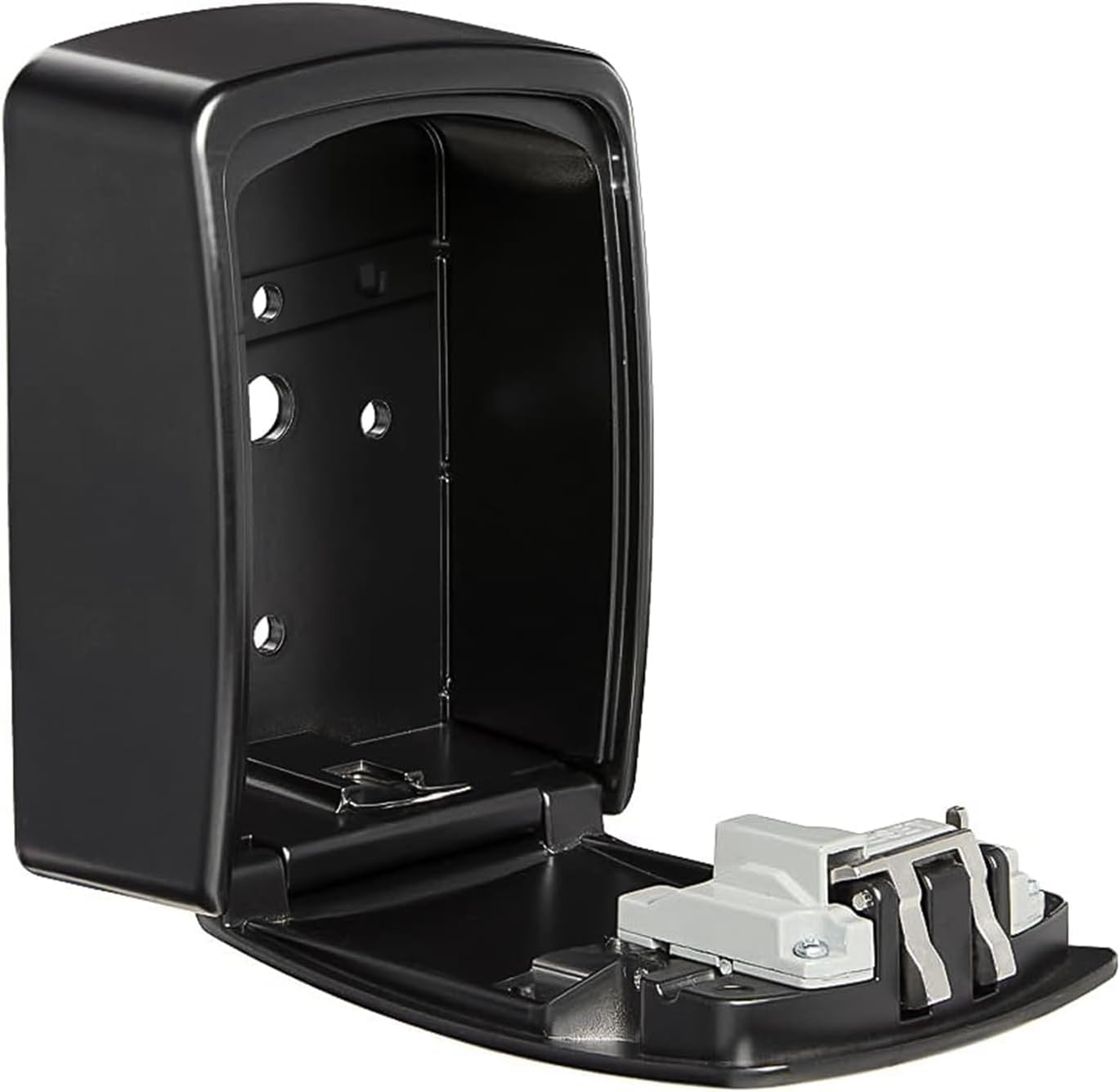
Image: The iSnatch Hey Box opened, revealing its internal storage compartment and locking mechanism.
3.2. Battery Installation
The Hey Box requires 4 x AAA batteries for operation. Ensure correct polarity during installation. The battery compartment is located inside the unit.
Video: This video demonstrates how to assemble the key box, including battery installation and initial password check. (Title: How to assemble the key box?)
3.3. Mounting Options
The Hey Box can be mounted on a wall using the provided screws and expansion plugs, or hung on a doorknob using the included hook. Choose the most suitable location for your needs.
4. Operating Instructions
4.1. Initial Password Check and Reset
After battery installation, check the initial password. If incorrect, reset it following the instructions in the assembly video. Do not close the lockbox while checking the password.
Video: This video demonstrates how to assemble the key box, including battery installation and initial password check. (Title: How to assemble the key box?)
4.2. Connecting to HeySmart App (Bluetooth & Wi-Fi)
Download the HeySmart app from your device's app store. Follow the in-app instructions to pair your Hey Box via Bluetooth for local control or connect it to the Wi-Fi Gateway for remote access.

Image: The iSnatch Hey Box shown alongside a smartphone displaying the HeySmart app interface and a Wi-Fi gateway, illustrating remote management capabilities.

Image: The iSnatch Hey Box displayed with a smartphone showing the HeySmart app, indicating a Bluetooth connection for local control.
4.3. Managing Access Codes
Use the HeySmart app to create, modify, and delete access codes. You can set permanent codes or temporary codes with specific date and time expirations for guests.
Video: This video provides an introduction and demonstrates the operation of the Smart Key Box, including setting and using access codes. (Title: Smart Key Box introduction and operation video)
Video: This video illustrates the remote unlocking feature of the key box via the WiFi gateway. (Title: Remote unlock via WiFi gateway)
4.4. Emergency Access
In case of battery depletion or other emergencies, the Hey Box can be powered via a USB Type-C cable for temporary access.
5. Maintenance
5.1. Battery Replacement
The average battery life is approximately 1 year. Replace the 4 x AAA batteries when the low battery indicator appears on the unit or in the HeySmart app.
5.2. Cleaning
Clean the exterior of the Hey Box with a soft, damp cloth. Avoid using abrasive cleaners or solvents that could damage the finish.
6. Troubleshooting
6.1. Unit Not Responding
- Check battery levels and replace if necessary.
- Ensure the unit is within Bluetooth range for local control or connected to the Wi-Fi Gateway for remote access.
- Try emergency power via USB Type-C.
6.2. Incorrect Password Beeps
- Refer to the assembly video for instructions on how to reset the password.
- Ensure you are entering the correct code.
7. Specifications
| Feature | Detail |
|---|---|
| Model Number | 68.6810.20 |
| Dimensions (H x W x D) | 145 x 105 x 55 mm |
| Weight | 650 g |
| Color | Black |
| Material | Aluminum Alloy + ABS |
| Power Supply | 4 x AAA batteries (Alkaline, Lithium, or Rechargeable) |
| Operating Voltage | 4 ~ 6 Vdc |
| Emergency Power | USB Type-C |
| Average Battery Life | 1 year |
| Protection Rating | IP X5 |
| Operating Temperature | -10°C ~ +50°C |
| Wi-Fi Gateway Power | USB 5V 1A |
| Wi-Fi Frequency | 2.4 GHz |
| Wireless Protocol | BLE (Bluetooth Low Energy) |
| Local Connection Support | Yes |
| Supported Devices (Gateway) | Up to 10 |
| Installation Environment | Indoor use only |
8. Warranty and Support
For warranty information and technical support, please refer to the documentation included in your product packaging or visit the official ISNATCH website. Keep your proof of purchase for warranty claims.


