
Introduction
This manual provides detailed instructions for the installation, operation, and maintenance of your VECHTEL Android 15 Car Radio. Please read this manual thoroughly before using the product to ensure proper functionality and safety. Keep this manual for future reference.
Setup and Installation
Before beginning installation, ensure your vehicle is turned off and the battery is disconnected. Professional installation is recommended.
1. Pre-Installation Overview
The VECHTEL car radio is designed for a seamless fit in Ford Focus models from 2012 to 2018. Below is an illustration of the unit before and after installation in a compatible vehicle.

This image displays the VECHTEL 9.7-inch Android Car Radio. The top panel shows the unit itself, while the bottom left shows the unit integrated into a Ford Focus dashboard (After Installation). The bottom right shows the original Ford Focus dashboard (Before Installation), highlighting the transformation.
2. Wiring Connections
Carefully connect all cables as instructed. Refer to the detailed wiring diagram and video guides for assistance.

This diagram provides a comprehensive overview of the wiring connections for the VECHTEL car radio. It shows the main unit, rear camera input cable, GPS antenna, 6-pin USB cable, 4-pin USB cable, RCA cable, and power cable connections.
Important Note on SYNC Function:

This image highlights a crucial detail for vehicles equipped with the SYNC function. If your original vehicle has the SYNC function, the interface shown needs to be connected. If your vehicle does not have the SYNC function, this power interface does not need to be connected. It serves no other function or purpose in non-SYNC vehicles.
Installation Video Guides:
Wiring Guide for 4-Core Car Radio Installation:
This video provides a step-by-step guide on connecting the various wires for the 4-core car radio installation, including the GPS antenna, RCA cables, USB cables, and power harness.
For Ford Focus 2012-2018 Wiring Video:
This video demonstrates the specific wiring process for the Ford Focus 2012-2018 model, showing how to connect the car radio to the vehicle's existing electrical system.
Focus Car Stereo Wiring:
This video offers another perspective on wiring a car stereo for the Ford Focus, providing additional visual guidance for the installation process.
Operating Instructions
Your VECHTEL car radio features an intuitive Android 15 operating system with a 9.7-inch HD touchscreen.
1. Wireless CarPlay / Android Auto
Connect your smartphone wirelessly via Bluetooth to access CarPlay or Android Auto. This allows for seamless navigation, hands-free calls, messaging, and voice assistant commands directly from the car radio's display.
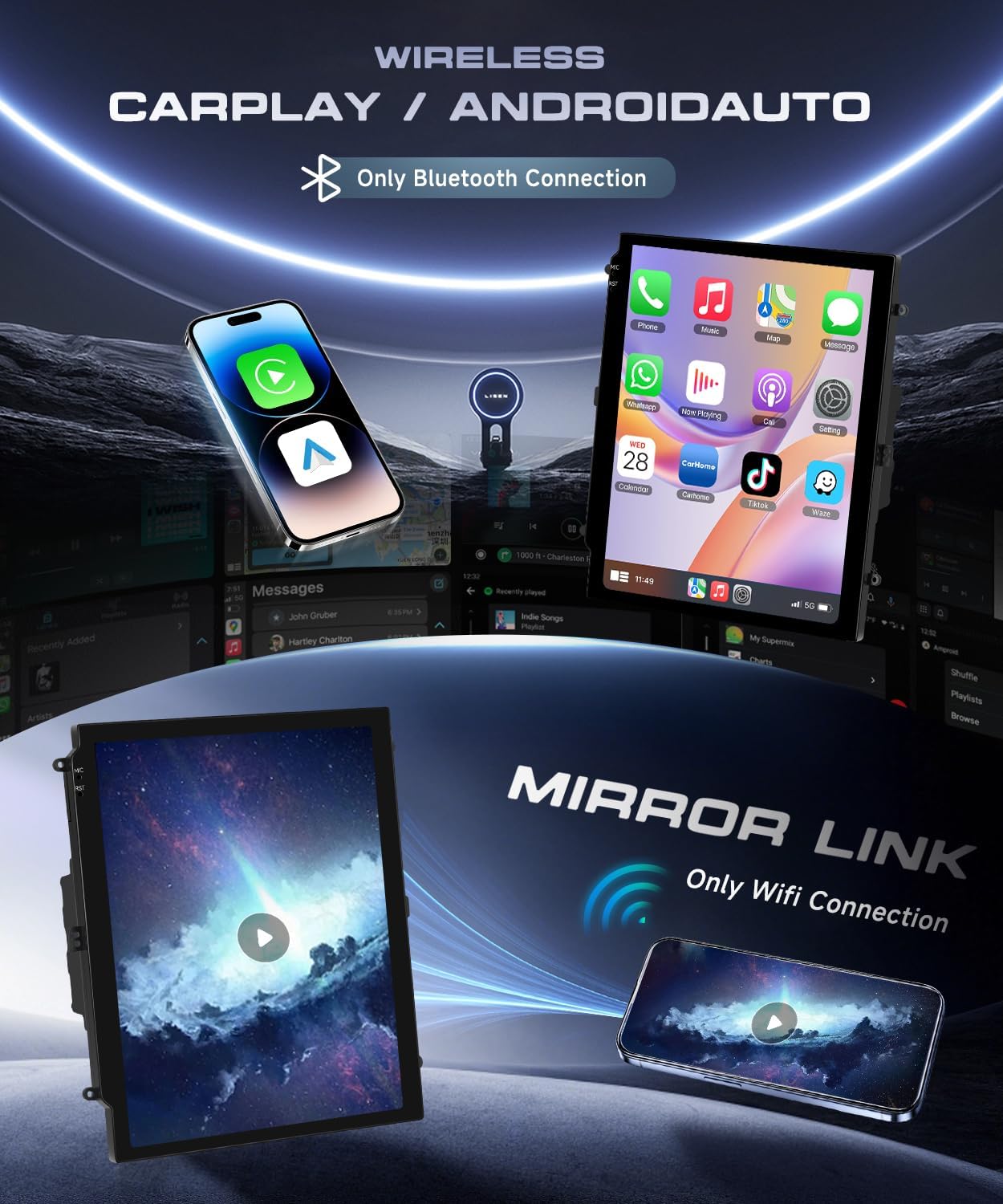
This image illustrates the wireless CarPlay and Android Auto features. It shows a smartphone connected via Bluetooth to the car radio, enabling access to phone functions, music, maps, and messages. The 'Mirror Link' function, which uses WiFi, is also depicted, allowing screen mirroring from your device.
CarPlay Usage Video:
Upgrade Focus Radio 2012-2018 - How to Use CarPlay:
This video demonstrates how to connect and use CarPlay with the upgraded Ford Focus radio, guiding users through the interface and features.
2. GPS Navigation and WiFi
The unit has built-in GPS for navigation. You can use online maps or download offline maps via WiFi for areas without signal. WiFi connectivity also allows you to download other applications and browse the web.

This image displays the GPS navigation capabilities of the car radio, showing a map with a route. Below, it illustrates the WiFi function, allowing access to various online applications and web content.
3. Display and Performance
The 9.7-inch HD touch screen offers a clear and responsive user experience. Powered by Android 15 with 4GB RAM and 64GB ROM, it ensures smooth operation.

This image focuses on the 9.7-inch HD touchscreen, emphasizing its touch sensitivity and 1280x720 pixel resolution. It also highlights the internal specifications: 4GB RAM, 64GB ROM, and the Android 15 operating system, ensuring high performance.
4. Audio and Control Features
Enjoy Bluetooth 5.0 for hands-free calls and music streaming. The 32-band EQ allows for personalized sound settings, and the FM/RDS radio keeps you updated. Steering wheel controls provide convenient access to functions, and the AHD backup camera enhances safety.

This image showcases four key operational features: Bluetooth 5.0 for music and calls, FM/RDS Radio for broadcast entertainment, Steering Wheel Control for convenient access to functions, and a Reversing Camera for enhanced safety during parking.
5. Split Screen Functionality
The split-screen feature allows you to run two applications simultaneously, such as navigation and music, for enhanced multitasking.
Maintenance
To ensure the longevity and optimal performance of your VECHTEL car radio, follow these maintenance guidelines:
- Screen Cleaning: Use a soft, lint-free cloth to gently wipe the touchscreen. For stubborn smudges, slightly dampen the cloth with water or a screen-safe cleaner. Avoid harsh chemicals or abrasive materials.
- General Cleaning: Keep the unit free from dust and debris. Use a soft brush or compressed air to clean vents and crevices.
- Software Updates: Periodically check for software updates to ensure you have the latest features and bug fixes. Follow the on-screen prompts for any available updates.
- Avoid Extreme Temperatures: Do not expose the unit to extreme heat or cold for prolonged periods, as this can affect performance and lifespan.
Troubleshooting
If you encounter any issues with your VECHTEL car radio, refer to the following common troubleshooting steps:
- No Power: Check all power connections and fuses. Ensure the vehicle's battery is charged.
- No Sound: Verify speaker connections, volume settings, and audio source selection. Check amplifier connections if applicable.
- Touchscreen Unresponsive: Try restarting the unit. If the issue persists, perform a factory reset (refer to the settings menu).
- GPS Signal Loss: Ensure the GPS antenna is correctly installed and has a clear view of the sky.
- Bluetooth Connectivity Issues: Ensure Bluetooth is enabled on both the car radio and your smartphone. Delete previous pairings and try reconnecting.
- Backup Camera Not Displaying: Check the camera's power and video signal connections. Ensure the vehicle is in reverse gear.
If these steps do not resolve the issue, please contact VECHTEL customer support for further assistance.
Specifications
| Feature | Description |
|---|---|
| Model Number | A7280A4167NA59 |
| Operating System | Android 15 |
| RAM | 4GB |
| ROM | 64GB |
| Screen Size | 9.7 Inches |
| Resolution | 1280*720 HD |
| Connectivity | Bluetooth 5.0, USB, Wi-Fi |
| Special Features | Touchscreen, Wireless Android Auto, Wireless Carplay, GPS, FM Radio, SWC, Backup Camera |
| Vehicle Service Type | Car (Ford Focus 2012-2018) |
What's in the Box
The following items are included with your VECHTEL Android 15 Car Radio:

This image displays all components included in the product package, such as the RCA cable, user manual, GPS antenna, USB cable, rear camera, rear camera input cable, microphone, emergency light wiring, high-to-low wiring, key transfer cable, power cable, original USB cable, radio antenna, accessories, Canbus, and installation tool.
- Power Cable
- GPS Antenna
- HD Rear Camera
- USB Cable (2 types)
- Installation Tool
- RCA Cable
- Microphone
- Canbus Box
- Radio Antenna
- Emergency Light Wiring
- High-to-Low Wiring
- Key Transfer Cable
Warranty and Support
Your VECHTEL Android 15 Car Radio comes with a 2-year warranty from the date of purchase. This warranty covers manufacturing defects and malfunctions under normal use.
For technical support, troubleshooting assistance, or warranty claims, please contact VECHTEL customer service through the retailer where you purchased the product. Provide your model number (A7280A4167NA59) and a detailed description of the issue for prompt service.
