
1. Introduction
Thank you for choosing the Csasan T70 Smart Watch. This device is designed to enhance your daily life by providing convenient communication, comprehensive fitness tracking, and smart notifications directly from your wrist. Please read this manual carefully to understand the full capabilities of your new smartwatch and ensure proper operation and maintenance.

Image: The Csasan T70 Smart Watch, showcasing its sleek design and vibrant display.
2. What's Included in the Box
Upon opening your Csasan T70 Smart Watch package, you should find the following items:
- Smart watch x1
- Magnetic charger x1
- User manual x1
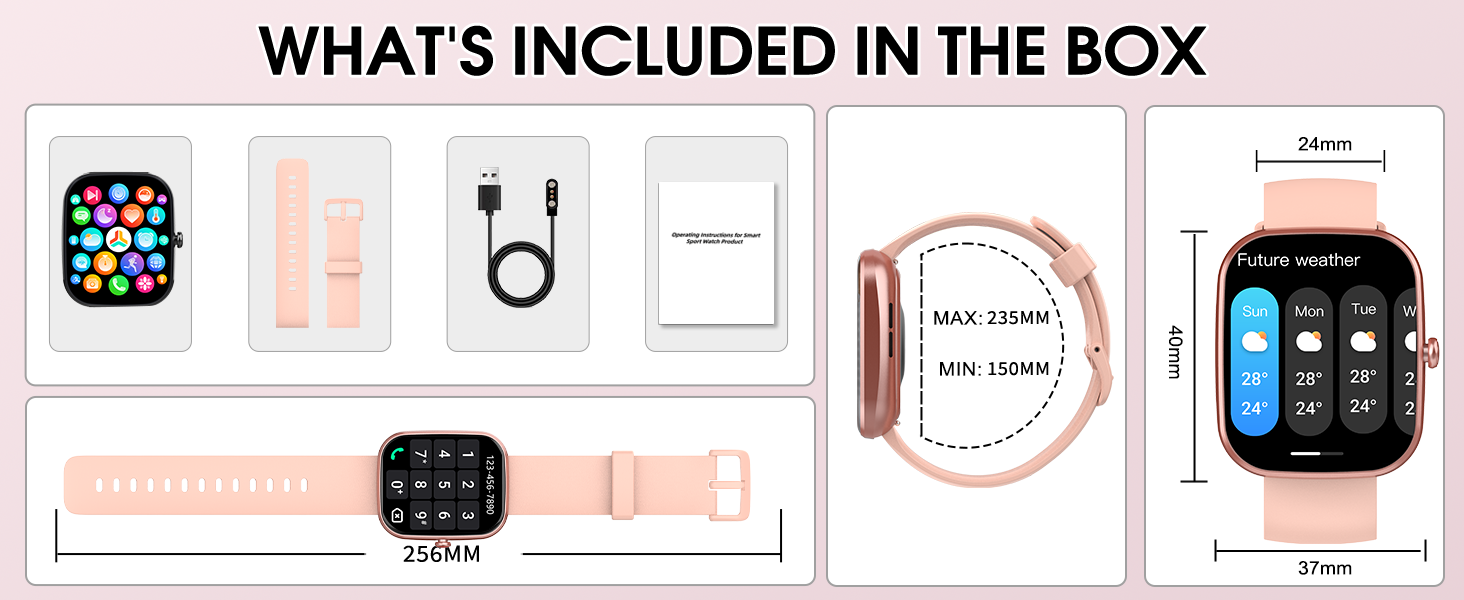
Image: Contents of the Csasan T70 Smart Watch package.
3. Product Overview
The Csasan T70 Smart Watch features a 1.91-inch HD full touch display, offering clear visuals and intuitive navigation. It is designed for both men and women, providing a comfortable fit and a range of functionalities to support a healthy and connected lifestyle.
Key Features:
- Wireless Calls and Message Push: Answer and make calls directly from your wrist. Receive notifications from various apps like Instagram, YouTube, Messenger, Gmail, Snapchat, Facebook, Twitter, and WhatsApp.
- 1.91-inch High-definition Full Screen: Enjoy a large, bright display with adjustable brightness and customizable watch faces.
- 112+ Sports Modes: Track a wide variety of activities including running, cycling, swimming, and general fitness.
- IP68 Waterproof: Suitable for daily activities like hand washing or exercising in the rain. (Note: Not suitable for sauna or prolonged water immersion.)
- 24/7 Heart Rate Monitor and Sleep Tracker: Built-in high-performance sensors monitor heart rate and sleep patterns (awake, light, deep sleep).
- Multifunction and Compatibility: Includes weather forecast, music control, sedentary reminder, stopwatch, alarm clock, timer, female cycle tracking, screen light time, and find phone function. Compatible with Android 5.0+ and iOS 9.0+ via the "Gloryfit" app.

Image: Overview of the Csasan T70 Smart Watch's main features.
4. Setup Guide
To begin using your Csasan T70 Smart Watch, you will need to pair it with your smartphone via the Gloryfit app.
4.1. Initial Pairing (iOS 13.0+ and Android 5.0+):
- Download "Gloryfit" App: Search for "Gloryfit" in your phone's App Store (iOS) or Google Play Store (Android) and install it.
- Turn on Phone's Bluetooth: Go to your phone's settings and ensure Bluetooth is enabled.
- Open "Gloryfit" App: Launch the app and follow the on-screen prompts to find and bind your T70 (ID-XXXX) device. Select "Pair" when prompted for Bluetooth pairing.
- Confirm Connection: After successful pairing, the watch can directly answer and make calls.
4.2. Audio Bluetooth Connection (for iOS 13.0 and below):
If you are using an iOS device with a version below 13.0, after completing the initial pairing (Step A above), follow these additional steps to enable the audio Bluetooth connection for calls:
- Swipe Right on Watch Screen: On your watch, swipe right to access the quick settings and turn on the "Phone" function switch.
- Open Phone Settings: On your smartphone, go to the Bluetooth settings.
- Find and Connect to T70: Locate "T70 (ID-XXXX)" in the list of available devices and tap to connect.
- Confirm Audio Connection: Once connected, your watch will be able to handle calls.

Image: Detailed setup instructions for the Csasan T70 Smart Watch.
5. Operating Instructions
The Csasan T70 Smart Watch offers a variety of functions accessible through its touch screen and physical button.
5.1. Wireless Calls and Notifications
- Making/Answering Calls: Once paired, use the watch's dial pad or contact list to make calls. Incoming calls can be answered directly on the watch.
- Message Push: Receive real-time notifications from your connected apps. The watch supports full-network message push, keeping you informed without needing to check your phone. (Note: The smartwatch cannot reply to messages.)

Image: Bluetooth call functionality on the Csasan T70 Smart Watch.

Image: Smart notification features and reminders.
5.2. Fitness and Health Monitoring
- Sports Modes: Access over 112 sports modes to track your workouts. The watch records steps, calories burned, and distance.
- Heart Rate Monitoring: The built-in optical biotrack sensor provides 24-hour heart rate monitoring.
- Sleep Tracking: Automatically monitors your sleep quality, providing data on awake, light, and deep sleep stages.

Image: The extensive range of sports modes available.

Image: Heart rate and sleep monitoring features.
5.3. Other Functions
- Customizable Watch Faces: Personalize your watch with over 100 watch faces available in the Gloryfit app, or use your own photos.
- Music Control: Control music playback (play, pause, next song, volume) on your phone directly from the watch.
- Camera Remote Control: Use your smartwatch as a remote shutter for your phone's camera.
- Weather Forecast: Get real-time weather updates.
- Alarm Clock: Set alarms for reminders.
- Sedentary Reminder: Receive alerts to move if you've been inactive for too long.
- Find Phone: Locate your misplaced phone by triggering an alert from your watch.
- Female Cycle Tracking: Monitor and track female physiological cycles.

Image: Customizable watch faces and screen display.
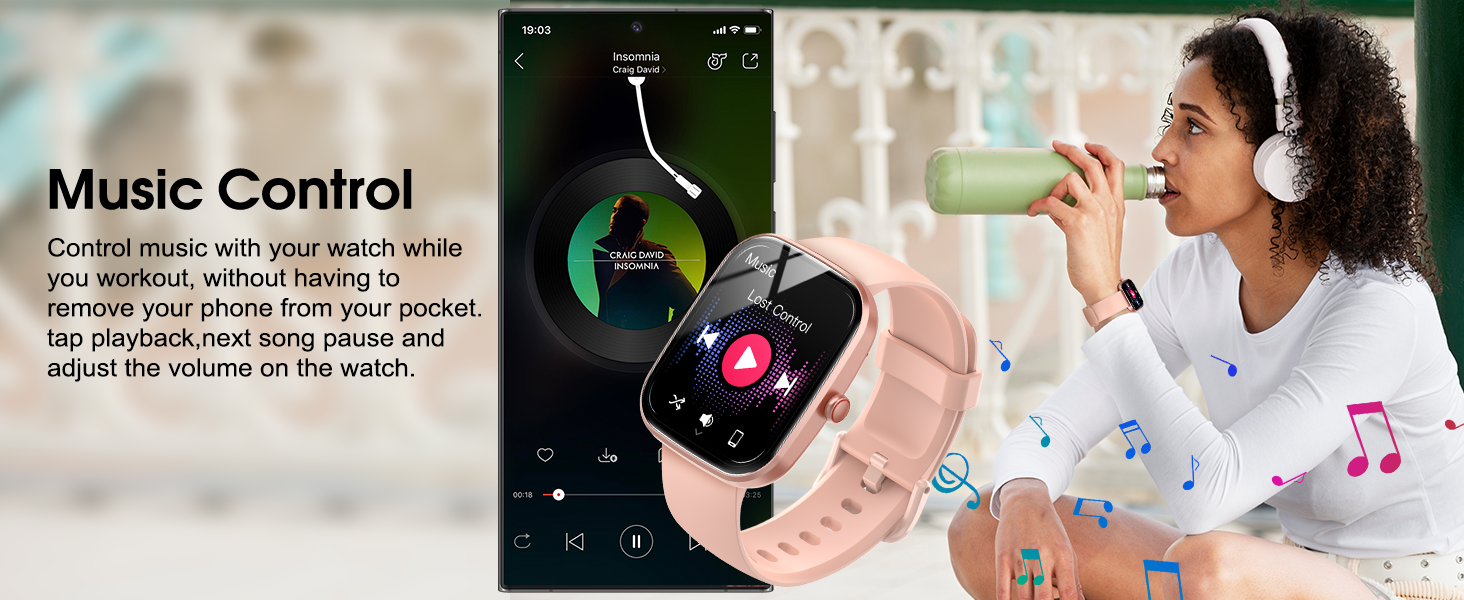
Image: A comprehensive view of the watch's multi-functional reminders and tools.
6. Maintenance
To ensure the longevity and optimal performance of your Csasan T70 Smart Watch, please follow these maintenance guidelines:
- Cleaning: Regularly wipe the watch screen and strap with a soft, dry cloth. If necessary, use a slightly damp cloth and dry thoroughly.
- Water Resistance: The watch is IP68 waterproof, meaning it is resistant to splashes, sweat, and rain. It can be worn during hand washing or light rain. Do not use it in hot water, saunas, or for prolonged immersion in water, as this may affect its waterproof integrity.
- Charging: Use only the provided magnetic charger. Ensure the charging pins are clean and properly aligned with the watch's charging contacts.
- Storage: Store the watch in a cool, dry place away from direct sunlight and extreme temperatures.
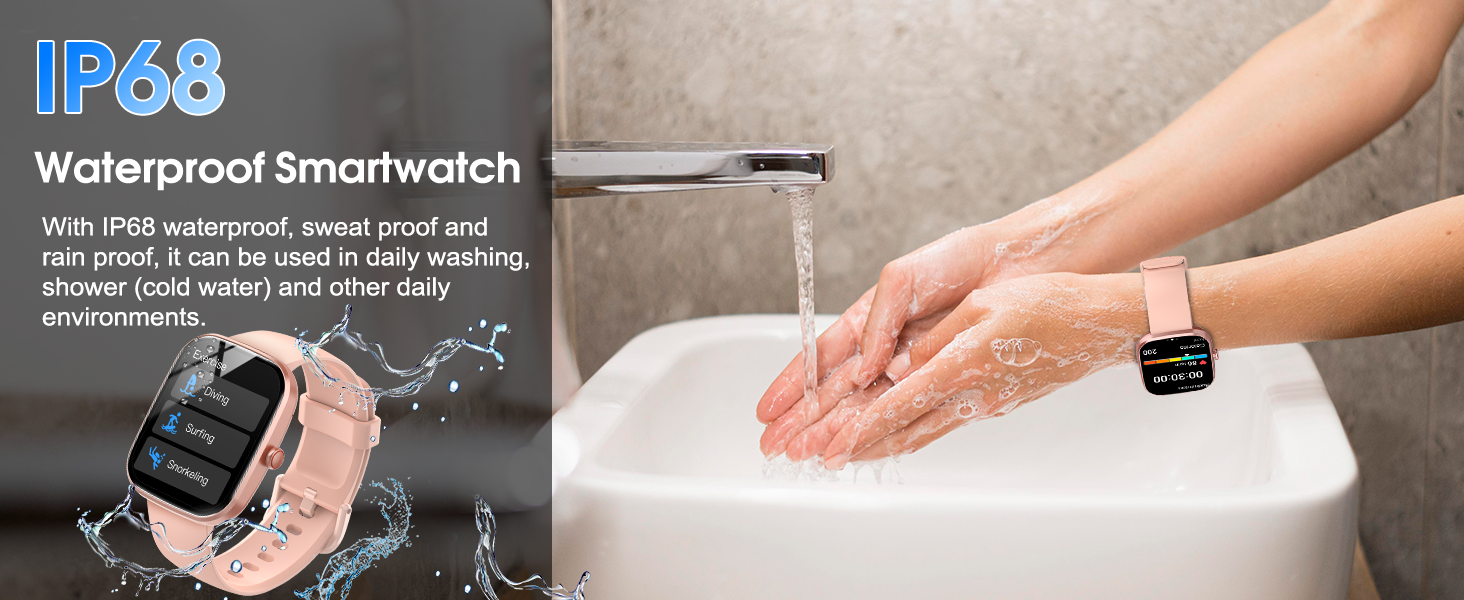
Image: The IP68 waterproof feature of the smart watch.

Image: Battery life and charging method.
7. Troubleshooting
If you encounter any issues with your Csasan T70 Smart Watch, please refer to the following common troubleshooting tips:
| Problem | Possible Solution |
|---|---|
| Watch not turning on | Ensure the watch is fully charged. Press and hold the side button for several seconds. |
| Unable to pair with phone | Ensure Bluetooth is enabled on your phone. Restart both the watch and phone. Make sure the watch is within range. Check the Gloryfit app for pairing instructions. |
| Notifications not received | Check app notification settings in Gloryfit. Ensure phone's Bluetooth is connected. Verify app permissions on your phone. |
| Inaccurate health data | Ensure the watch is worn snugly on your wrist. Clean the sensor on the back of the watch. Data is for reference only and not for medical use. |
| Short battery life | Reduce screen brightness, turn off unnecessary notifications, and limit continuous heart rate monitoring. Ensure proper charging. |
If the issue persists after trying these solutions, please contact customer support for further assistance.
8. Specifications
| Feature | Detail |
|---|---|
| Model Number | T70 |
| Screen Size | 1.91 Inches |
| Operating System | Android (compatible with Android 5.0+ and iOS 9.0+) |
| Connectivity Technology | Bluetooth |
| Battery Type | Lithium Polymer (1 required, included) |
| Water Resistance | IP68 |
| Item Weight | 3.2 ounces |
| Manufacturer | Csasan |
| Country of Origin | China |
9. Warranty and Support
For warranty information and customer support, please refer to the documentation provided with your purchase or visit the official Csasan website. Keep your proof of purchase for any warranty claims.
For technical assistance or inquiries, please contact Csasan customer service through the contact information available on their official support channels.