
1. Introduction
The KEEPEEZ Electric Composter FWD-501 is designed to efficiently convert household food waste into a nutrient-rich soil conditioner. This process helps reduce waste volume and provides valuable fertilizer for plants and gardens. This manual provides essential information for the safe and effective use of your composter.

Image 1.1: KEEPEEZ Electric Composter in a home setting, demonstrating its use for plant enrichment.
2. Safety Information
Please read all safety instructions before operating the appliance to prevent injury or damage.
- Ensure the composter is placed on a stable, level surface away from heat sources and direct sunlight.
- Do not immerse the main unit in water or other liquids.
- Unplug the appliance from the power outlet before cleaning or performing any maintenance.
- Keep hands and foreign objects out of the processing chamber during operation.
- Do not attempt to compost non-food items or excessively hard materials that may damage the blades.
- Keep out of reach of children and pets.
3. Product Overview
The KEEPEEZ Electric Composter FWD-501 is a compact unit designed for kitchen use. It features a 4-liter capacity bucket, an activated charcoal odor filtration system, and a user-friendly control panel.

Image 3.1: Front view of the KEEPEEZ Electric Composter, showcasing its sleek design.
Key Components:
- Main Unit: Houses the motor, heating elements, and control panel.
- Lid: Covers the processing chamber, often with integrated controls.
- Processing Bucket: Removable 4-liter cast aluminum bucket where food waste is processed.
- Activated Carbon Filters: One removable and two built-in filters for odor control.
- Control Panel: Buttons for power, cycle start, and self-cleaning.
4. Setup
- Unpack: Carefully remove all components from the packaging. Retain packaging for future transport or storage.
- Placement: Place the composter on a flat, stable surface in a well-ventilated area of your kitchen. Ensure adequate space around the unit for air circulation.
- Filter Installation: Verify that the activated carbon filters are correctly installed. Refer to the filter compartment for proper placement.
- Power Connection: Plug the power cord into a standard electrical outlet.
5. Operating Instructions
5.1 What Can Be Composted
The KEEPEEZ Electric Composter is designed to process a wide range of organic kitchen waste. Up to 80% of your food waste can be processed.
- Animal products (meat scraps, small bones)
- Coffee grounds and filters
- Yard waste (small amounts of leaves, grass clippings)
- Fruits and vegetables (peels, scraps)
- Degradable paper products (napkins, paper towels)
- Bread and grain products

Image 5.1: Visual guide to acceptable food waste for the composter.
5.2 What Cannot Be Composted
Avoid placing the following items into the composter as they may damage the unit or interfere with the composting process:
- Large, dense bones or fruit pits.
- Hard, fibrous materials like corn cobs or artichoke stems in large quantities.
- Plastics, metals, glass, or other non-organic materials.
- Cooking oils or excessive liquids.
5.3 Starting a Composting Cycle
- Open Lid: Press the lid open button on the control panel. The lid will automatically open.
- Add Waste: Place your food waste into the 4-liter processing bucket. Do not overfill the bucket beyond the maximum fill line.
- Close Lid: Press the lid close button, or the lid will close automatically after a short period.
- Start Cycle: Press the main power/start button. The composter will begin its processing cycle, which typically takes 4-8 hours. The process involves high-temperature drying, grinding, and cooling.
- Retrieve Compost: Once the cycle is complete, the unit will indicate that the process is finished. Open the lid, remove the processing bucket, and empty the resulting soil conditioner.

Image 5.2: The composter in operation, illustrating the internal processing of food waste.

Video 5.3: An official KEEPEEZ video demonstrating the composter's features, including adding waste, one-button operation, and the resulting soil conditioner.
6. Maintenance and Cleaning
6.1 Cleaning the Processing Bucket
The cast aluminum processing bucket is designed for easy cleaning.
- Remove the bucket from the main unit.
- The bucket is dishwasher safe for convenient cleaning.
- Alternatively, wash by hand with warm, soapy water and a non-abrasive sponge. Rinse thoroughly and dry before reinserting.
6.2 Self-Cleaning Function
The composter includes a self-cleaning function for internal components.
- Ensure the processing bucket is empty and clean.
- Add a small amount of water (approximately 1-2 cups) to the empty processing chamber.
- Press the self-cleaning button on the control panel to initiate the cycle.
- Once the cycle is complete, discard the water and dry the interior.
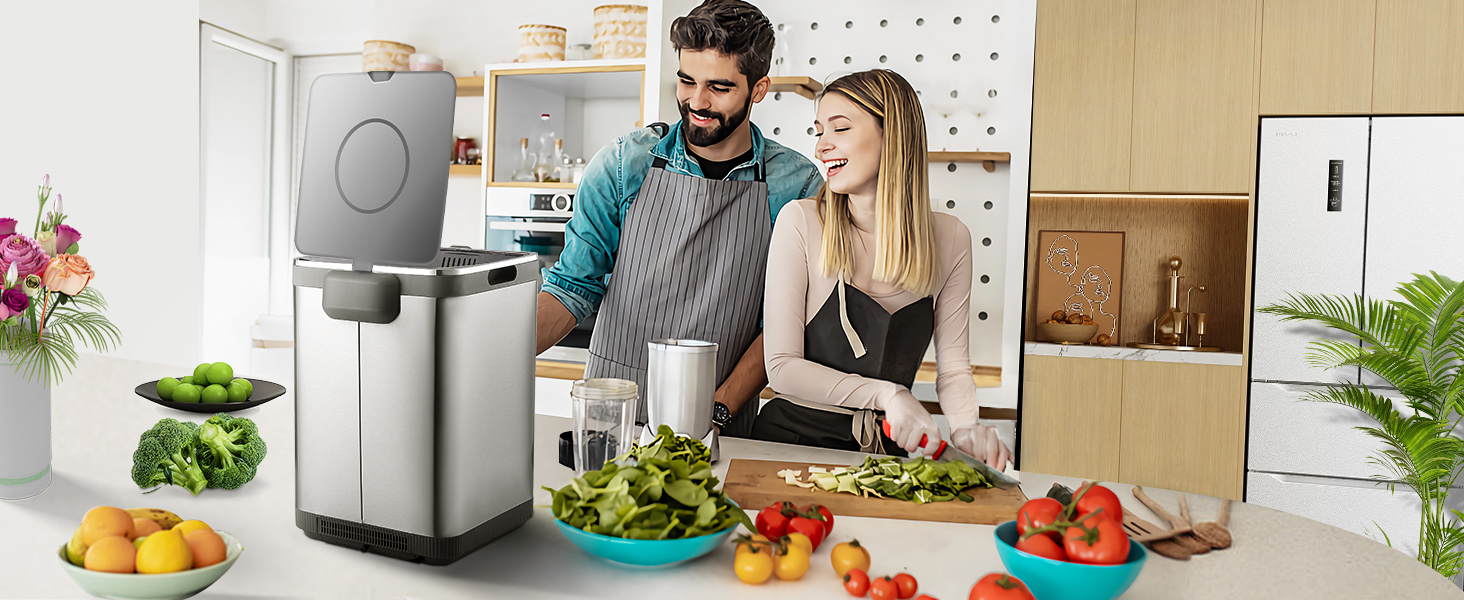
Image 6.1: The composter's self-cleaning feature and dishwasher-safe components.
6.3 Carbon Filter Replacement
The composter utilizes an activated charcoal system with one removable and two built-in charcoal boxes to manage odors. Filters should be replaced periodically based on usage to maintain effectiveness.
- Refer to the product packaging or KEEPEEZ website for replacement filter availability and instructions.
- Regularly check the removable filter for signs of saturation or reduced odor control.
7. Troubleshooting
If you encounter issues with your KEEPEEZ Electric Composter, refer to the following common problems and solutions:
| Problem | Possible Cause | Solution |
|---|---|---|
| Unit beeps continuously or stops mid-cycle. | Grinder jammed by hard or fibrous material. | Unplug the unit. Carefully remove the processing bucket and inspect for obstructions. Remove any jammed items. Reinsert the bucket and restart the cycle. Avoid composting excessively hard items. |
| Unit does not turn on or buttons are unresponsive. | Unit is in sleep mode or power issue. | Ensure the unit is properly plugged in. If in sleep mode, press and hold the lid open button for 5 seconds to wake the unit. If the problem persists, unplug and re-plug the unit. |
| Unpleasant odors during operation. | Saturated carbon filters or improper lid closure. | Check that the lid is securely closed. Inspect and replace carbon filters if necessary. Ensure only recommended items are being composted. |
| Unit is leaking. | Improperly seated bucket or damaged seal. | Ensure the processing bucket is correctly seated within the main unit. Check the lid seal for any damage or debris. Contact customer support if leaking persists. |
| Compost output is too dry or not dry enough. | Waste composition or predefined cycle limitations. | The cycle time is predefined. Results may vary based on the moisture content and type of food waste. For very wet loads, a second cycle may be needed. |
8. Specifications
Technical details for the KEEPEEZ Electric Composter FWD-501:
| Feature | Detail |
|---|---|
| Model Number | FWD-501 |
| Material | Stainless Steel |
| Color | Silver |
| Capacity | 4 Liters (approx. 1 Gallon) |
| Product Dimensions (L x W x H) | 14.5" x 13.6" x 19.9" |
| Item Weight | 19.1 Pounds |
| Power Consumption | 500W |
| Composting Cycle Time | 4-8 hours |

Image 8.1: Detailed dimensions of the KEEPEEZ Electric Composter.
9. Warranty and Support
The KEEPEEZ Electric Composter FWD-501 comes with a comprehensive warranty and dedicated customer support.
- Warranty Period: The product includes a 1-year basic warranty, with an additional 2 years of extended warranty, totaling 3 years from the date of purchase.
- Customer Support: For technical assistance, troubleshooting, or warranty claims, please contact the KEEPEEZ customer service team. Professional technical support is available 24/7.