
1. Introduction
This manual provides essential information for the safe installation, operation, and maintenance of your Maclean MCE344 LED Wall Lamp. Please read these instructions thoroughly before installation and retain them for future reference.

Image 1.1: Front view of the Maclean MCE344 LED wall lamp, black with a white diffuser and a motion sensor at the bottom.
2. Safety Instructions
- Installation must be performed by a qualified electrician in accordance with local wiring regulations.
- Ensure the power supply is disconnected before installation, maintenance, or cleaning.
- Do not attempt to modify the product. Any modifications may void the warranty and pose safety risks.
- This product is designed for outdoor use with an IP65 rating, protecting against dust and water jets. However, avoid submerging the lamp in water.
- Keep packaging materials out of reach of children.
3. Package Contents
Verify that all components are present before beginning installation:
- Maclean MCE344 LED Lamp with Motion Sensor
- Instruction Manual
- Manufacturer's Packaging
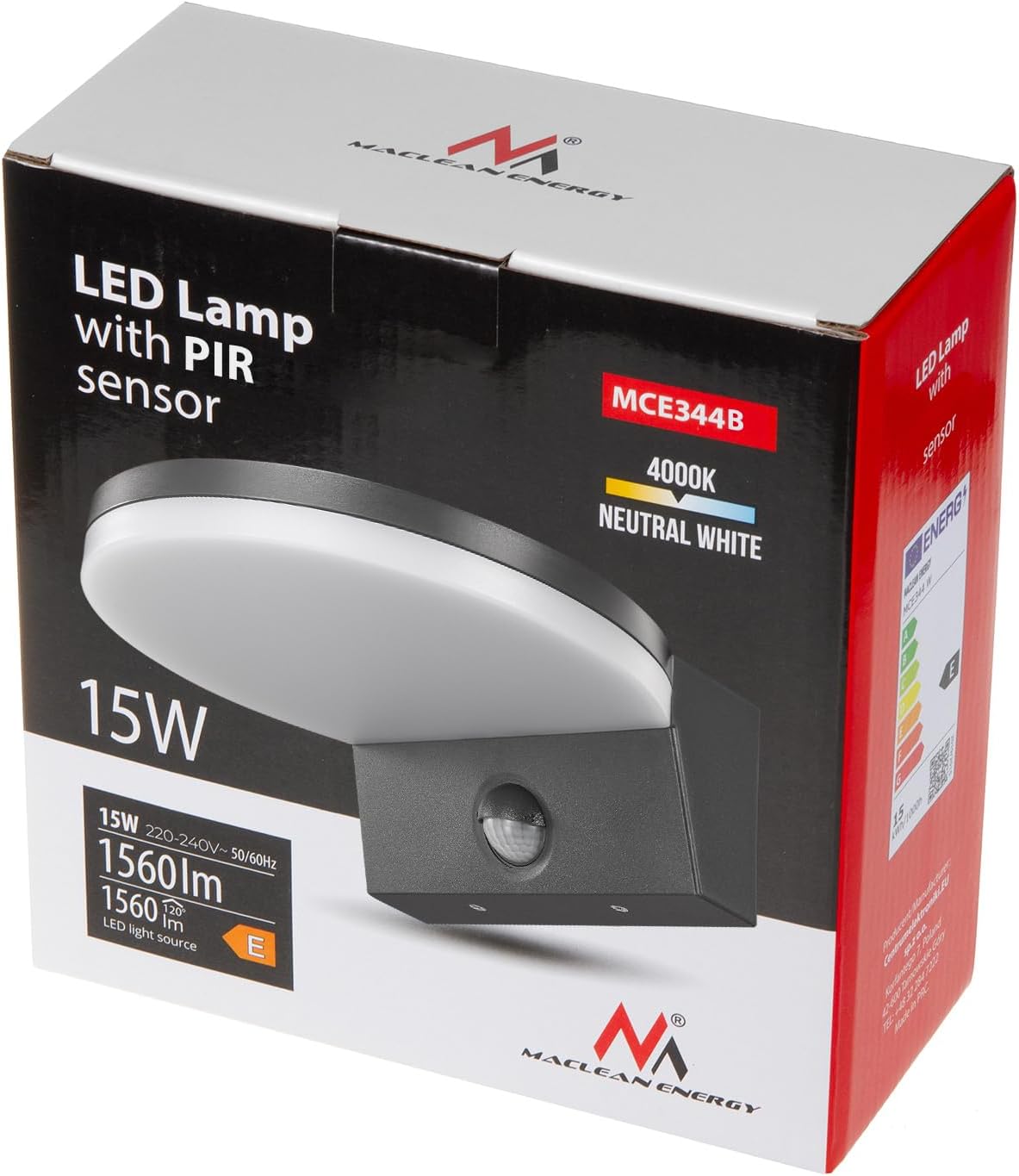
Image 3.1: Maclean MCE344 LED Lamp packaging.
4. Product Specifications
| Feature | Specification |
|---|---|
| Model Number | MCE344 |
| Power | 15 W |
| Luminous Flux | 1560 lm |
| Color Temperature | 4000 K (Neutral White) |
| Protection Rating | IP65 |
| Dimensions (L x W x H) | 18.2 x 17.5 x 7.2 cm |
| Weight | 490 g |
| Material | Plastic |
| Energy Efficiency Class | E |

Image 4.1: Energy Label for Maclean MCE344. For more details, visit the EPREL database.
For detailed product information, refer to the EPREL product information sheet.
5. Product Overview
The Maclean MCE344 is an LED wall lamp designed for both indoor and outdoor applications, featuring an integrated PIR (Passive Infrared) motion sensor and a twilight sensor. This combination allows for automatic illumination based on detected movement and ambient light levels, enhancing convenience and energy efficiency.
- Integrated PIR Motion Sensor: Detects movement to automatically switch the light on.
- Twilight Sensor: Ensures the light only activates when ambient light levels are low enough.
- Energy-Efficient LED: Provides bright, neutral white light (4000K) with low power consumption.
- Durable Construction: IP65 rated for protection against dust and water, suitable for various weather conditions.

Image 5.1: Side view of the Maclean MCE344 LED wall lamp.
6. Installation
Follow these steps for proper installation. Always ensure power is disconnected at the main circuit breaker before starting any electrical work.
6.1. Mounting Location
- Choose a stable wall surface capable of supporting the lamp's weight.
- Consider the desired detection area for the motion sensor. Avoid placing it near heat sources or objects that might cause false triggers (e.g., moving branches, direct sunlight).
- Refer to the dimensions diagram for appropriate spacing and clearance.

Image 6.1: Product dimensions.
6.2. Wiring
- The lamp requires a standard 220-240V AC power supply.
- Connect the live (L) and neutral (N) wires from your electrical supply to the corresponding terminals on the lamp. This lamp does not require an earth connection.
- Ensure all connections are secure and properly insulated.

Image 6.2: Back view with mounting points and wiring access.
6.3. Mounting the Lamp
- Mark the drilling points on the wall using the lamp's base as a template.
- Drill holes and insert appropriate wall plugs (not included).
- Secure the lamp to the wall using screws, ensuring a tight fit to maintain the IP65 rating.
- After mounting and wiring, restore power to the circuit.
7. Operating Instructions
The Maclean MCE344 features adjustable settings for motion detection and ambient light sensitivity. These controls are located near the PIR sensor on the underside of the lamp.

Image 7.1: Adjustment dials for TIME and LUX settings.
7.1. Adjusting 'TIME' (Illumination Duration)
The 'TIME' dial controls how long the light remains on after motion is detected and before it turns off. Rotate the dial to adjust the duration:
- Rotate towards '-' for shorter illumination times.
- Rotate towards '+' for longer illumination times.
7.2. Adjusting 'LUX' (Ambient Light Sensitivity)
The 'LUX' dial determines the ambient light level at which the motion sensor becomes active. This allows the lamp to operate only when it's dark enough.
- Rotate towards the sun icon (☀) for the sensor to activate in brighter conditions (e.g., dusk).
- Rotate towards the moon icon (☾) for the sensor to activate only in darker conditions (e.g., deep night).
7.3. Motion Detection Range
The PIR sensor has a detection range of approximately 9 meters, depending on installation height and environmental factors.

Image 7.2: Motion detection range illustration.
8. Maintenance
To ensure optimal performance and longevity of your LED wall lamp, follow these maintenance guidelines:
- Cleaning: Periodically clean the lamp's surface with a soft, damp cloth. Do not use abrasive cleaners or solvents, as these can damage the finish or the diffuser.
- Sensor Cleaning: Gently wipe the PIR sensor lens to ensure it remains clear and free of obstructions (dust, cobwebs) that could affect its performance.
- Inspection: Regularly check for any signs of damage to the housing or wiring. If damage is found, disconnect power and consult a qualified electrician.
- LED Replacement: The LED light source is integrated and not user-replaceable. The lamp is designed for a long operational lifespan.
9. Troubleshooting
If you encounter issues with your Maclean MCE344 LED Wall Lamp, refer to the following common problems and solutions:
| Problem | Possible Cause | Solution |
|---|---|---|
| Light does not turn on. | No power supply. LUX setting too high. No motion detected. | Check circuit breaker and wiring. Adjust LUX dial towards the moon icon (☾). Test motion detection by walking in front of the sensor. |
| Light stays on continuously. | Constant motion in detection area. LUX setting too low. Faulty sensor. | Ensure no continuous movement. Adjust LUX dial towards the sun icon (☀). Contact customer support if problem persists. |
| Light turns on during daylight. | LUX setting too high. | Adjust LUX dial towards the moon icon (☾). |
| Motion sensor not detecting. | Sensor obstructed or dirty. Incorrect mounting height/angle. Temperature too high (PIR less effective). | Clean sensor lens. Ensure optimal placement. Note that PIR sensors are less effective in very hot environments. |
10. Warranty and Support
Maclean products are designed for reliability and performance. For warranty information, please refer to the terms and conditions provided at the point of purchase or on the official Maclean website.
Customer Service
For technical support or inquiries, please contact:
- Supplier: Centrumelektroniki.EU Sp. z o.o.
- Address: Dział zakupów, Wojciecha Korfantego 7, 42-600 Tarnowskie Góry, Poland
- Email: import@centrumelektroniki.pl
- Website: https://centrumelektroniki.pl
- Phone: +48 509999779
