
Avylet A1
Avylet 2K Dash Cam (Model A1) User Manual
This manual provides detailed instructions for the installation, operation, and maintenance of your Avylet 2K Dash Cam.
1. Introduction
The Avylet 2K Dash Cam (Model A1) is designed to provide reliable video recording of your journeys, enhancing driving safety and offering crucial evidence in case of incidents. Featuring 2K Quad HD resolution, a 170° wide-angle lens, and advanced night vision, this dash cam captures clear and detailed footage. Its built-in Wi-Fi allows for easy management via a dedicated smartphone application. This manual will guide you through setting up and operating your device to ensure optimal performance.

Image 1.1: Avylet 2K Dash Cam with included 32GB memory card and a smartphone displaying the live view and map interface.
2. What's in the Box
Please verify that all the following items are included in your package:
- One Avylet 2K Dash Cam with pre-installed 32GB Card
- User Manual
- Adhesive Bracket
- Car Charger
- Electrostatic Sticker
- Cable Clips (5 pieces)

Image 2.1: Visual representation of the Avylet 2K Dash Cam and its included accessories.
3. Key Features
- 2K Quad HD Resolution: Captures clear and detailed video footage.
- 170° Wide Angle Lens: Provides a broad view of the road, minimizing blind spots.
- Built-in Wi-Fi & Avylet APP: Allows for instant viewing, management, and sharing of recordings via smartphone.
- Superior Night Vision: Equipped with F1.6 aperture, WDR technology, and a 6-layer glass lens for clear recordings in low-light conditions.
- 24-Hour Parking Monitor: Offers motion detection or time-lapse recording when parked (requires optional hardwire kit).
- G-Sensor (Collision Detection): Automatically locks video footage during sudden impacts to prevent overwriting.
- Loop Recording: Ensures continuous recording by overwriting the oldest files when the memory card is full.
- 32GB Memory Card Included: Pre-installed for immediate use, supports up to 128GB.
- External GPS Module Support: Compatible with an optional GPS module for recording speed, location, and route data (module not included).
- Compact Design: Discreetly fits behind the rearview mirror without obstructing view.
- Super Capacitor: Enhances durability and performance in extreme temperatures.

Image 3.1: Overview of the Avylet 2K Dash Cam's primary features.
4. Setup
4.1 Memory Card
The 32GB memory card is pre-installed in your dash cam. Before first use, it is recommended to format the card through the dash cam's settings menu. The dash cam supports memory cards up to 128GB. Using a larger capacity card may lead to operational issues. Always insert or remove the memory card when the dash cam is powered off to prevent data corruption.

Image 4.1: Illustration of the memory card slot and the included 32GB card.
4.2 Installation
The compact design of the dash cam allows for discreet placement behind your rearview mirror, ensuring it does not obstruct your view. Use the provided adhesive mount for a secure attachment to your windshield. The included cable clips help manage the power cable neatly along the windshield trim.
- Clean the area on your windshield where you intend to mount the dash cam.
- Apply the electrostatic sticker to the cleaned area, then attach the adhesive mount to the sticker.
- Attach the dash cam to the adhesive mount. The rotatable bracket allows for flexible adjustment of the recording angle.
- Route the power cable using the provided cable clips to keep it tidy and out of the way.
- Remove the protective film from the dash cam lens before use to ensure clear recordings.

Image 4.2: Dash cam installed behind the rearview mirror.

Image 4.3: Installation diagram showing cable management.

Image 4.4: The rotatable bracket allows for flexible camera positioning.
4.3 Power Connection
Connect the provided car charger to your vehicle's cigarette lighter socket and then to the dash cam's power input. The dash cam will automatically power on and begin recording when your vehicle starts.
4.4 App Installation & Wi-Fi Connection
The Avylet APP allows you to view live footage, manage recordings, and adjust settings directly from your smartphone.
- Download the "Avylet" APP from your smartphone's app store (available on App Store and Google Play).
- On the dash cam, ensure Wi-Fi is turned on. This is typically done by a short press of the Wi-Fi button (the second button from the left to right) when the dash cam is in a non-recording state.
- On your smartphone, connect to the dash cam's Wi-Fi network. The network name and password will be displayed on the dash cam screen.
- Open the Avylet APP and grant all necessary permissions (camera, location, and local network) for proper functionality.
- If you experience connection issues, try temporarily disabling your phone's cellular data.
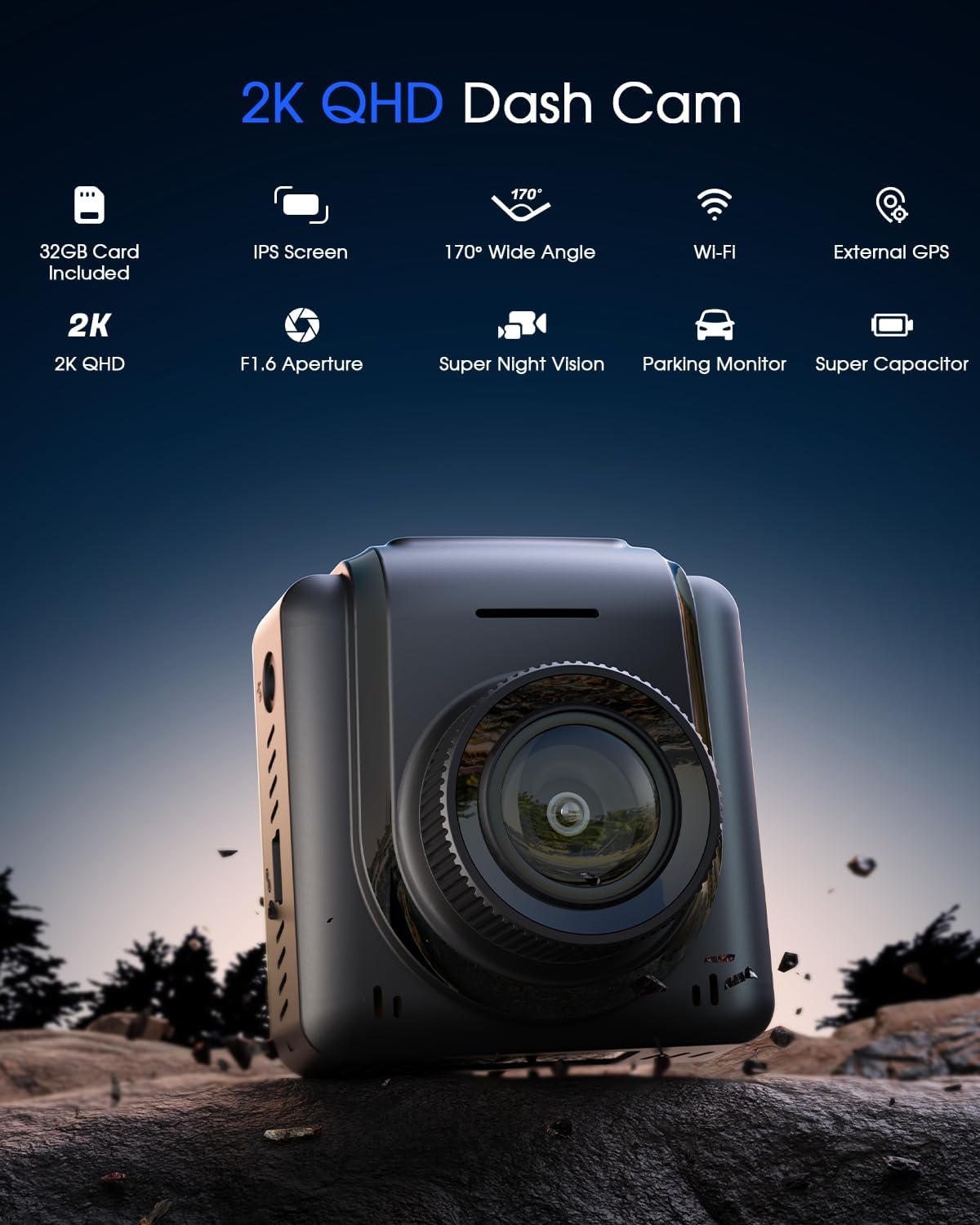
Image 4.5: Dash cam connected to the Avylet smartphone application.
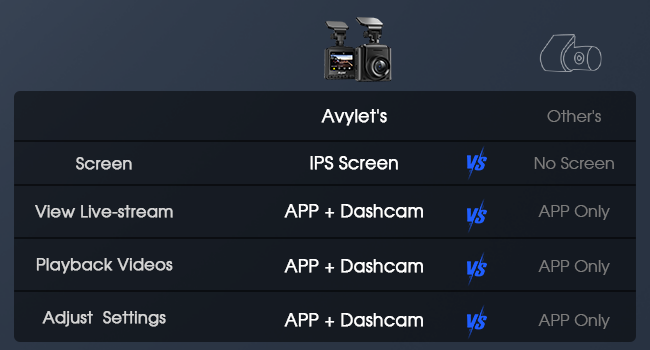
Image 4.6: Avylet App download options.

Image 4.7: Important considerations for Wi-Fi connection and app usage.
5. Operating Instructions
5.1 Basic Recording (Loop Recording)
The dash cam automatically begins recording when powered on. It records video in a continuous loop, overwriting the oldest unprotected footage when the memory card reaches its capacity. You can customize the recording segment lengths to 1, 3, or 5 minutes through the settings.

Image 5.1: Loop Recording ensures continuous operation.
5.2 G-Sensor (Collision Detection)
The built-in G-Sensor detects sudden impacts or collisions. When triggered, it automatically locks the current video segment, preventing it from being overwritten by loop recording. These protected videos are stored in a separate emergency folder. The sensitivity of the G-Sensor can be adjusted (low, medium, high) in the settings.

Image 5.2: Collision Detection mechanism.
5.3 24-Hour Parking Monitor
For continuous surveillance when your vehicle is parked, the dash cam offers a 24-hour parking monitor feature. This function requires an optional hardwire kit (not included) to provide constant power to the dash cam. Contact Avylet support to obtain a compatible hardwire kit.
Choose between two monitoring options:
- Motion Detection: Records a 30-second video clip when movement is detected within the camera's field of view.
- Time-Lapse Mode: Continuously records at a low frame rate (e.g., 1, 2, 5, or 10 frames per second) to capture extended periods with minimal power consumption.

Image 5.3: Parking Monitor modes.
5.4 Superior Night Vision
The dash cam is equipped with a large F1.6 aperture and Wide Dynamic Range (WDR) technology, allowing it to capture more light and produce brighter, clearer video recordings in low-light or nighttime conditions. The 6-layer glass lens further enhances image clarity and durability.

Image 5.4: Night vision performance in low light.

Image 5.5: WDR technology for balanced exposure.
5.5 170° Wide Angle
The 170° ultra-wide-angle lens captures a broad perspective of the road ahead, reducing blind spots and providing comprehensive coverage of your surroundings for enhanced driving safety.

Image 5.6: The 170° wide-angle lens provides extensive road coverage.
5.6 Screen Saver
To minimize distractions while driving, the dash cam features a screen saver function. If the device is not operated for a set period (e.g., 30 seconds or 1 minute), the screen will automatically turn off and display the current time. Recording continues uninterrupted in screen saver mode.

Image 5.7: Screen Saver mode for reduced distraction.
5.7 External GPS Module (Optional)
The dash cam supports an optional external GPS module (not included). When connected, this module records precise speed, location, route, and time data, embedding it directly into your video footage. This information can be valuable evidence for insurance claims. To access this data, you may need to download a specific player software from Avylet's support website.

Image 5.8: Dash cam with optional external GPS module.

Image 5.9: GPS module provides route tracking and speed data.
6. Maintenance
- Memory Card Care: Regularly format the memory card (at least once a month) through the dash cam's settings to ensure optimal performance and prevent data corruption.
- Lens Cleaning: Use a soft, dry, lint-free cloth to gently clean the dash cam lens. Avoid abrasive materials or chemical cleaners that could damage the lens.
- Temperature Management: While the super capacitor provides resilience, avoid prolonged exposure of the dash cam to extreme temperatures (both hot and cold) when the vehicle is parked, as this can affect its lifespan.
- Firmware Updates: Check for firmware updates periodically via the Avylet APP to ensure your dash cam has the latest features and bug fixes.

Image 6.1: Over-The-Air (OTA) firmware updates via the app.
7. Troubleshooting
- Cannot connect to Wi-Fi:
Ensure Wi-Fi is enabled on the dash cam (short press the Wi-Fi button). Grant all necessary permissions (camera, location, local network) to the Avylet APP. Try temporarily disabling your phone's cellular data. If issues persist, contact Avylet support. - Blurry recorded video:
Verify that the protective film has been removed from the dash cam lens. Clean the lens with a soft, dry cloth if it appears dirty. - Memory card full / recording stops:
The dash cam utilizes loop recording to continuously overwrite the oldest unprotected files. Ensure the memory card is formatted regularly. If using a card larger than 128GB, it may cause compatibility issues; use a supported size. - Parking monitor not working:
The 24-hour parking monitor requires a hardwire kit (not included) for continuous power. Ensure the hardwire kit is properly installed and connected. - Dash cam not powering on:
Ensure the car charger is correctly connected to your vehicle's cigarette lighter and the dash cam's power input. Verify that the vehicle's cigarette lighter socket is functional.
8. Specifications
| Feature | Specification |
|---|---|
| Model Name | Avylet A1 |
| Product Dimensions | 1.38 x 1.81 x 1.97 inches |
| Item Weight | 1.38 ounces |
| Video Capture Resolution | 2K Quad HD |
| Field Of View | 170 Degrees |
| Connectivity Technology | Wi-Fi |
| Aperture | F1.6 |
| Memory Card Support | Up to 128GB (32GB included) |
| Special Features | Built-in Wi-Fi, Superior Night Vision, IPS Screen, Compact Design, Parking Monitor (Hardwire kit required), G-Sensor, Loop Recording, Super Capacitor |

Image 8.1: Dash cam with 1.5" IPS screen dimensions.
9. Warranty & Support
Your Avylet 2K Dash Cam is covered by a 2-year warranty and includes lifelong technical support. Should you require assistance, please contact Avylet directly through their official website or the contact information provided in your product packaging. Avylet is committed to responding to all inquiries within 12 hours.

Image 9.1: Avylet's commitment to customer service and product quality.
Related documentsA1


Ask a question about this manual
Ask about setup, troubleshooting, compatibility, parts, safety, or missing instructions. Manuals+ will review the question and use this page’s manual context to help answer it.