
Introduction
The Zenimal Teen and Adult Meditation Audio Player is a screen-free device designed to provide guided meditations and soothing sounds. It supports mindfulness practices and relaxation for users.
Key features include:
- 9 Guided Meditations: Tracks for sleep, relaxation, breathing, awareness, inspiration, empathy, gratitude, and more, ranging from 4 to 20 minutes in duration.
- Soothing Sounds: Includes 60 minutes of calming sounds and music.
- Portable Design: Lightweight (6 oz) and compact for use in various settings.
- Rechargeable: Features a rechargeable base unit for convenience.
- Durable Cover: Equipped with a food-grade removable silicone cover.
What's Included
Your Zenimal package contains the following items:
- Zenimal Meditation Audio Player
- Quick Start Guide
- Micro USB Charging Cord

Image: The Zenimal device, quick start guide, and USB-C charging cable.
Setup
- Initial Charge: Before first use, fully charge your Zenimal device. Connect the provided micro USB charging cord to the device's charging port and plug the other end into a compatible USB power adapter (not included) or computer USB port. The device will indicate when charging is complete.
- Power On: Press and hold the power button (usually indicated by a universal power symbol) located on the device until it powers on.

Image: The Zenimal device, ready for use.
Operating Instructions
- Power On/Off: Press and hold the power button to turn the device on or off.
- Adjust Volume: Use the '+' and '-' buttons to increase or decrease the audio volume.
- Select Meditations/Sounds: The device features various icons around its surface, each corresponding to a specific guided meditation or soothing sound track. Press the button associated with the desired icon to start a session.
- Switch Modes: To switch to the next session, simply hold down the button for the next desired session.
- Audio Output: The Zenimal has a built-in speaker. An audio jack option is also available for private listening with headphones (not included).
- Automatic Shut-off: The device is designed to automatically shut off after 45 minutes of continuous play to conserve battery life.

Image: Overview of the 9 guided meditation options and their durations.
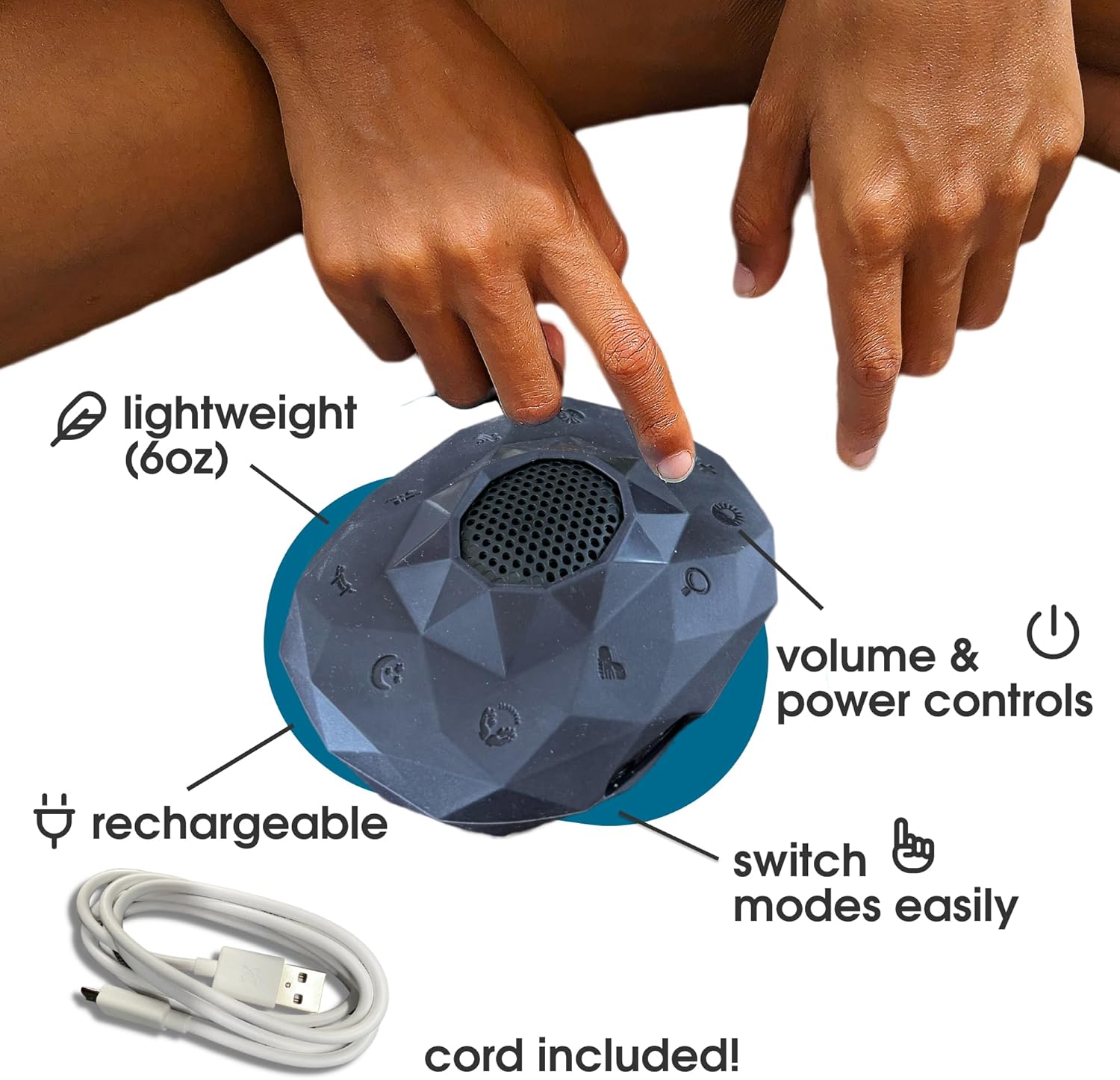
Image: Zenimal device controls and features.
Maintenance
- Cleaning: The Zenimal features a food-grade removable silicone cover. This cover can be removed and is dishwasher safe for easy cleaning. Ensure the device itself is not exposed to water.
- Battery Care: To prolong battery life, avoid fully discharging the device frequently. Charge the device regularly, especially if it will not be used for an extended period.
- Storage: Store the Zenimal in a cool, dry place away from direct sunlight and extreme temperatures.

Image: Zenimal features including dishwasher safe cover.
Troubleshooting
- Device Not Powering On: Ensure the device is fully charged. Connect it to a power source using the provided USB cable and allow it to charge for at least 30 minutes before attempting to power it on again.
- No Sound: Check the volume level using the '+' button. Ensure headphones are not plugged in if you intend to use the built-in speaker.
- Device Not Holding Charge: Verify that the charging cable is securely connected to both the device and the power adapter. Try using a different USB power adapter or port. If the issue persists, the battery may require service.
Specifications
| Model Number | ZEN/PLU/ONY |
| Dimensions | 7.05 x 5.47 x 2.13 inches |
| Weight | 6 ounces |
| Battery Type | 1 Lithium Ion battery (included) |
| Battery Life | Up to 7 hours |
| Connectivity | No Wi-Fi needed |
| Manufacturer | Zenimal |
Warranty and Support
For warranty information or technical support, please contact Zenimal customer service. Details can typically be found on the official Zenimal website or through the retailer where the product was purchased.
You can also visit the Zenimal Store on Amazon for additional product information and support resources.