
AJAZZ AK870
AJAZZ AK870 TKL Mechanical Keyboard User Manual
Model: AK870
1. Package Contents
Please verify that all items are present in the package:
- AJAZZ AK870 TKL Mechanical Keyboard
- USB Cable
- Keycap Puller / Switch Puller (if included, typically combined)
- User Manual (this document)

Image: The AJAZZ AK870 TKL Mechanical Keyboard, showcasing its compact layout and vibrant RGB backlighting.
2. Setup and Connectivity
2.1. Charging the Keyboard
The AK870 keyboard features a built-in 4000mAh battery. Before initial use or when the battery is low, connect the keyboard to a USB power source using the provided Type-C USB cable. The charging indicator will show the charging status.
2.2. Connection Modes
The AK870 supports three connection modes: Bluetooth 5.0, 2.4GHz Wireless, and Wired (Type-C).

Image: Visual representation of the keyboard's versatile connectivity options, including its 4000mAh rechargeable battery, Bluetooth 5.1, 2.4GHz wireless, and wired Type-C connection.
2.2.1. Wired Mode (Type-C)
Connect the keyboard directly to your computer using the provided Type-C USB cable. The keyboard will be recognized automatically and is ready for use. This mode also charges the keyboard.
2.2.2. 2.4GHz Wireless Mode
- Locate the 2.4GHz USB receiver (dongle), typically stored in a slot on the keyboard.
- Plug the USB receiver into an available USB port on your computer.
- Switch the keyboard to 2.4GHz mode (refer to the keyboard's physical switch or key combination for mode selection).
- The keyboard should connect automatically.
2.2.3. Bluetooth Mode (BT5.0)
- Switch the keyboard to Bluetooth mode (refer to the keyboard's physical switch or key combination for mode selection).
- On your device (computer, smartphone, tablet), enable Bluetooth and search for new devices.
- Select "AJAZZ AK870" (or similar name) from the list of available devices.
- Follow any on-screen prompts to complete the pairing process. The keyboard can typically connect to up to 3 Bluetooth devices.
3. Operating Instructions
3.1. Keyboard Layout and Features
The AK870 features a TKL (Tenkeyless) layout, which omits the numeric keypad to save desktop space while retaining essential keys. It incorporates a gasket-mount structure and multiple layers of noise-cancelling cotton for a softer typing feel and reduced hollow sound.

Image: An overview of the AK870's key features, including its TKL layout, gasket mount design, hot-swappable switches, pre-lubricated switches, RGB backlighting, and multi-layer padding for enhanced typing experience.

Image: An exploded view diagram illustrating the internal components and the five-layer gasket structure of the AK870, designed for noise reduction and improved typing feel.
3.2. RGB Lighting Control
The AK870 features programmable RGB lighting with south-facing LEDs. You can switch between 20 default lighting modes using the "FN + |" key combination. For more advanced customization, compatible software may be available (refer to the manufacturer's website for software availability).
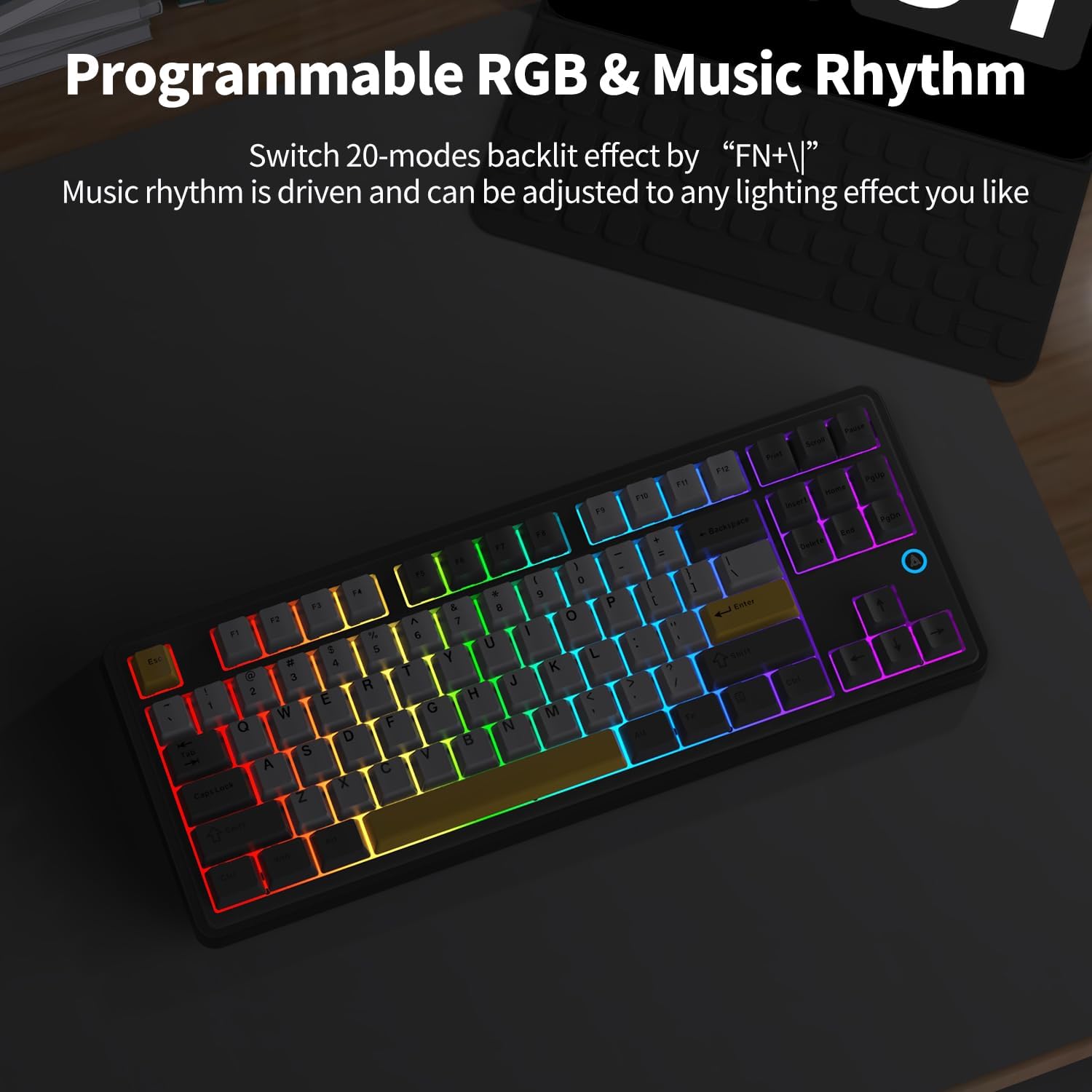
Image: The AK870 keyboard displaying its dynamic programmable RGB lighting, which can also synchronize with music rhythm.
3.3. Operating System Compatibility (Windows/Mac)
The keyboard includes a physical switch or key combination to toggle between Windows and Mac modes. This reconfigures certain keys (e.g., Alt and Win keys to Command and Option) for optimal compatibility with your operating system.

Image: The AK870 keyboard positioned next to a MacBook, illustrating its compatibility and seamless integration with macOS environments.
4. Maintenance
4.1. Cleaning the Keyboard
To maintain the keyboard's appearance and functionality, regularly clean it. Use a soft, lint-free cloth slightly dampened with water or a mild cleaning solution. For deeper cleaning, you may remove keycaps using a keycap puller to clean underneath them. Ensure the keyboard is disconnected from power before cleaning.
4.2. Hot-Swappable Switches
The AK870 features a hot-swappable PCB design, allowing you to easily change switches without soldering. This supports both 3-pin and 5-pin switches. Use the provided switch puller to carefully remove and insert switches. Ensure proper alignment to avoid bending pins.

Image: A close-up view of the AK870's hot-swappable design, demonstrating the ease of removing keycaps and switches using the included tool.
5. Troubleshooting
- Keyboard Not Responding:
- Ensure the USB cable is securely connected in wired mode.
- For wireless modes, check battery level and ensure the keyboard is in the correct mode (2.4GHz or Bluetooth).
- Re-pair Bluetooth connection if necessary.
- Try connecting to a different USB port or device.
- RGB Lighting Issues:
- Press "FN + |" to cycle through lighting modes.
- Ensure the keyboard is not in a low-power state where RGB might be disabled.
- Keys Not Registering or Double-Typing:
- This could be due to switch sensitivity. If keys are too sensitive, consider replacing the switches with ones requiring more actuation force (utilizing the hot-swap feature).
- Ensure switches are fully seated in their sockets.
- F1-F12 Keys Not Working Properly (Linux/Mac):
- In some Linux distributions, the keyboard might be detected as an Apple keyboard, causing F-keys to trigger special actions by default. You may need to adjust system settings (e.g., `hid_apple` module settings) to change the default behavior.
- Ensure the keyboard is set to the correct Windows or Mac mode using its physical switch or key combination.
6. Specifications
| Feature | Detail |
|---|---|
| Model Number | AK870 |
| Product Dimensions | 14.56 x 5.8 x 1.2 inches |
| Item Weight | 2.14 pounds |
| Connectivity Technology | 2.4GHZ, Bluetooth 5.0, USB-C |
| Battery Capacity | 4000mAh Lithium Ion (included) |
| Number of Keys | 87 (TKL Layout) |
| Keycap Material | Two-color injection molded PBT |
| Switch Type | Flying Fish Switch (Linear, pre-lubricated) |
| Backlighting | RGB, South-Facing LED |
| Special Features | Gasket Mount, Hot-Swappable (3/5-pin), Customizable Display Keys, Hotkeys and Media Keys, Rechargeable |
| Compatible Devices | Laptop, PC, iPad (Windows, Mac) |
7. Warranty and Support
For warranty information and customer support, please refer to the official AJAZZ website or contact the seller directly. Keep your purchase receipt as proof of purchase.
You can visit the official AJAZZ store for more information and support: AJAZZ Store
Related documentsAK870


Ask a question about this manual
Ask about setup, troubleshooting, compatibility, parts, safety, or missing instructions. Manuals+ will review the question and use this page’s manual context to help answer it.