
SYMIK X4CC
Contents
SYMIK Insta360 X4 Battery Charger User Manual
Model: X4CC | Brand: SYMIK
1. Introduction
Thank you for choosing the SYMIK Insta360 X4 Battery Charger. This intelligent 3-in-1 device is designed to provide efficient and safe power management for your Insta360 X4 batteries. It combines dual-channel fast charging, a power bank function, and secure battery storage, all monitored via a clear OLED screen.

Figure 1: SYMIK Insta360 X4 Battery Charger Overview
2. Key Features
- Intelligent 3-in-1 Design: Functions as a dual-channel 30W fast charge hub, a 12W output power source (power bank), and a secure battery storage case.
- OLED Screen Display: Features a 0.96" crispy OLED screen that provides real-time battery and charging information, including State of Charge, Power, Voltage, Current, Health, Cycle Counts, Capacity, and Temperature.
- Max 15W Fastest Charging Speed: Charges two Insta360 X4 batteries efficiently, reaching 95% in approximately 35 minutes (at 12W per channel) or 28 minutes (in 15W boost mode).
- Bi-directional (Two-Way) Charger: Capable of charging Insta360 X4 batteries and also providing power to other small devices like phones or tablets.
- Advanced Technology: Utilizes a 120MHz ARM Cortex M4 CPU for seamless operation mode transitions and an elaborate algorithm for optimal power distribution.
- Precision Engineering: Constructed with a semi-clear fire-resistant PC shell, internal aluminum heat sink, and a magnetic lid lock mechanism for safety and durability.
- OEM Charging Specs Compliance: Designed to follow the same charging profile as original equipment manufacturer (OEM) chargers, ensuring battery safety with high and low temperature protection.

Figure 2: Intelligent 3-in-1 Functionality
3. Setup Guide
3.1 Package Contents
- SYMIK Insta360 X4 Battery Charger
- USB-C Charging Cable
Note: Insta360 X4 batteries are not included and must be purchased separately.
3.2 Inserting Batteries
- Open the magnetic lid of the SYMIK charger.
- Align your Insta360 X4 batteries with the designated slots, ensuring the contacts face downwards.
- Gently push the batteries into the slots until they are securely seated.
- Close the lid to secure the batteries.

Figure 3: Inserting Batteries into the Charger
Video 1: Official SYMIK Smart Charger for Insta360 X4 Batteries Overview. This video demonstrates the charger's features and battery insertion process.
4. Operating Instructions
4.1 Charging Batteries
- Ensure batteries are properly inserted into the charger.
- Connect the provided USB-C cable to the charger's input port and to a compatible 30W (or higher) USB power adapter.
- The OLED screen will illuminate and display charging progress for each battery. Charging time from 0% to 95% is approximately 45 minutes (at 12W) or 28 minutes (in 15W boost mode).

Figure 4: Fast Charging Speed Illustration
4.2 Power Bank Function
The SYMIK charger can also function as a 12W power bank to charge other devices. When connected to a device via its USB-C output, the charger will intelligently discharge the Insta360 X4 batteries in sequence to provide power.
- Connect your external device (e.g., smartphone, tablet) to the charger's USB-C port using a compatible cable.
- The charger will automatically switch to power bank mode, indicated on the OLED screen.
- The batteries within the charger will begin to discharge to power your connected device.
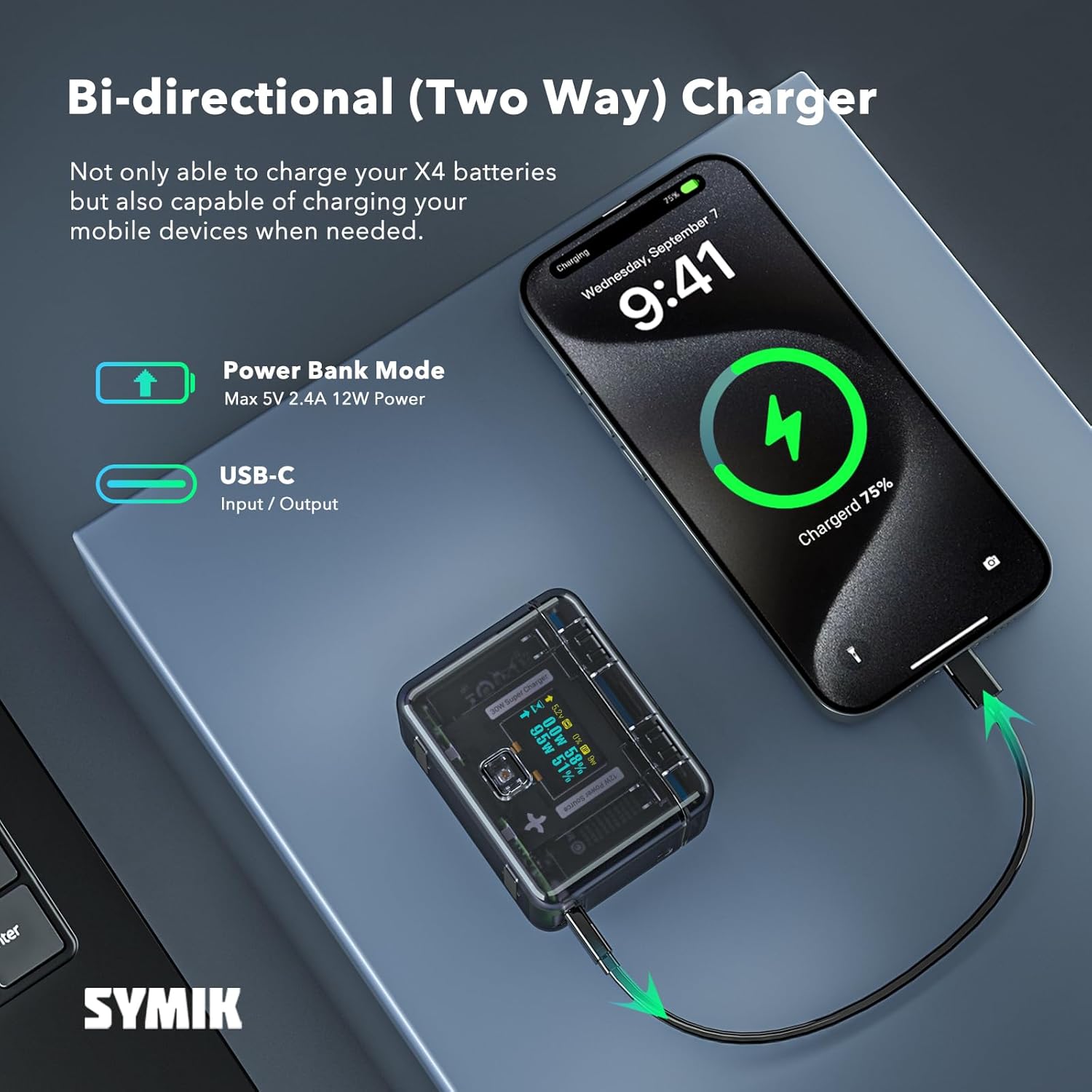
Figure 5: Bi-directional Charging Capability
4.3 OLED Screen Information
The 0.96" OLED screen provides comprehensive real-time data:
- Battery State of Charge (SOC): Percentage of charge remaining for each battery.
- Charge/Discharge Power: Current power (in Watts) being delivered or drawn.
- Voltage & Current: Real-time voltage and current readings.
- Battery Stage of Health (SOH) & Cycle Counts: Indicates the overall health and number of charge cycles for each battery.
- Available & Full Charge Capacity: Displays the current and maximum capacity of the batteries (in mAh).
- Temperature: Battery temperature in both Celsius and Fahrenheit.
- Power Source Capabilities: Shows the available power from the connected input source.

Figure 6: Detailed OLED Screen Display
5. Maintenance
5.1 Cleaning and Storage
- Keep the charger clean by wiping it with a soft, dry cloth. Avoid using harsh chemicals or abrasive materials.
- Ensure the battery contacts and USB-C port are free from dust and debris.
- Store the charger in a cool, dry place away from direct sunlight and extreme temperatures. The magnetic lid lock mechanism ensures secure storage of your batteries.
5.2 Safety Features
The SYMIK charger is engineered with multiple safety protections:
- Over Current Protection: Prevents excessive current flow.
- Over Voltage Protection: Safeguards against voltage surges.
- Over Power Protection: Protects against excessive power delivery.
- Short Circuit Protection: Automatically cuts off power in case of a short circuit.
- Over Charge Protection: Prevents batteries from being overcharged.
- Over Discharge Protection: Protects batteries from being fully depleted.
- Over Temperature Protection: Monitors and regulates internal temperature to prevent overheating.
- Fire Resistant Protection: Constructed with fire-resistant materials for enhanced safety.

Figure 7: Comprehensive Safety Protections
6. Troubleshooting
If you encounter any issues with your SYMIK Insta360 X4 Battery Charger, please refer to the following table for common problems and solutions:
| Problem | Possible Cause | Solution |
|---|---|---|
| Batteries not charging / OLED screen shows 0W | Loose connection, incompatible power source, or improperly inserted batteries. | Ensure the USB-C cable is securely connected to both the charger and a 30W (or higher) power adapter. Verify batteries are correctly inserted with contacts aligned. |
| OLED screen is blank | No power supply to the charger. | Connect the charger to a power source using the USB-C cable. |
| Charger feels warm during operation | Normal during fast charging. | This is normal. The internal aluminum heat sink helps dissipate heat. Ensure adequate ventilation around the charger. |
7. Product Specifications
| Specification | Value |
|---|---|
| Product Dimensions | 1.69 x 2.91 x 2.28 inches (74*58*43 mm) |
| Item Weight | 0.634 ounces (96.4 g) |
| Model Number | X4CC |
| Operating Temperature | 0° to 40° C (32° to 104° F) |
| Charger Mode Input | 5V 3A; 9V 3A; 12V 2.5A (30W Max) |
| Charge Power (Per Channel) | Up to 15W adjustable |
| Power Bank Mode Output | Up to 12W (5V 2.4A) adjustable |
| Charging Time (0% to 100% @12W) | 54 minutes |
| Charging Time (20% to 95% @15W) | 28 minutes |
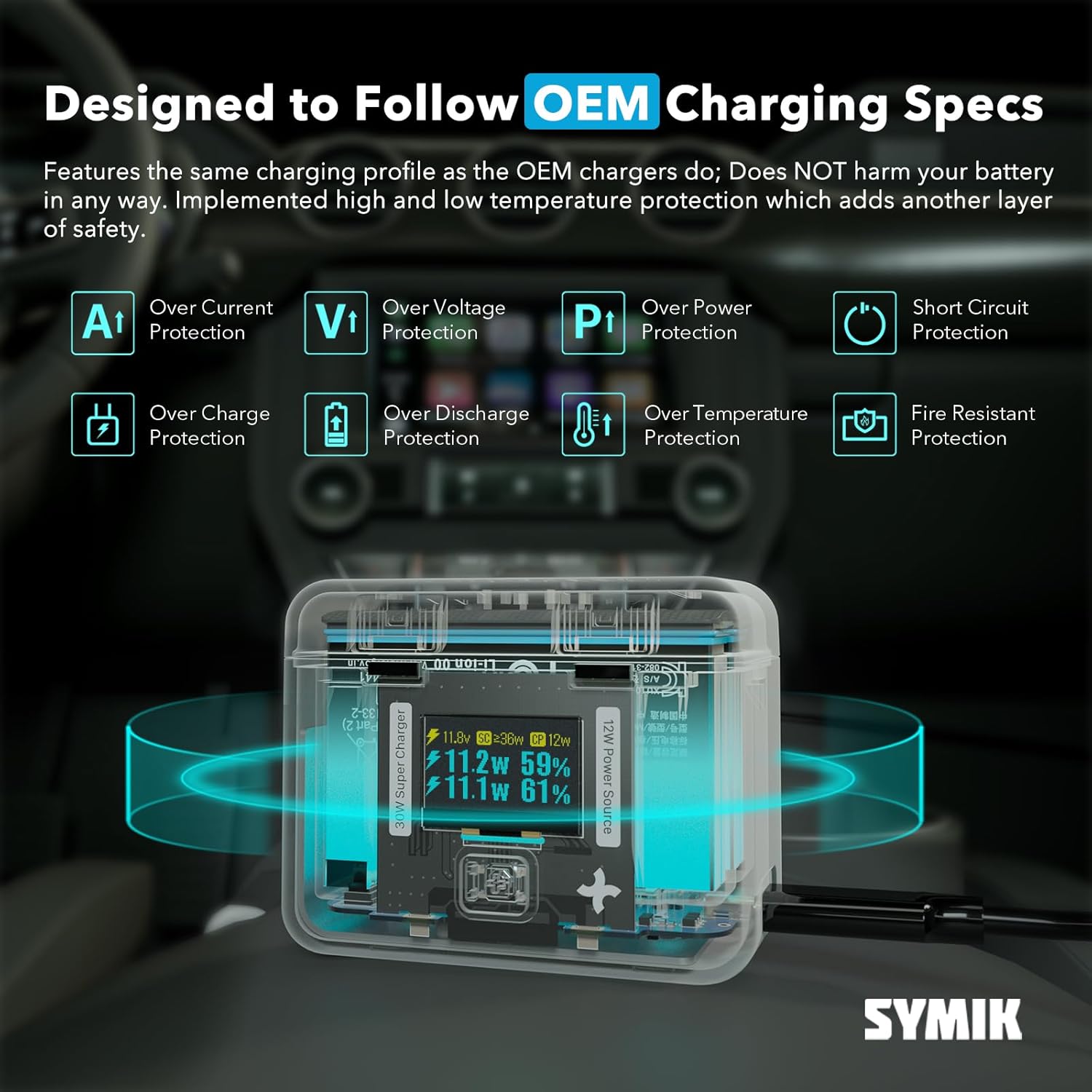
Figure 8: Product Specifications Diagram
8. Warranty & Support
SYMIK products are designed for reliability and performance. For specific warranty information and terms, please refer to the product packaging or contact SYMIK customer support directly.
For further assistance, frequently asked questions, or to explore other SYMIK products, please visit the official SYMIK store:
Visit the SYMIK Store on Amazon
You can also download the full user manual in PDF format for detailed instructions and diagrams:
Documents and downloads
Ask a question about this manual
Ask about setup, troubleshooting, compatibility, parts, safety, or missing instructions. Manuals+ will review the question and use this page’s manual context to help answer it.