1. Introduction and Overview
This manual provides detailed instructions for the proper setup, operation, and maintenance of your Topcon RL-H5B Laser Transit Leveler Kit. This kit is designed for precision leveling tasks in construction, ensuring accuracy for various applications such as setting grades, aligning structures, and general site preparation.
The Topcon RL-H5B system includes the RL-H5B rotary laser unit, the LS-80X laser receiver, a robust telescoping tripod, and a 13ft fiber rod. It is engineered for reliable performance in demanding jobsite conditions.

Image: A construction worker in a hard hat and safety vest using the Topcon RL-H5B laser system with a fiber rod on a construction site, demonstrating its application for grading and excavation.
2. Safety Information
Always read and understand all safety warnings and instructions before operating the Topcon RL-H5B Laser Transit Leveler Kit. Failure to do so may result in injury or damage to the equipment.
Laser Safety
The RL-H5B emits a visible laser beam. Observe the following precautions:
- DO NOT stare directly into the laser beam.
- DO NOT intentionally direct the laser beam at other people or reflective surfaces.
- This product is a Class 2 laser product with an output of 0.9 mW.
- Use only as specified in this manual.
Battery Safety
- Use only the specified battery types (4 D-cell for RL-H5B, 2 AA for LS-80X).
- Ensure correct polarity when inserting batteries.
- Do not mix old and new batteries, or different types of batteries.
- Remove batteries if the unit will not be used for an extended period.
3. Package Contents
Upon opening your Topcon RL-H5B Laser Transit Leveler Kit, please verify that all the following components are present and in good condition:
- Topcon RL-H5B Rotary Laser Unit
- Topcon LS-80X Laser Receiver
- LS-80X Receiver Mounting Bracket
- Topcon 1030652-01 Telescoping Tripod (36-60in)
- 13ft (3.96m) Extendable Inch Fiber Rod
- Latching Hard Case for RL-H5B, LS-80X, and bracket
- Cloth Pouch for Fiber Rod

Image: All components of the Topcon RL-H5B Laser Transit Leveler Kit, including the RL-H5B rotary laser, LS-80X receiver, tripod, fiber rod, and hard carrying case.
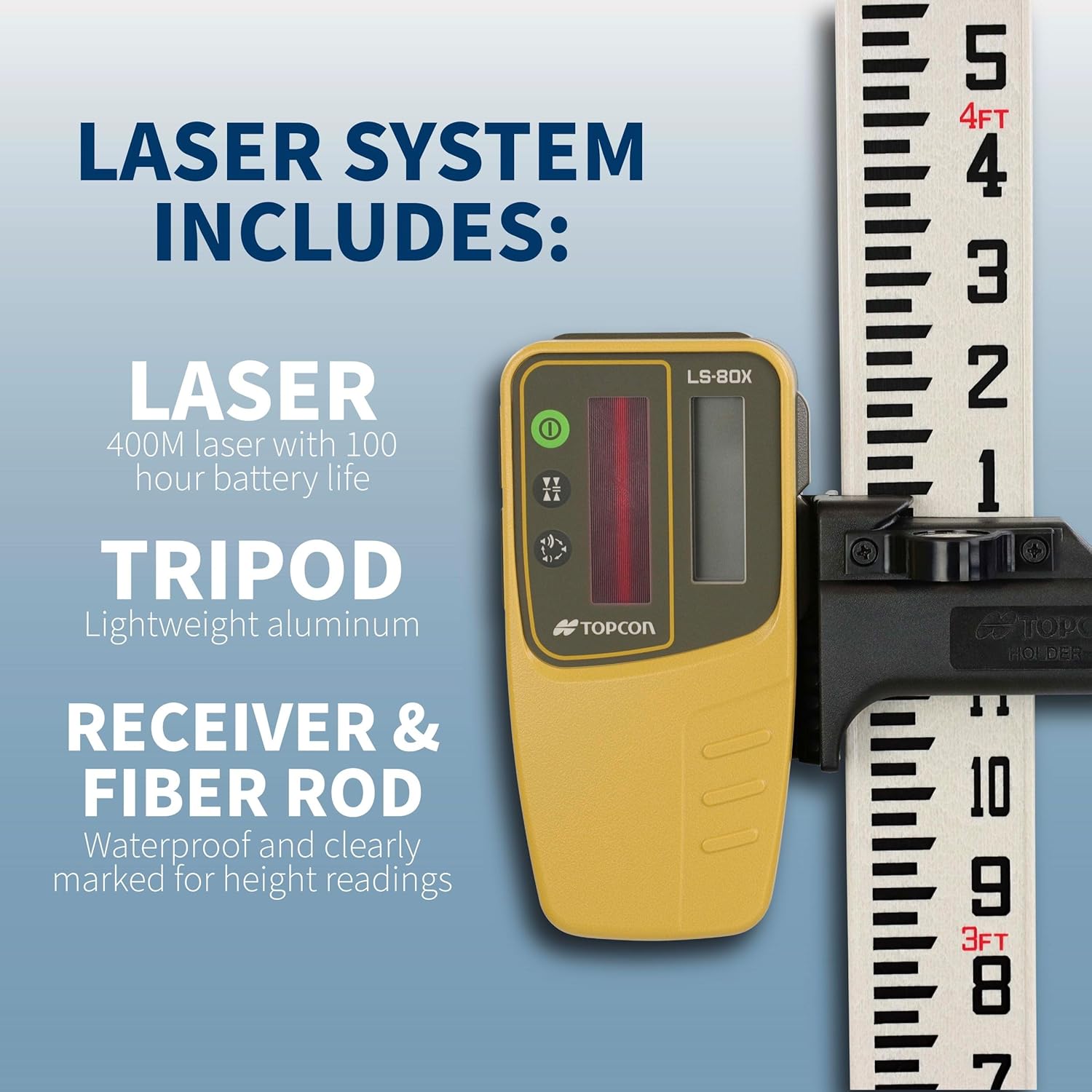
Image: A graphic illustrating the key components of the laser system: the laser unit, tripod, receiver, and fiber rod, with brief descriptions of each.
4. Setup
Follow these steps to set up your Topcon RL-H5B Laser Transit Leveler Kit for operation.
4.1 Battery Installation
- RL-H5B Rotary Laser: Open the battery compartment and insert 4 D-cell batteries, ensuring correct polarity. Close the compartment securely.
- LS-80X Laser Receiver: Open the battery compartment and insert 2 AA batteries, ensuring correct polarity. Close the compartment securely.
4.2 Tripod and Laser Unit Setup
- Extend the legs of the 1030652-01 telescoping tripod to your desired height, adjusting between 36-60 inches (91.4-152 cm). Ensure the spiked feet are firmly gripping the ground for stability.
- Carefully mount the RL-H5B rotary laser unit onto the 5/8-11 tripod head thread. Tighten securely to prevent movement during operation.
- Once mounted, the RL-H5B will self-level within 5 degrees. Allow a few moments for the unit to stabilize before proceeding.
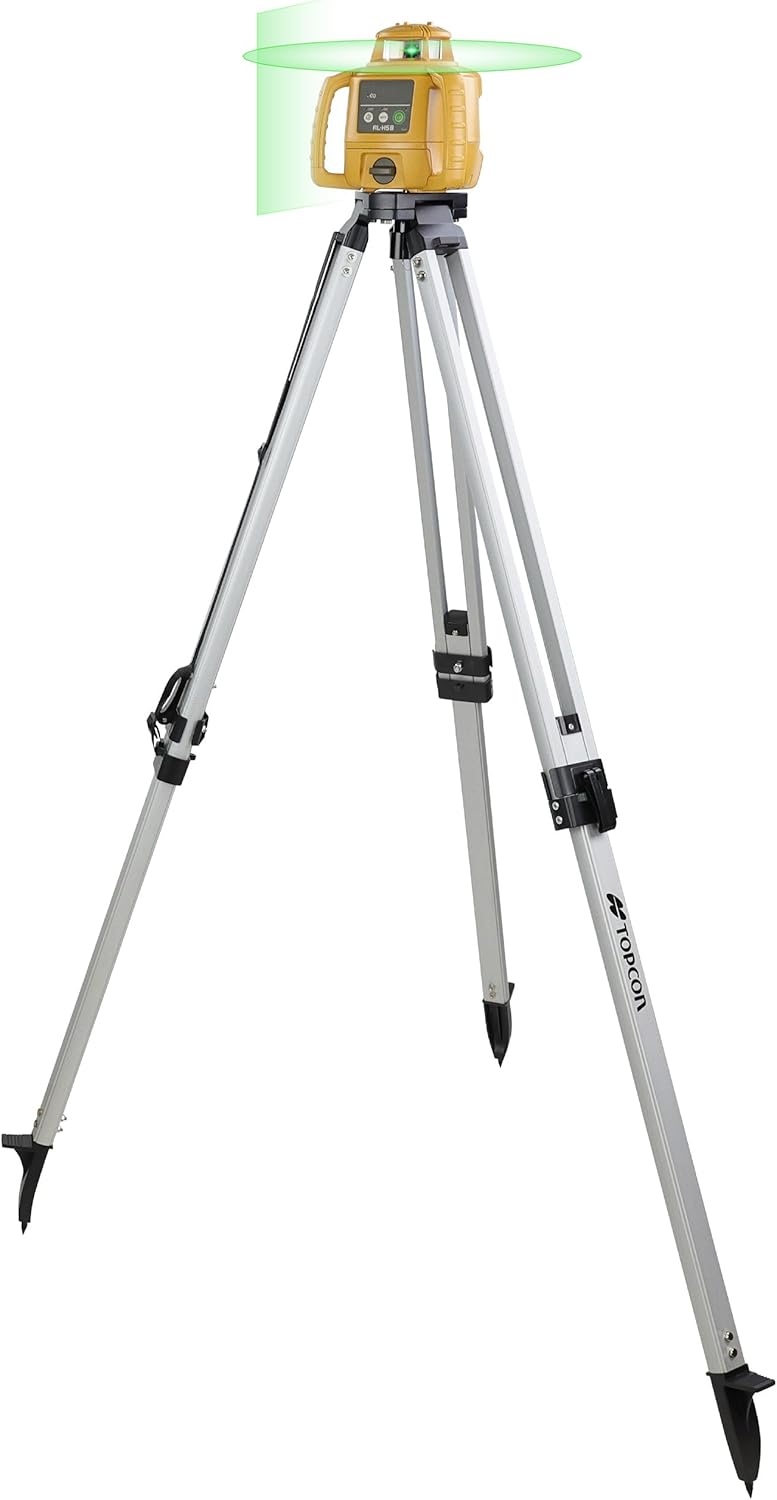
Image: The Topcon RL-H5B rotary laser unit securely mounted on its telescoping tripod, ready for operation.
4.3 Receiver and Fiber Rod Assembly
- Attach the LS-80X receiver mounting bracket to the 13ft (3.96m) extendable inch fiber rod.
- Slide the LS-80X laser receiver into the mounting bracket until it clicks into place. Ensure it is firmly secured.
5. Operating Instructions
Once the kit is set up, follow these instructions for accurate leveling and measurement.
5.1 Powering On and Self-Leveling
- Press the power button on the RL-H5B rotary laser unit. The unit will begin its self-leveling process.
- Wait for the laser beam to stabilize, indicating that the unit is level and ready for use. The RL-H5B operates at 600 rotations per minute, providing a continuous and accurate laser plane.

Image: The Topcon RL-H5B rotary laser unit actively projecting a laser plane on a construction site, demonstrating its long-range and high accuracy capabilities.
5.2 Using the LS-80X Laser Receiver
- Power on the LS-80X receiver.
- Hold the fiber rod with the attached LS-80X receiver in the path of the laser beam.
- The LS-80X features dual-side LCD displays that will indicate the position of the laser beam relative to the receiver's center. Adjust the fiber rod up or down until the display shows the 'on-grade' indication.
- The LS-80X provides accuracy down to 1mm in high precision mode with a detection range of 2 inches (50mm).
- The system allows for accurate readings up to 1,310 feet (400 meters) from the RL-H5B unit.

Image: A detailed view of the Topcon RL-H5B laser unit, highlighting its multi-use capabilities, range of up to 1,300 feet, accuracy of +/- 1/8" at 100 feet, and self-leveling within five degrees.
6. Maintenance
Proper maintenance will ensure the longevity and accuracy of your Topcon RL-H5B Laser Transit Leveler Kit.
6.1 Cleaning
- Wipe down the RL-H5B unit, LS-80X receiver, tripod, and fiber rod with a soft, damp cloth after each use to remove dust, dirt, and debris.
- Do not use abrasive cleaners or solvents, as these can damage the surfaces and electronic components.
- Ensure the laser emission window and receiver sensor are clean and free of obstructions for optimal performance.
6.2 Storage
- Always store the RL-H5B unit, LS-80X receiver, and mounting bracket in the provided latching hard case when not in use. This protects them from impacts and environmental elements.
- Store the fiber rod in its dedicated cloth pouch for protection during transport and storage.
- Store the kit in a dry, temperature-controlled environment.
6.3 Battery Replacement
- Replace batteries in both the RL-H5B and LS-80X when the low battery indicator appears or when performance degrades.
- Dispose of used batteries according to local regulations.
7. Troubleshooting
If you encounter issues with your Topcon RL-H5B Laser Transit Leveler Kit, refer to the following common problems and solutions.
7.1 Laser Unit Not Powering On
- Check if the batteries are correctly inserted with proper polarity.
- Ensure batteries are fresh and fully charged. Replace if necessary.
- Verify the power button is fully depressed.
7.2 Laser Not Self-Leveling or Flashing
- Ensure the tripod is on a stable, relatively level surface. The unit can self-level within 5 degrees. If the tilt is too extreme, it may not level.
- Check for any obstructions or debris around the leveling mechanism.
- If the unit continues to flash, it may indicate an error. Try powering off and on again.
7.3 Receiver Not Detecting Laser
- Ensure the LS-80X receiver batteries are fresh and correctly installed.
- Verify the receiver is powered on.
- Confirm the laser unit is powered on and emitting a beam.
- Ensure the receiver's sensor window is clean and free of dirt or smudges.
- Check that you are within the operational range of 1,310 feet (400 meters).
- Bright sunlight can sometimes affect visibility or detection; try to shade the receiver if possible.
For persistent issues not resolved by these steps, please contact Topcon customer support.
8. Specifications
| Feature | Specification |
|---|---|
| Manufacturer | Topcon |
| Part Number | 1035256-01_KIT |
| Item Weight | 28.9 pounds (13.1 kg) |
| Product Dimensions | 60 x 12 x 14 inches (152.4 x 30.5 x 35.6 cm) |
| Style | Laser |
| Material | Metal, Plastic |
| Item Package Quantity | 1 |
| Special Features | Self-leveling |
| Batteries Required | Yes (4 D-cell for RL-H5B, 2 AA for LS-80X) |
| Laser Output | 0.9 mW |
| Laser IEC Class | Class 2 |
| Operating Range | Up to 1,310 ft (400 m) |
| Self-Leveling Accuracy | Within 5 degrees |
| Rotation Speed | 600 rotations per minute |
| LS-80X Receiver Accuracy | 1mm (high precision mode) |
| LS-80X Detection Range | 2 inches (50mm) |
| IP Rating | IP66 (Dust tight and protected against powerful water jets) |
| Date First Available | April 10, 2024 |
9. Warranty and Support
For information regarding the product warranty, please refer to the warranty card included with your purchase or visit the official Topcon website. Warranty terms and conditions may vary.
For technical support, service, or replacement parts, please contact Topcon customer service through their official channels. Have your product model number (RL-H5B) and serial number ready when contacting support.


