
Introduction
This manual provides detailed instructions for the assembly, operation, maintenance, and troubleshooting of your Miwayer Column Keyboard Stand. Designed for professional use, this heavy-duty stand is constructed from thickened aluminum alloy, offering stability and versatility for 61, 76, and 88-key keyboards. Its foldable design and screwless installation ensure ease of use and portability.

Image: The Miwayer Column Keyboard Stand in its assembled form, showcasing its sleek silver finish and robust structure, suitable for various keyboard sizes.
Product Features
- Professional Design: Suitable for 61, 76, and 88-key keyboards.
- Robust Construction: Made from thickened aluminum alloy, a single layer supports up to 150 pounds, with an overall load capacity of 300 pounds.
- Adjustable Dimensions: Overall height adjustable up to 47 inches (120cm). Top arm length: 15 inches (38cm). Bottom arm length: 17.7 inches (45cm).
- Easy Assembly: Features a screwless, snap-design for quick and straightforward installation.
- Portability: Designed to be foldable for easy transport and storage, includes a carry bag.

Image: Detailed view of the Miwayer Column Keyboard Stand, highlighting its dimensions, non-slip adhesive strips, lift control, storage cord clamps, and non-slip foot pads.
Setup Instructions
The Miwayer Column Keyboard Stand features an upgraded screw-free installation process, allowing for quick and easy assembly.
- Step 1: Plug-in Mounting Tripod. Insert the tripod legs into the base of the main column until they securely snap into place.
- Step 2: Fixed Support Points. Ensure all support points are firmly engaged. The snap design will secure the components.
- Step 3: Plug-in Mounting Keyboard Support. Attach the keyboard support arms to the main column at your desired height. These also use a plug-in, snap mechanism.
- Step 4: Finish! Verify all components are securely attached before placing any instruments on the stand.

Image: Visual guide demonstrating the four-step screw-free installation process for the Miwayer Column Keyboard Stand, from tripod insertion to final assembly.
For optimal stability, ensure the stand is placed on a flat, level surface. The non-slip foot pads provide additional grip.
Operating Instructions
Adjusting Height
The Miwayer Column Keyboard Stand allows for easy height adjustment to suit various users and playing styles. The main column features multiple attachment points for the keyboard support arms.
- To adjust the height of a keyboard support arm, locate the lift control mechanism on the arm.
- Press the release mechanism and slide the arm up or down the main column to the desired position.
- Ensure the arm clicks securely into place at the chosen height before releasing the mechanism.
- Repeat for all support arms if using multiple tiers.

Image: The Miwayer Column Keyboard Stand supporting two keyboards, demonstrating its adjustable height feature suitable for various playing positions.
Securing Your Keyboard
The stand is equipped with non-slip adhesive strips on the support arms to prevent your keyboard from sliding. Ensure your keyboard is centered and stable on the arms before use.
Cable Management
Utilize the provided storage cord clamps to neatly organize cables, preventing tangles and ensuring a tidy setup.
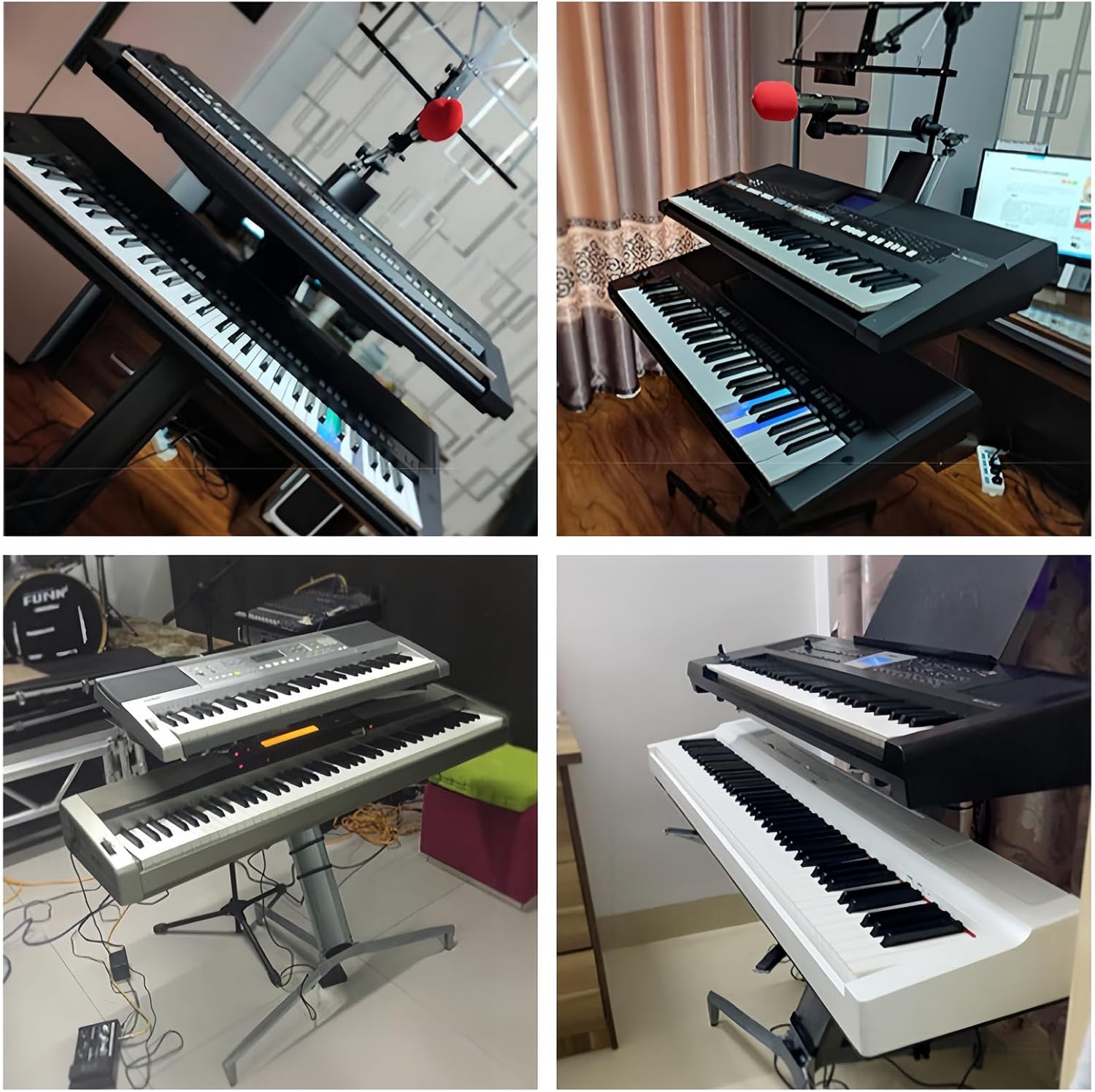
Image: The Miwayer Column Keyboard Stand supporting two keyboards in a studio setting, demonstrating its practical application and capacity for multiple instruments.
Maintenance
Proper maintenance will extend the life and performance of your Miwayer Column Keyboard Stand.
- Cleaning: Wipe down the aluminum surfaces with a soft, damp cloth. Avoid abrasive cleaners or solvents that could damage the finish.
- Inspection: Periodically check all connection points and support arms to ensure they are secure. Verify that the non-slip foot pads are intact and providing adequate grip.
- Storage: When not in use, disassemble the stand and store it in the provided carry bag to protect it from dust and scratches. Store in a dry environment.
Troubleshooting
| Problem | Possible Cause | Solution |
|---|---|---|
| Stand feels unstable or wobbly. |
|
|
| Keyboard slides on support arms. |
|
|
| Difficulty assembling or disassembling. |
|
|
Specifications
| Feature | Detail |
|---|---|
| Brand | Miwayer |
| Model | Aluminum Keyboard Stand |
| Material | Aluminum Alloy |
| Color | Silver |
| Finish Type | Smooth |
| Shape | Column (T-Shape base) |
| Number of Levels | 2 |
| Maximum Load Capacity | 300 Pounds (150 Pounds per tier) |
| Adjustable Height | Up to 47 inches (120 cm) |
| Top Arm Length | 15 inches (38 cm) |
| Bottom Arm Length | 17.7 inches (45 cm) |
| Assembly Required | Yes (Screw-free installation) |
| Compatibility | 61, 76, 88 Keys Keyboard Piano |
Warranty and Support
Miwayer is committed to the research and production of musical instrument related products and strives to provide high-quality products and customer satisfaction.
For any questions, concerns, or support needs regarding your Miwayer Column Keyboard Stand, please contact Miwayer customer service. Refer to your purchase documentation or the Miwayer official website for specific warranty details and contact information.
Note: Keep your purchase receipt as proof of purchase for warranty claims.