
Introduction
Thank you for choosing the global-ptt G5 4G LTE Walkie Talkie. This device is designed for reliable, long-range communication, utilizing 4G LTE networks for extended coverage and traditional radio functionality for direct communication. This manual provides essential information for setting up, operating, and maintaining your device to ensure optimal performance.
Product Overview
The global-ptt G5 is a professional-grade two-way radio featuring 4G LTE connectivity for unlimited distance communication and 16 channel options. It is built for durability and ease of use.
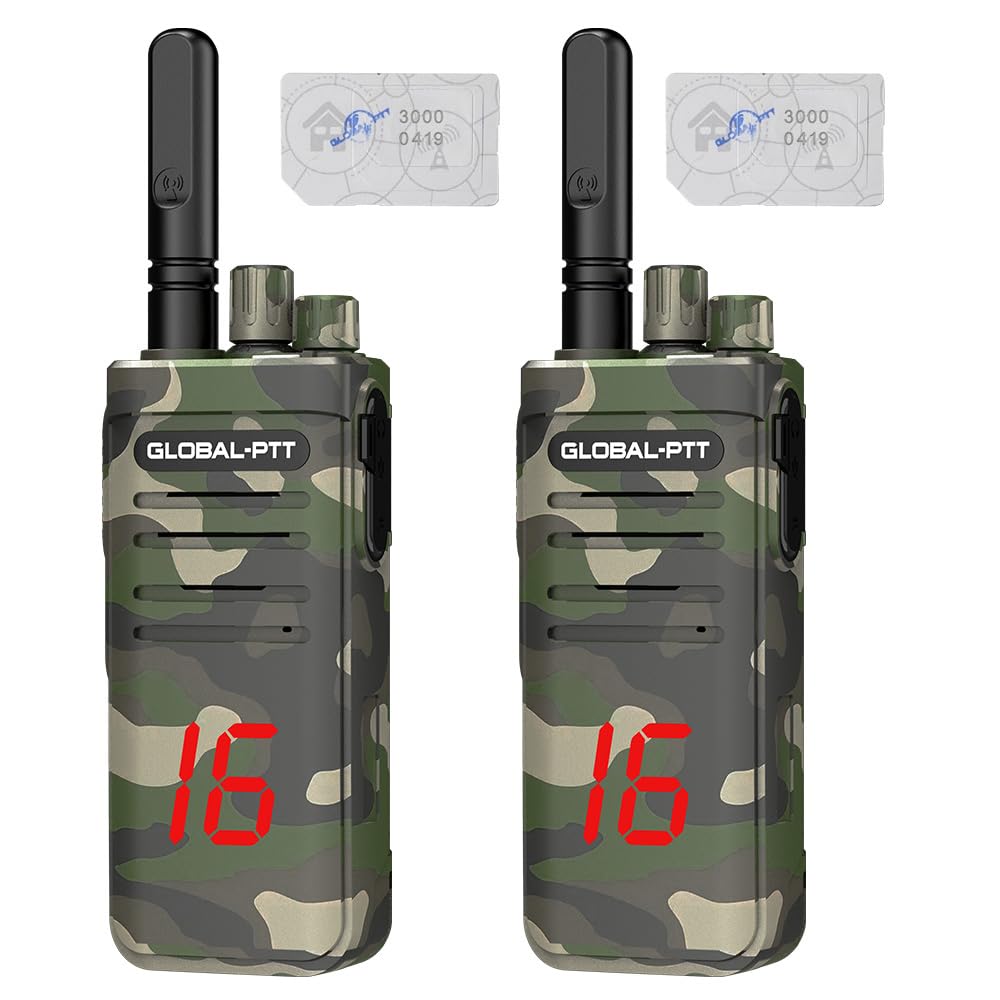
Figure 1: Front view of the global-ptt G5 4G LTE Walkie Talkie.
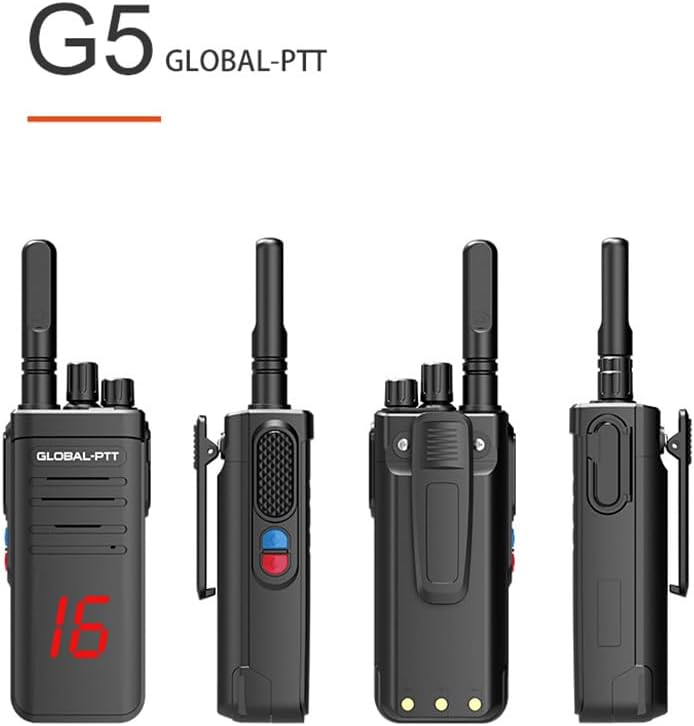
Figure 2: Various views of the global-ptt G5 radio, showing the front, side, and back with belt clip.
Setup
1. Unpacking and Initial Inspection
Carefully unpack all components. Verify that the package contains the host unit, battery, antenna, back clip, lanyard, charger, and SIM card.

Figure 3: Standard configuration list including the radio, battery, charger, belt clip, and lanyard.
2. Battery Installation
- Ensure the radio is powered off.
- Align the battery with the compartment on the back of the radio.
- Gently push the battery into place until it clicks securely.
3. SIM Card Installation
- Locate the SIM card slot, typically under the battery or a side cover.
- Insert the provided SIM card into the slot, ensuring correct orientation.
- Close the cover securely to protect against dust and moisture.
4. Antenna Attachment
- Screw the antenna clockwise into the connector on the top of the radio until it is finger-tight. Do not overtighten.
5. Charging the Battery
- Connect the charger to a power outlet.
- Place the radio (with battery installed) into the charging cradle.
- The charging indicator light will illuminate. A full charge typically takes several hours.
Operating Instructions
1. Power On/Off
To power on the radio, rotate the power/volume knob clockwise until you hear a click and the display illuminates. To power off, rotate the knob counter-clockwise until it clicks off.
2. Channel Selection
Rotate the channel selector knob on the top of the radio to choose from the 16 available channels. The selected channel number will be displayed.
Video 1: Demonstration of channel selection and hand microphone connection on the global-ptt G5 radio.
3. Push-to-Talk (PTT) Function
To transmit, press and hold the large PTT button on the side of the radio. Speak clearly into the microphone. Release the PTT button to listen for a response.
4. Volume Adjustment
Adjust the volume by rotating the power/volume knob. Rotate clockwise to increase volume and counter-clockwise to decrease it.
5. Using the Hand Microphone
Connect the hand microphone to the accessory port on the side of the radio. The hand microphone allows for convenient communication, especially when the radio is clipped to your belt. Use the PTT button on the hand microphone for transmitting.

Figure 4: The global-ptt G5 radio connected to an external hand microphone for enhanced usability.
Maintenance
1. Cleaning
Wipe the radio's exterior with a soft, damp cloth. Do not use harsh chemicals or abrasive cleaners. Ensure all ports are dry before use.
2. Battery Care
To prolong battery life, avoid fully discharging the battery frequently. Charge the battery regularly, even if the radio is not in constant use. Store the radio and battery in a cool, dry place.
3. Storage
When storing the radio for extended periods, remove the battery. Store the radio in a dry, dust-free environment away from direct sunlight and extreme temperatures.
Troubleshooting
| Problem | Possible Cause | Solution |
|---|---|---|
| No power | Battery discharged or not installed correctly. | Charge the battery. Ensure the battery is properly seated. |
| Cannot transmit or receive | Incorrect channel, out of network range, or SIM issue. | Verify channel selection. Check 4G LTE signal strength. Ensure SIM card is active and correctly installed. |
| Poor audio quality | Low signal, antenna loose, or microphone obstruction. | Move to an area with better signal. Tighten antenna. Clear any obstructions from microphone/speaker. |
| Short battery life | Battery not fully charged or aging battery. | Ensure full charge. Consider replacing the battery if it's old. |
Specifications
| Feature | Detail |
|---|---|
| Model | G5 |
| Connectivity | 4G LTE |
| Channels | 16 |
| Battery Capacity | 4950mAh Lithium Ion |
| Standby Time | Up to 3 days |
| Usage Time | Up to 25 hours |
| Charging Port | Type-C |
| Dimensions (LWH) | 190 x 58 x 33 mm |
| Weight | 182g (without battery) / 290g (with battery) |
| Water Resistance | Water Repellent |
| Frequency Range | B1/2/3/4/5/7/8/20/28/34/38/39/40/40/41 |
| Talking Range | Up to 5000 miles (network dependent) |
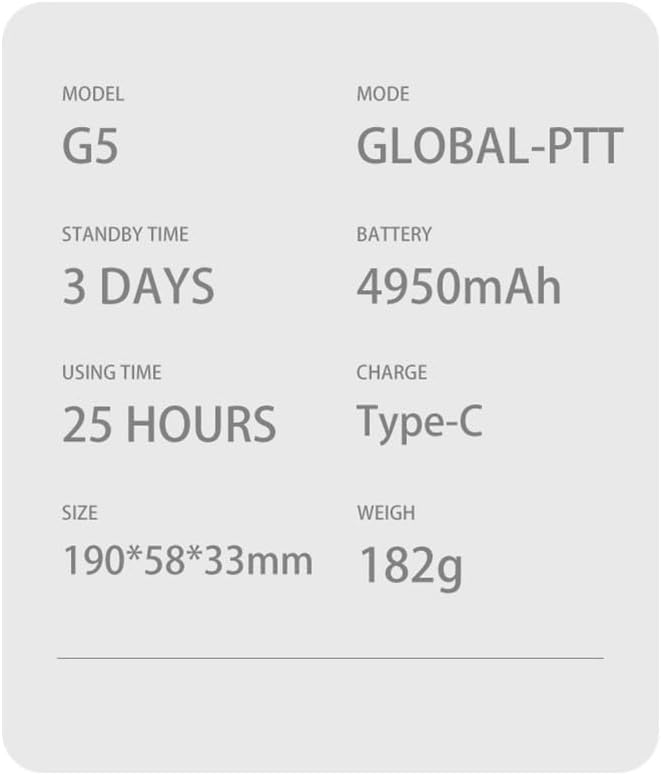
Figure 5: Detailed specifications for the global-ptt G5 model.
Warranty Information
The global-ptt G5 Walkie Talkie comes with a 1-year manufacturer's warranty from the date of purchase. This warranty covers defects in materials and workmanship under normal use. It does not cover damage caused by misuse, accidents, unauthorized modifications, or natural disasters. Please retain your proof of purchase for warranty claims.
Customer Support
For technical assistance, troubleshooting, or warranty inquiries, please contact global-ptt customer service. Refer to the product packaging or the official global-ptt website for the most current contact information.


