
1. Introduction and Overview
The Nitecore CineWind CW20 is a versatile multipurpose pocket photography fan designed for professional tasks and everyday use. It features a compact and lightweight design, making it highly portable for various applications.
Key features include:
- Powerful Airflow: Equipped with a 100W high-power brushless turbo motor, reaching a max wind speed of 42 m/s (94.0 mph).
- Instant Start: Achieves full power in just 0.3 seconds for fast response.
- Stepless Speed Control: Allows for seamless and smooth rotational control to simulate natural wind effects.
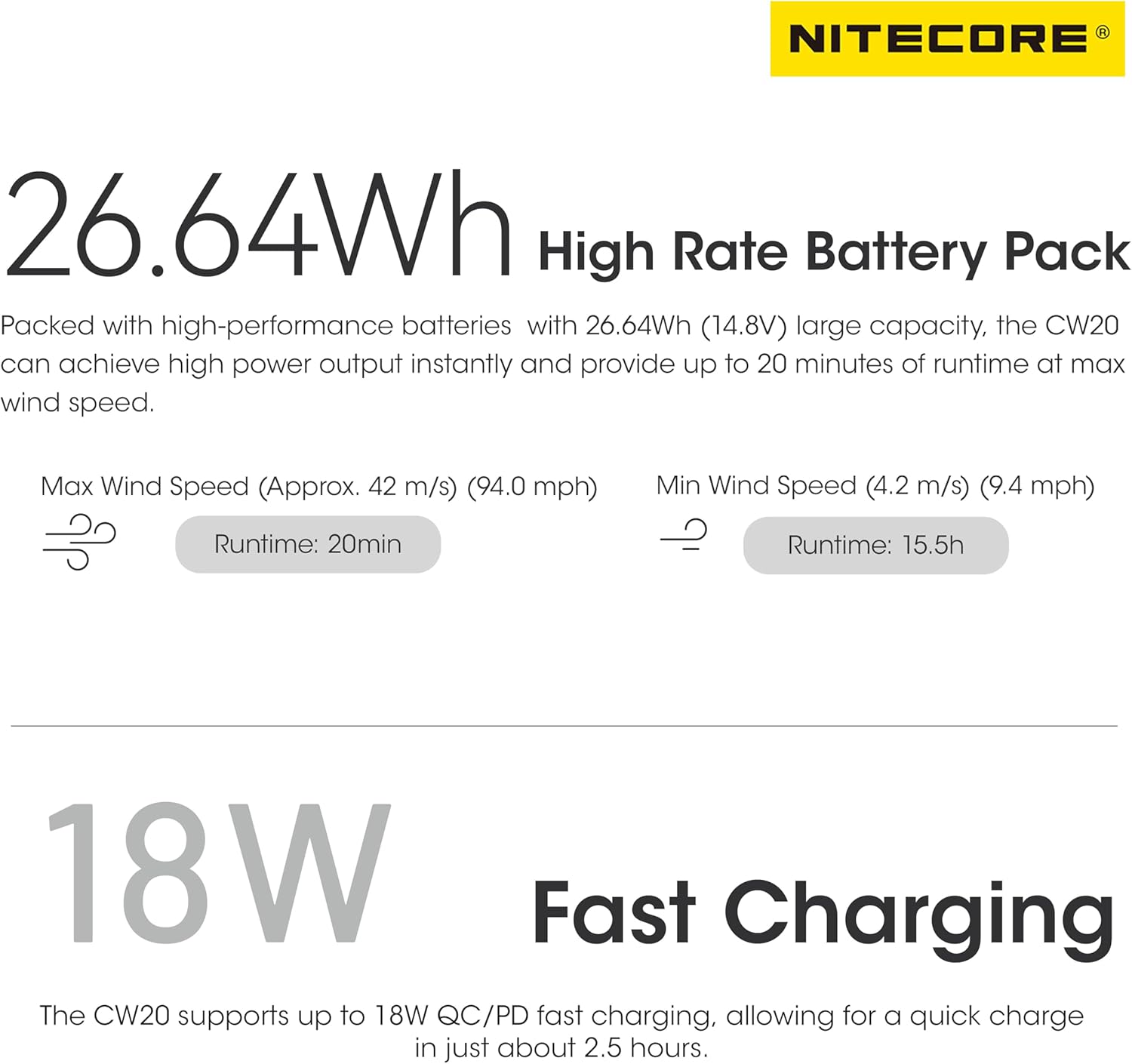
- Long Battery Life: Built-in 26.64Wh (14.8V) high-performance battery provides up to 20 minutes of runtime at max wind speed.
- Fast Charging: Supports up to 18W QC/PD fast charging, fully charging in approximately 2.5 hours.
- Versatile Use: Functions as both a photography fan for styling and a multipurpose dust blower for cleaning.
- Durable Construction: Made from aero-grade aluminum alloy with HA III military-grade hard-anodized finish.
- Included Accessories: Comes with flat and round nozzles, a lanyard, and a rugged storage case.


2. Setup
Before first use, ensure the CW20 is fully charged. Use the provided USB-C charging cable. The battery indicator lights will show the charging status.
2.1 Attaching Nozzles
The CW20 comes with two interchangeable nozzles: a round nozzle for powerful and deep cleaning, and a flat nozzle for cleaning larger areas with high efficiency. To attach a nozzle, simply align it with the fan's output and push firmly until it clicks into place.

2.2 Attaching Lanyard and Tripod Mounting
A lanyard is included for convenient carrying. Attach it to the designated loop on the device. The CW20 also features a 1/4" screw hole on the bottom, compatible with standard photography and imaging accessories like tripods, allowing for stable positioning during use.

3. Operating Instructions
3.1 Power On/Off
To power on the CW20, press and hold the power button (yellow button) for approximately 1 second. To power off, press and hold the power button again until the device shuts down.
3.2 Adjusting Wind Speed
The CW20 features a stepless wind speed control dial. Rotate the dial to precisely adjust the airflow from minimum to maximum speed. The four blue indicator lights next to the dial show the current battery level.

3.3 Usage Scenarios
The CW20 is ideal for a variety of uses:
- Photography: Create natural wind effects for hair, clothing, or props in wedding, travel, e-commerce, and filmmaking shoots.
- Dust Blower: Effectively remove dust and debris from camera lenses, keyboards, electronics, and other hard-to-reach areas.
4. Maintenance
To ensure optimal performance and longevity of your Nitecore CW20, regular maintenance is recommended.
4.1 Cleaning
Use the CW20 itself as a dust blower to clean its own exterior and internal components. For stubborn dirt, gently wipe the surface with a soft, dry cloth. Avoid using harsh chemicals or abrasive materials.
4.2 Storage
When not in use, store the CW20 in its rugged storage case. The case is made from 0.5mm (0.02") thick nano-tech material, providing good protection and organized storage for the fan and its cables.
5. Troubleshooting
If you encounter any issues with your Nitecore CW20, please refer to the following common troubleshooting steps:
- Device not turning on: Ensure the battery is fully charged. Connect the device to a power source using the USB-C cable and allow it to charge for at least 30 minutes before attempting to power on again.
- Weak airflow: Check if the nozzles are securely attached. Ensure the speed control dial is set to the desired level. If the battery is low, charge the device.
- Unusual noise: Inspect the fan's intake and output for any obstructions. Ensure no foreign objects are lodged inside.
- Charging issues: Verify that the USB-C cable and power adapter are functioning correctly. Try using a different cable or adapter. Ensure the charging port is clean and free of debris.
If the problem persists after attempting these steps, please contact Nitecore customer support for further assistance.
6. Specifications
| Feature | Specification |
|---|---|
| Brand | Nitecore |
| Model Name | CW20 |
| Color | Black |
| Electric Fan Design | Blower |
| Power Source | Battery Powered |
| Product Dimensions | 1.5"D x 2.6"W x 4.5"H |
| Special Feature | Portable, Lightweight |
| Recommended Uses | Air Circulation |
| Wattage | 100 watts |
| Voltage | 14.8 Volts |
| Included Components | Flat Nozzle, Lanyard, Round Nozzle, Charging Cable |
| Indoor/Outdoor Usage | Outdoor, Indoor |
| Control Method | Touch |
| Blade Material | Plastic |
| Is Cordless? | Yes |
| Item Weight | 15.8 ounces |
| Batteries | 1 Lithium Ion batteries required (included) |
| Date First Available | April 10, 2024 |
7. Warranty and Support
Nitecore products are manufactured to the highest quality standards. For specific warranty information regarding your CW20 Pocket Photography Fan, please refer to the warranty card included in the product packaging.
For technical support, product inquiries, or service requests, please visit the official Nitecore website or contact their customer service department. Keep your purchase receipt as proof of purchase for warranty claims.