Introduction
Thank you for choosing the SKIUDCT EV68 Wireless Bluetooth 5.3 Earbuds. These earbuds are designed to provide a high-quality audio experience with advanced features such as Bluetooth 5.3 connectivity, HD microphone for clear calls, HiFi stereo sound, and IPX7 waterproofing. This manual will guide you through the setup, operation, and maintenance of your new earbuds to ensure optimal performance.
1. Setup
1.1 Package Contents
- SKIUDCT EV68 Wireless Earbuds (Left and Right)
- Charging Case
- USB Type-C Charging Cable
- User Manual
1.2 Initial Charging
Before first use, fully charge the earbuds and the charging case.
- Place both earbuds into the charging case.
- Connect the USB Type-C charging cable to the charging port on the case and plug the other end into a USB power adapter (not included) or a computer's USB port.
- The LED display on the charging case will show the battery level. Allow approximately 2 hours for a full charge of the case.
- The earbuds will charge automatically when placed in the case.
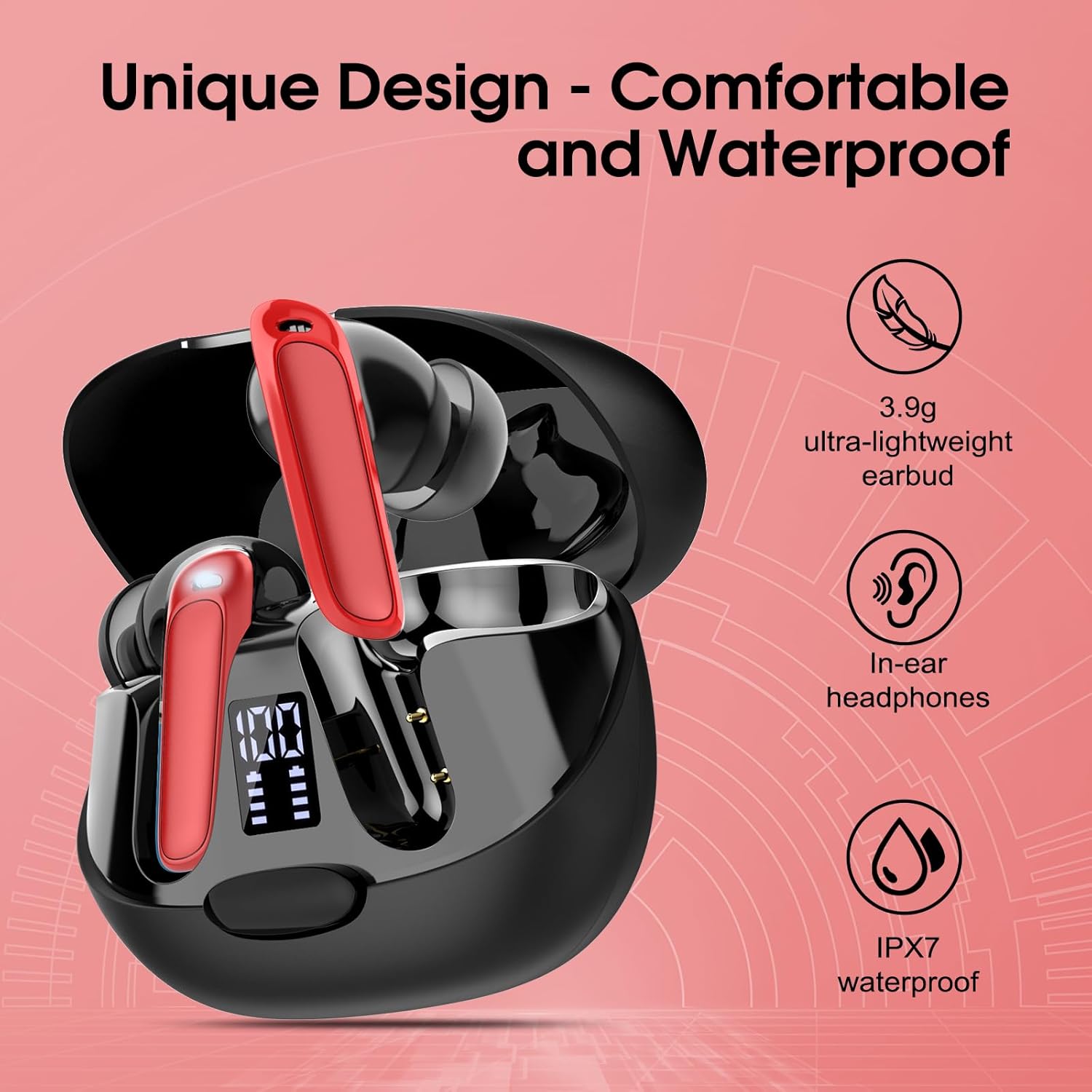
Figure 1: Charging the Earbuds and Case. The image displays the charging case with earbuds, a Type-C charging port, and an LED power display showing battery status. The text indicates 1.5 hours for quick charge and 40 hours total playback with the case.
1.3 Pairing with Your Device
The earbuds will automatically enter pairing mode when taken out of the charging case.
- Open the charging case and remove both earbuds. They will automatically power on and enter pairing mode (indicated by flashing LED lights, if applicable).
- On your smartphone or tablet, enable Bluetooth.
- Search for Bluetooth devices and select "EV68" from the list.
- Once connected, you will hear a confirmation tone, and the earbud indicator lights will turn off or flash slowly.
- The earbuds will automatically reconnect to the last paired device when removed from the case, if Bluetooth is enabled on the device.

Figure 2: Bluetooth Pairing. The image illustrates the Bluetooth pairing process, showing the earbuds and case alongside a phone screen with the "EV68" device selected in the Bluetooth settings.
2. Operating Instructions
2.1 Wearing the Earbuds
Gently insert the earbuds into your ears and rotate them slightly to find a comfortable and secure fit. The lightweight design (3.9g per earbud) ensures comfort during extended use.

Figure 3: Earbud Design. This image showcases the overall design of the SKIUDCT EV68 earbuds and their charging case, emphasizing their comfortable in-ear fit and lightweight nature.
2.2 Touch Controls
The SKIUDCT EV68 earbuds feature intuitive touch controls for easy management of music, calls, and voice assistant.
| Function | Left Earbud | Right Earbud |
|---|---|---|
| Play/Pause | Single tap | Single tap |
| Next Song | Triple tap | |
| Previous Song | Triple tap | |
| Volume Up | Double tap | |
| Volume Down | Double tap | |
| Answer/End Call | Single tap | Single tap |
| Reject Call | Press and hold for 2 seconds | Press and hold for 2 seconds |
| Activate Voice Assistant | Press and hold for 2 seconds | Press and hold for 2 seconds |

Figure 4: Touch Control Functions. This image visually explains the touch control gestures for music playback, call management, and voice assistant activation on the earbuds.
2.3 Call Management and Sound Quality
The earbuds feature an HD microphone and a dual-microphone system designed to isolate your voice from ambient noise, ensuring crystal-clear calls. The 13mm bio-diaphragm dynamic speakers deliver high-definition, transparent, and full-bodied HiFi stereo sound.
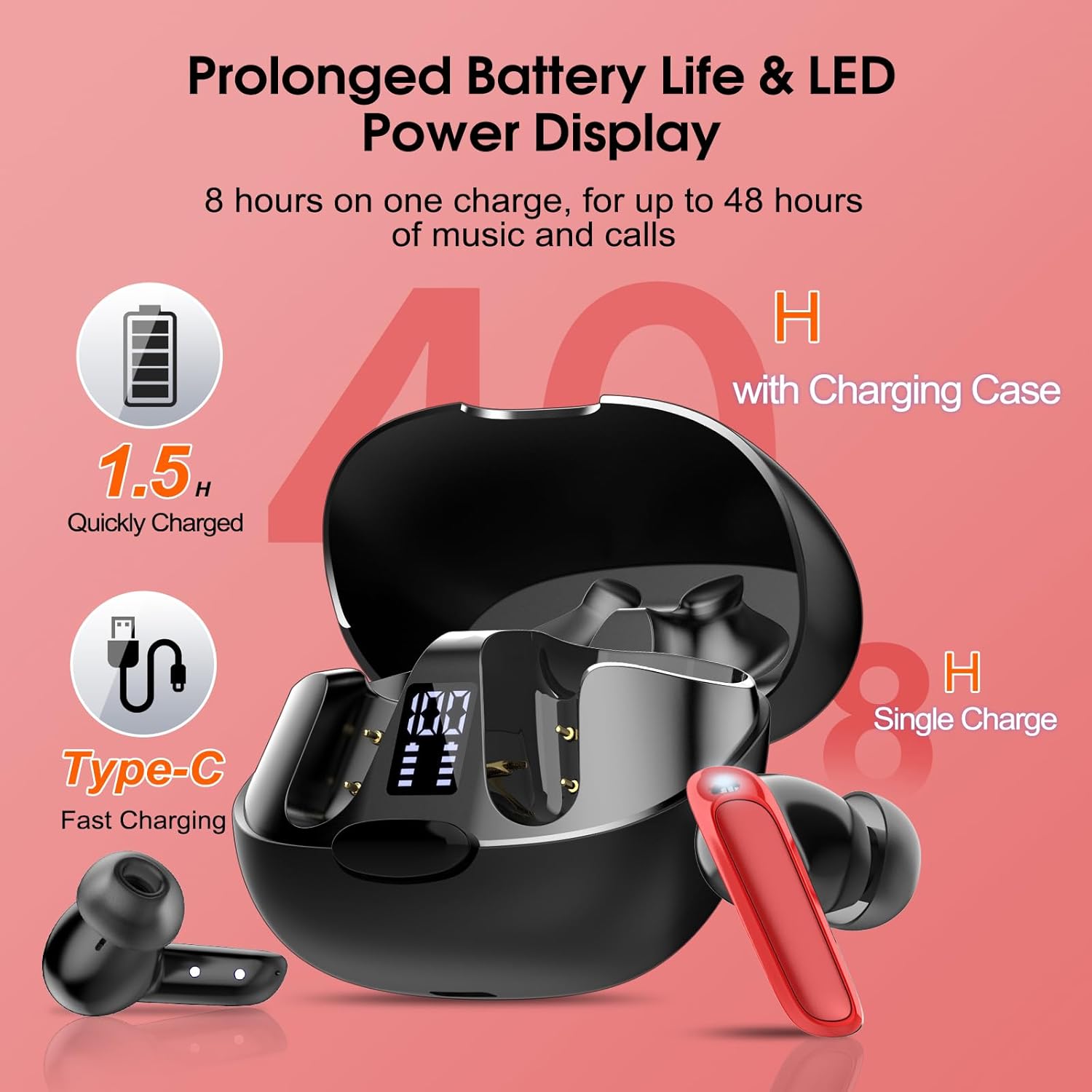
Figure 5: Crystal-Clear Calls. This image highlights the call clarity feature, showing a user on a call with the earbuds and a visual representation of noise reduction.

Figure 6: 13mm Bio-Diaphragm Dynamic Speaker. This diagram illustrates the internal structure of the earbud's speaker, emphasizing its role in delivering pure and natural sound.
3. Maintenance
3.1 Cleaning
- Regularly clean the earbuds and charging case with a soft, dry, lint-free cloth.
- Do not use abrasive cleaners, alcohol, or chemical solvents.
- Ensure charging contacts on both earbuds and the case are clean and dry to prevent charging issues.
3.2 Water Resistance (IPX7)
The earbuds are rated IPX7 waterproof, meaning they can withstand immersion in water up to 1 meter for 30 minutes. This makes them suitable for sports and exercise. However, the charging case is not waterproof. Do not expose the charging case to water or moisture.
Figure 7: Water Resistance. This image displays the SKIUDCT EV68 earbuds and charging case, serving as a visual reference for the IPX7 waterproof feature of the earbuds.
3.3 Storage
When not in use, store the earbuds in their charging case to protect them and keep them charged. Store in a cool, dry place away from extreme temperatures.
4. Troubleshooting
4.1 Earbuds Not Pairing or Connecting
- Ensure both earbuds are fully charged.
- Make sure Bluetooth is enabled on your device and the earbuds are within range (typically 10 meters).
- Turn off Bluetooth on your device, then turn it back on.
- Forget or delete "EV68" from your device's Bluetooth list and try pairing again.
- Place both earbuds back into the charging case, close the lid, wait a few seconds, then open the lid and remove them to reset.
4.2 Only One Earbud Working
- Ensure both earbuds are charged.
- Place both earbuds back into the charging case, close the lid, then open it and remove them simultaneously. This should force them to reconnect to each other.
- If the issue persists, try resetting the earbuds (refer to the pairing section for steps to re-pair).
4.3 Charging Issues
- Check if the charging cable is securely connected to both the case and the power source.
- Ensure the charging contacts on the earbuds and inside the case are clean and free of debris.
- Try using a different USB Type-C cable and power adapter.
- Verify the charging case has sufficient power.
4.4 Poor Sound Quality
- Ensure the earbuds are properly seated in your ears for a good seal.
- Clean any earwax or debris from the earbud nozzles.
- Move closer to your connected device to avoid interference.
- Try playing audio from a different source or device to rule out source issues.
5. Specifications
| Feature | Detail |
|---|---|
| Model Name | EV68 |
| Brand | SKIUDCT |
| Connectivity Technology | Wireless (Bluetooth 5.3) |
| Earbud Type | In-Ear |
| Special Features | Touch Control, LED Power Display, HD Microphone, HiFi Stereo, Dual-Microphone System |
| Water Resistance Level | IPX7 (Earbuds only) |
| Driver Size | 13mm Bio-Diaphragm Dynamic Speaker |
| Battery Life (Single Charge) | Up to 7 hours |
| Total Playtime (with Charging Case) | Up to 42 hours |
| Charging Port | USB Type-C |
| Charging Case Charge Time | Approx. 2 hours |
| Earbud Weight | 3.9g (ultra-lightweight) |
| Compatible Devices | Phones, tablets with iOS and Android operating systems |
| Recommended Use | Sport, Exercise, Calls |
6. Warranty and Support
For warranty information or technical support, please refer to the documentation included with your purchase or contact SKIUDCT customer service through the retailer where the product was purchased. Please retain your proof of purchase for warranty claims.
