
1. Introduction
Thank you for choosing the Gerrit ZW60 Smartwatch. This manual provides essential information for the proper use, setup, and maintenance of your device. Please read it carefully before using the smartwatch to ensure optimal performance and longevity.
2. Product Overview
The Gerrit ZW60 is a versatile smartwatch designed for daily use, featuring a 1.43-inch AMOLED display, Bluetooth calling, music playback, and comprehensive health monitoring capabilities. It is compatible with both Android and iOS devices.
Key Features:
- 1.43-inch AMOLED Touchscreen Display (466x466 resolution)
- Bluetooth 5.3 Connectivity for calls and data sync
- Health Monitoring: Heart Rate, Sleep, Blood Pressure, Blood Oxygen
- Activity Tracking: Steps, Calories, Distance, Multiple Sports Modes
- Music Player Control
- Message and Call Reminders
- Detachable Silicone Gel Strap
- Water-resistant design
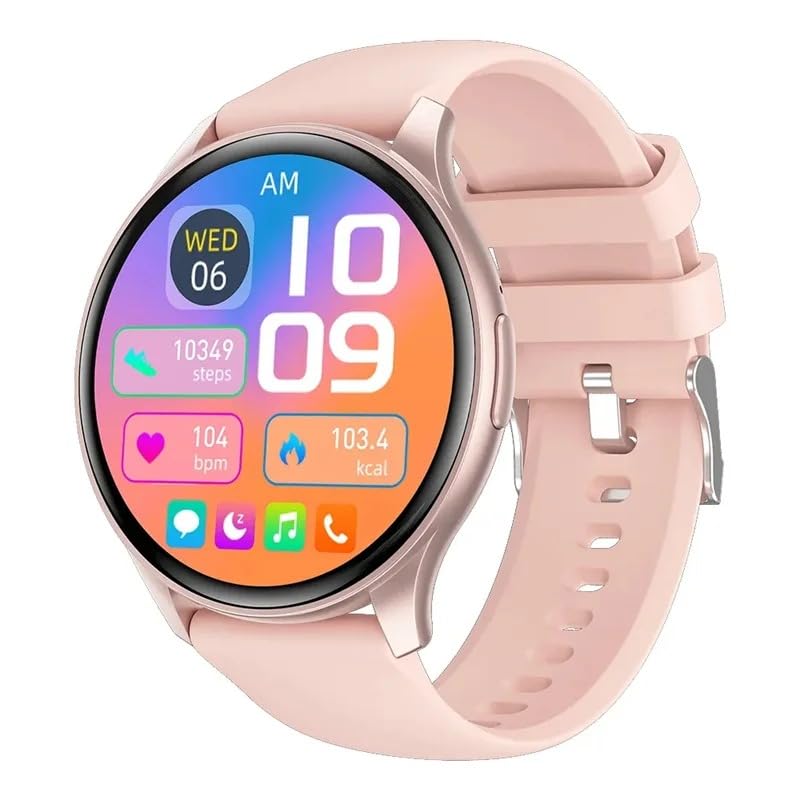
Figure 2.1: Overview of the Gerrit ZW60 Smartwatch in different colors, showcasing various display options.
3. Setup
3.1 Charging the Smartwatch
Before first use, fully charge your smartwatch. Connect the magnetic charging cable to the charging points on the back of the watch and plug the USB end into a standard USB power adapter (not included). The watch display will indicate charging status. A full charge typically takes 2-3 hours.
3.2 App Installation
To unlock all features and synchronize data, download the companion application on your smartphone. Scan the QR code provided in the watch packaging or search for the app name (usually mentioned in the quick start guide) in your phone's app store (Google Play Store for Android, Apple App Store for iOS).
3.3 Pairing with Your Smartphone
- Ensure your smartwatch is charged and powered on.
- Enable Bluetooth on your smartphone.
- Open the installed companion app on your smartphone.
- Follow the in-app instructions to search for and connect to your Gerrit ZW60 smartwatch. The app will guide you through the pairing process.
- Confirm the pairing request on both your phone and the smartwatch if prompted.
4. Operating the Smartwatch
4.1 Basic Navigation
- Touchscreen: Swipe left/right, up/down to navigate through menus and features. Tap to select.
- Side Button: Typically used to return to the home screen or power on/off the device (long press).
4.2 Bluetooth Calling
Once paired with your smartphone, the ZW60 allows you to make and receive calls directly from your wrist. Ensure Bluetooth calling is enabled in the smartwatch settings and the companion app.

Figure 4.1: Smartwatch display showing a Bluetooth call interface and various menu modes.
4.3 Music Playback Control
Control music playing on your smartphone directly from the smartwatch. You can play, pause, skip tracks, and adjust volume.
4.4 Health Monitoring
The smartwatch continuously monitors various health metrics. Access these features through the watch menu or the companion app for detailed insights.
- Heart Rate Monitor: Measures your heart rate throughout the day.
- Sleep Monitor: Tracks your sleep patterns, including deep and light sleep.
- Blood Pressure Monitor: Provides estimated blood pressure readings.
- Blood Oxygen (SpO2) Monitor: Measures blood oxygen saturation levels.

Figure 4.2: Heart rate monitoring in progress on the smartwatch display.
4.5 Activity Tracking and Sports Modes
The ZW60 tracks your daily activity and offers multiple sports modes for specific workouts.
- Daily Activity: Tracks steps, distance, and calories burned automatically.
- Sports Modes: Select a specific sport (e.g., walking, running, cycling) to get more accurate data for your workout.
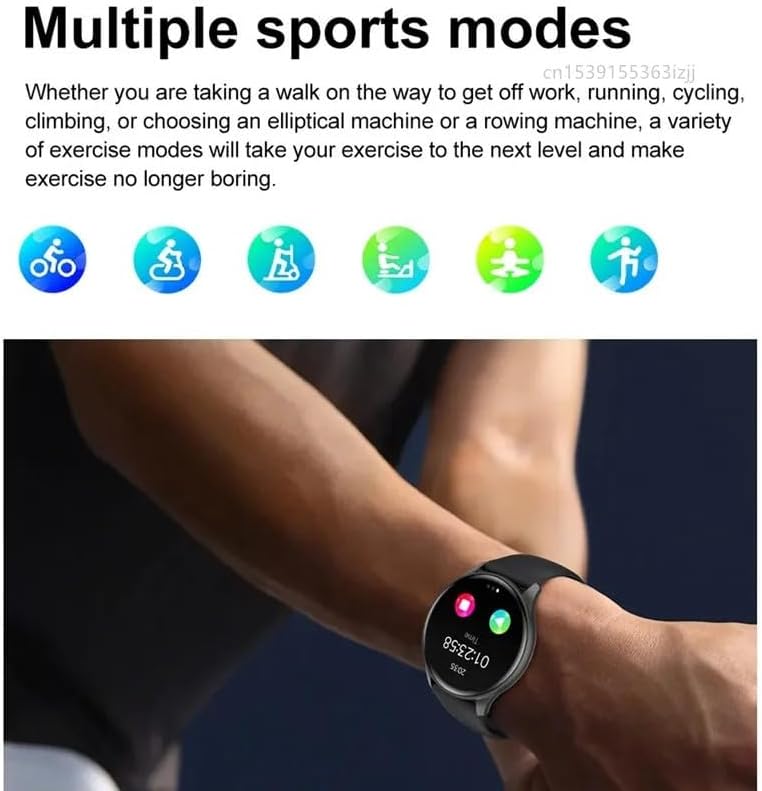
Figure 4.3: Smartwatch screen showing icons for multiple sports modes.
5. Maintenance
5.1 Cleaning
Regularly clean your smartwatch and strap to prevent skin irritation and maintain device hygiene. Use a soft, damp cloth to wipe the screen and strap. Avoid harsh chemicals or abrasive materials.
5.2 Water Resistance
The Gerrit ZW60 is designed to be water-resistant for daily activities such as hand washing or light rain. It is not recommended for swimming, showering with hot water, or prolonged submersion. Water resistance may decrease over time with normal wear and tear.
6. Troubleshooting
- Watch not turning on: Ensure the watch is fully charged. Connect it to the charger for at least 30 minutes.
- Cannot pair with phone: Make sure Bluetooth is enabled on your phone and the watch. Restart both devices and try pairing again through the app. Ensure the app has necessary permissions.
- Inaccurate health data: Ensure the watch is worn snugly on your wrist, not too tight or too loose. Clean the sensor on the back of the watch.
- Notifications not received: Check app permissions on your phone for notifications. Ensure the watch is connected via Bluetooth and the app is running in the background.
7. Specifications
| Feature | Specification |
|---|---|
| Model | ZW60 |
| Display | 1.43-inch AMOLED, 466x466 resolution |
| Bluetooth Version | 5.3 |
| Operating System Compatibility | Android, iOS |
| Battery Capacity | 220-300 mAh (typical) |
| Strap Material | Silica GEL |
| Case Material | Alloy |
| Water Resistance | Water-resistant (daily use) |
| Human Interface Input | Touchscreen |

Figure 7.1: Internal processor of the smartwatch, highlighting its performance capabilities.
8. Warranty and Support
For warranty information, please refer to the documentation included with your purchase or contact the retailer where you purchased the Gerrit ZW60 Smartwatch. For technical support or further assistance, please reach out to the manufacturer's customer service.