
surmen M75
Surmen M75 75% Wireless Mechanical Keyboard User Manual
Model: M75
1. Setup
1.1 Package Contents
Verify that all items are present in the package:
- Surmen M75 Mechanical Keyboard
- USB Cable
- Keycap Puller

For a visual guide on unboxing and initial setup, refer to the video below:
Video demonstrating the unboxing and initial overview of the M75 keyboard, including its components.
1.2 Initial Connection
The Surmen M75 keyboard supports three connection modes: USB-C wired, 2.4GHz wireless, and Bluetooth 5.0. Select your preferred mode using the switch located on the back of the keyboard.
- Wired Mode: Connect the provided USB-C cable to the keyboard and your computer.
- 2.4GHz Wireless Mode: Insert the 2.4GHz USB dongle into an available USB port on your computer. Switch the keyboard to 2.4G mode.
- Bluetooth Mode: Switch the keyboard to BT mode. On your device, search for "Surmen M75" in Bluetooth settings and pair. The keyboard can store up to 3 Bluetooth devices.

Observe the connection switch and south-facing LEDs in action:
Video demonstrating the tri-mode connection switch and the illumination of the south-facing LEDs on the keyboard.
2. Operation
2.1 Multimedia and Function Keys
The Surmen M75 keyboard features dedicated function keys and multimedia controls accessible via the Fn key. Refer to the diagram below for specific key combinations for Windows and Mac operating systems.

2.2 RGB Lighting Control
The keyboard features customizable RGB lighting with 16 unique effects and over 16.8 million colors. The side lighting can be adjusted independently.
- Changing Side Light Mode: Press Fn + Right Ctrl to cycle through side light modes.
- Adjusting Lighting Speed/Brightness: Use the rotary knob to change the speed of light variation or brightness.

See how to switch side light modes:
Video demonstrating how to switch the side light mode using the Fn + Right Ctrl key combination.
2.3 Battery Level Check
To check the current battery level in wireless mode, press Fn + Alt. The indicator lights will display the remaining charge.
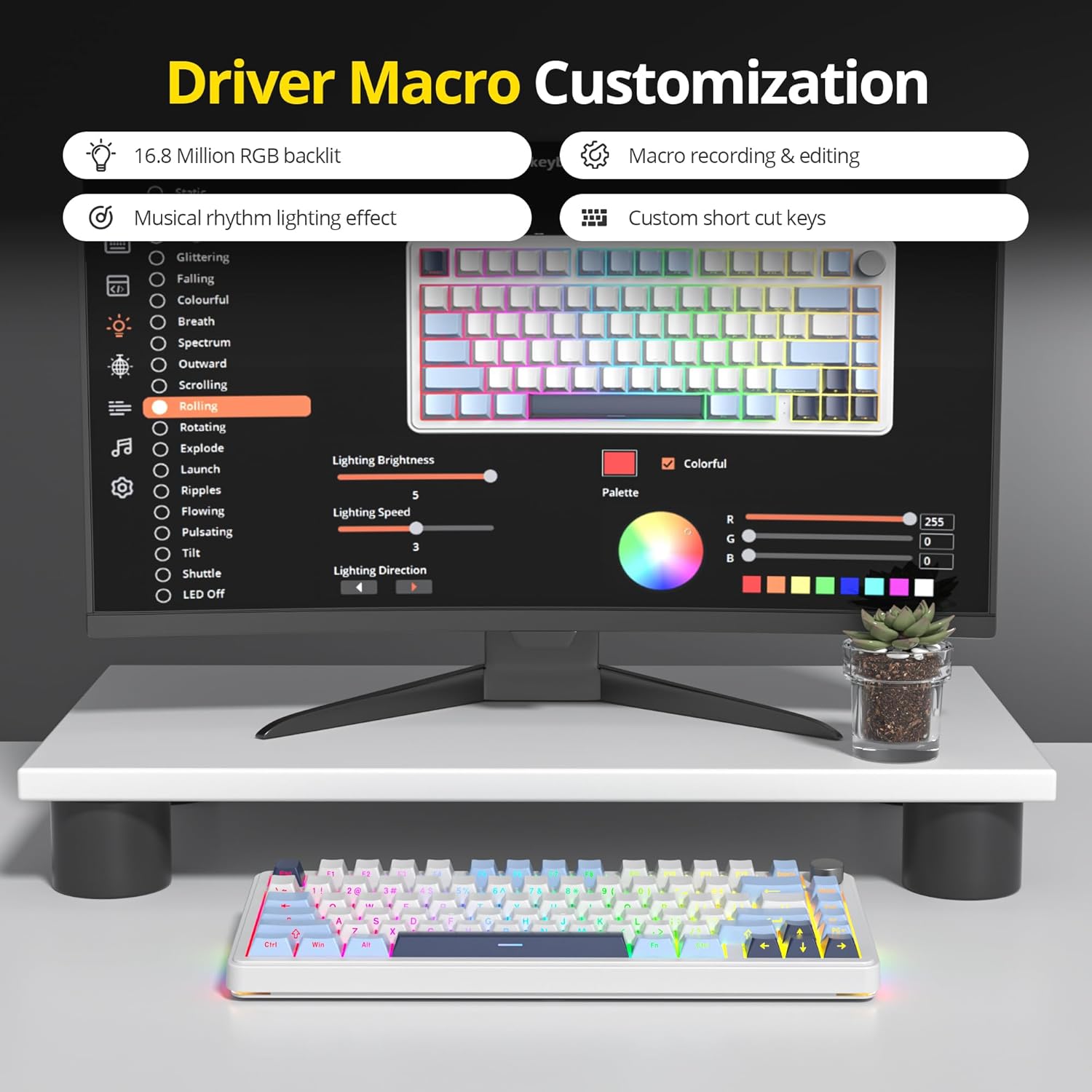
2.4 Software Customization
Utilize the professional software to configure multiple operations, customize RGB lighting, and set up macros for enhanced work and gaming efficiency. The software allows for macro recording and editing, as well as custom shortcut keys. Ensure the keyboard is in wired mode when running the driver.

2.5 Typing Sound Demonstration
Experience the pleasing acoustic feedback of the Surmen M75 keyboard's pre-lubed switches and sound-absorbing design:
Video demonstrating the typing sound profile of the Surmen M75 keyboard.
3. Maintenance
3.1 Cleaning
Regular cleaning helps maintain the keyboard's performance and appearance. Use a soft, dry cloth to wipe the surface. For deeper cleaning, carefully remove keycaps using the provided keycap puller and use compressed air to clear debris from beneath the keys.
3.2 Hot-Swappable Switches
The Surmen M75 keyboard features hot-swappable sockets, allowing you to change mechanical switches without soldering. This enables customization and easy replacement of faulty switches. Use a switch puller (not included) to carefully remove and insert switches.

The keyboard's internal design includes multiple layers for sound dampening and acoustic feedback:
Video showcasing the gasket-mounted design and 5-layer sound-absorbing padding of the Surmen M75 keyboard.
4. Troubleshooting
If you encounter issues with your Surmen M75 keyboard, consider the following common solutions:
- Connectivity Issues:
- Ensure the keyboard is switched to the correct mode (BT, 2.4G, or Line).
- For 2.4GHz, verify the dongle is securely inserted and the keyboard is within range.
- For Bluetooth, ensure your device's Bluetooth is enabled and the keyboard is paired. Try re-pairing if necessary.
- In wired mode, check the USB-C cable connection.
- Keys Not Responding:
- Check if the keyboard is powered on and connected.
- If a specific key is not working, it might be a faulty switch. Utilize the hot-swappable feature to replace the switch.
- RGB Lighting Problems:
- Ensure the lighting is not turned off via software or key combination.
- Adjust brightness using the rotary knob.
- If using software, ensure it is running in wired mode.
- Battery Not Charging:
- Use the provided USB-C cable and connect to a reliable power source.
- Verify the cable is not damaged.
If problems persist, consult the official Surmen support resources.
5. Specifications
| Brand | Surmen |
| Model | M75 |
| Connectivity Technology | Bluetooth 5.0, 2.4GHz RF, USB-C Wired |
| Keyboard Description | Mechanical |
| Layout | 75% |
| Special Features | Backlit (RGB), Hot-Swappable, Programmable Keys, Volume Roller, Gasket Mounted, Sound Absorbing Pads |
| Operating System | Mac OS, Windows |
| Item Weight | 2.48 pounds |
| Package Dimensions | 14.02 x 7.13 x 2.01 inches |
| Power Source | Rechargeable Battery (5000mAh Lithium Polymer) |
6. Warranty & Support
For warranty information, technical support, or further assistance, please refer to the official Surmen website or contact their customer service directly. Keep your purchase receipt for warranty claims.
You can visit the official Surmen store for more product information: Surmen Store on Amazon
Ask a question about this manual
Ask about setup, troubleshooting, compatibility, parts, safety, or missing instructions. Manuals+ will review the question and use this page’s manual context to help answer it.