
ChooChoo ST19005-BK-E-S
ChooChoo Black Nightstand with Charging Station (Model ST19005-BK-E-S) - Instruction Manual
Comprehensive guide for assembly, operation, and maintenance.
1. Introduction
Thank you for choosing the ChooChoo Black Nightstand with Charging Station. This manual provides detailed instructions to ensure safe assembly, proper operation, and effective maintenance of your new furniture. Please read all instructions carefully before beginning assembly and retain this manual for future reference.
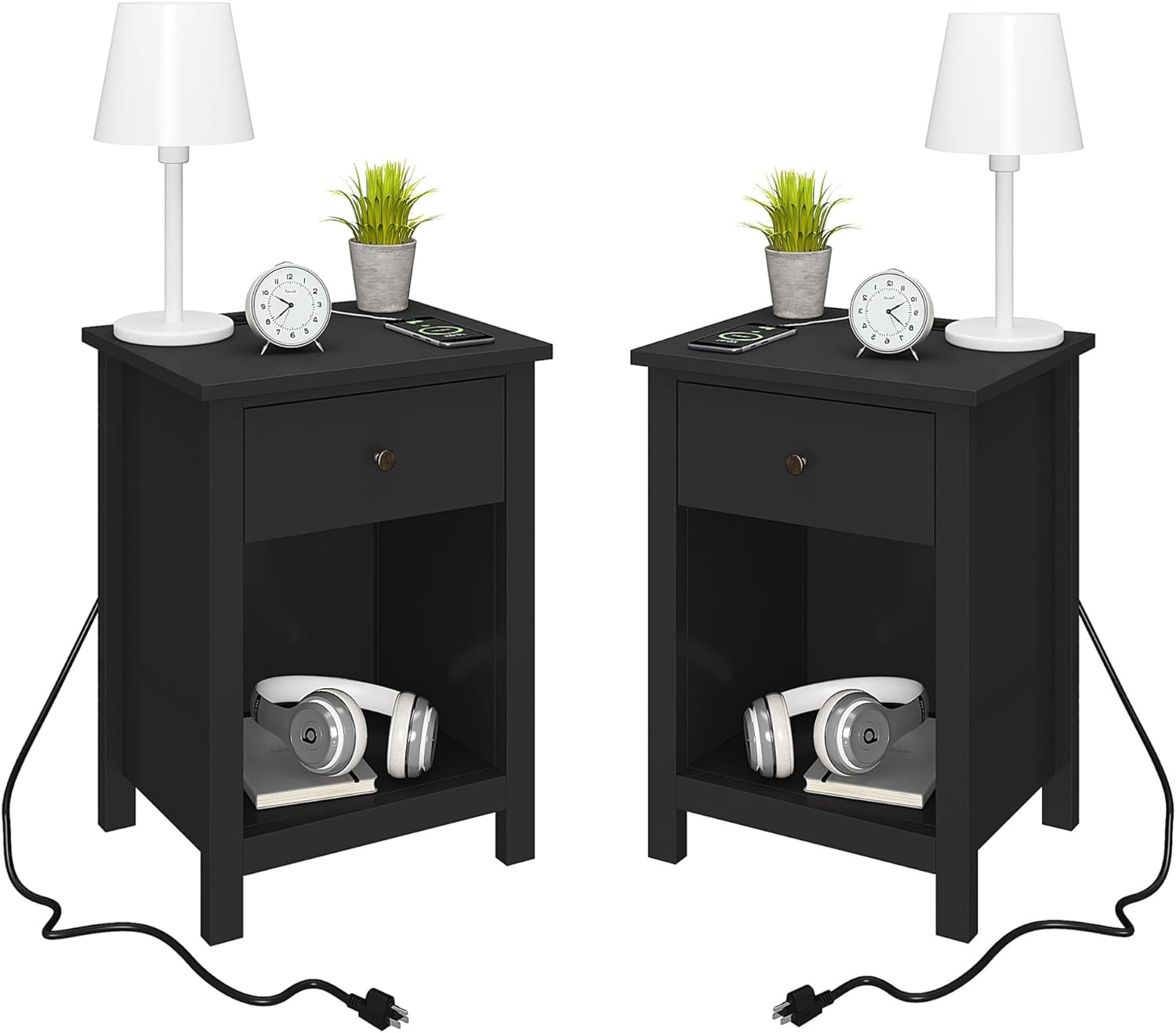
Image 1.1: Two ChooChoo Black Nightstands with integrated charging stations.
2. Product Features
- Modern Design: Clean lines and a black finish complement various room decors.
- Integrated Charging Station: Equipped with 2 standard AC outlets and 2 USB ports for convenient device charging.
- Ample Storage: Features one smooth-gliding drawer and an open storage shelf for organizing personal items.
- Durable Construction: Manufactured from sturdy MDF boards for long-lasting use.
- Easy Assembly: Designed for straightforward assembly with clearly numbered parts and detailed instructions.
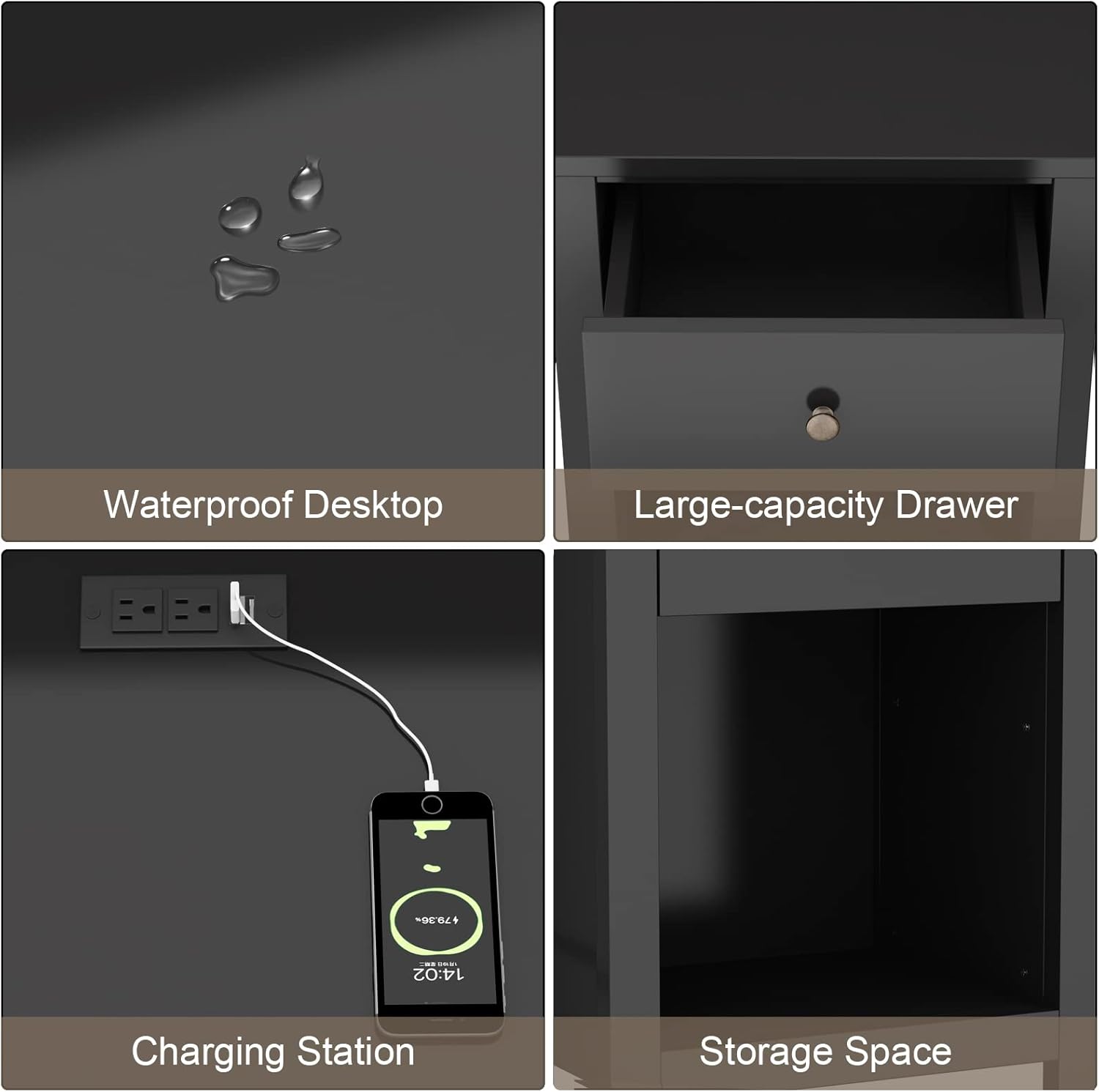
Image 2.1: Detailed view of the nightstand's features, including waterproof desktop, drawer, charging station, and open storage.
3. Specifications
| Attribute | Detail |
|---|---|
| Brand | ChooChoo |
| Model Name | ST19005-BK-E-S |
| Product Dimensions (D x W x H) | 13.8" x 17.7" x 23.6" |
| Color | Black |
| Material | Engineered Wood (Frame, Top), Alloy Steel/Metal/Brass (Handle) |
| Number of Drawers | 1 |
| Charging Station | 2 AC Outlets, 2 USB Ports |
| Tools Recommended for Assembly | Screw Driver |
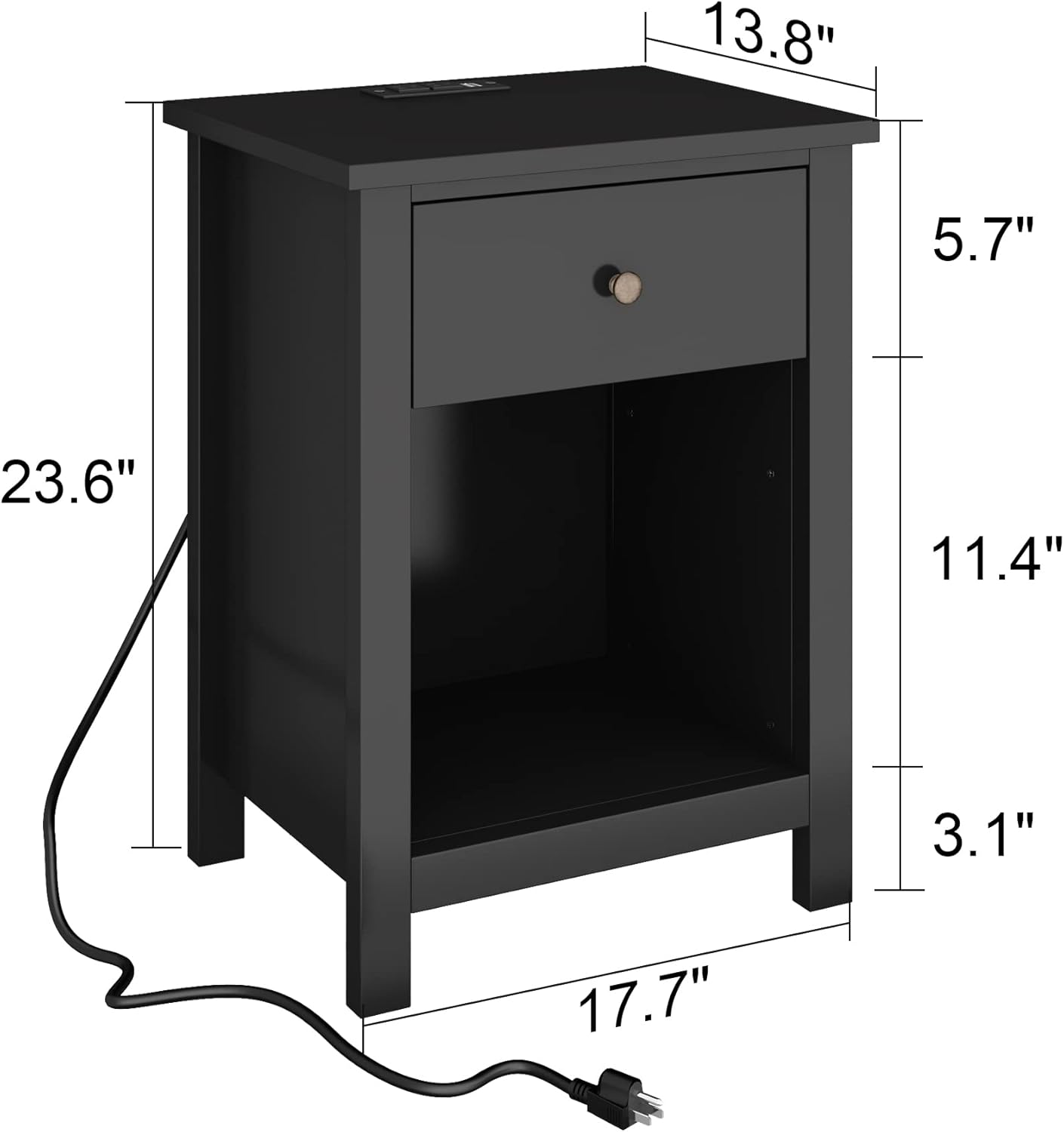
Image 3.1: Dimensional diagram of the ChooChoo Black Nightstand.
4. Package Contents
Before assembly, please verify that all components listed below are present and undamaged. If any parts are missing or damaged, please contact customer support.
- Top Panel
- Side Panels (Left & Right)
- Bottom Shelf Panel
- Back Panel
- Drawer Front, Sides, and Bottom Panels
- Legs
- Hardware Pack (screws, dowels, cam locks, drawer slides, handle, etc.)
- Charging Station Unit with Power Cord
- Instruction Manual
5. Safety Information
WARNING: Failure to follow these safety instructions may result in injury or damage to the product.
- Always read and understand all instructions before assembly and use.
- Keep small parts and packaging materials away from children during assembly to prevent choking hazards.
- Assemble the nightstand on a soft, clean surface (e.g., carpet) to prevent scratches.
- Ensure all fasteners are securely tightened before use. Periodically check and re-tighten fasteners.
- Do not overload the drawer or shelves. Distribute weight evenly.
- Place the nightstand on a level surface to prevent tipping.
- For the charging station: Only plug into a grounded electrical outlet. Do not exceed the maximum electrical rating. Keep liquids away from the charging station.
- Do not attempt to modify the product or its electrical components.
6. Setup and Assembly
Follow these general steps for assembling your ChooChoo Nightstand. Refer to the detailed assembly diagram included in your package for specific part identification and fastener placement.
- Unpack and Identify Parts: Carefully remove all components from the packaging. Lay them out on a clean, soft surface. Verify all parts against the package contents list and the assembly diagram.
- Assemble Drawer Components: Attach the drawer sides to the drawer front and back using the specified fasteners. Insert the drawer bottom panel into the grooves. Attach the drawer handle.
- Install Drawer Slides: Secure the drawer slides to the inner side panels of the nightstand frame using the provided screws. Ensure they are correctly oriented.
- Construct Main Frame: Attach the side panels to the bottom shelf panel and the top panel using dowels, cam locks, and screws as indicated in the diagram.
- Attach Back Panel: Secure the back panel to the assembled frame using small nails or screws.
- Install Legs: Attach the four legs to the bottom of the nightstand frame.
- Integrate Charging Station: Carefully insert the charging station unit into the designated opening on the top panel. Ensure it sits flush and secure it if necessary with provided clips or screws.
- Insert Drawer: Gently slide the assembled drawer onto the installed drawer slides. Ensure it operates smoothly.
- Final Check: Confirm all fasteners are tight and the nightstand is stable.
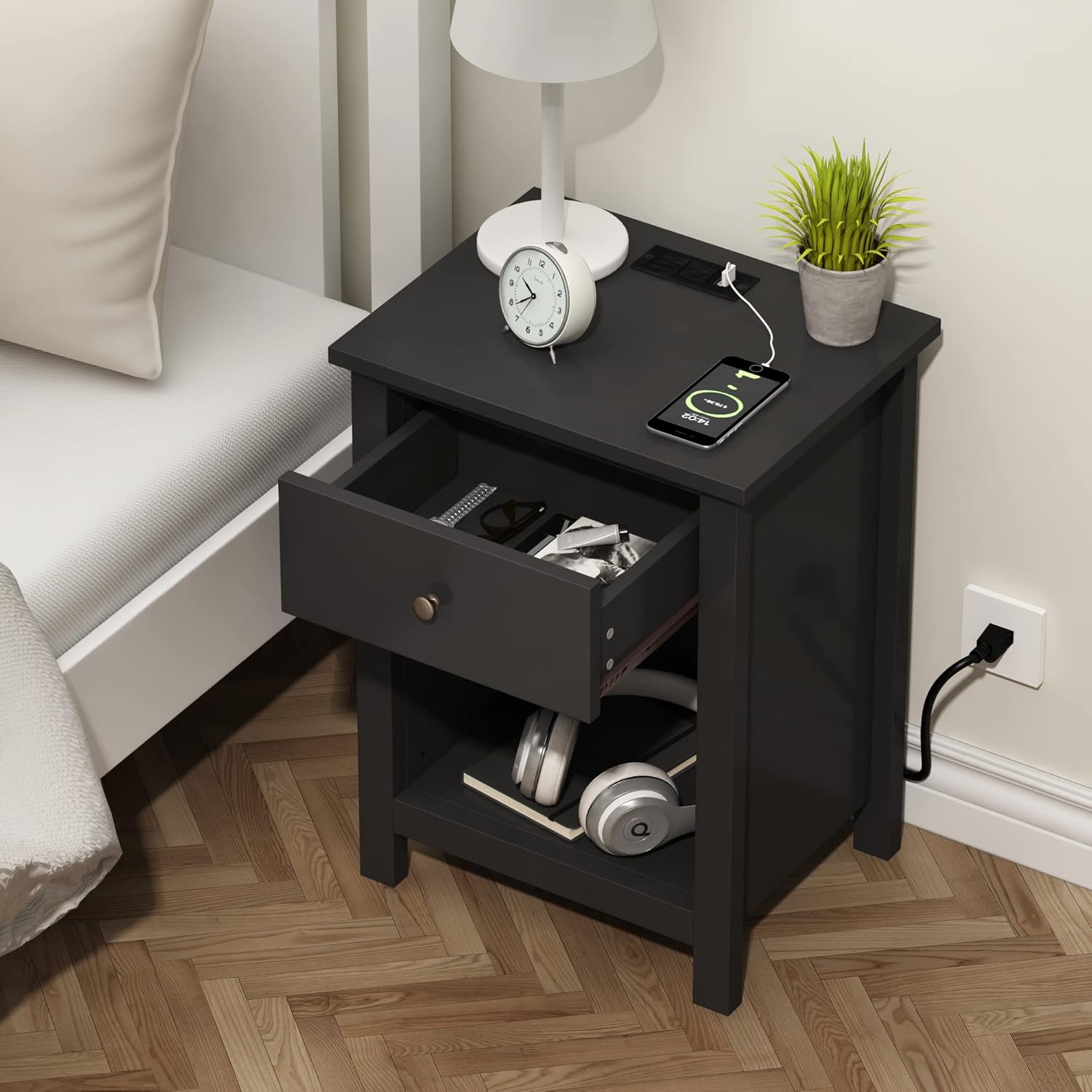
Image 6.1: Assembled nightstand showing drawer storage and charging station in use.
7. Operating Instructions
7.1 Using the Charging Station
- Power Connection: Extend the power cord from the back of the nightstand and plug it into a standard, grounded 120V AC wall outlet.
- Charging Devices: Connect your electronic devices (e.g., smartphones, tablets, lamps) to the available USB ports or AC outlets on the top surface of the nightstand.
- Safety: Ensure devices are compatible with the charging station's output. Avoid plugging in high-power appliances that exceed the station's maximum rating.
7.2 Utilizing Storage
- Drawer: Use the drawer for discreet storage of personal items, remote controls, or small accessories.
- Open Shelf: The open shelf provides easy access storage for books, magazines, headphones, or decorative items.
8. Maintenance
- Cleaning: Wipe the nightstand surfaces with a soft, damp cloth. Avoid using harsh chemicals, abrasive cleaners, or polishes that may damage the finish.
- Fastener Check: Periodically inspect all screws and fasteners to ensure they remain tight. Re-tighten as necessary to maintain stability.
- Environmental Care: Avoid placing the nightstand in direct sunlight or near heat sources, as this can cause fading or warping. Protect from excessive moisture.
- Charging Station: Keep the charging station free from dust and debris. Do not spill liquids on it.
9. Troubleshooting
- Nightstand is Wobbly:
- Ensure the nightstand is placed on a flat, level surface.
- Check all assembly screws and cam locks. Tighten any loose fasteners. - Drawer Does Not Slide Smoothly:
- Verify that the drawer slides are correctly installed and aligned on both the drawer and the nightstand frame.
- Ensure no objects are obstructing the drawer's path.
- Check if the drawer is overloaded or unevenly weighted. - Charging Station Not Working:
- Confirm the power cord is securely plugged into a functional wall outlet.
- Try plugging another device into the wall outlet to ensure the outlet itself is working.
- Ensure your device's charging cable is properly connected to the USB port or AC outlet.
- Avoid overloading the charging station with too many high-power devices simultaneously.
10. Warranty and Support
ChooChoo products are manufactured with quality and care. For specific warranty information, please refer to the documentation provided at the time of purchase or contact ChooChoo customer support directly. If you encounter any issues or have questions not covered in this manual, please reach out to our customer service team for assistance.
Customer Support Contact: Please refer to your purchase receipt or the ChooChoo official website for the most current contact information.
Ask a question about this manual
Ask about setup, troubleshooting, compatibility, parts, safety, or missing instructions. Manuals+ will review the question and use this page’s manual context to help answer it.