
1. Introduction
Thank you for choosing the LanLuk 200W GaN IV 8-Port USB-C Charging Station. This device is designed to provide efficient and safe charging for a wide range of electronic devices, including laptops, smartphones, tablets, and more. Please read this manual carefully before use to ensure proper operation and to maximize the lifespan of your product.
2. Safety Instructions
- Do not expose the device to water, moisture, or extreme temperatures.
- Avoid dropping or subjecting the device to strong impacts.
- Do not disassemble, modify, or attempt to repair the device yourself. This will void the warranty and may cause damage or injury.
- Use only the provided power cord.
- Ensure proper ventilation around the charging station during use to prevent overheating.
- Keep out of reach of children.
- Unplug the charging station from the power outlet when not in use or during electrical storms.
3. Package Contents
Verify that all items are present in your package:
- 1 x LanLuk 200W 8-in-1 USB-C Charging Station
- 1 x Power Cord
- 1 x Instruction Manual
4. Product Overview
The LanLuk 200W GaN IV 8-Port USB-C Charging Station features advanced GaN IV technology for higher energy efficiency, upgraded heat dissipation, and a compact design. It provides a total of 200W power output across 8 ports, allowing you to charge multiple devices simultaneously.
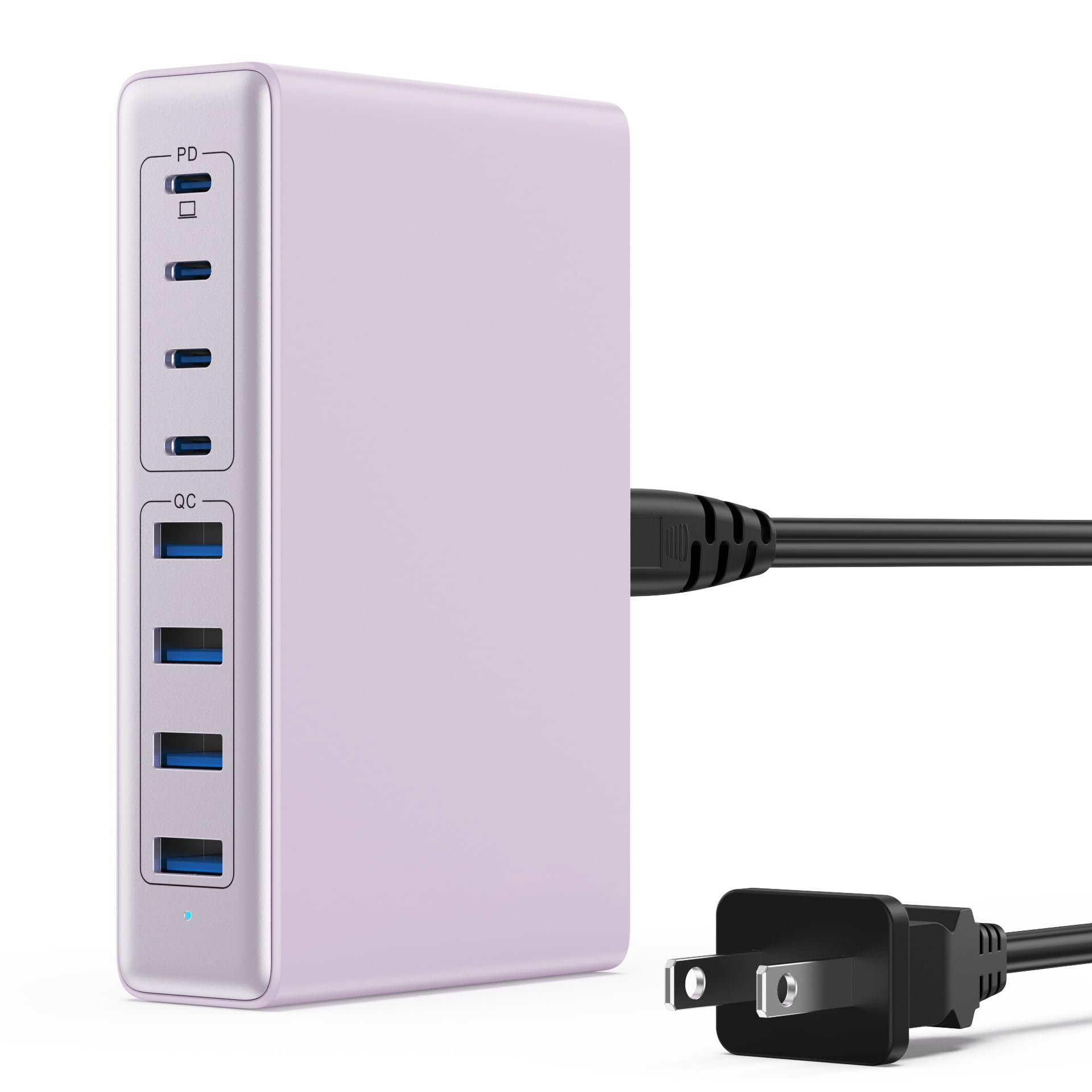
Image: The LanLuk 200W GaN IV 8-Port USB-C Charging Station in purple.
Key Features:
- GaN IV Technology: Utilizes the latest Gallium Nitride (GaN) IV chip for enhanced efficiency, reduced heat, and a smaller form factor.
- 200W Total Power Output: Delivers optimal power to charge up to 8 devices simultaneously at full speed.
- 8 Charging Ports: Includes 4 USB-C ports (PD 3.0) and 4 USB-A ports (QC 4.0) for broad compatibility.
- 65W Power Delivery (PD): One dedicated USB-C port provides up to 65W, capable of fast-charging laptops like MacBook Pro/Air, Dell XPS, and more.
- Multi-Protection Safety System: Built-in intelligent IC with six safety protections: over-voltage, over-current, over-charge, over-temperature, static electricity, and short circuit.
- Universal Compatibility: Supports a wide range of devices including iPhones, iPads, Android phones, laptops, gaming consoles (Steam Deck, Nintendo Switch), smartwatches, and headphones.
- Portable Design: Compact size (approximately 5 inches by 3 inches) with a 1.5M/5FT AC extension power cord for flexible placement.
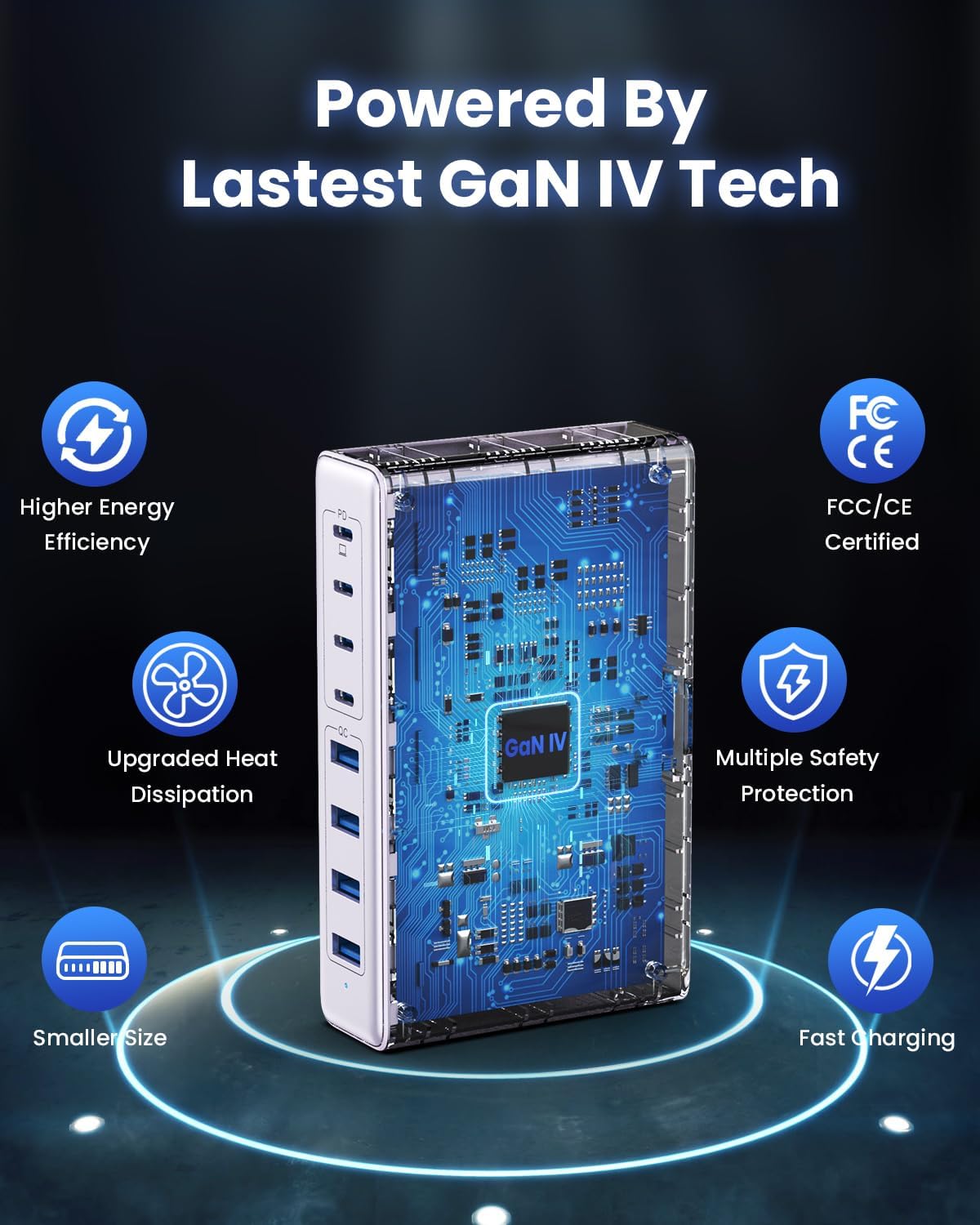
Image: Diagram illustrating the benefits of GaN IV technology, including higher energy efficiency, upgraded heat dissipation, smaller size, multiple safety protections, and fast charging.

Image: Visual representation of the charging station connecting to 8 different devices (4 USB-C, 4 USB-A).

Image: Infographic showing the universal compatibility with laptops/tablets (MacBook Pro, Dell XPS, iPad Pro), smartphones (iPhone, Samsung Galaxy, Google Pixel), and gaming devices/others (ROG ALLY, Steam Deck, AirPods, Switch).

Image: Illustration highlighting the USB-C1 port's 65W output, perfect for laptops, showing a MacBook charging.
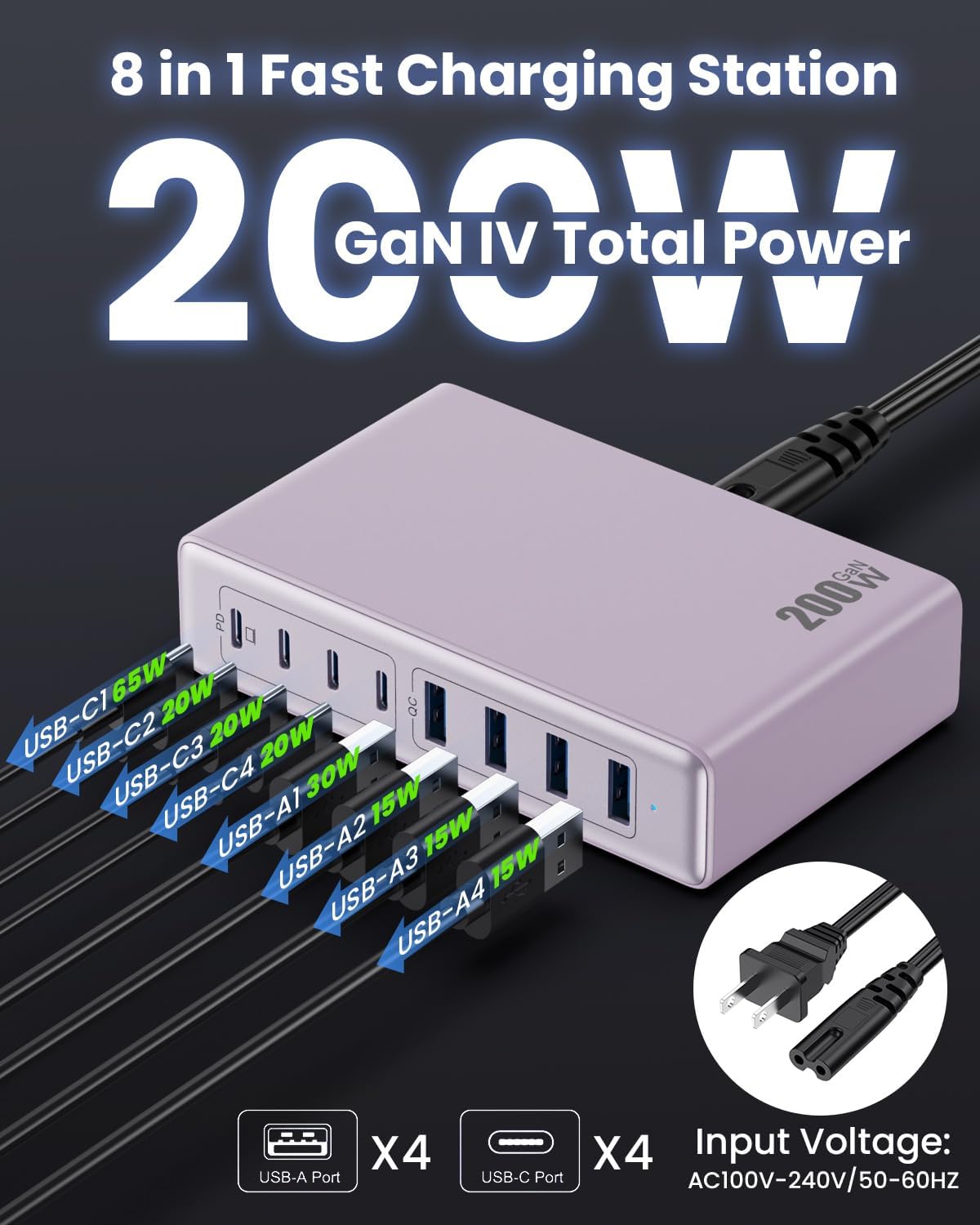
Image: Detailed view of the charging station's ports and their individual power outputs (USB-C1 65W, USB-C2 20W, USB-C3 20W, USB-C4 20W, USB-A1 15W, USB-A2 15W, USB-A3 15W, USB-A4 15W).

Image: Comparison chart showing the LanLuk charger's advantages over other chargers in terms of total max output, one port output, number of ports, devices charged, portability, and sustainability.
5. Setup
- Unpack: Carefully remove the charging station and all accessories from the packaging.
- Connect Power Cord: Insert the included power cord into the AC input port on the back of the charging station.
- Plug into Outlet: Plug the other end of the power cord into a standard AC wall outlet (100-240V, 50/60Hz).
- Ready for Use: The charging station is now ready to charge your devices.
6. Operating Instructions
- Identify Port Type: Determine whether your device requires a USB-C or USB-A connection.
- Connect Device: Plug your device's charging cable into the appropriate port on the charging station. For optimal laptop charging, use the 65W PD USB-C1 port.
- Begin Charging: Your device should begin charging automatically. The intelligent chip will identify the device and deliver the optimal charging current.
- Monitor Charging: Some devices may display a charging indicator.
- Disconnect: Once charging is complete, safely disconnect your device from the charging station.
7. Specifications
| Feature | Description |
|---|---|
| Brand | LanLuk |
| Model Number | HX-P21 |
| Wattage | 200 Watts (Total) |
| Total USB Ports | 8 (4 USB-C, 4 USB-A) |
| USB-C Output | PD USB C (up to 65W on one port) |
| USB-A Output | QC4.0 USB-A |
| Input Voltage | 100-240 Volts (AC), 50-60 Hz |
| Output Current | 4 Amps (Max) |
| Material | Plastic (ABS and PC fireproof materials) |
| Special Features | GaN IV Technology, Fast Charging, Lightweight Design, Charging Indicator, Universal Compatibility, Short Circuit Protection |
| Dimensions | Approximately 5 inches x 3 inches (portable) |
| Power Source | Corded Electric |
8. Troubleshooting
- Device not charging:
- Ensure the charging station is properly plugged into a live power outlet.
- Check if the charging cable is securely connected to both the charging station and your device.
- Try a different charging cable or port to rule out a faulty cable or port.
- Verify your device is compatible with the charging station's output specifications.
- Slow charging:
- Ensure you are using a fast-charging compatible cable for your device.
- For laptops, use the dedicated 65W PD USB-C1 port.
- Charging multiple devices simultaneously may distribute the total power, potentially reducing individual port speeds.
- Check if your device supports fast charging protocols (PD, QC).
- Overheating:
- Ensure the charging station has adequate ventilation and is not covered.
- If excessive heat persists, discontinue use and contact customer support.
9. Maintenance
- Cleaning: Disconnect the charging station from the power outlet before cleaning. Use a soft, dry cloth to wipe the surface. Do not use liquid cleaners or aerosols.
- Storage: Store the device in a cool, dry place away from direct sunlight and moisture when not in use.
- Cable Care: Avoid bending or crimping charging cables excessively to prevent damage.
10. Warranty and Support
LanLuk provides a 3-year warranty for free replacement. If you encounter any issues or have questions regarding your product, please contact our customer support team for assistance.
Customer Support: Please refer to the contact information provided on the product packaging or our official website for support.