
Introduction
Thank you for choosing the Orient Electric Aeon BLDC PRO Ceiling Fan. This manual provides essential information for the safe installation, operation, and maintenance of your new fan. Please read it thoroughly before use and retain it for future reference.

Figure 1: Orient Electric Aeon BLDC PRO Ceiling Fan (Platinum Silver) with remote.
What's in the Box
Upon unpacking, please ensure all the following components are present and undamaged:
- Motor
- Down Rod
- Shackle Kit
- A pair of canopies
- A set of 3 Blades
- Remote & Batteries
Video 1: Unboxing and overview of the Orient Electric Aeon BLDC PRO Ceiling Fan components.
Key Features
- Advanced BLDCPRO Technology: Consumes 50% less energy compared to conventional motors, ensuring energy efficiency and a longer lifespan due to reduced wear and tear. BEE 5-star rated.
- Boost Mode: Activates the highest speed for rapid cooling, controllable via the smart remote.
- High Air Delivery: Provides powerful airflow of 225 CMM (Cubic Centimeters Per Minute) for effective cooling in every corner of your room.
- Curved Blade Design: Meticulously crafted blades enhance airflow and add to the aesthetic appeal.
- Metallic Ring with Chrome Finish: Adds a premium look to the fan and complements modern interiors.
- Anti-Dust Lacquer Coating: Repels dust, making the fan easy to clean and maintain.
- Smart Remote Control: Offers convenient operation with multiple functions from anywhere in your living space.

Figure 2: Orient BLDC PRO motor technology for energy efficiency and durability.
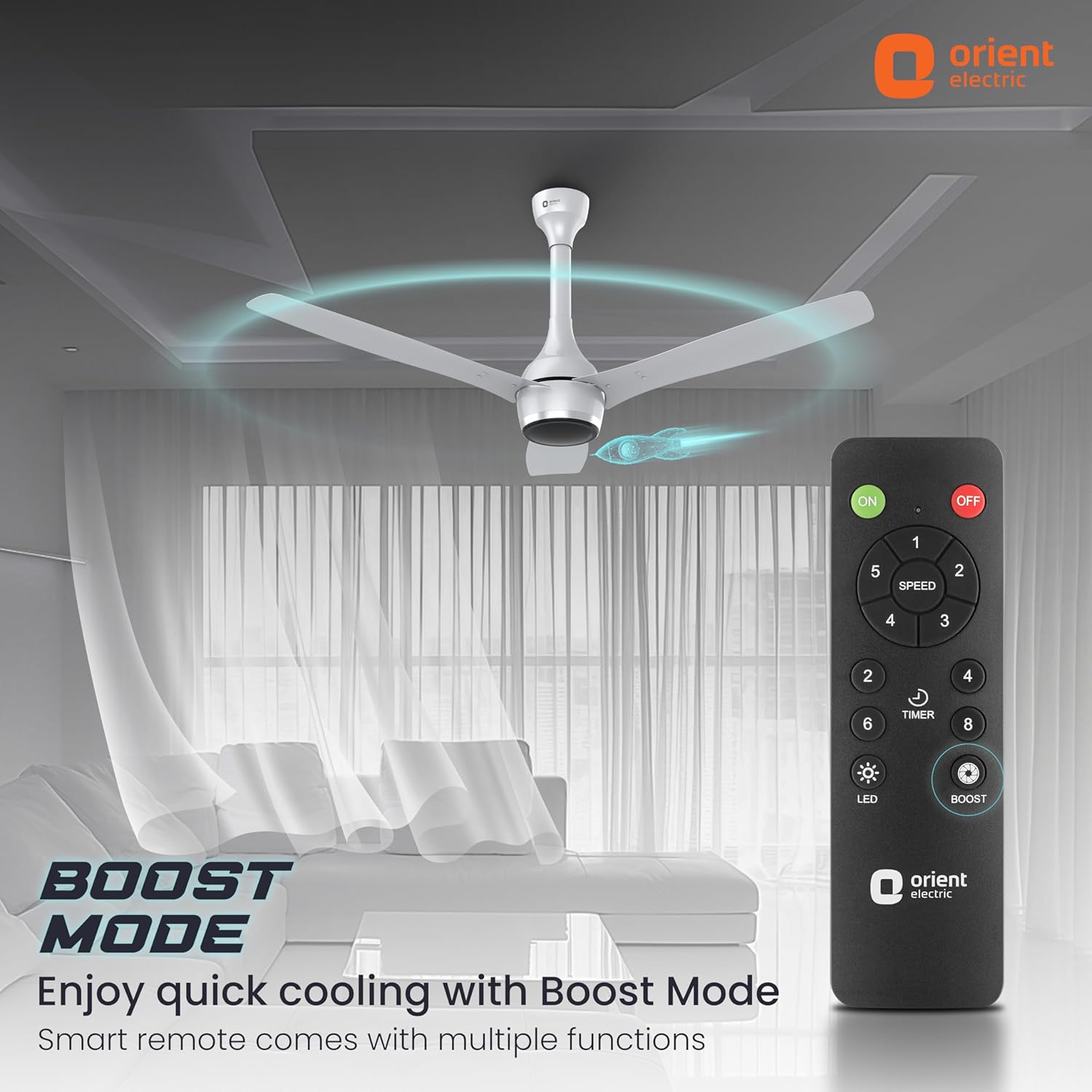
Figure 3: Boost Mode for quick cooling, controlled by the smart remote.
Setup and Installation
Installation of the Orient Electric Aeon BLDC PRO Ceiling Fan should be performed by a qualified electrician or a trained professional to ensure safety and proper functioning. Refer to the detailed installation diagrams and instructions provided in the separate installation guide included with your product.
General Steps:
- Ensure power is disconnected at the main circuit breaker before starting installation.
- Assemble the down rod and motor unit.
- Attach the shackle kit securely to the ceiling hook.
- Mount the fan assembly to the shackle kit.
- Connect electrical wiring according to local codes and the provided wiring diagram.
- Attach the canopies to cover wiring and mounting hardware.
- Install the three blades onto the motor unit.

Figure 4: Fan motor and downrod assembly.
Operating Instructions
Your Orient Electric Aeon BLDC PRO Ceiling Fan is operated using the included smart remote control.
Remote Control Functions:
- ON/OFF: Press to turn the fan on or off.
- Speed Control (1-5): Adjust fan speed from 1 (lowest) to 5 (highest).
- Boost Mode: Activates the fan at its maximum speed for quick air delivery.
- Timer: Set a timer for automatic fan shutdown (specific timer options may vary, refer to remote guide).
- LED: Controls any integrated LED light (if applicable to your model).
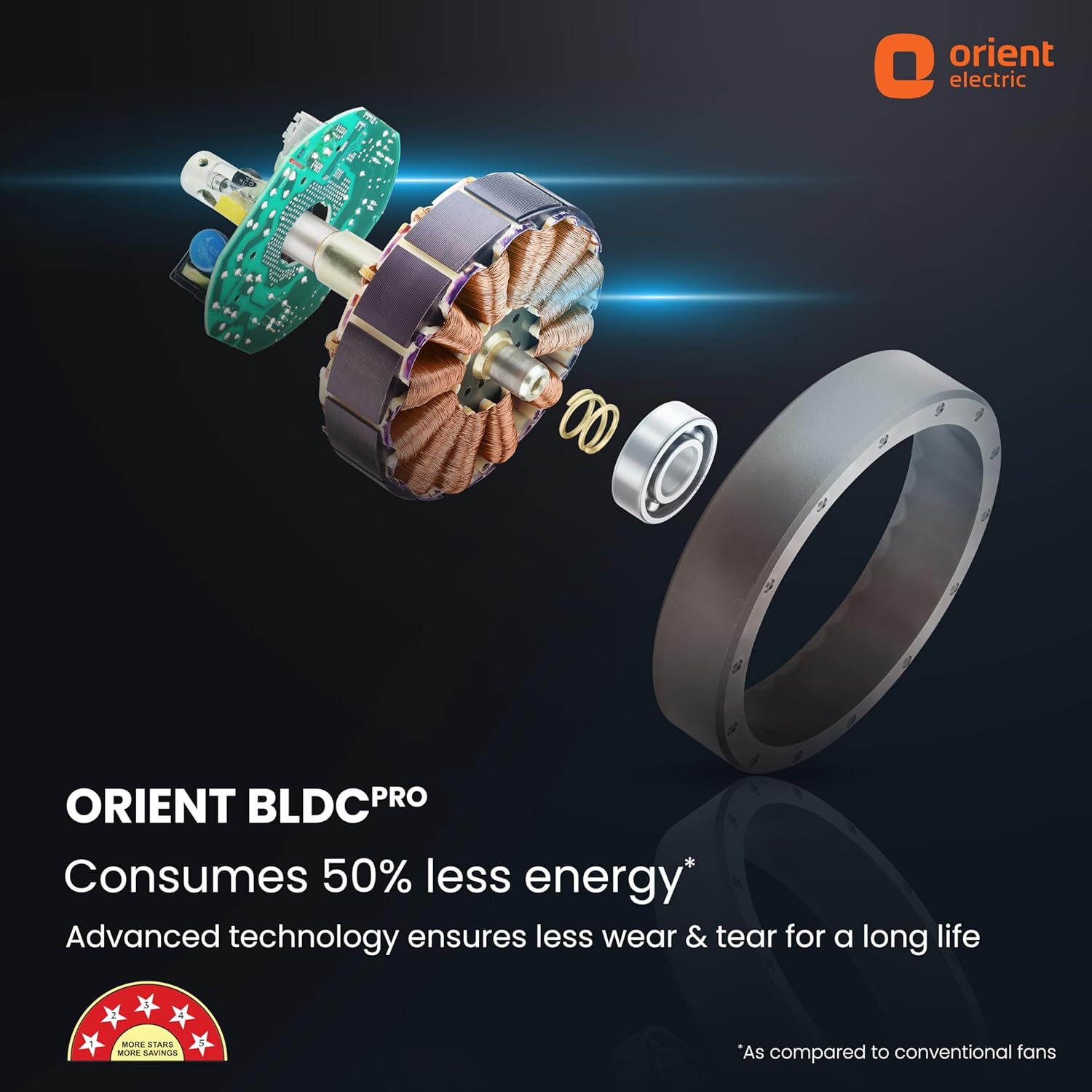
Figure 5: Smart remote control for your ceiling fan.
Maintenance
Regular maintenance ensures optimal performance and longevity of your fan.
- Cleaning: The anti-dust lacquer coating repels dust, making cleaning easy. Wipe the blades and motor housing with a soft, dry cloth periodically. Do not use harsh chemicals or abrasive cleaners.
- Blade Inspection: Periodically check that all blade screws are tight. Loose blades can cause wobbling and noise.
- Motor: The BLDC PRO motor is designed for less wear and tear and requires no lubrication.
- General Check: Ensure the fan is securely mounted and there are no loose parts.

Figure 6: Anti-dust lacquer coating for easy maintenance.
Specifications
| Feature | Detail |
|---|---|
| Brand | Orient Electric |
| Model Name | Aeon BLDC |
| Electric Fan Design | Ceiling Fan |
| Style | Aeon 1200 mm |
| Colour | Platinum Silver (other colors available) |
| Power Source | Corded Electric |
| Product Dimensions | 26.5D x 26.5W x 22H Centimeters |
| Room Type | Living Room (suitable for various indoor rooms) |
| Special Feature | BEE Star Rated, Remote Controlled, Anti-Dust |
| Recommended Uses | Air Circulation |
| Wattage | 32 Watts |
| Finish Type | Metallic |
| Number of Blades | 3 |
| Air Flow Capacity | 225 Cubic Centimeters Per Minute (CMM) |
| Speed | 350 RPM |
| Control Method | Remote |
| Number of Power Levels | 5 |
| Item Weight | 4 kg 500 g |

Figure 7: Guide for selecting the right fan size for your room.
Troubleshooting
If you encounter issues with your fan, please refer to the following common troubleshooting steps:
- Fan Not Turning On: Check the main power supply. Ensure the remote control batteries are not depleted and are inserted correctly. Verify all electrical connections are secure (consult a professional if unsure).
- Fan Wobbles: Ensure all blade screws are tightened. Check that the fan is securely mounted to the ceiling. Balance the blades if necessary using a balancing kit (not included).
- Remote Not Responding: Replace remote batteries. Ensure there are no obstructions between the remote and the fan receiver.
- Unusual Noise: Turn off the fan and check for any loose parts or obstructions. Ensure blades are clean and free from debris.
For persistent issues or complex problems, please contact Orient Electric customer support.
Warranty and Support
The Orient Electric Aeon BLDC PRO Ceiling Fan comes with a 5-year warranty, reflecting our commitment to quality craftsmanship and high-grade materials. This warranty covers manufacturing defects under normal use conditions.
For warranty claims, technical support, or service requests, please contact Orient Electric customer service. Keep your purchase receipt and warranty card handy.
You may also consider purchasing extended warranty plans offered by third-party providers for additional coverage.
