
ETENWOLF ZEPHYR S3

ETENWOLF ZEPHYR S3-7800mAh Portable Air Compressor
User Manual
Introduction
Thank you for choosing the ETENWOLF ZEPHYR S3 Portable Air Compressor. This device is designed for efficient and convenient inflation of various items, including car tires, motorcycle tires, bicycle tires, and sports balls. With its powerful 7800mAh lithium battery, rapid inflation capabilities, and additional features like a power bank and LED light, the ZEPHYR S3 is a versatile tool for your inflation needs. Please read this manual thoroughly before use to ensure safe and optimal operation.

The ETENWOLF ZEPHYR S3 Portable Air Compressor, featuring a compact design with an orange and grey finish.
Safety Instructions
To ensure safe operation and prevent damage to the device or injury, please adhere to the following safety guidelines:
- Do not leave the compressor unattended during operation.
- Keep out of reach of children. This is not a toy.
- Do not operate the compressor in wet conditions or expose it to rain.
- Avoid direct sunlight and high temperatures. Store in a cool, dry place.
- Ensure the correct pressure setting for the item being inflated to prevent over-inflation and potential bursting.
- Do not block the air vents during operation, as this can lead to overheating.
- Use only the provided accessories and adapters.
- If the device emits unusual noises, smells, or smoke, turn it off immediately and disconnect it.
- Do not disassemble or attempt to repair the unit yourself. Contact customer support for assistance.
Product Features
The ETENWOLF ZEPHYR S3 is equipped with advanced features for superior performance:
Ultra-Fast Inflation
Experience rapid inflation with a flow rate of 35 L/Min. The ZEPHYR S3 can inflate a 26.3-inch tire from 30 to 35 PSI in approximately 1 minute, ensuring quick top-ups and efficient inflation.

The ZEPHYR S3 inflating a tire, demonstrating its rapid inflation capability.
Integrated 7800mAh Lithium Battery
The powerful built-in battery allows for multiple inflations on a single charge. It can inflate up to sixteen 235/45 R18 tires from 2.06 to 2.4 Bar. The USB-C 15W fast charging port ensures quick recharging.
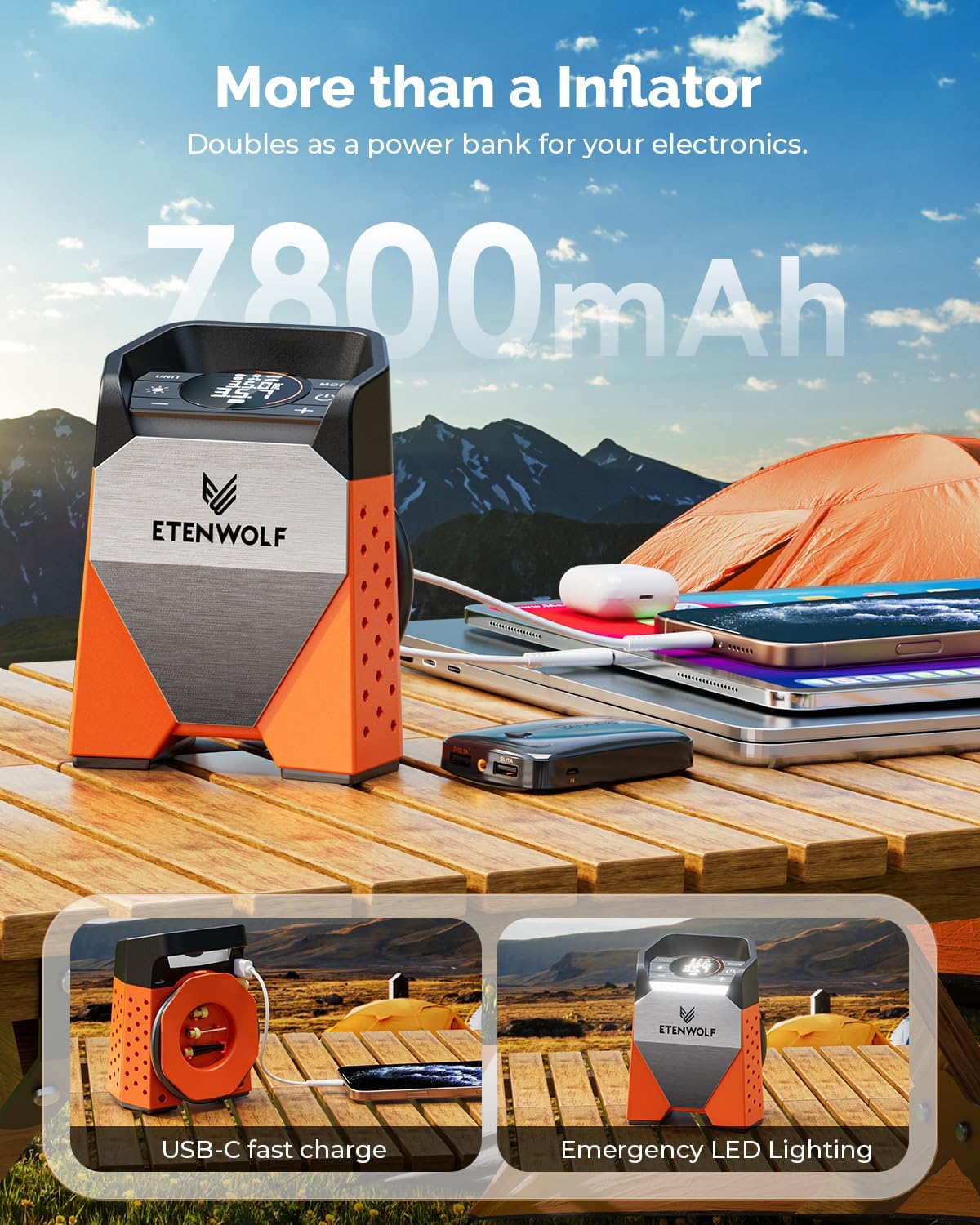
The ZEPHYR S3 doubling as a power bank, charging various electronic devices.
100% Duty Cycle & Active Cooling
Thanks to its high-performance dual-cylinder system and dedicated cooling system, the ZEPHYR S3 can operate continuously without needing cool-down periods, allowing you to inflate all four vehicle tires without interruption.

An internal view of the ZEPHYR S3 highlighting its active cooling system.
Automatic Shut-Off & Preset Modes
The inflator automatically stops when the target pressure is reached, preventing over-inflation. It features four preset modes (Car, Motorcycle, Bicycle, Ball) and a memory function for custom pressure settings.

Display showing various inflation modes for different items like cars, bicycles, and balls.
300 Lumen LED Work Light
An integrated bright LED light provides ample illumination for nighttime or low-light inflation tasks, enhancing safety and convenience.
The ZEPHYR S3 with its LED light activated, providing illumination.
Setup
What's in the Box

The package contents of the ETENWOLF ZEPHYR S3, including the compressor, charging cable, manual, and various nozzles.
Upon unboxing your ETENWOLF ZEPHYR S3, ensure all components are present:
- ETENWOLF ZEPHYR S3 Portable Air Compressor
- Air Hose with Presta/Schrader valve adapter
- Ball Needle
- Swimming Ring Nozzle
- USB-C Charging Cable
- User Manual (this document)
- Storage Bag
Initial Charging
Before first use, fully charge the ZEPHYR S3. Connect the provided USB-C charging cable to the compressor's USB-C port and plug the other end into a compatible USB power adapter (not included). The display will indicate charging status. A full charge typically takes a few hours.
Operating Instructions
Powering On/Off
Press and hold the power button (usually marked with a power symbol) for 2-3 seconds to turn the device on or off. The digital display will illuminate.
Selecting Pressure Unit
Press the "UNIT" button to cycle through available pressure units: PSI, BAR, KPA, KG/CM².
Choosing Inflation Mode
Press the "MODE" button to select from the preset inflation modes:
- Car Mode: Recommended for car tires (8-130 PSI).
- Motorcycle Mode: For motorcycle tires (specific range not provided, use manual mode if unsure).
- Bicycle Mode: For bicycle tires (10-145 PSI).
- Ball Mode: For sports balls (3-16 PSI).
- Manual Mode: Allows setting pressure from 3-160 PSI for custom applications.
The device will remember your last custom pressure setting in Manual Mode.
Setting Target Pressure
Once a mode is selected, use the "+" and "-" buttons to adjust the desired target pressure. The display will show the current pressure of the connected item and the target pressure.
Connecting and Inflating
- Screw the air hose securely onto the valve stem of the item you wish to inflate. Ensure a tight seal to prevent air leakage.
- Connect the other end of the air hose to the compressor's air outlet.
- Press the start/inflate button (often the power button or a dedicated inflate button) to begin inflation.
- The compressor will automatically stop once the preset target pressure is reached.
- Carefully disconnect the air hose from the item and the compressor.
Using the LED Work Light
Press the light button (often marked with a light bulb symbol) to turn the LED work light on or off. This is useful for inflating in low-light conditions.
Using as a Power Bank
The ZEPHYR S3 can also function as a power bank. Connect your electronic device (e.g., smartphone, tablet) to the USB-A output port on the compressor using a compatible USB cable. The compressor's battery will then charge your device.
Maintenance
Cleaning
Wipe the exterior of the compressor with a soft, damp cloth. Do not use harsh chemicals or abrasive cleaners. Ensure the device is off and disconnected from any power source before cleaning.
Storage
Store the compressor in a cool, dry place, away from direct sunlight and extreme temperatures. Use the provided storage bag to protect it from dust and damage. Ensure the battery is partially charged (around 50-70%) before long-term storage to prolong battery life.
Battery Care
To maximize battery lifespan, avoid fully discharging the battery frequently. Recharge the unit when the battery indicator is low. If storing for extended periods, recharge every 3-6 months.
Troubleshooting
| Problem | Possible Cause | Solution |
|---|---|---|
| Compressor does not turn on. | Low battery; Power button not held long enough. | Charge the battery; Press and hold the power button for 2-3 seconds. |
| Compressor inflates slowly or not at all. | Air hose not securely connected; Incorrect pressure unit selected; Obstruction in hose/nozzle. | Ensure hose is tightly screwed on; Check and change pressure unit; Clear any obstructions. |
| Inaccurate pressure reading. | Loose connection; Sensor calibration needed. | Ensure tight connection; Refer to manual for calibration (if applicable, not detailed in input); Compare with a known accurate gauge. |
| Device overheats and shuts down. | Blocked air vents; Prolonged continuous use beyond recommended limits. | Ensure vents are clear; Allow device to cool down before resuming use. |
| LED light not working. | Light button not pressed; Device off. | Press the light button; Ensure the device is powered on. |
Specifications
| Specification | Detail |
|---|---|
| Model Number | ZEPHYR S3 |
| Brand | ETENWOLF |
| Dimensions (L x W x H) | 13.4 x 17 x 9.6 cm |
| Weight | 1.07 Kilograms |
| Battery Capacity | 7800 mAh Lithium-ion |
| Input Voltage | 12 Volts |
| Max Pressure | 160 PSI / 11.03 Bar |
| Air Flow Capacity | 35 Liters per minute (1.25 CFM@0 PSI) |
| Noise Level | 78 dB |
| Charging Port | USB-C 15W Fast Charge |
| LED Light Brightness | 300 Lumens |
| Recommended Use | Tire Inflation |
| Material | Metal |
| Color | Orange |
Warranty and Support
The ETENWOLF ZEPHYR S3 Portable Air Compressor comes with a standard return policy, typically allowing returns within 30 days of purchase. For specific warranty details, please refer to the documentation included with your purchase or contact the seller directly.
For technical support, troubleshooting assistance, or inquiries regarding parts and accessories, please contact ETENWOLF customer service through the official website or your point of purchase. Always provide your product model number (ZEPHYR S3) and purchase details when seeking support.
You can find more information and support resources on the ETENWOLF Brand Store.
Related documentsZEPHYR S3


Ask a question about this manual
Ask about setup, troubleshooting, compatibility, parts, safety, or missing instructions. Manuals+ will review the question and use this page’s manual context to help answer it.