
1. Introduction
The Homtronics HMT3 Digital Instant Read Meat Thermometer is designed for quick and accurate temperature measurement of various food items. Its advanced thermocouple technology ensures rapid readings, making it an essential tool for cooking, grilling, and baking. This manual provides detailed instructions for proper setup, operation, and maintenance to ensure optimal performance and longevity of your device.
2. Product Features
- Fast and Accurate Readings: Thermocouple design provides readings in 0.8 seconds or less. Temperature range: -58°F to 572°F (-50°C to 300°C). Accuracy: ±1°C (±1.8°F) between -50°C and 200°C, and ±2°C (±3.6°F) over 200°C.
- 180° Rotating Backlight LCD Display: Features a clear, backlit display that automatically rotates 180° for easy reading from any angle, even in low-light conditions. The ergonomic design ensures comfortable handling.
- Smart Functions: Includes auto-wake upon probe extension, auto-off after 120 seconds of inactivity to conserve battery life, and a calibration function for maintaining accuracy.
- Durable and Waterproof Design: With an IP67 waterproof rating, the thermometer can be safely rinsed under running water for easy cleaning. It is constructed with a food-grade stainless steel probe and a robust ABS plastic body to withstand accidental drops and impacts. (Note: Not suitable for dishwasher cleaning.)
- Versatile Use: Ideal for measuring internal temperatures of various meats (beef, turkey, fish, lamb, pork, chicken) and suitable for other cooking applications such as baking, deep-frying, and candy making.
3. Package Contents
Please check the package to ensure all items are present:
- 1 x Homtronics HMT3 Digital Instant Read Thermometer
- 1 x User Manual
- 1 x AAA Battery
- 1 x Small Screwdriver
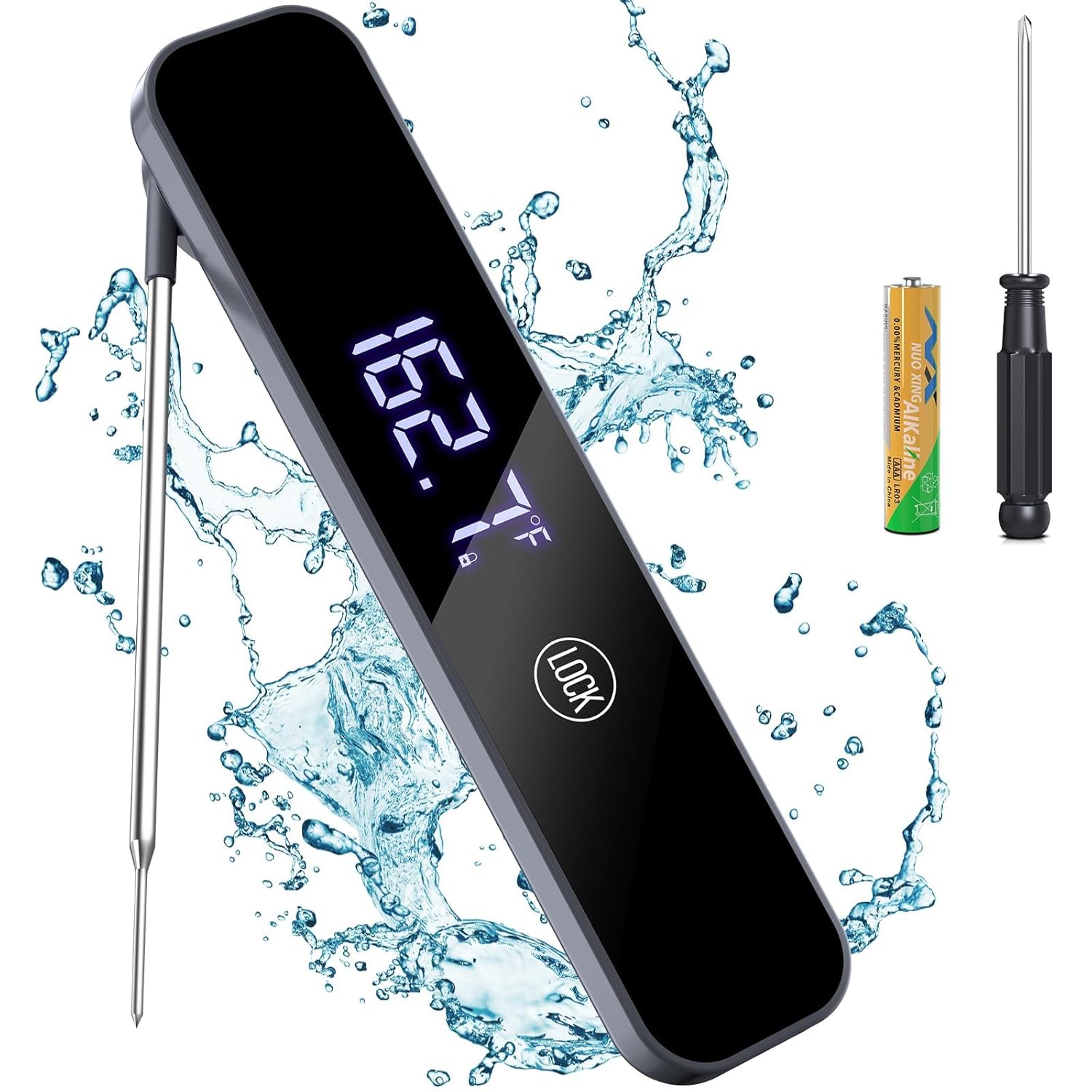
Image: The Homtronics HMT3 thermometer, showing the probe, digital display, and the included AAA battery and small screwdriver.
4. Setup
4.1 Battery Installation
- Locate the battery compartment on the back of the thermometer.
- Use the provided small screwdriver to unscrew the battery compartment cover.
- Insert the included AAA battery, ensuring the correct polarity (+/-) as indicated inside the compartment.
- Replace the cover and secure it with the screwdriver.
4.2 Unit Selection (°F/°C)
To switch between Fahrenheit (°F) and Celsius (°C), locate the small button inside the battery compartment. Press this button to toggle between the temperature units.
5. Operating Instructions
5.1 Power On/Off
- Power On: Extend the stainless steel probe fully from the thermometer body. The device will automatically power on.
- Power Off: Fold the probe back into the thermometer body. The device will automatically power off.
- Auto-Off: The thermometer will automatically power off after 120 seconds of inactivity to conserve battery life.
- Motion-Activated Wake: If the device is in auto-off mode, simply pick it up or move it to reactivate the display.
5.2 Temperature Measurement
- Ensure the thermometer is powered on.
- Carefully insert the tip of the stainless steel probe into the thickest part of the food item. Avoid touching bones, gristle, or the bottom of the cooking pan, as these can affect accuracy.
- Hold the probe in place. The temperature reading will appear on the LCD screen within 0.8 seconds.
- Once the stable temperature is displayed, you can remove the probe.

Image: The Homtronics HMT3 thermometer accurately displaying the temperature of meat cooking on a grill.
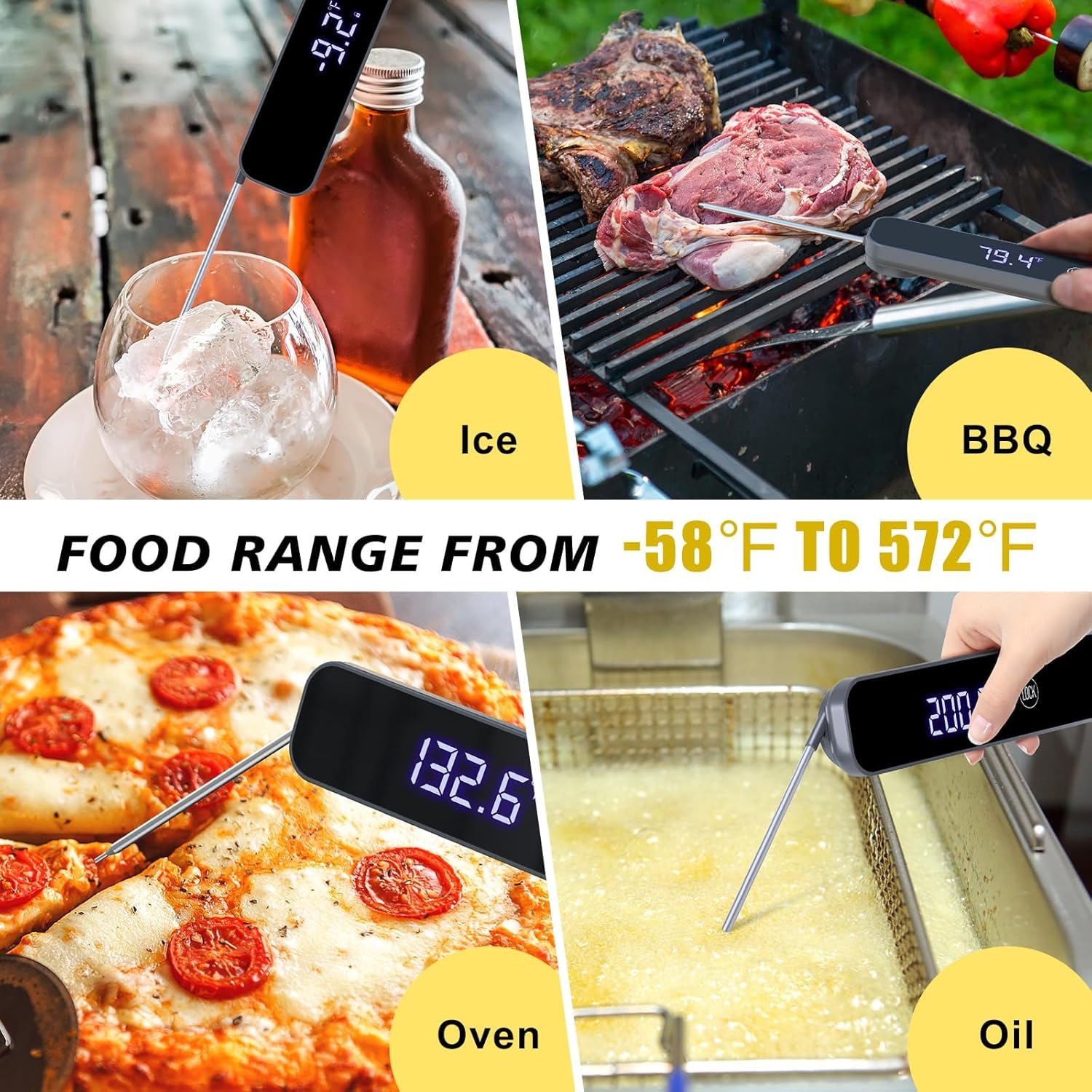
Image: Demonstrates the versatility of the Homtronics HMT3 thermometer for measuring temperatures in ice, BBQ, oven, and cooking oil.
5.3 Display Rotation
The thermometer's display automatically adjusts its orientation (rotates 180°) based on how it is held, ensuring the numbers are always right-side up for easy reading.

Image: The Homtronics HMT3 thermometer's display automatically rotating 180 degrees to maintain readability from different angles.
5.4 Calibration
The thermometer includes a calibration function to maintain its accuracy over time. Refer to the detailed instructions in the included user manual for the specific calibration procedure, if needed. It is recommended to calibrate the device periodically or if you suspect inaccurate readings.
6. Maintenance and Care
6.1 Cleaning
- The Homtronics HMT3 is IP67 waterproof. After each use, the probe and body can be rinsed under running tap water.
- Use a mild soap if necessary, then rinse thoroughly.
- Wipe the thermometer dry with a clean cloth before storing.
- Do not immerse the entire unit in water for extended periods, and it is not safe for dishwasher use.
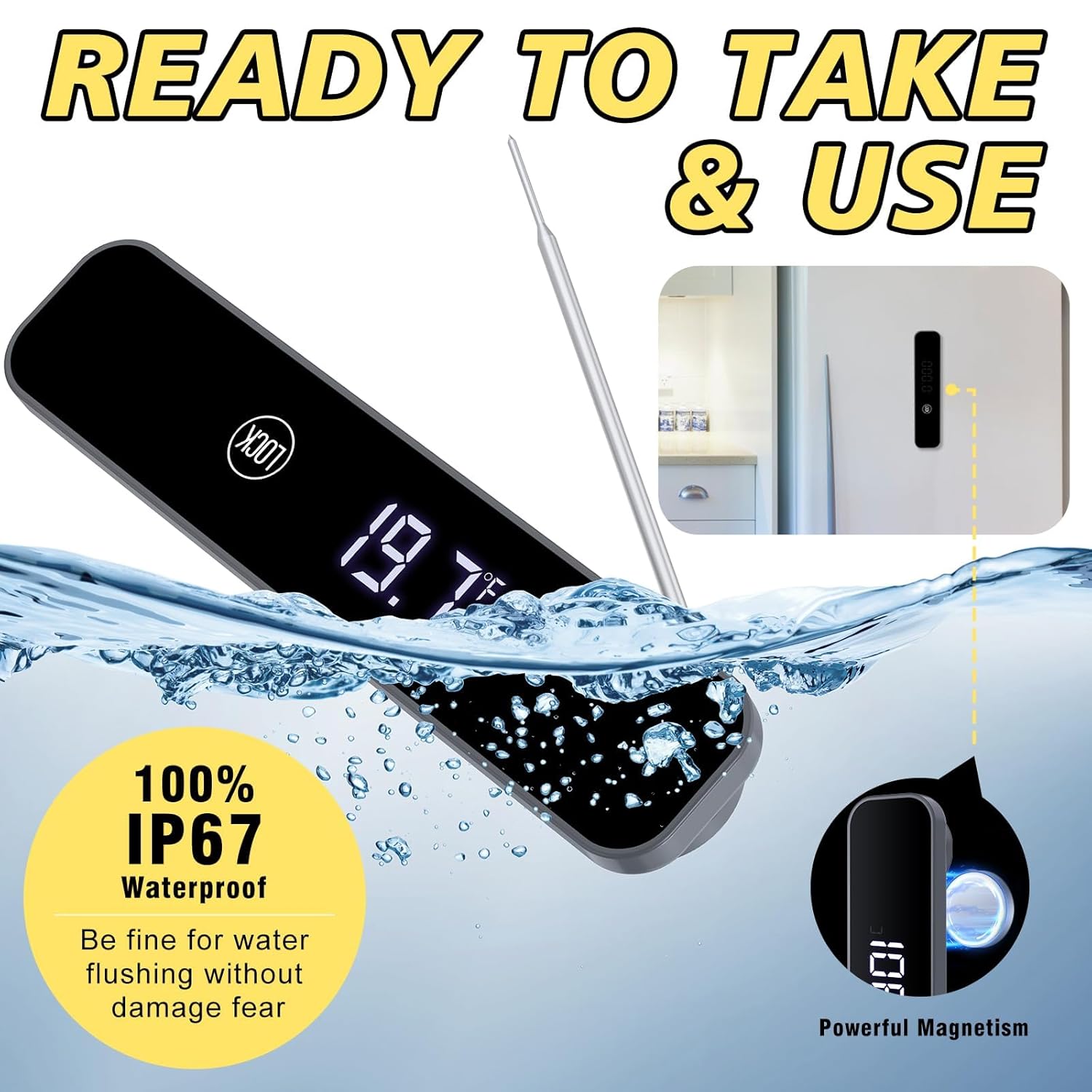
Image: The Homtronics HMT3 thermometer being cleaned under running water, demonstrating its IP67 waterproof capability.
6.2 Storage
- Always fold the probe back into the thermometer body when not in use to protect it and prevent accidental injury.
- The thermometer features an internal magnet, allowing it to be conveniently attached to metallic surfaces such as a refrigerator door or oven.
- Store in a dry place at room temperature.
6.3 Battery Replacement
Replace the AAA battery when the display becomes dim or the device fails to power on. Follow the battery installation steps outlined in Section 4.1.
7. Troubleshooting
- No Display/Device Not Powering On:
- Check if the AAA battery is correctly installed and has sufficient charge. Replace if necessary.
- Ensure the probe is fully extended from the thermometer body to activate the power-on function. - Inaccurate Readings:
- Verify that the probe is inserted into the thickest part of the food and not touching bone, gristle, or the cooking surface.
- Allow a moment for the reading to stabilize, especially when moving between vastly different temperatures.
- If readings remain consistently inaccurate, consider performing a calibration as described in Section 5.4. - Display Not Rotating:
- Ensure the device is held in a way that allows the internal sensor to detect orientation changes. Slight movement or tilting may be required for the display to adjust.
8. Specifications
| Model | HMT3 |
| Temperature Range | -58°F ~ 572°F (-50°C ~ 300°C) |
| Accuracy | ±1°C (±1.8°F) between -50°C and 200°C; ±2°C (±3.6°F) over 200°C |
| Response Time | ≤ 0.8 seconds |
| Waterproof Rating | IP67 |
| Display | 180° Reversible Backlight LCD |
| Power Source | 1 x AAA Battery |
| Materials | Acrylonitrile Butadiene Styrene (ABS), Stainless Steel |
| Dimensions | 7.68 x 3.31 x 1.18 inches |
| Weight | 6.72 ounces |

Image: Detailed view of the Homtronics HMT3 thermometer, illustrating its dimensions and the 180-degree rotational capability of the probe.
9. Warranty and Support
For warranty information, technical support, or any inquiries regarding your Homtronics HMT3 Digital Instant Read Meat Thermometer, please refer to the manufacturer's official website or contact their customer service department directly. Keep your purchase receipt for warranty claims.
