
1. Introduction
Thank you for purchasing the LFF DAB Radio LDR117-DE. This portable digital radio offers a comprehensive listening experience with DAB/DAB+, FM, and Bluetooth connectivity. Featuring a 2.4-inch color display, dual alarms, and a sleep timer, it is designed for ease of use and high-quality audio. Please read this manual carefully to ensure proper operation and to fully enjoy all the features of your new radio.
2. Safety Information
- Do not expose the device to rain, moisture, or extreme temperatures.
- Avoid placing the radio near heat sources or in direct sunlight.
- Do not disassemble the unit. Refer all servicing to qualified personnel.
- Use only the specified power adapter or batteries.
- Keep the device away from strong magnetic fields.
- Ensure proper ventilation around the radio during operation.
3. Package Contents
Please check that all items are present:
- LFF DAB Radio LDR117-DE
- Power Adapter
- User Manual
4. Product Overview
Familiarize yourself with the radio's controls and features.
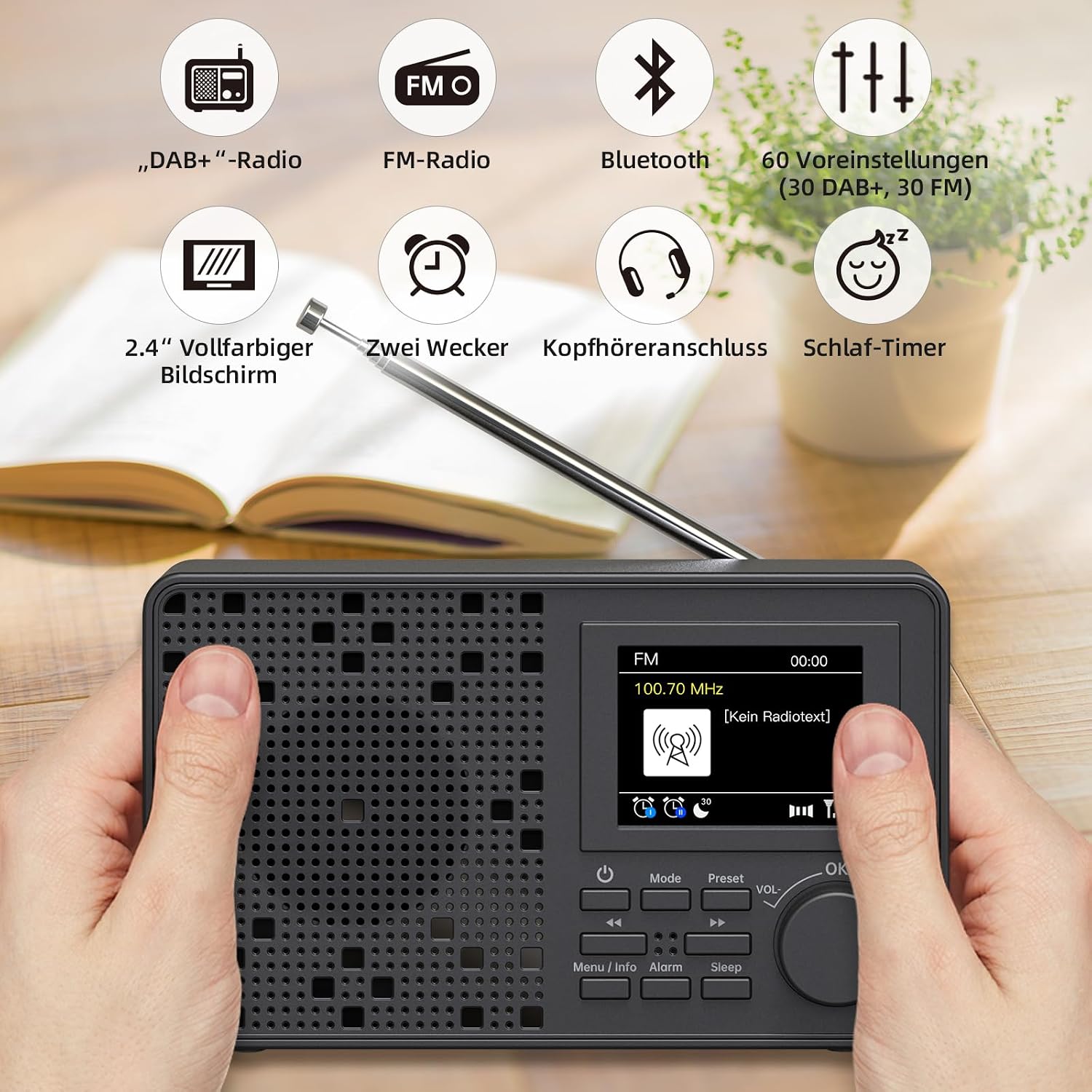
Figure 4.1: Front View of LFF DAB Radio LDR117-DE
This image shows the front of the LFF DAB Radio, highlighting its 2.4-inch color display, speaker grille, and control buttons. Key buttons visible include Power, Mode, Preset, Menu/Info, Alarm, Sleep, and a multi-function rotary knob for Volume and OK/Select.
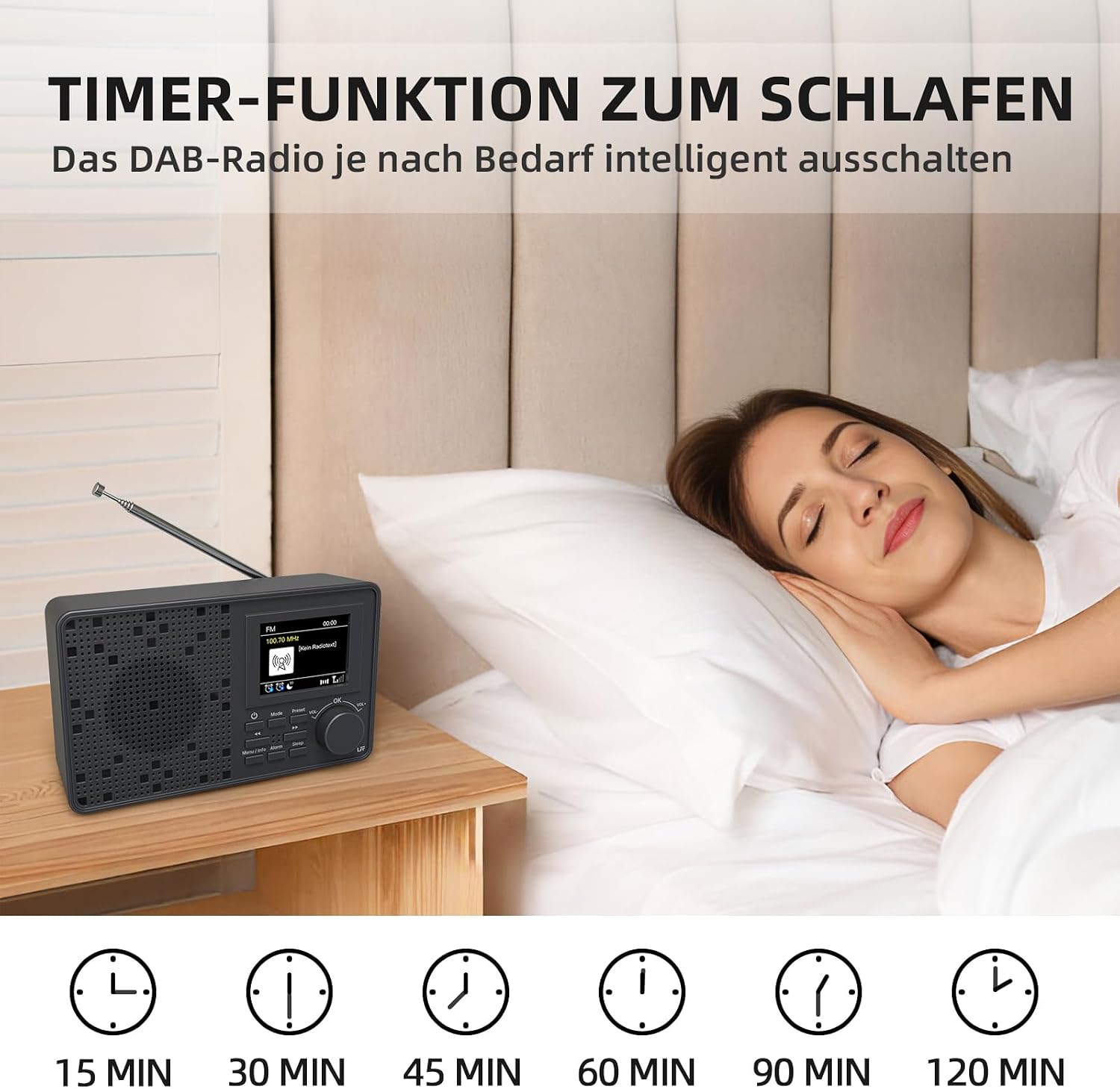
Figure 4.2: Back View and Dimensions of LFF DAB Radio LDR117-DE
This image displays the rear of the LFF DAB Radio, showing its dimensions (16.25 cm x 9.8 cm x 6.35 cm), the battery compartment for 4 AA batteries, and the DC 5V power input port. The extendable antenna is also visible.
Controls and Ports:
- Power Button: Turns the radio on/off.
- Mode Button: Switches between DAB, FM, and Bluetooth modes.
- Preset Button: Accesses stored radio station presets.
- Menu/Info Button: Enters menu settings or displays station information.
- Alarm Button: Sets and manages alarms.
- Sleep Button: Activates and adjusts the sleep timer.
- Rotary Knob (VOL-/VOL+/OK): Adjusts volume, navigates menus, and confirms selections.
- DC 5V Input: For connecting the power adapter.
- 3.5mm AUX Input: For connecting external audio devices via cable.
- 3.5mm Headphone Jack: For private listening.
- Extendable Antenna: Improves radio signal reception.
5. Setup
5.1 Powering the Radio
Your LFF DAB Radio can be powered by either the included AC adapter or 4 x AA batteries (not included).
- AC Power: Connect the provided power adapter to the DC 5V input port on the back of the radio and plug it into a wall outlet.
- Battery Power: Open the battery compartment on the back of the radio and insert 4 x 1.5V AA batteries, ensuring correct polarity. Close the compartment securely.
5.2 Antenna Extension
For optimal radio reception, fully extend the telescopic antenna. The antenna length is approximately 48.5 cm.

Figure 5.1: Extending the Antenna
This image shows the LFF DAB Radio with its telescopic antenna fully extended, illustrating the recommended position for improved signal reception.
5.3 Initial Power On
Press the Power button to turn on the radio. The 2.4-inch color display will light up.
6. Operating Instructions
6.1 DAB/DAB+ Radio Mode
The radio supports DAB+ frequencies from 174.928 to 239.2 MHz.
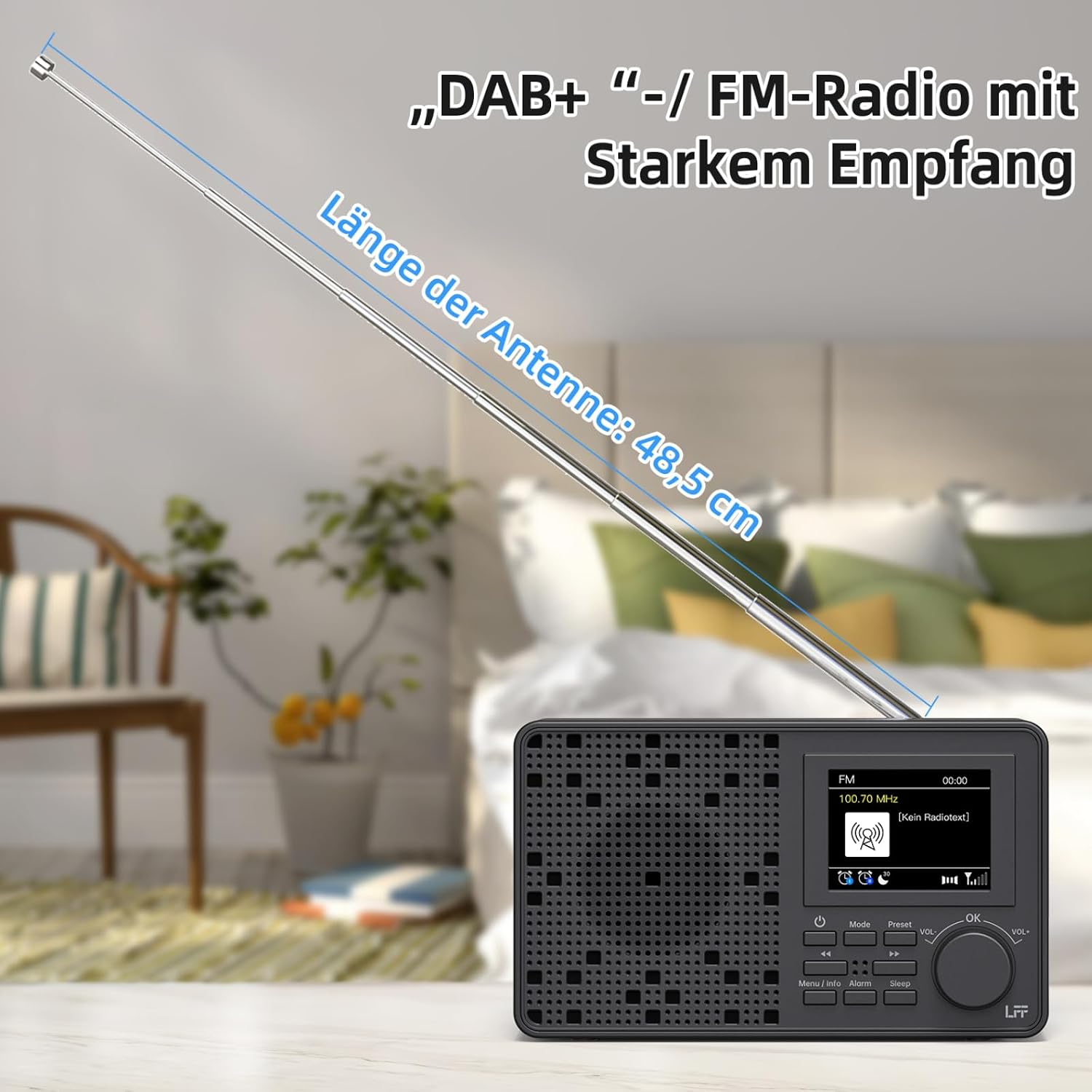
Figure 6.1: DAB+ and FM Frequency Ranges
This image illustrates the supported frequency ranges for the LFF DAB Radio: DAB+ from 174.928 to 239.2 MHz and FM from 87.5 to 108 MHz.
- Press the Mode button until "DAB" is displayed.
- The radio will automatically perform a scan for available DAB/DAB+ stations upon first use or if no stations are found.
- Once the scan is complete, use the rotary knob to scroll through the list of found stations. Press the rotary knob (OK) to select a station.
- To perform a manual scan, press the Menu/Info button, navigate to "Scan" or "Full Scan", and confirm.
6.2 FM Radio Mode
The radio supports FM frequencies from 87.5 to 108 MHz.
- Press the Mode button until "FM" is displayed.
- To auto-scan for stations, press and hold the rotary knob (OK) or navigate through the menu to initiate an auto-scan.
- To manually tune, rotate the knob to adjust the frequency.
6.3 Bluetooth Mode
Connect your smartphone or tablet to stream audio wirelessly.

Figure 6.2: Bluetooth Mode Operation
This image shows the LFF DAB Radio in Bluetooth mode, with the display indicating a Bluetooth connection. A person is holding a smartphone, demonstrating the wireless audio streaming capability.
- Press the Mode button until "Bluetooth" is displayed. The radio will enter pairing mode.
- On your Bluetooth-enabled device (e.g., smartphone), search for available devices and select "LFF DAB Radio" to pair.
- Once paired, you can play audio from your device through the radio.
- Note: This radio does not support Bluetooth headphones.
6.4 Sleep Timer
Set the radio to automatically turn off after a specified period.

Figure 6.3: Sleep Timer Function
This image depicts the LFF DAB Radio on a bedside table, with a person sleeping peacefully. Below the radio, icons indicate various sleep timer durations: 15 min, 30 min, 45 min, 60 min, 90 min, and 120 min.
- Press the Sleep button repeatedly to cycle through the available sleep timer durations: 15, 30, 45, 60, 90, 120 minutes, or Off.
- The radio will automatically turn off after the selected time.
6.5 Dual Alarm Clock
Set up to two independent alarms.
- Press the Alarm button to enter the alarm settings.
- Use the rotary knob to select Alarm 1 or Alarm 2 and press OK.
- Follow the on-screen prompts to set the alarm time, source (DAB/FM/Buzzer), and frequency (daily, weekdays, weekends, once).
- Press the Alarm button again to activate/deactivate the alarm.
6.6 Presets
Store and quickly access up to 60 of your favorite DAB/DAB+ and FM stations.
- To Store a Preset: Tune to the desired station. Press and hold the Preset button. Use the rotary knob to select a preset number (1-60) and press OK to save.
- To Recall a Preset: Press the Preset button. Use the rotary knob to select the desired preset number and press OK to tune to the station.
6.7 Display Brightness
Adjust the brightness of the 2.4-inch color display to suit your environment.
- Press the Menu/Info button.
- Navigate to "Display" or "Brightness" settings.
- Use the rotary knob to select one of the three available brightness levels.
6.8 Headphone Jack
For private listening, plug standard 3.5mm headphones into the headphone jack on the side of the radio. The internal speaker will be muted automatically.
7. Maintenance
7.1 Cleaning
Wipe the radio with a soft, dry cloth. Do not use abrasive cleaners or solvents, as they may damage the surface.
7.2 Battery Replacement
If using battery power, replace all 4 AA batteries when the low battery indicator appears on the display or when performance degrades. Ensure correct polarity when inserting new batteries.
8. Troubleshooting
If you encounter issues with your radio, please refer to the following common problems and solutions:
| Problem | Possible Cause | Solution |
|---|---|---|
| No power | Power adapter not connected; Batteries depleted or incorrectly inserted. | Check power adapter connection; Replace batteries, ensuring correct polarity. |
| Poor radio reception (DAB/FM) | Antenna not extended; Weak signal area; Interference. | Fully extend the antenna; Relocate the radio to an area with better signal; Move away from other electronic devices. |
| No sound | Volume too low; Headphones connected; Mute activated. | Increase volume; Disconnect headphones; Check if mute is active. |
| Bluetooth not connecting | Radio not in Bluetooth mode; Device not in pairing mode; Out of range. | Ensure radio is in Bluetooth mode; Put your device in pairing mode; Move device closer to the radio (within 10 meters). |
| Display is dim | Brightness setting is low. | Adjust display brightness in the menu settings. |
9. Specifications
| Feature | Specification |
|---|---|
| Model Number | LDR117-DE |
| Brand | LFF |
| Color | Black |
| Product Dimensions (LxWxH) | 16.2 cm x 6.4 cm x 9.8 cm |
| Housing Material | Acrylonitrile Butadiene Styrene (ABS) |
| Tuner Technology | DAB+ |
| Supported Radio Bands | DAB/DAB+, FM (87.5 – 108 MHz) |
| DAB+ Frequency Range | 174.928 – 239.2 MHz |
| Connectivity Technology | Bluetooth, 3.5mm Audio |
| Compatible Devices | Earphones, Headphones, Smartphone |
| Power Source | Corded Electric (DC 5V adapter included), 4 x AA Batteries (not included) |
| Screen Type | LCD Color Display |
| Special Features | DAB Plus Radio, FM Radio, Bluetooth, Dual Alarm, Sleep Timer, 60 Presets, 3-level Display Brightness |
| Water Resistance Level | Not Water Resistant |
10. Warranty and Support
LFF products are designed and manufactured to the highest quality standards. For warranty information or technical support, please refer to the documentation provided at the time of purchase or contact your retailer. Keep your proof of purchase for warranty claims.