
Orbit Innovations WM-MIN6-COD2
Orbit Innovations Call of Duty Warzone Mini Fridge Instruction Manual
Model: WM-MIN6-COD2
Introduction
Thank you for purchasing the Orbit Innovations Call of Duty Warzone Mini Fridge. This compact and portable thermoelectric cooler is designed to keep your beverages, snacks, or skincare products cool. Please read this manual thoroughly before use to ensure proper operation and maintenance.
Important Safety Information
- Read all instructions before operating the appliance.
- Keep the appliance away from heat sources, direct sunlight, and moisture.
- Ensure proper ventilation around the unit. Do not block air vents.
- Do not immerse the unit in water or other liquids.
- Unplug the unit from the power outlet before cleaning or if not in use for an extended period.
- Do not operate the unit with a damaged cord or plug.
- This appliance is not intended for use by persons (including children) with reduced physical, sensory, or mental capabilities, or lack of experience and knowledge, unless they have been given supervision or instruction concerning use of the appliance by a person responsible for their safety.
- Do not use the appliance for purposes other than its intended use.
Package Contents
- One Orbit Innovations Call of Duty Warzone Mini Fridge
- One AC Power Cord
- One Removable Shelf

Image: The Orbit Innovations Call of Duty Warzone Mini Fridge, showcasing its compact design with the Call of Duty Warzone logo.
Setup
- Unpack: Carefully remove the mini fridge and all accessories from the packaging.
- Placement: Place the mini fridge on a flat, stable surface. Ensure there is adequate space around the unit for proper ventilation (at least 2-3 inches on all sides). Avoid placing it near heat sources or in direct sunlight.
- Power Connection:
- For home/office use: Connect the provided AC power cord to the AC port on the back of the unit, then plug it into a standard 120V wall outlet.
- For portable/vehicle use (if applicable, check product specifications for DC compatibility): Connect a compatible DC power cord (not included with this model) to the DC port and plug it into a 12V car adapter.
- Initial Cleaning: Before first use, wipe the interior and exterior of the fridge with a damp cloth.
- Shelf Installation: Insert the removable shelf into the desired slots inside the fridge. This allows for flexible storage arrangements.

Image: Rear view of the mini fridge showing the AC power input and the cooling/heating switch.
Operating Instructions
This mini fridge utilizes thermoelectric technology for cooling. It can cool items up to 36°F (20°C) below ambient temperature. It also features a warming function.
- Power On: Ensure the unit is properly connected to a power source.
- Select Mode: On the back of the unit, locate the switch for "COOL" and "OFF".
- To cool: Slide the switch to the "COOL" position. A green indicator light will illuminate.
- To turn off: Slide the switch to the "OFF" position.
- Loading Items: Place pre-chilled beverages, snacks, or skincare products inside the fridge. For optimal cooling performance, avoid overloading the unit. The 4-liter capacity can typically hold up to six 12oz beverage cans.
- Closing the Door: Ensure the door is securely latched to maintain internal temperature.

Image: The interior of the mini fridge, demonstrating its capacity to hold multiple beverage cans.
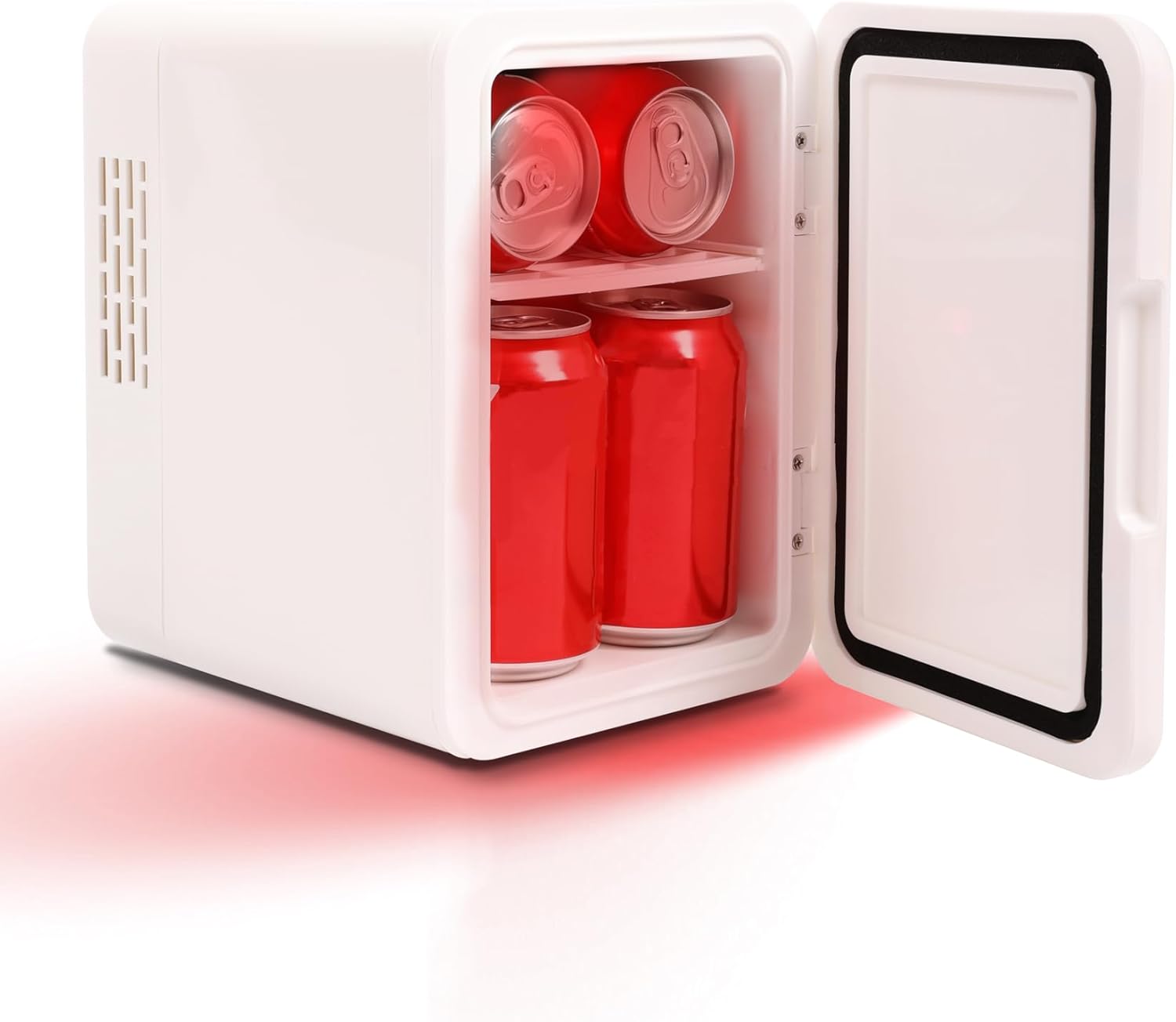
Image: The interior of the mini fridge, showing how it can be used to store skincare products, highlighting its versatility.
Video: An official product video from Orbit Innovations showcasing the Call of Duty mini fridge, its features, and how it can be used.
Maintenance
- Cleaning: Regularly clean the interior and exterior with a soft, damp cloth and mild detergent. Do not use abrasive cleaners or solvents.
- Drying: Ensure the unit is completely dry before plugging it back in.
- Ventilation: Keep the ventilation openings clear of dust and debris to ensure efficient operation.
- Storage: If storing the unit for an extended period, ensure it is clean, dry, and unplugged.
Troubleshooting
| Problem | Possible Cause | Solution |
|---|---|---|
| Unit not cooling/heating |
|
|
| Excessive noise |
|
|
| Condensation inside |
|
|
Specifications
- Model Number: WM-MIN6-COD2
- Brand: Orbit Innovations
- Capacity: 4 Liters (holds up to six 12oz cans)
- Product Dimensions: 9.33"D x 6.77"W x 9.61"H
- Item Weight: 1 pound
- Voltage: 120 Volts (AC)
- Cooling Technology: Thermoelectric
- Special Features: Adjustable Shelves, Portable
- Defrost System: Manual

Image: A visual representation of the mini fridge's dimensions, indicating its compact size.
Warranty and Support
For warranty information or technical support, please contact Orbit Innovations customer service. Refer to the product packaging or the official Orbit Innovations website for contact details.
Related documentsWM-MIN6-COD2

Ask a question about this manual
Ask about setup, troubleshooting, compatibility, parts, safety, or missing instructions. Manuals+ will review the question and use this page’s manual context to help answer it.