Introduction
Thank you for choosing the TELEFUNKEN TE40750B45I2K Smart TV. This manual provides essential information for setting up, operating, and maintaining your television. Please read these instructions carefully before using your TV and retain them for future reference.
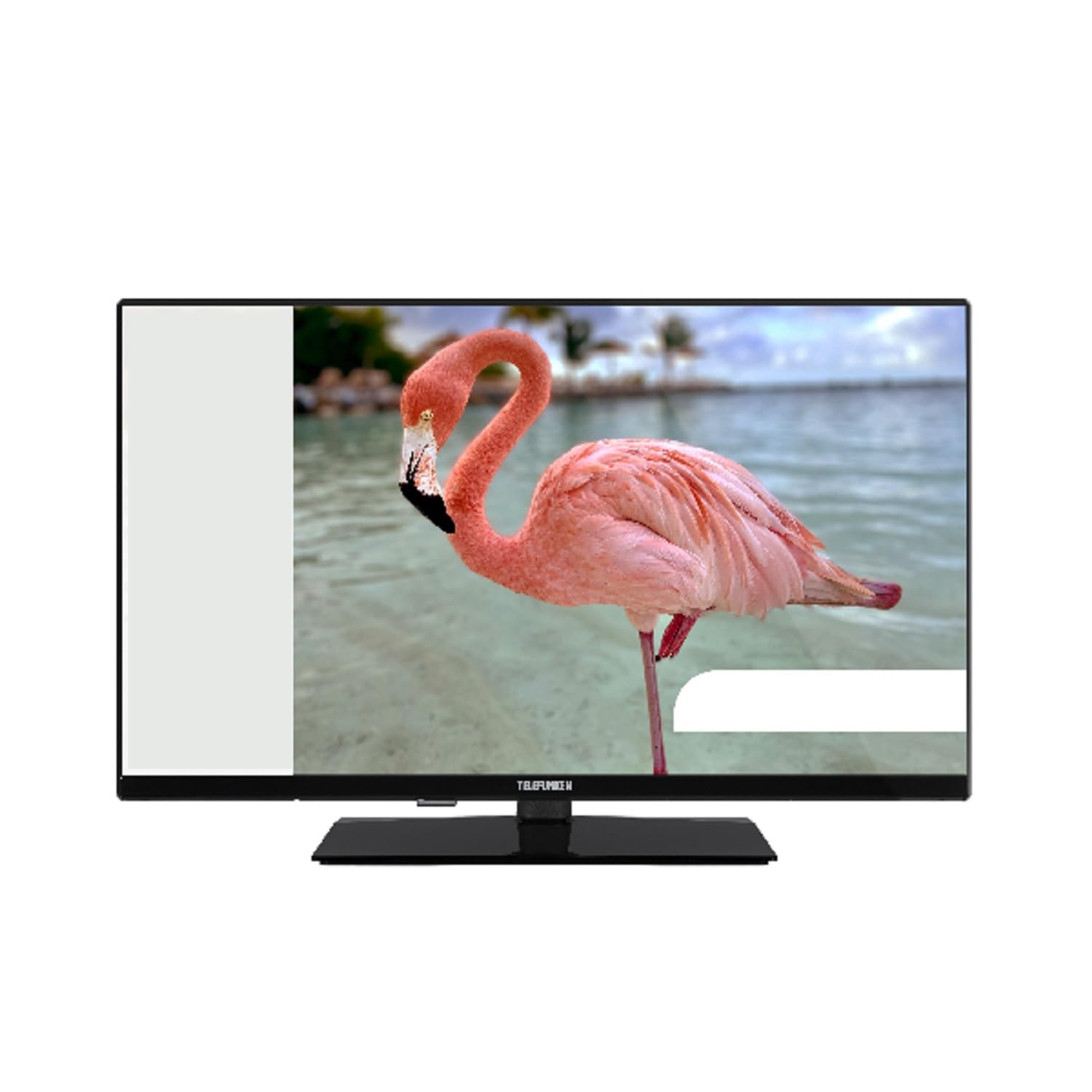
This image shows the TELEFUNKEN TE40750B45I2K Smart TV, a 40-inch model with a sleek black finish and its included stand. The screen displays a vibrant image, highlighting its Full HD LED display capabilities.
Setup
1. Unpacking and Stand Assembly
- Carefully remove the TV from its packaging.
- Attach the included base to the television using the provided screws. Ensure it is securely fastened to prevent the TV from tipping.
2. Connecting Power
- Connect the power cord to the TV's power input, then plug it into a 220-240V AC, 50 Hz electrical outlet.
3. Connecting External Devices
Your TV offers various connection ports for external devices:
- HDMI: For high-definition audio and video devices like Blu-ray players, game consoles, or set-top boxes.
- USB: For connecting USB storage devices to play media files.
- Ethernet: For a wired internet connection.
- Component Input (YPbPr via VGA): For connecting devices using component video cables.
- Composite Video/Audio Input: For connecting older devices using composite video and stereo audio cables.
- Headphone Output: For connecting headphones.
4. Initial Setup
- Upon first power-on, the On-Screen Display (OSD) will guide you through the initial setup process.
- Perform an Automatic Search to find available digital channels (DVB-T2/C/C S2). The TV supports HEVC (H.265) decoding.
- Connect to your Wi-Fi network or use the Ethernet port for internet access to enable Smart TV features.
Operating Instructions
Basic Functions
- Power: Use the remote control or the TV's power button to turn the TV on or off.
- Channel Selection: Use the channel up/down buttons or enter channel numbers directly.
- Volume Control: Adjust the volume using the volume up/down buttons.
Smart TV Features (Android OS)
Your TELEFUNKEN Smart TV runs on Android OS, providing access to a variety of applications and online services.
- Internet Services: Access popular streaming platforms such as Netflix, Hulu, and Amazon Prime Video directly from your TV.
- Wi-Fi Connectivity: Connect to your home network wirelessly for seamless internet access.
Media Playback
- USB Media Player: Insert a USB storage device into the USB port to play supported media files. The TV supports MP3, WMA, MPG, MPEG, MP4, MOV, AVI, JPG, PNG, and GIF formats.
Advanced Features
- Electronic Program Guide (EPG): View program schedules for digital channels.
- Timer Sleep Function: Set a timer for the TV to automatically turn off.
- Fast Text - TeleText: Access TeleText services on compatible channels.
- Parental Lock: Set restrictions on channels or programs.
- Hotel Mode (Passive): A specialized mode for hotel environments.
- Zoom Mode: Adjust the screen display to zoom in on content.
- Audio Settings: Customize your audio experience with Dolby Audio support, a 5-band equalizer, and DOLBY DIGITAL PLUS audio mode.
Maintenance
Cleaning the TV
- Always unplug the TV before cleaning.
- Use a soft, dry cloth to wipe the screen and cabinet. For stubborn marks, lightly dampen the cloth with water or a mild, non-abrasive cleaner specifically designed for electronics.
- Avoid using alcohol, benzene, thinners, or other volatile substances, as they may damage the TV's surface.
Software Updates
- Periodically check for available software updates through the TV's settings menu to ensure optimal performance and access to the latest features.
- Information regarding guaranteed software update periods is not available.
Troubleshooting
If you encounter issues with your TV, please refer to the following common solutions before contacting support.
- No Power: Ensure the power cord is securely plugged into both the TV and the wall outlet. Check if the outlet is functional.
- No Picture/Sound: Verify that the correct input source is selected. Check all cable connections to external devices. For no sound, ensure volume is not muted or too low.
- Poor Picture Quality: Check antenna or cable connections. Adjust picture settings in the TV menu.
- Remote Control Not Working: Replace the batteries. Ensure there are no obstructions between the remote and the TV's IR sensor.
- Network Connection Issues: For Wi-Fi, ensure the router is on and within range. For Ethernet, check the cable connection. Try restarting your router and TV.
- Smart TV Apps Not Working: Ensure a stable internet connection. Try restarting the app or the TV. Check for app updates.
If the problem persists after trying these steps, please contact TELEFUNKEN customer support.
Specifications
| Model Name | TE40750B45I2K |
| Brand | TELEFUNKEN |
| Screen Size | 40 inches (100 cm) |
| Display Technology | LED |
| Panel Type | D-LED |
| Resolution | 1920 x 1080 (Full HD) |
| Smart TV | Yes (Android Operating System) |
| Supported Internet Services | Netflix, Hulu, Amazon Prime Video |
| Contrast Ratio | 208.33:1 |
| Brightness | 250 cd/m² |
| Response Time | 9.5 ms |
| Tuner Type | HD DVB-T2/C/C S2 |
| HEVC (H.265) Decoder | Yes |
| Program Storage Capacity (Digital S/S2) | 200 channels |
| Program Storage Capacity (Digital T/T2/C) | 1000 channels |
| Connectivity | HDMI, USB, Ethernet, Wi-Fi, Component (YPbPr via VGA), Composite Video/Audio, Headphone Output |
| Total USB Ports | 1 |
| Audio Output Power (RMS) | 2x8W RMS (10% THD) |
| Dolby Audio | Yes |
| DTS Decoder | No |
| Equalizer | 5 bands |
| Audio Mode | DOLBY DIGITAL PLUS |
| Media Player Supported Files (USB) | MP3, WMA, MPG, MPEG, MP4, MOV, AVI, JPG, PNG, GIF |
| Power Supply | 220-240V AC 50 Hz |
| Dimensions (without base, WxDxH) | 90.2 x 5.3/8.7 x 51.7 cm |
| Dimensions (with base, WxDxH) | 90.2 x 23.5 x 57 cm |
| Net Weight | 6.65 kg |
| VESA Dimensions | M4 100x100 |
Warranty and Support
For warranty information, please refer to the documentation provided with your purchase or contact your retailer. For technical support, please visit the official TELEFUNKEN website or contact their customer service.
- Information regarding the availability of spare parts is not provided.
- Information regarding guaranteed software update periods is not available.


