1. Introduction
The Dreamegg Nite 7 Sound Machine and Sunrise Alarm Clock is designed to enhance sleep quality and improve morning wake-up routines. This device combines a white noise machine with 30 soothing sounds, a sunrise simulation alarm, an 8-color night light, and a dimmable display. This manual provides instructions for safe and effective use of the product.
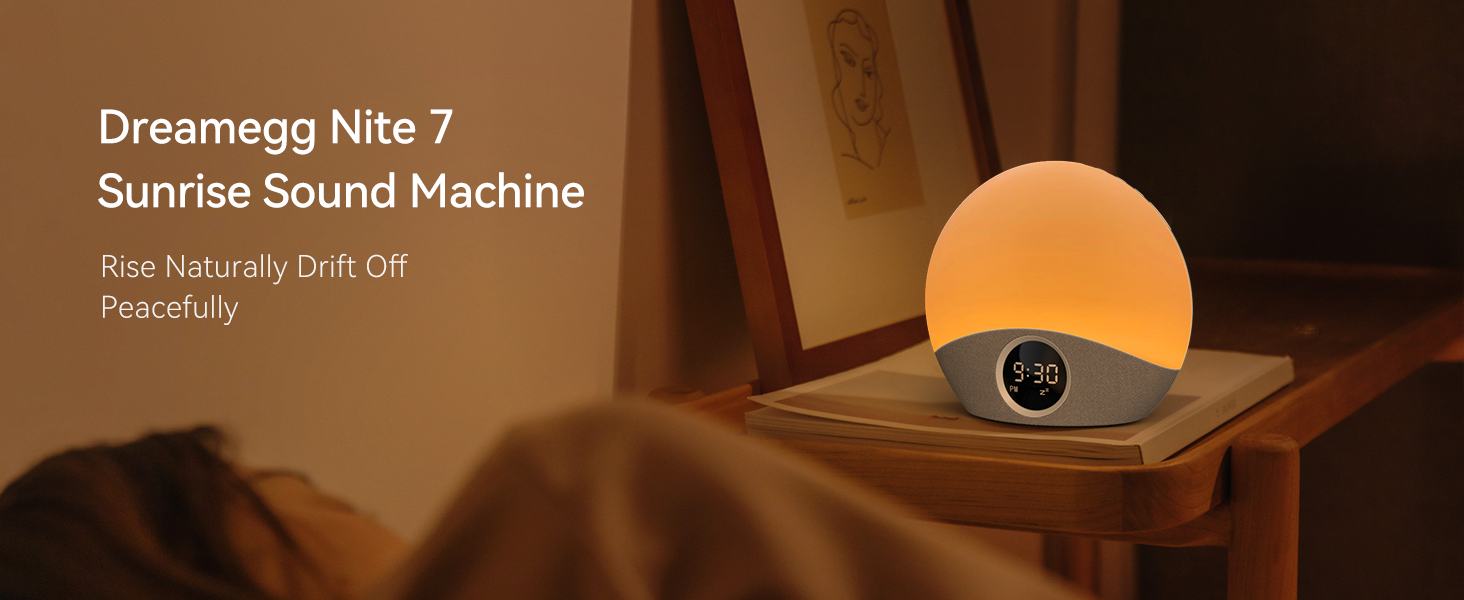
Image: The Dreamegg Nite 7 Sound Machine, a spherical device with a digital clock display, sits on a wooden bedside table, emitting a soft, warm light. The device features a fabric-covered base and a smooth, illuminated top portion.
2. Safety Information
Please read all safety instructions before using this product. Failure to follow these instructions may result in electric shock, fire, or other hazards.
- This product is powered by electricity. Handle with care to avoid the risk of electric shock.
- Always unplug the device before cleaning or performing any maintenance.
- Prolonged exposure to high volumes, especially with white noise, may cause hearing damage. Use at safe volumes and avoid continuous use for extended periods.
- Do not use this device as a toy. Keep out of reach of children under 3 years old.
- Always follow the instructions provided in this user manual.
3. Package Contents
Verify that all items are present in the package:
- Dreamegg Nite 7 Sound Machine and Sunrise Alarm Clock
- Power Adapter
- User Manual
4. Product Overview
The Dreamegg Nite 7 features an intuitive design for ease of use. Key components include the main light dome, digital display, and control buttons.

Image: A front view of the Dreamegg Nite 7 Sound Machine, a white spherical device with a grey fabric base. A circular digital display in the center shows '6:00 AM' and music/alarm icons. The top portion of the sphere glows red.
Control Panel and Ports
- Digital Display: Shows time, alarm status, and other settings.
- Light Dome: Emits various colors and brightness levels for sunrise simulation and night light.
- Control Buttons: Located on the device for setting alarms, adjusting sounds, light, and volume. Some buttons may feature a raised dot for tactile identification.
- Power Port: For connecting the power adapter.
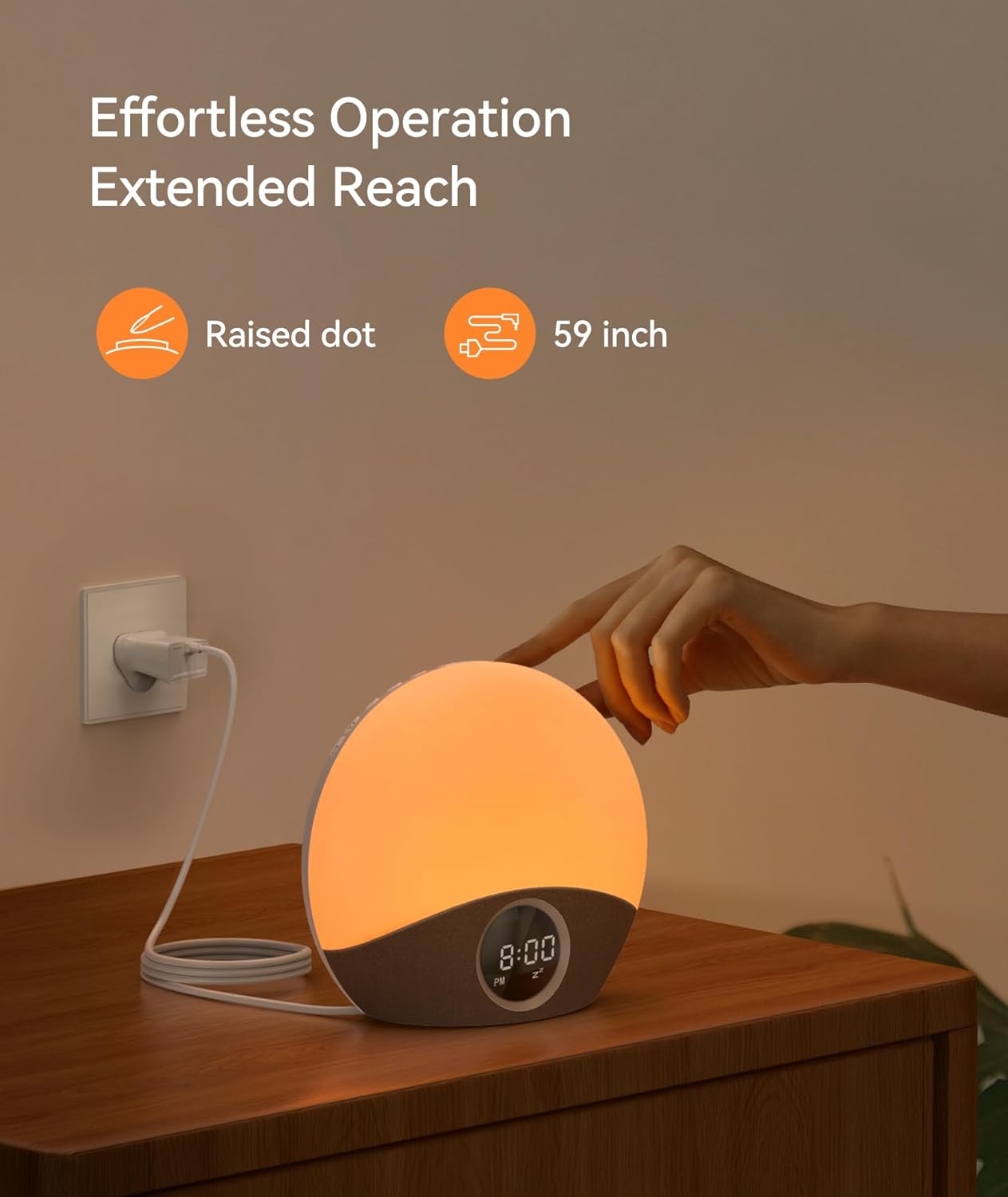
Image: The Dreamegg Nite 7 Sound Machine is shown plugged into a wall outlet with its power cord. A hand is reaching towards the top of the device, indicating interaction with controls. The image highlights a 'Raised dot' for tactile feedback and a '59 inch' cord length.
5. Setup
Follow these steps to set up your Dreamegg Nite 7:
- Unbox the Dreamegg Nite 7 sound machine and sunrise alarm.
- Plug the device into a standard power outlet using the provided power adapter.
- The device will power on and the display will illuminate.
6. Operating Instructions
6.1 Setting the Time
Refer to the control panel for time setting buttons. Typically, a 'Time Set' button or a combination of 'Mode' and arrow buttons is used to adjust hours and minutes.
6.2 Sunrise Alarm Clock
The sunrise alarm feature simulates a natural sunrise to gently wake you up.
- Setting the Alarm: Use the alarm setting buttons to set your desired wake-up time.
- Sunrise Duration: Adjust the sunrise simulation duration from 5 to 60 minutes before your set alarm time. The light will gradually brighten from 1% to 100%.
- Alarm Sounds: Select from 5 soothing alarm sounds.
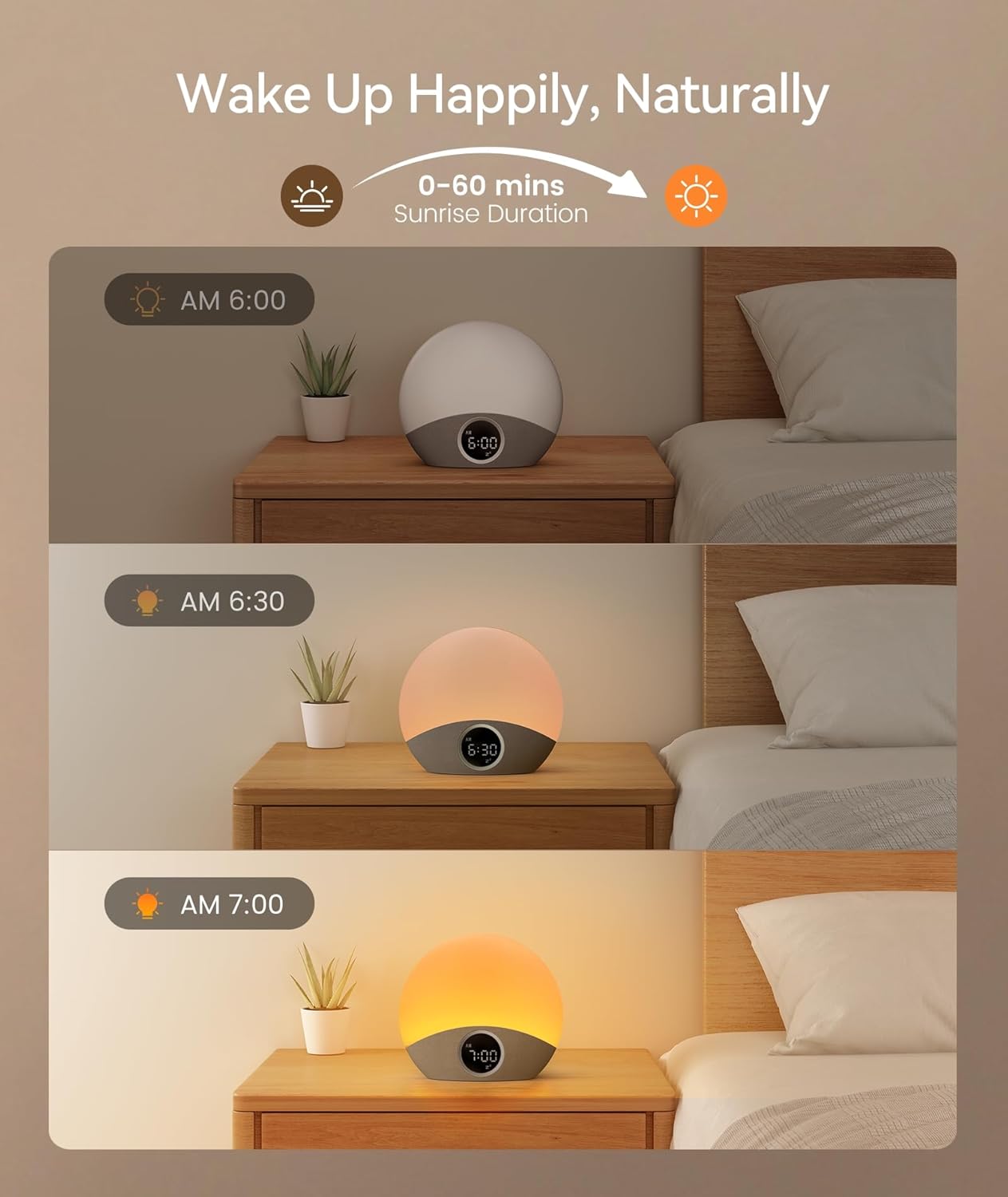
Image: A three-panel image illustrating the sunrise simulation. The top panel shows the device at 6:00 AM with minimal light, the middle at 6:30 AM with a soft orange glow, and the bottom at 7:00 AM with a bright yellow light, simulating a gradual sunrise over 0-60 minutes.
6.3 Soothing Sounds (White Noise Machine)
The device offers 30 soothing sounds to aid relaxation and sleep.
- Sound Selection: Use the sound selection buttons to cycle through 30 available sounds, including nature sounds (Ocean, Birds, Rain, Campfire), fan noises, baby sounds, and white, pink, and brown noise.
- Volume Adjustment: Adjust the volume to one of 30 levels using the volume control buttons.

Image: A visual representation of 30 soothing sounds, categorized into types like Ocean, Birds, Rain, White Noise, Pink Noise, Brown Noise, Meditation, Lullaby, Fan, and Campfire, each with a corresponding image.
6.4 8-Color Night Light
The integrated night light provides ambient lighting with multiple color options.
- Color Selection: Choose from 8 different colors for the night light.
- Brightness Adjustment: Adjust the brightness from 0% to 100%.

Image: A woman is shown reading in bed with the Dreamegg Nite 7 Sound Machine on her bedside table, emitting a soft orange light. The image highlights the '8 Colors Nightlight' and '0-100% lightness' features.
6.5 Dimmable Display
The digital display brightness can be adjusted to suit your preference, preventing disruption during sleep.
- Display Dimmer: Use the dedicated dimmer controls to adjust the display brightness from 0% to 100%.

Image: An illustration demonstrating the dimmable display feature of the Dreamegg Nite 7. The left side shows a bright display, while the right side shows a dimmed display, with a slider indicating 0-100% dimmable control.
6.6 Auto-Off Timer
Set a timer for the sound machine to automatically turn off after a specified period.
- Timer Settings: Choose a timer duration from 0 to 6 hours (or 0-180 minutes as indicated in some visuals).
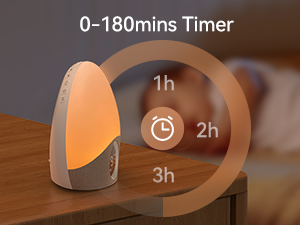
Image: A visual showing the timer function of the Dreamegg Nite 7, with options for 1 hour, 2 hours, and 3 hours, indicating an auto-off timer feature.
6.7 Memory Function
The device retains your last used settings for convenience.
- The device remembers your last chosen time, light, sound, and volume settings.
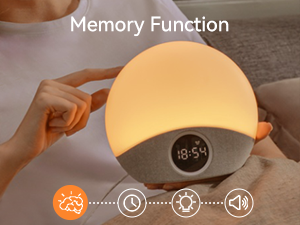
Image: An icon representing the memory function, showing a brain connected to symbols for time, light, and sound, indicating that the device remembers previous settings.
7. Maintenance
To ensure the longevity and proper functioning of your Dreamegg Nite 7, follow these maintenance guidelines:
- Cleaning: Unplug the device before cleaning. Use a soft, dry cloth to wipe the exterior. Do not use liquid cleaners or abrasive materials.
- Storage: When not in use for extended periods, store the device in a cool, dry place, away from direct sunlight and extreme temperatures.
- Handling: Avoid dropping the device or subjecting it to strong impacts.
8. Troubleshooting
If you encounter issues with your Dreamegg Nite 7, refer to the following common problems and solutions:
| Problem | Possible Cause | Solution |
|---|---|---|
| Device does not power on. | Not properly plugged in; power adapter malfunction. | Ensure the power adapter is securely connected to the device and a working power outlet. Try a different outlet. |
| Alarm does not sound. | Alarm not set; volume too low; alarm function malfunction. | Verify the alarm time is correctly set and activated. Increase the alarm volume. If the issue persists, contact customer support. |
| Display is too dim or not visible. | Display brightness set too low; display malfunction. | Adjust the display dimmer settings to increase brightness. If parts of the display are not lighting up, contact customer support. |
| Sound cuts off abruptly. | Timer function activated; software issue. | Check if the auto-off timer is enabled and adjust or disable it as needed. If the issue persists, contact customer support. |
9. Specifications
| Brand | Dreamegg |
| Model Name | Nite 7 |
| Item Model Number | HFD-W23 |
| Product Dimensions | 18.5 x 16.5 x 8.5 cm |
| Item Weight | 456 Grams |
| Color | White |
| Material | Acrylonitrile Butadiene Styrene (ABS) |
| Power Source | Corded Electric |
| Country of Origin | China |
10. Warranty and Support
Dreamegg offers comprehensive support for its products:
- Warranty: This product comes with an 18-month warranty.
- Customer Support: 24-hour customer support is available for assistance with any product-related inquiries or issues.


