
OFFNOVA 638210938
OFFNOVA Portable Printer User Manual
Model: 638210938
Introduction
This user manual provides comprehensive instructions for the OFFNOVA Portable Printer, Model 638210938. It covers setup, operation, maintenance, and troubleshooting to ensure optimal performance and longevity of your device. Please read this manual thoroughly before using the printer.
The OFFNOVA portable printer is designed for efficiency and portability, making it suitable for various mobile scenarios including business trips and on-the-go printing. It supports multiple operating systems and paper sizes, offering a versatile printing solution.

Image: The OFFNOVA Portable Printer being used in different environments, highlighting its versatility for study, office, design, and homework tasks.
What's in the Box
Upon unboxing your OFFNOVA Portable Printer, verify that all the following components are included:
- OFFNOVA Portable Printer
- US Letter Thermal Paper Roll
- Power Adapter
- Type C Charging Cable
- Flannel Storage Bag
- User Guide (this manual)
Product Overview
The OFFNOVA Portable Printer is a compact, inkless thermal printer designed for mobile use. Below are key features and components.
Dimensions and Portability

Image: The printer's compact size (4.06"D x 12.67"W x 2.76"H) and light weight (2.38 pounds) are illustrated, demonstrating its ease of transport in a backpack.
The printer measures approximately 4.06 inches (D) x 12.67 inches (W) x 2.76 inches (H) and weighs 2.38 pounds, making it highly portable for travel.
Supported Paper Sizes
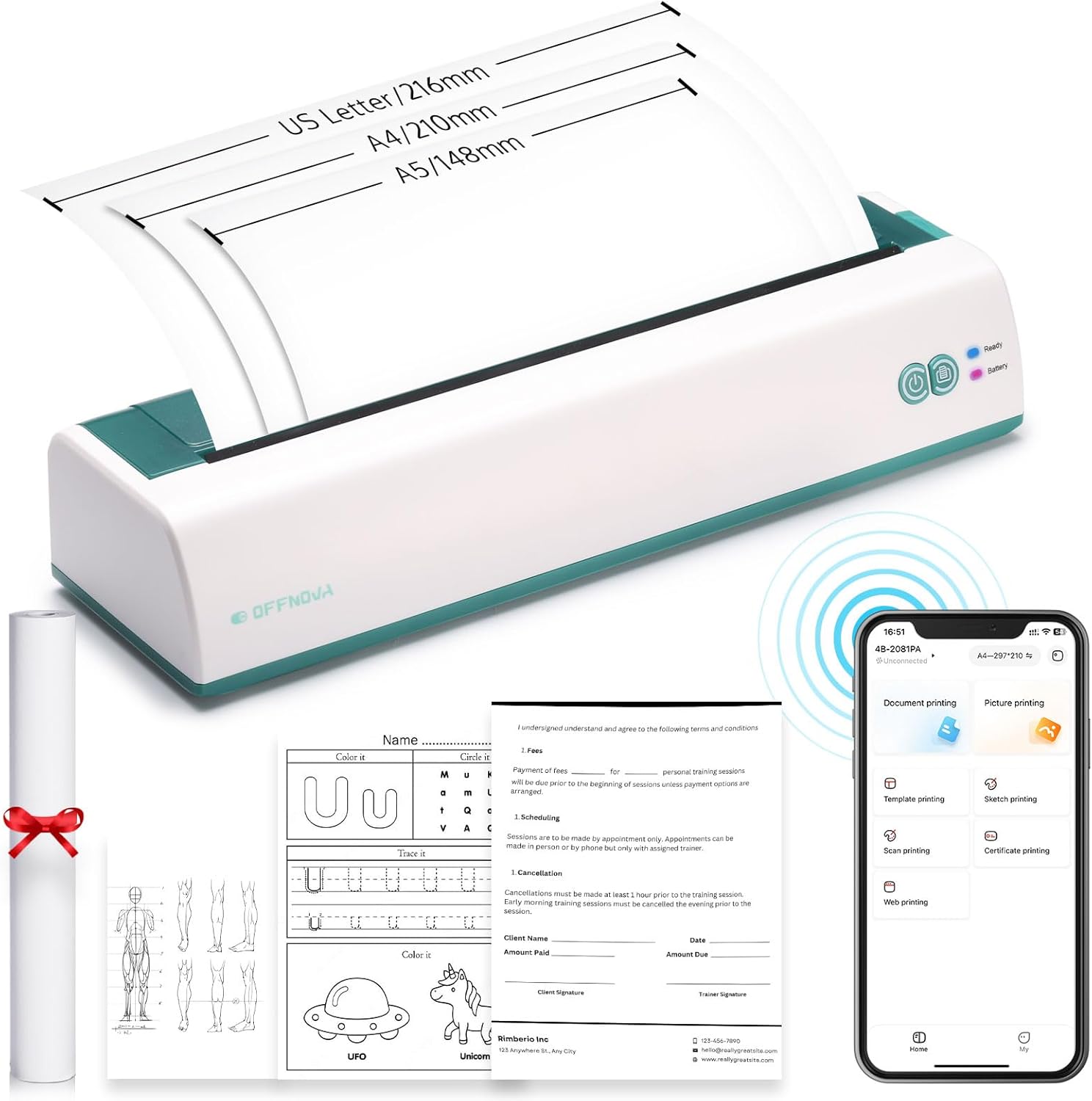
Image: The printer is depicted with various paper sizes (US Letter, A4, A5) to illustrate its versatility in handling different document formats.
The printer supports US Letter (8.5 x 11 inches), A4 (8.27 x 11.69 inches), and A5 (5.8 x 8.3 inches) paper sizes. An adjustable buckle allows for easy width adjustment.
Inkless Thermal Printing Technology

Image: A top-down view of the OFFNOVA Portable Printer, emphasizing its inkless thermal printing mechanism, which eliminates the need for ink cartridges.
This printer utilizes advanced thermal printing technology, which means it does not require ink, toner, or ribbons, reducing ongoing costs and environmental impact.
Battery Capacity

Image: The internal battery of the OFFNOVA Portable Printer is highlighted, indicating a 1200mAh capacity, capable of printing up to 730 A4 pages or lasting 6 hours on a single charge.
Equipped with a 1200mAh battery, the printer can print up to 730 A4 pages or operate for 6 hours on a single charge. It recharges via USB-C in approximately 2 hours.
Setup
Charging the Printer
Before first use, fully charge the printer using the provided Type-C charging cable and power adapter. The charging indicator light will show the charging status.
Loading Thermal Paper
- Open the paper compartment cover.
- Insert the thermal paper roll, ensuring the printable side (usually smoother) faces the print head.
- Adjust the paper guides to fit the width of the paper roll snugly using the adjustable buckle.
- Close the paper compartment cover.
Connecting to Devices
The OFFNOVA printer supports connections via Bluetooth for mobile devices and USB for computers.
Mobile Device Connection (iOS/Android)

Image: The printer is shown wirelessly connected to a smartphone and tablet, indicating compatibility with Android and iOS operating systems via Bluetooth.
- Download the 'XlifePro' app from the Google Play Store or Apple App Store.
- Ensure Bluetooth is enabled on your mobile device.
- Turn on the OFFNOVA printer.
- Open the 'XlifePro' app and follow the in-app instructions to connect to your printer via Bluetooth.
Computer Connection (Windows/macOS)

Image: The printer is connected via USB to a desktop computer and a laptop, demonstrating its compatibility with Windows 7 and newer, as well as Mac OS.
Connect the printer to your Windows (7+) or macOS computer using the provided Type-C USB cable. Install the necessary drivers, which can typically be found on the OFFNOVA support website or included on a small disk (if provided).
Operating Instructions
Printing from Mobile Devices (XlifePro App)

Image: A visual step-by-step guide demonstrating how to connect the printer, select paper size, choose file type, import files, confirm device, and print using the XlifePro mobile application.
- Step 1: Connect the printer to your mobile device. Open the XlifePro app and select your printer from the available devices.
- Step 2: Choose the paper size you are using. Select the appropriate paper size (e.g., US Letter, A4, A5) within the app.
- Step 3: Choose the file type you need. The app supports various file types including TXT, PDF, Excel, Word, JPG, and PNG.
- Step 4: Import the file from your mobile device. Browse and select the document or image you wish to print.
- Step 4-2: Reconfirm and choose the connected device. Verify that the correct printer is selected before proceeding.
- Step 5: Print out your file. Initiate the printing process from the app.
Versatile Document Compatibility

Image: The printer is shown processing a document, with a graphic indicating its compatibility with multiple file formats including Word, TXT, PDF, Excel, PowerPoint, JPG, and PNG.
The printer supports a wide range of document formats, including Word, TXT, PDF, Excel, and image formats like JPG and PNG, ensuring flexibility for various printing needs.
Scan Printing and Web Printing

Image: The printer is shown alongside a smartphone and tablet, illustrating its capability for effortless scan printing and direct web printing through the companion app.
The XlifePro app allows for direct scanning of documents for printing and also supports printing content directly from web pages, enhancing convenience.
Maintenance
Regular maintenance ensures the longevity and optimal performance of your OFFNOVA Portable Printer.
Cleaning the Print Head
The print head should be cleaned periodically to prevent print quality issues. Use a soft, lint-free cloth lightly dampened with isopropyl alcohol. Gently wipe the print head surface. Ensure the printer is turned off and disconnected from power before cleaning.
Cleaning the Paper Path
Remove any paper dust or debris from the paper path using a soft brush or compressed air. This prevents paper jams and ensures smooth feeding.
Storage
When not in use, store the printer in a cool, dry place, away from direct sunlight and extreme temperatures. Use the provided flannel storage bag to protect it from dust and scratches.
Troubleshooting
This section addresses common issues you might encounter with your OFFNOVA Portable Printer.
| Problem | Possible Cause | Solution |
|---|---|---|
| Printer not turning on | Low battery; Power button not pressed correctly | Charge the printer; Press and hold the power button for a few seconds. |
| No print output / Blank pages | Thermal paper loaded incorrectly (non-printable side up); No paper; Print head dirty | Reload paper with printable side facing print head; Load new paper roll; Clean the print head. |
| Poor print quality (faded, lines) | Dirty print head; Low battery; Poor quality thermal paper | Clean the print head; Recharge the printer; Use recommended thermal paper. |
| Cannot connect via Bluetooth | Bluetooth off on device/printer; Printer not in pairing mode; App issue | Ensure Bluetooth is on for both; Restart printer and device; Reinstall XlifePro app. |
| Paper jam | Paper loaded incorrectly; Debris in paper path | Turn off printer, carefully remove jammed paper; Clean paper path. |
Specifications
Detailed technical specifications for the OFFNOVA Portable Printer.
- Model Name: 4B-2081PA
- Item Model Number: 638210938
- Product Dimensions: 4.06"D x 12.67"W x 2.76"H
- Item Weight: 2.38 pounds (1.08 Kilograms)
- Printing Technology: Thermal
- Printer Output: Monochrome
- Connectivity Technology: Bluetooth, USB Type C
- Compatible Devices: Laptops, PC, Smartphones, Tablets (Android, iOS, Windows 7+, Mac OS)
- Maximum Media Size: 8.5 x 11 inch (US Letter)
- Supported Sheet Sizes: US Letter, A4, A5
- Max Input Sheet Capacity: 50 sheets
- Battery Capacity: 1200mAh
- Max Print Speed (Monochrome): 35 ppm
- Initial Page Print Time: 0.03 minutes or less
- Control Method: App, Touch
- Included Components: Flannel Storage Bag, User Guide, OFFNOVA Portable Printer, Power Adapter, Type C Charging Cable, US Letter Thermal Paper Roll
Warranty and Support
The OFFNOVA Portable Printer comes with a limited warranty. For specific warranty terms and conditions, please refer to the warranty card included in your package or visit the official OFFNOVA website.
For technical support, troubleshooting assistance, or inquiries regarding your product, please contact OFFNOVA customer service. Contact information can typically be found on the OFFNOVA website or within the 'XlifePro' app.
OFFNOVA Store Link: Visit the OFFNOVA Store on Amazon
Ask a question about this manual
Ask about setup, troubleshooting, compatibility, parts, safety, or missing instructions. Manuals+ will review the question and use this page’s manual context to help answer it.